15 Best Open Source AI Coding Assistants in 2026

When commercial AI coding tools first exploded onto the scene, the promise was irresistible: type a prompt, watch code appear, and cut your development time in half. But as development teams integrated these proprietary services deeper into their workflows, reality set in. Intellectual property concerns, strict API rate limits, unpredictable pricing changes, and data privacy policies forced engineering leads and independent developers to ask a critical question: Who actually owns your code context when an external model processes it?
Enter the open-source movement. Over the past couple of years, the developer ecosystem has seen a massive shift toward community-driven, local-first, and self-hosted AI tools. Today’s open-weights models and open-source orchestrators don’t just rival proprietary software—in many ways regarding privacy, customization, and workflow control, they surpass them.
If you are exploring the broader landscape of software development tools, this guide fits directly into our overarching analysis of AI Code Assistants. Here, we break down the 15 best open-source AI coding assistants available today, organized by their core strengths and deployment modes.
What to Look for in an Open-Source AI Coding Assistant
Choosing an open-source tool isn’t just about picking a free alternative; it’s about choosing the right architecture for your security and hardware setup. Keep these core factors in mind:
- Local Model Support & Privacy: Look for tools that seamlessly interface with local inference engines like Ollama, LM Studio, or vLLM. This ensures your proprietary codebase never leaves your local machine or private cloud.
- IDE & Terminal Native Experience: Whether you live inside VS Code, JetBrains IDEs, or Neovim, your assistant should complement your existing setup without imposing heavy latency.
- Autonomy & Workflow Capabilities: Decide whether you simply want inline code autocompletion or fully autonomous agents capable of editing multi-file projects, executing terminal commands, and managing Git workflows.
- Enterprise Governance: For engineering leads, support for self-hosting via Docker or Kubernetes, coupled with role-based access control, is non-negotiable when replacing enterprise SaaS tools.
Category A: Top Autonomous Agents & CLI Tools
1. Aider
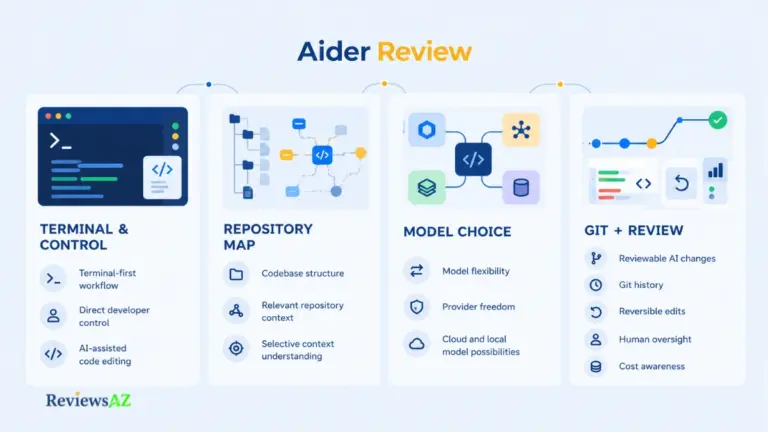
Aider has established itself as the gold standard for terminal-first AI pair programming. Operating directly inside your command line, Aider pairs seamlessly with Git, automatically committing changes with clear, descriptive commit messages whenever it edits your codebase. It works exceptionally well with both cloud LLMs and locally hosted models via Ollama. If you want a deep dive into its command-line capabilities, check out our full Aider Review.
2. Cline (formerly Claude Dev)
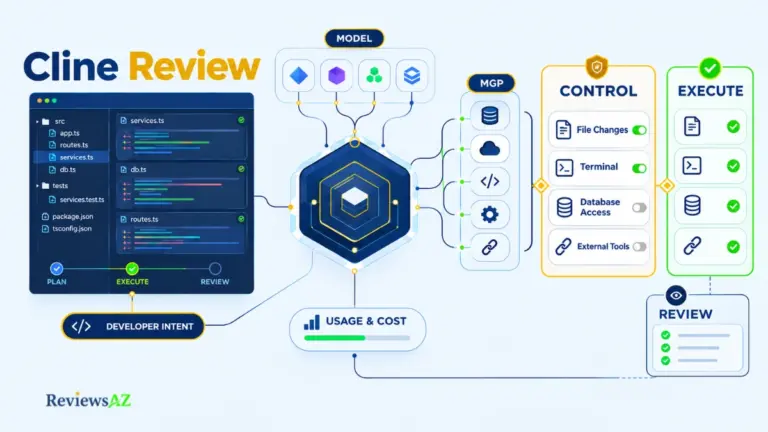
Cline brings autonomous agentic capabilities directly into VS Code. It doesn’t just suggest inline code; it can analyze project structures, create new files, execute terminal commands, and debug errors iteratively with human-in-the-loop permission prompts. To learn how to set up custom developer rules and API configurations inside VS Code, read our Cline Review.
3. OpenHands (formerly OpenDevin)
Built as a fully open-source answer to autonomous software engineers, OpenHands provides a sandboxed environment where AI agents can write code, run bash scripts, and interact with web browsers to resolve complex tasks. If you are evaluating how autonomous open-source systems hold up against venture-backed closed software, see our detailed Devin Desktop Review.
4. Continue.dev
Continue is one of the most widely adopted open-source extensions for VS Code and JetBrains. Designed as a flexible orchestration layer, Continue lets you plug in any LLM—whether a local Llama model or a private API endpoint—to create a custom inline autocomplete and chat sidebar without locking you into a single vendor.
5. Roo Code (Roo Cline)
A popular community fork of Cline, Roo Code focuses on granular prompt customization and advanced multi-model switching. It allows developers to assign specialized AI personas (e.g., Architect, Code Reviewer, Tester) to different stages of the development lifecycle, optimizing token usage and output accuracy.
Category B: Self-Hosted & Enterprise-Grade Tools
+-----------------------------------------------------------------------+
|                 Open Source AI Assistant Architecture                  |
+-----------------------------------------------------------------------+
|                                                                       |
|   +-------------------+       +-----------------------------------+   |
|   |   Developer IDE   | <---> |    Local/Private Server (vLLM)    |   |
|   | (VS Code/Neovim)  |       |   (Ollama / DeepSeek-Coder / etc)  |   |
|   +-------------------+       +-----------------------------------+   |
|             ^                                   ^                     |
|             | (Local Telemetry)                 | (Zero External Data)|
|             v                                   v                     |
|   +---------------------------------------------------------------+   |
|   |                Private Enterprise Codebase                    |   |
|   +---------------------------------------------------------------+   |
|                                                                       |
+-----------------------------------------------------------------------+
6. Tabby
Tabby is an open-source, self-hosted AI coding assistant designed specifically as a privacy-focused alternative to commercial autocompletion services. With native support for GPU acceleration, a simple Docker deployment model, and built-in repository context indexing, Tabby is a favorite among infrastructure teams looking to deploy on-premise AI.
7. Cody (by Sourcegraph) [Open-Core]
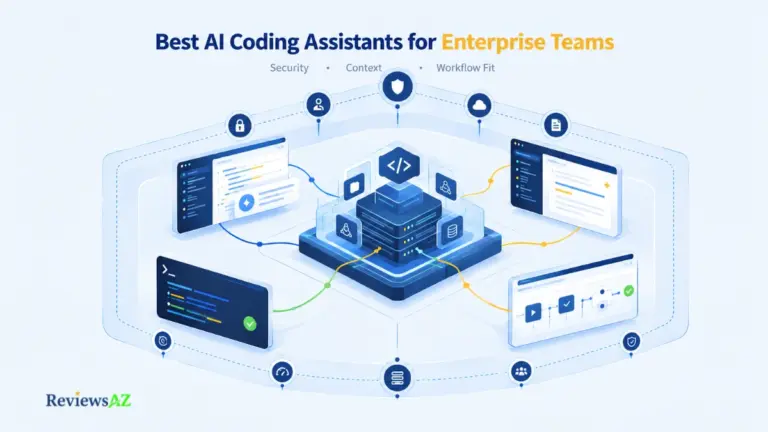
Cody leverages Sourcegraph’s enterprise code graph to give AI assistants complete awareness of your entire codebase. While Sourcegraph offers commercial tiers, Cody’s core client and context-fetching architecture remain open-core, making it an exceptional option for navigating large, complex repositories. See where Cody ranks among enterprise setups in our roundup of the Best AI Coding Assistants for Enterprise Teams.
8. StarCoder & Hugging Face Tools
StarCoder (developed by the BigCode community) isn’t just an assistant—it’s a family of open-weights models trained on permissively licensed data across dozens of programming languages. Combined with Hugging Face’s VS Code extension, StarCoder gives developers a completely transparent code generation engine.
9. CodeLlama & The Ollama Ecosystem
While Ollama is technically an inference engine rather than a dedicated coding assistant, it serves as the backbone for the entire local AI movement. Running models like CodeLlama, DeepSeek-Coder, or Qwen-Coder via Ollama allows any local IDE extension to deliver zero-latency autocompletion with 100% offline security.
Category C: Niche & Specialty Assistants
10. Vanna.ai
Vanna is an open-source, Python-based AI framework specializing in SQL generation and database interaction. By training a lightweight RAG (Retrieval-Augmented Generation) model on your database schema and documentation, Vanna lets developers generate complex SQL queries using natural language. For a deeper look at database-centric tools, explore our guide on selecting an AI Coding Assistant for SQL.
11. Supermaven (Community Utilities)
Supermaven made waves with its ultra-fast context processing engine. While the core cloud service is proprietary, its open-source extensions and community integrations provide a blueprint for how ultra-low-latency autocompletion can be achieved in custom editor builds.
12. GPT Pilot (Pythagora)
GPT Pilot shifts the paradigm from code completion to step-by-step application scaffolding. Acting as a lead developer agent, it breaks down high-level feature requests, writes code sequentially, asks clarifying questions when stuck, and prompts you to test features at every milestone.
13. Plz CLI
Plz CLI is a lightweight terminal utility designed for developers who want quick command translation without heavy background daemons. Type what you want to achieve in natural language (e.g., “find all running Docker containers using port 8080”), and Plz generates and explains the exact bash string before execution.
14. Sweep AI
Sweep acts as an open-source junior developer that plugs directly into your GitHub workflow. When an issue is opened or tagged, Sweep reads the codebase, plans a fix, writes the code, and submits a functional Pull Request for your team to review.
15. LlamaCoder
LlamaCoder is an open-source web application stack that allows you to generate entire React applications from simple text prompts locally. Powered by local LLMs via Ollama, it demonstrates how open-source software can replicate full-stack UI prototyping tools on consumer hardware.
Open Source vs. Commercial AI Assistants
When choosing between open-source solutions and commercial giants, the trade-off usually comes down to convenience versus control.
| Feature / Metric | Open Source (Self-Hosted / Local) | Commercial (Proprietary Cloud) |
| Data Privacy | Absolute (Data never leaves your machine/VPC) | Dependent on Vendor Privacy Agreements |
| Customization | Unlimited (Custom models, fine-tuning, custom RAG) | Limited to vendor settings & prompt rules |
| Offline Usage | Yes (Via local LLM runners) | No (Requires persistent cloud connection) |
| Setup Complexity | Moderate to High (Requires hardware/container setup) | Low (Plug-and-play browser/extension login) |
| Hardware Requirement | Requires modern GPU for low latency local inference | Minimal local resource consumption |
To see how commercial tools stack up against each other, read our breakdown of Cursor vs GitHub Copilot, or check out the broader clash of workflows in Claude Code vs Cursor. You can also explore our individual evaluations in our Cursor Review, GitHub Copilot Review, and Claude Code Review.
How to Deploy a Local Open-Source AI Assistant (3-Step Guide)
Setting up an open-source coding stack on your workstation is straightforward:
- Install a Local Model Runner: Download and run Ollama. From your terminal, pull a coding model:
Bashollama run qwen2.5-coder:7b - Install an Open Orchestrator: Add the Continue.dev extension to VS Code or JetBrains.
- Connect the Local Endpoint: Configure
continue/config.jsonto point to your local Ollama port (http://localhost:11434). You now have a fully functional, zero-data-leakage AI assistant running entirely on your hardware.
This modern local architecture is a massive leap forward from early foundation models. If you are curious about how code-generation architectures evolved from early cloud prototypes, read our historic Codex Review.
Choosing the Right Tool for Your Workflow
The open-source AI ecosystem has matured to the point where zero-compromise development is possible. If you need a command-line pairing partner, Aider is unmatched. If you want a full IDE agent inside VS Code, Cline and Continue offer incredible flexibility. For database engineers, Vanna.ai turns schema management into natural conversation, while enterprise teams can deploy Tabby for complete code privacy.
To see how all these options measure up against every major closed tool on the market, dive into our ultimate landscape comparison: Cursor vs Claude Code vs Codex vs GitHub Copilot.
Which open-source coding tool are you currently running in your local stack?