Vanna AI Review 2026: Open-Source SQL Agent, Pricing, Features & Verdict

This Vanna AI Review looks at a product that changed more than most reviews currently ranking for it seem to realize. If the last thing you read about Vanna described a lightweight Python library that turned a schema into SQL, that description used to be accurate. It isn’t anymore. Vanna 2.0 rebuilt the product around identity-aware execution, a registry of callable tools, and memory that persists across turns, and most of the reviews currently ranking for this term haven’t caught up to that shift. This one is written specifically about the product as it exists today.
Quick Verdict
- Best For: Developers and data teams who need a self-hostable, permission-aware SQL agent, not non-technical buyers looking for a plug-and-play SaaS.
- Biggest Strength: Vanna 2.0 is a full agent framework with user-aware execution, a tool registry, and memory. That’s a different product from the “text-to-SQL script” most older reviews still describe.
- Biggest Limitation: Both current G2 reviews (4.5/5 average) mention real training effort, plus occasional refinement needed on complex queries and output polish.
- Pricing Starting Point: Explorer at $50/month (20 questions/day), Team at $500/month (300 questions/day), Enterprise on custom pricing.
- Cloud vs. Self-Hosted: Same core framework across tiers. Start self-hosted with Vanna OSS, then move to Cloud or Enterprise without rewriting your integration.
- Featured Testimonial: A Senior Product Manager at Azure SQL Database, Microsoft, is featured as a user testimonial on Vanna’s site.
What Is Vanna AI?
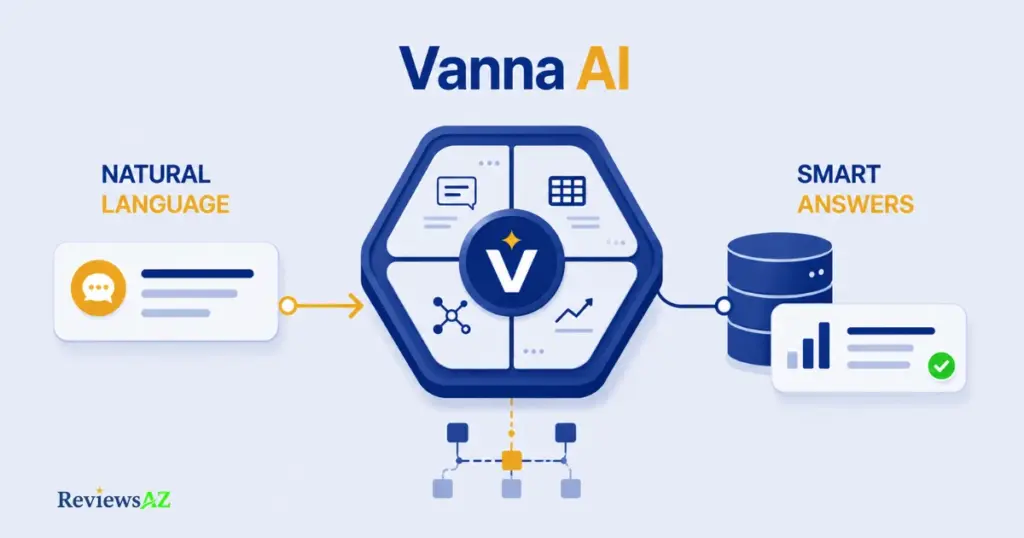
Vanna AI is the company behind Vanna 2.0, an open-source SQL agent that lets people query company databases in plain language while respecting each user’s own access rights. On its own site, the product is described in four words: Open Source, Multi-database, Multi-turn, Access controlled. Each one is doing real work, not just filling out a tagline.
“Open Source” means the core framework is publicly available and self-hostable. “Multi-database” means the same agent can be pointed at SQLite, PostgreSQL, MySQL, Snowflake, or BigQuery, with additional connectors documented for other systems. “Multi-turn” means it holds context across a conversation instead of resetting with every question. “Access controlled” is the part most Text-to-SQL tools skip: the agent runs under the permissions of the person asking, not a shared service account.
Text-to-SQL describes what it outputs. Agent describes how it operates. This review holds Vanna to the second definition, because that’s the standard the company itself has set.
Vanna AI 2.0: What Changed?
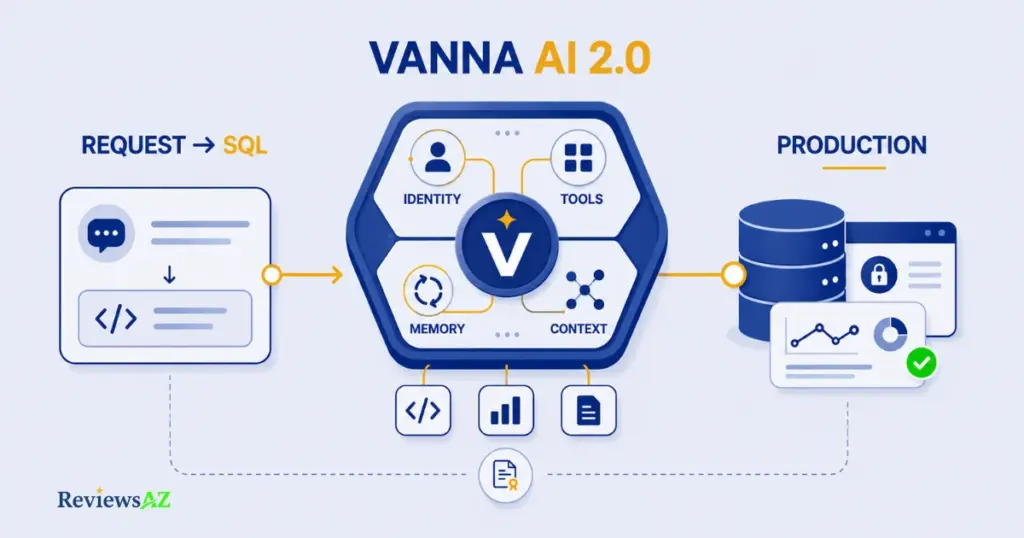
Here’s the shift, in practical terms.
- From a library you call to an agent that runs. The old model was request-in, SQL-out. The new model runs as a standing agent with its own tool registry, choosing which tool to invoke based on the conversation, whether that’s SQL generation, chart rendering, or follow-up retrieval.
- From one shared context to user-aware execution. Every query now carries the identity of the person asking, so the same agent enforces different visibility for different users.
- From stateless calls to agent memory. Successful interactions are retained, so the agent can draw on what worked before instead of starting cold on every question.
- From prototype-only to production deployment. Access controls, observability, and audit logging are now built in, framed explicitly around running in production rather than a notebook demo.
This is a full rebuild, not a feature update. Reviews written against the pre-2.0 architecture are describing a functionally different product.
None of this guarantees better accuracy on the one thing every SQL tool is ultimately judged on: getting the query right. It does mean the comparison point is wrong in nearly every review still framing Vanna as “yet another text-to-SQL wrapper.” Older complaints and older praise about VannaBase-era behavior may simply no longer apply.
How Does Vanna 2.0 Learn and Use Context?
Four moving parts make this work.
Training. Accuracy starts before anyone asks a question. Per the official documentation, the agent is trained on DDL statements, example SQL queries, and written documentation about how tables relate to each other. A column called status can mean a dozen different things depending on the table, and bare schema names rarely capture that. Under-training is the most common reason new users report inaccurate results.
RAG and retrieval. Vanna uses retrieval-augmented generation to pull the specific pieces of trained context relevant to a given question, rather than stuffing an entire schema into the prompt.
Tool memory is where the claims get more specific, and harder to independently confirm. Vanna’s own materials describe the agent retaining successful interactions over time, building a growing library of “questions like this worked before.” That’s a mechanism, not a vague promise about getting smarter. Whether it holds up consistently on genuinely complex, multi-table queries is exactly what the accuracy section below tries to pin down.
Execution closes the loop. Once SQL is generated, the tool registry checks the requesting user’s permissions before the query touches the database, then formats results for whatever interface asked, chart, table, or plain text. Generating correct SQL and being allowed to run it are two different problems. Vanna is built to solve both.
Vanna AI Features
Architecture explains why Vanna behaves the way it does. Features are what you’d actually click, type into, or embed.
Text-to-SQL is still the foundation: a plain-English question in, a runnable, schema-scoped SQL query out, generated with retrieved training context rather than a blind guess from table names.
Multi-turn conversations let you ask a follow-up, “now break that down by region,” without repeating the original context. Worth separating from agent memory: one holds the current thread together, the other retains patterns across separate sessions over time.
Charts and visualization render results as graphs where appropriate, useful for non-technical users who want a trend line rather than a grid of numbers. This is also one of the areas current user feedback flags as needing occasional refinement, more on that shortly.
And on custom tools and frontends: Vanna isn’t locked to one interface. It embeds via a chat component for web apps, or through integrations like Streamlit, Slack, and Jupyter. For teams that don’t want to build a custom frontend, the agent goes where users already work instead of asking them to adopt something new.
How Accurate Is Vanna AI?
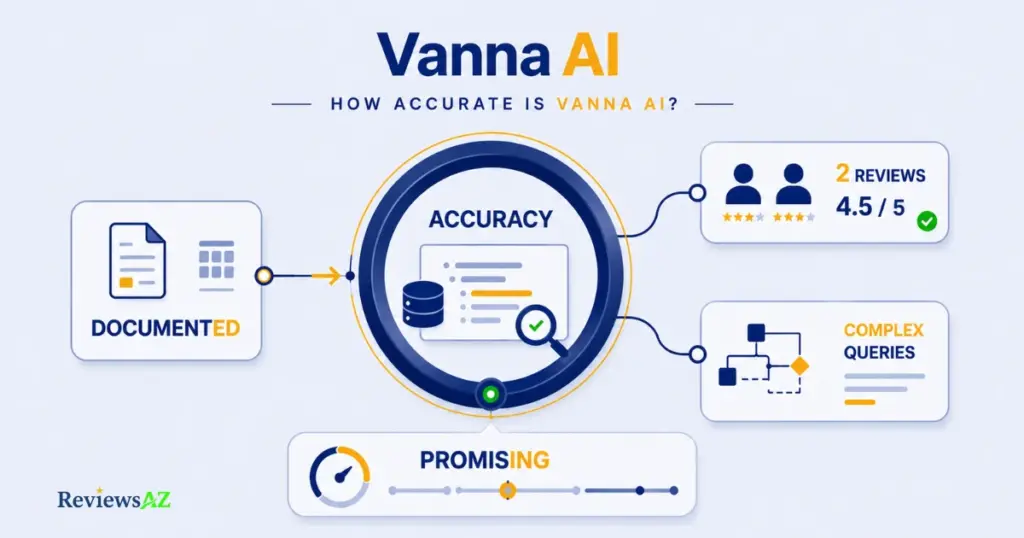
No independent hands-on test was run for this review. The evidence available is limited to two current G2 reviews and Vanna’s own documentation, and the two shouldn’t be blended together.
Vanna’s own materials frame accuracy as something that improves with training quality and retained memory. That’s a claim about mechanism, not a benchmark figure, and the public documentation doesn’t publish a standardized accuracy score for comparison against competitors.
As of this writing, Vanna AI has exactly two reviews on G2, averaging 4.5 out of 5. Real, verifiable, and too small a sample to generalize into “users love it.” Both reviewers independently praised accuracy on standard queries and the ability to self-host with permission control. Both also, independently, flagged the same limitation: complex, multi-join scenarios sometimes produced wrong queries, and SQL or chart output occasionally needed manual refinement. Vanna’s G2 profile is also currently unclaimed by the company itself, for whatever that’s worth as a signal about how invested Vanna is in this specific review channel.
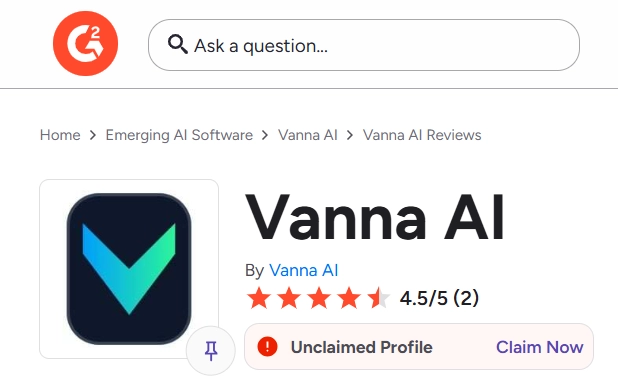
Why this matters: two independent reports flagging the same failure mode, complexity, is a stronger signal than either review alone, even at a sample size this small. At n=2, though, a single additional negative review would move that 4.5 average substantially.
This review cannot confirm accuracy rates, latency, or how the agent handles queries beyond what documentation and those two reports describe. Vanna’s free tier and quick-start options exist specifically to let you verify this on your own schema before committing budget.
Supported Databases and LLMs
| Category | Officially Listed Options |
|---|---|
| Databases | SQLite, PostgreSQL, MySQL, Snowflake, BigQuery, plus additional connectors documented separately for other systems |
| LLM Providers | Anthropic, OpenAI, Gemini, Ollama |
Ollama’s inclusion alongside three hosted providers means a fully local setup, local model, local database, nothing leaving your infrastructure, is a genuinely supported configuration rather than an unofficial workaround. And because the database and LLM choices are independent of each other, you can mix a fully open-source stack or a fully managed one; the framework doesn’t force either direction. Don’t assume your database is unsupported just because it’s not one of the five featured here; Vanna’s configuration docs cover additional connectors beyond this spotlight list.
Open Source vs Vanna Cloud vs Self-Hosted
Vanna offers three deployment paths on the same underlying framework: self-hosted Vanna OSS, managed Vanna Cloud, and Enterprise self-hosted with on-prem or VPC support. The difference is who runs the infrastructure and which admin features come included, not the core agent itself.
“Open source” describes the license, not the total cost of running it. Vanna OSS is free to use and self-host, but self-hosting still means covering the compute, the vector database for memory, and the engineering time to keep it running. Those are real costs that don’t show up on a pricing page.
| Option | Who Manages It | Best Fit |
|---|---|---|
| Vanna OSS | You (self-hosted) | Teams with infrastructure and engineering time, who want full control and no per-seat cost |
| Vanna Cloud | Vanna (managed) | Teams wanting access control, observability, and audit logs without running the infrastructure |
| Enterprise Self-Hosted | You, with Vanna support | Organizations needing on-prem or VPC deployment, SAML SSO, and custom SLAs, typically for data sovereignty or compliance |
Practical tip: before choosing OSS to save money, price out the self-hosting overhead first, vector store, uptime, upgrades. For many teams that adds up to more than the $50/month Explorer plan it was meant to avoid.
Choosing OSS purely to dodge cost is a common trap. What’s genuinely useful long-term: every tier runs on the same core framework, so moving from OSS to Cloud, or Cloud to Enterprise, doesn’t require rebuilding your integration.
Vanna AI Pricing and Plans
Paid plans start at $50/month for Explorer and scale to $500/month for Team, with Enterprise priced individually. Pricing checked directly on vanna.ai as of August 2026.
| Plan | Price | What’s Included |
|---|---|---|
| Explorer | $50/month | 20 questions/day, admin features (Vanna OSS or Vanna Cloud), API access, same-day email support |
| Team | $500/month | Everything in Explorer, plus 300 questions/day, setup support, same-day live support |
| Enterprise | Custom / Contact Sales | Unlimited questions, on-prem deployment support, SAML SSO, Admin API, advanced integrations, custom work |
Vanna OSS sits outside this table entirely. It’s the self-hosted, open-source option, and it doesn’t carry a monthly fee. What the three paid tiers add is managed infrastructure and admin capability on top of the same framework. One note on annual billing: Vanna’s FAQ states that annual subscriptions get a 20% discount, though it isn’t shown as a line item on the pricing cards themselves. Confirm the current terms with sales before budgeting around it.
Comparing Explorer to Team purely on question count, 20/day versus 300/day, misses half the picture. For teams still refining their training data, that live-support tier can matter as much as the raw quota. You can start on the free self-hosted path and only pay once you know which tier your usage actually needs.
Security, Privacy and Access Control
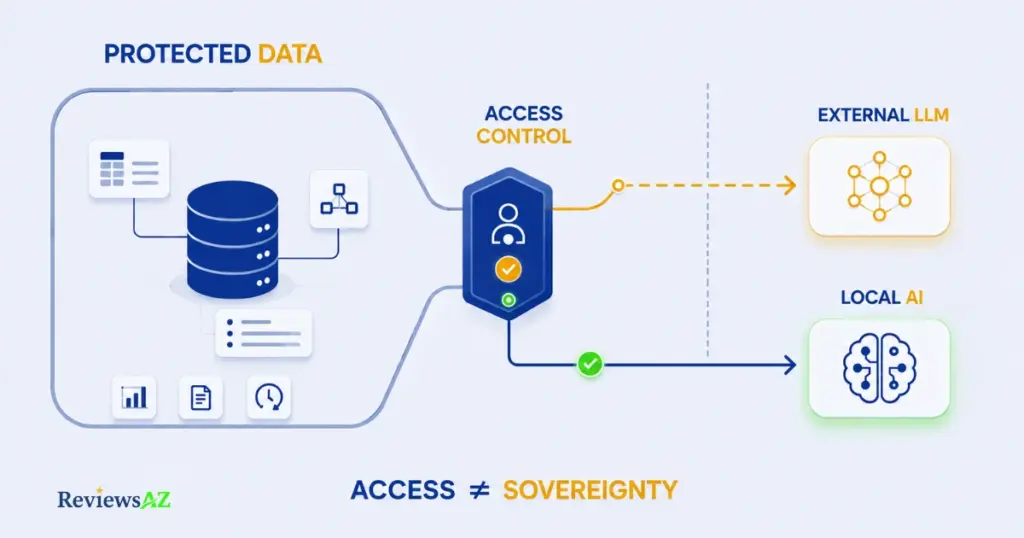
What stops most data teams from adopting an AI database agent isn’t whether it works. It’s what gets sent to the LLM, and who can see the results. Vanna’s hosted admin layer, available on Cloud and Enterprise, bundles six specific capabilities: access control per user rather than per API key, real-time observability, audit logs, data retention controls, a hosted vector database for agent memory, and secure file storage.
“Access controlled” governs who inside your organization can ask what and see what results. It doesn’t, by itself, change what gets sent to whichever LLM provider you’ve configured.
Need to decide fast? If schema context reaching a third-party LLM is a hard blocker for your organization, access control alone won’t solve it. Pair self-hosted OSS with a local model like Ollama instead.
For organizations where data sovereignty is non-negotiable, that’s where self-hosting stops being a cost trade-off and becomes the actual requirement.
Ease of Use and Setup
“Easy to use” isn’t one answer for Vanna. It depends on which path you’re on.
Getting a first answer out of it is fast. The documentation offers a no-signup Colab quick-start in about a minute, and a full pip install setup in roughly 30 minutes for anyone comfortable with Python.
Getting Vanna to a point where it’s reliably useful for your actual data is a different story. Both current G2 reviewers, independently and without prompting, flagged the same theme: training on your schema takes real, ongoing effort, and outputs sometimes need manual refinement rather than working correctly on the first try. One also noted the interface itself could use polish.
Common mistake: judging setup effort by how fast the demo runs, then being surprised when production-quality training takes days or weeks. The demo proves the pipe works, not that the agent understands your business logic yet.
Vanna Cloud narrows the gap somewhat. Setup support and same-day live support come bundled starting at the Team tier, which matters most during that initial training phase. Self-hosted OSS users don’t get that layer by default, so the learning curve falls more on internal engineering time.
Who Is Vanna AI Best For?
Developers comfortable with a pip install, API docs, and iterating on training data themselves get a framework they can embed directly into an existing application, not a standalone tool they’re forced to bolt on.
Data teams fielding repeated ad-hoc SQL requests get the most direct value: simple-to-moderate queries move off their plate, freeing them for the complex work only a human should be doing. The complex-query limitations covered earlier mean they’re still the escalation point, not eliminated.
Enterprises get a real, if modest, credibility signal: a Senior Product Manager at Azure SQL Database, Microsoft, is featured as a testimonial on Vanna’s site, describing the value of letting users across an organization query data regardless of SQL expertise. That testimonial is also referenced in a post on Microsoft’s own Azure SQL blog, worth reading directly if you want the context straight from the source. One testimonial, not a case study with measured results, and it should be weighed as exactly that. Beyond it, SAML SSO, on-prem deployment, unlimited questions, and custom integrations are built for organizations that need this to clear an internal security review before touching production data.
Privacy-sensitive organizations, healthcare, finance, anything under strict compliance, benefit most from pairing self-hosted deployment with a local model like Ollama: both the query and the schema context stay inside your own infrastructure by default.
Who Should NOT Use Vanna AI?
The flip side is worth stating plainly, since most reviews skip it.
- Non-technical buyers expecting zero-setup SaaS. Vanna’s model, schema training, DDL, documentation, works against that expectation, not for it.
- Teams needing a guaranteed accuracy benchmark before purchase. Vanna doesn’t publish a standardized score, and third-party evidence is currently limited to two G2 reviews.
- Anyone unwilling to own ongoing training maintenance. Both G2 reviewers described training as continuous, not a one-time setup step.
Vanna AI Review: Key Pros and Cons
| Pros | Cons |
|---|---|
| Genuine agent architecture: user-aware execution, tool registry, and memory, not a basic query generator | No published, standardized accuracy benchmark |
| Same core framework across OSS, Cloud, and Enterprise | Third-party evidence is thin: two G2 reviews as of this writing |
| True local-only deployment possible with Ollama plus a self-hosted database | Complex, multi-join queries are the one failure mode both G2 reviewers flagged |
| Access control enforced per user, not per shared API key | Schema training is real, continuous work |
| Featured testimonial from a Senior PM at Azure SQL Database, Microsoft | OSS has no monthly fee, but self-hosting carries real infrastructure cost |
| Flexible integration: chat component plus Streamlit, Slack, Jupyter | Interface polish was flagged as needing refinement |
Vanna AI Alternatives
Vanna’s agent-based, self-hostable approach won’t fit everyone described above. Want something lighter, more SaaS-style, without the training investment? Read the full AI2SQL review. Prioritizing simpler setup over Vanna’s deeper access-control model? Read the full SQLAI review. And if your workflow leans more toward database exploration than agent-style automation. None of these are direct substitutes; they solve adjacent problems with different trade-offs.
Is Vanna AI Worth It?
Full disclosure before this gets to a verdict: this review includes affiliate links to Vanna and to some of the alternatives mentioned above. If you sign up through them, we may earn a commission. That arrangement had no influence on the accuracy findings, the pricing figures, or the limitations described throughout this piece; everything here was checked against Vanna’s own documentation, its live pricing page, and its two current G2 reviews, not against what would earn the most commission.
Vanna AI is worth it if you have the technical capacity to train it properly and a real need for permission-aware, multi-database querying. It’s not worth it if you’re hoping for a zero-effort shortcut around learning your own data.
Strip away the framing and the trade is simple: upfront training and ongoing maintenance, in exchange for an agent that respects user permissions, works across multiple databases and LLM providers, and doesn’t lock you into one deployment model as you scale. That makes sense for a developer embedding it into an internal tool, or a data team drowning in repetitive SQL requests. It makes far less sense for someone who read “ask your database questions in plain English” and expected that to be the entire setup process.
A $50/month Explorer plan looks cheap until the engineering hours needed to get the agent reliably accurate on your schema get added in. For some teams, that hidden cost, not the invoice, is the real deciding factor.
If the evidence in this review lines up with what you need, the free self-hosted path is the lowest-risk way to find out before committing to a paid tier.
Frequently Asked Questions
Is Vanna AI free?
The core Vanna OSS framework is free and open-source to self-host, but it carries real infrastructure and engineering costs. Paid plans start at $50/month (Explorer) for managed admin features, scaling to $500/month (Team) and custom Enterprise pricing.
Is Vanna AI actually an AI agent, or just a text-to-SQL tool?
As of Vanna 2.0, it’s built and positioned as an agent framework with user-aware execution, a tool registry, and memory, not a one-shot text-to-SQL generator. Older reviews describing it purely as a text-to-SQL library predate this rewrite.
How accurate is Vanna AI for complex queries?
There’s no published accuracy benchmark. The two current G2 reviews (4.5/5 average) both independently flagged complex, multi-join queries as the area most likely to need manual refinement, even though standard queries were rated as accurate.
Can Vanna AI run fully self-hosted with no data leaving my infrastructure?
Yes. Pairing self-hosted Vanna OSS with a local model like Ollama and a self-hosted database keeps schema context and query traffic inside your own infrastructure, with no default dependency on a third-party LLM API.
Which databases does Vanna AI support?
Officially featured: SQLite, PostgreSQL, MySQL, Snowflake, and BigQuery, with additional connectors documented separately. Check Vanna’s configuration docs directly if your database isn’t on this core list.
How long does it take to set up Vanna AI?
A no-signup demo runs in about a minute via Colab, and a full local install takes roughly 30 minutes. Getting it reliably accurate on your own schema is a separate, ongoing effort, both current G2 reviewers described real training time beyond initial setup.
Is Vanna AI a good fit for non-technical users?
Non-technical users can query the database once it’s set up and trained, but the setup and training itself requires technical involvement. Vanna isn’t a zero-configuration SaaS a non-technical buyer would deploy alone.
Final Verdict
Are you evaluating the Vanna that exists today, or the one older reviews described? Now you know the difference, and that gap is the most useful thing to carry into any other Vanna content you come across.
Before trusting any accuracy claim about this tool, or any AI tool, check whether it’s sourced from the vendor’s documentation, from independent user reports, or from nothing verifiable at all. This review tried to keep those three categories separate throughout.
One concrete next step: don’t start with the pricing page. Start with the free Colab quick-start, load a sample or low-stakes schema, and see how the training process actually feels before weighing it against Team or Enterprise pricing. That hour tells you more than any review.
If Vanna’s training investment doesn’t match what you’re looking for, compare it against the wider field of best AI SQL tools first. The right fit depends less on which tool ranks highest and more on how much setup effort your team is actually willing to put in.