Outerbase Review 2026: AI Features, Open Source & What Happened After Cloudflare

An honest Outerbase review in 2026 has to start with a confession. Most of what’s published online is already outdated. Search for one right now and you’ll run into a strange problem: half the results describe a scrappy SaaS database tool, and the other half don’t mention that Cloudflare bought the company in April 2025. Neither picture is complete.
This Outerbase review looks at where things stand today: the AI-powered platform at outerbase.com, the open-source Outerbase Studio on GitHub, and the Cloudflare integration that reshaped the company’s direction. We’ll separate what Outerbase says about itself from what the public documentation and official announcements actually confirm.
Quick Verdict
- Current Status: Active. The main platform still accepts new signups, and Outerbase Studio is actively available as an open-source project on GitHub.
- Biggest Strength: EZQL, an AI layer that understands your schema and can generate queries, fix broken ones, and build charts from plain-language questions.
- Biggest Limitation: The product’s direction shifted after the Cloudflare acquisition, and the line between the hosted platform and the self-hosted Studio isn’t obvious unless you dig for it.
- Best For: Developers and data teams who want an AI-assisted database interface, or who are already building on Cloudflare Workers, D1, and Durable Objects.
- Open-Source Status: Outerbase Studio remains fully open source under an AGPL-3.0 license and can be self-hosted for free.
- Current Product Path: Two parallel tracks: the AI-driven hosted platform (Tables, Queries, Dashboards, Data Catalog) and the open-source Studio GUI, with Cloudflare’s developer platform increasingly woven into both.
What Is Outerbase?
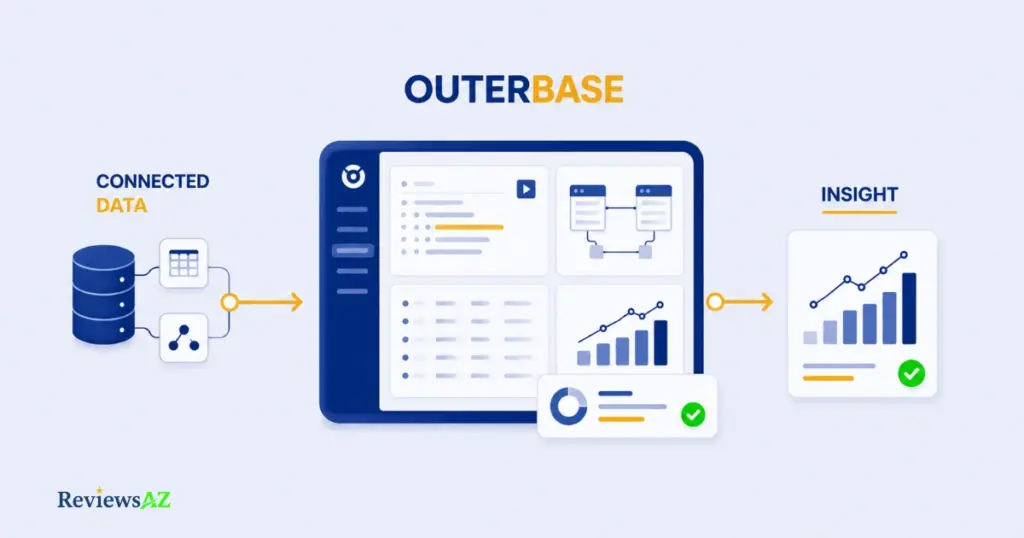
Outerbase is an AI-powered platform for working with databases, a browser-based interface that lets you connect to your data, query it in plain English through an assistant called EZQL, and turn the results into tables, dashboards, and visual reports without leaving the same workspace.
The current platform is built around five core pieces: AI (EZQL and an AI-assisted query editor), Tables (a spreadsheet-style data editor), Queries (a traditional SQL workspace for when you need it), Dashboards (self-serve analytics and AI-generated charts), and a Data Catalog for mapping business terms and relationships across your schema. It connects to a wide range of databases out of the box, including PostgreSQL, MySQL, SQLite, MongoDB, ClickHouse, SQL Server, Snowflake, BigQuery, and Redshift.
A common mistake is treating Outerbase as just another database interface in the vein of a basic SQL client. That undersells what Outerbase AI actually does. EZQL reads your live schema and answers questions about your data directly, rather than simply giving you a text box to write queries in. The trade-off is that some of that AI depth depends on which part of the ecosystem you’re using: the hosted platform and the open-source Outerbase Studio are related but not identical, a distinction covered in full next.
For now, the short version. Outerbase is less a single tool than a small suite built around one idea: querying and understanding a database shouldn’t require deep SQL fluency first.
What Happened to Outerbase After Joining Cloudflare?
Outerbase joined Cloudflare in April 2025, in an acquisition both companies confirmed publicly. The hosted Outerbase Cloud service was scheduled to go offline on October 15, 2025, while the underlying product stayed open source and self-hostable. What changed is the platform’s direction, not its existence.
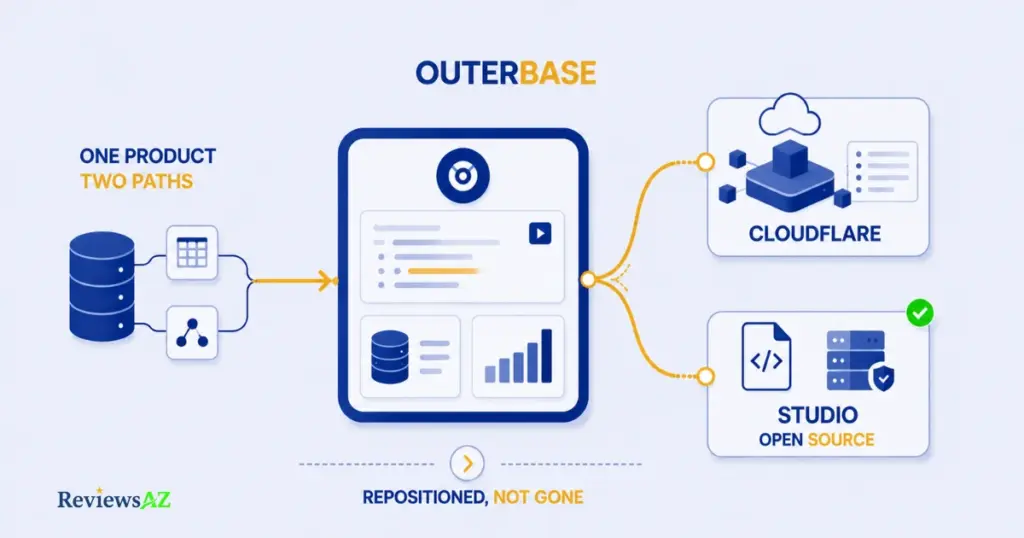
Outerbase Joined Cloudflare
On April 7, 2025, Outerbase and Cloudflare each published matching announcements: Outerbase’s team was joining Cloudflare, and the acquisition was framed around expanding database and AI-agent developer experience on Cloudflare’s platform. Cloudflare’s own press release noted that Outerbase was already built on Cloudflare Workers before the deal, and that the integration would extend into Durable Objects, D1, and Cloudflare’s Agents SDK. Having both the acquired company and the acquirer confirm the same terms independently is a stronger signal than either announcement alone.
What Happened to Hosted Outerbase Cloud?
According to Outerbase’s own announcement, nothing changed immediately. Existing workspaces kept running, and the hosted cloud product was set to remain online until October 15, 2025, a defined wind-down window, not an abrupt cutoff. Over that period, pieces like the table explorer and query editor were slated to move into the Cloudflare dashboard for D1 and Durable Objects, and D1 itself was set to gain capabilities Outerbase had already built, like REST API generation and WebSocket support.
Common mistake: reading “Outerbase joined Cloudflare” as either “Outerbase shut down” or “nothing really changed.” Both are inaccurate. The accurate read is a managed transition: the standalone hosted cloud product wound down on a set timeline, while the technology and team were absorbed into a larger platform. Treating it as a binary, dead versus unchanged, misses what’s actually relevant to a 2026 decision: which specific path, hosted platform or self-hosted Studio, is still active for your use case.
What Remains Open Source?
Outerbase Studio remains open source under an AGPL-3.0 license, hosted on GitHub, with no indication that status has changed. It can be self-hosted for free, independent of whatever happens to any hosted commercial product. This is the piece of Outerbase that doesn’t depend on a subscription or a company decision to keep running.
Where Outerbase Fits Now
Two paths coexist today. The commercial platform at outerbase.com still presents itself as an active, AI-powered product with paid tiers and open signups. Separately, Outerbase Studio continues as the open-source, self-hosted route, increasingly relevant to developers building on Cloudflare D1 and Durable Objects rather than to those wanting a fully hosted SaaS dashboard. Which one applies to you depends less on whether Outerbase is still around and more on which of these two products you were actually evaluating in the first place.
Outerbase Open Source vs. Cloudflare Integration
Picture two developers evaluating Outerbase on the same day. One clones the Studio repo and has a self-hosted database GUI running locally within minutes. The other signs into the hosted platform and starts querying through EZQL without installing anything. Both are using “Outerbase,” they’re just on different paths, and knowing which one you’re actually looking at changes everything about what to expect.
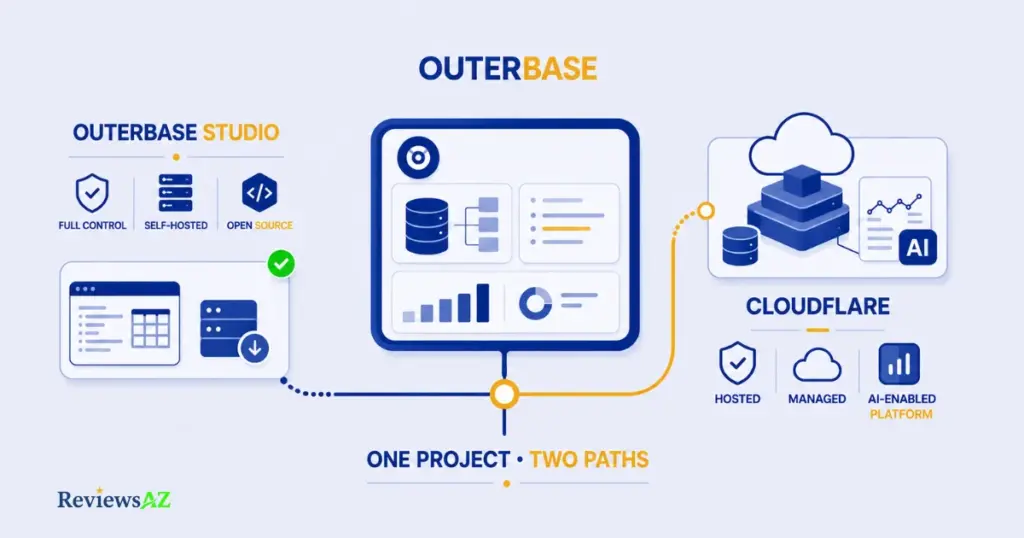
What You Can Self-Host
Outerbase Studio is the self-hostable piece. It’s a lightweight, browser-based GUI built for SQLite-based databases, including Turso/LibSQL, Cloudflare D1, rqlite, and StarbaseDB, with MySQL and PostgreSQL support currently in beta with limited features. It ships with a Query Editor, Data Editor, Schema Editor, and Connection Manager, plus desktop apps for Windows and Mac. Because it’s AGPL-3.0 licensed, you can run it yourself indefinitely, with no dependency on Outerbase’s hosted infrastructure or subscription tiers.
What Moved Toward Cloudflare
The commercial, hosted side of Outerbase is where the Cloudflare relationship shows up. Outerbase’s own announcement described moving pieces like the table explorer and query editor into the Cloudflare dashboard for D1 and Durable Objects, and extending D1 with capabilities that Outerbase had already built for its own platform: REST API generation, WebSockets, query hooks. This is a deployment shift, not a feature downgrade. Functionality that once lived only inside Outerbase’s own interface is being folded into Cloudflare’s broader developer platform.
Studio and the Cloudflare-integrated platform aren’t rivals competing for a winner. They’re two directions the same underlying idea took after the acquisition, and comparing them like competitors leads people to dismiss one path unnecessarily.
Who Should Choose Each Path?
Choose Studio if you want full control, zero recurring cost, and you’re comfortable managing your own hosting, particularly if you’re already working with SQLite-family databases or Cloudflare D1 directly. Choose the hosted platform if you’d rather not manage infrastructure yourself and want the fuller AI feature set: EZQL, auto-generated dashboards, the Data Catalog, without a setup step. Teams already building on Cloudflare Workers or D1 sit in a middle ground. They benefit from both, since the two paths are converging rather than diverging.
Outerbase Studio: The Open-Source Database GUI
What does an open-source database GUI actually get you in 2026? Quite a lot, as long as you know what it doesn’t include.
What Outerbase Studio Is
Outerbase Studio is a lightweight, browser-based database GUI, open-sourced under an AGPL-3.0 license, built to manage SQL databases without installing a full desktop application. It started as a project focused on LibSQL and SQLite before expanding to a broader range of databases, and it’s the piece of Outerbase you can run entirely on your own terms: no account, no hosted subscription required.
Database Support
Studio’s core strength is SQLite-family databases. Turso/LibSQL, local SQLite files, Cloudflare D1, rqlite, StarbaseDB, and Val.town are all supported directly. MySQL and PostgreSQL are also available, but GitHub’s own documentation labels both as beta with limited features, worth knowing before you commit a production Postgres database to it. This is a noticeably narrower list than the nine-plus databases the hosted Outerbase platform connects to, and that gap is intentional rather than a shortcoming. Studio optimizes for the SQLite and edge-database use case first.
Query Editor
The query editor supports auto-completion and function hint tooltips, and it can run multiple queries at once while showing results for each. Write a query, check the output, adjust, run it again: that’s the actual rhythm of exploratory SQL work, and the editor is built for it rather than for a bare text box with no assistance.
Data Editor and Schema Editor
The data editor lets you stage changes and preview them before committing anything, and it’s optimized to stay responsive even with tables containing thousands of rows and columns. The schema editor handles column creation, modification, and removal through the interface itself. No SQL required for routine schema changes. Studio’s feature set stops there, though. EZQL, auto-generated charts, and the Data Catalog belong to the hosted platform, not to Studio, and expecting them here leads to disappointment.
Browser and Desktop Apps
Studio runs directly in the browser, and Windows and Mac desktop apps are also available as a lightweight Electron wrapper around the same web version. The desktop build exists specifically to support drivers that don’t work well in a browser sandbox, such as native MySQL and PostgreSQL connections. Connections themselves can be stored locally in your browser or on a server, so teams can share connection setups across devices if needed.
Outerbase AI and EZQL
Type “show me last month’s top five customers by revenue” into Outerbase, and something happens that used to require writing a query first: an answer, and often a chart, comes back. That gap between asking and seeing is what EZQL is actually built to close, and it’s worth understanding piece by piece before deciding how much of it you can rely on.
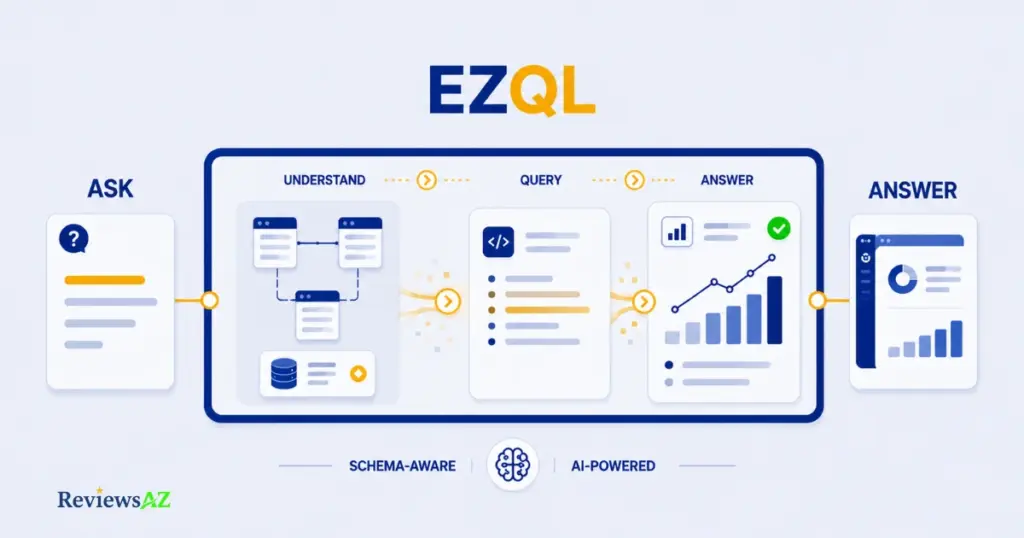
Natural Language to SQL with Ask EZQL
EZQL is Outerbase’s AI layer that reads your live database schema and answers questions about your data in plain language, generating the underlying SQL for you. Because it stays connected to your actual table structure, a question like “how can I optimize this query?” gets answered against your real schema rather than generic advice. The assistant knows which tables and columns you’re actually working with.
AI-Powered Query Editor
Beyond the conversational assistant, the query editor itself is AI-assisted. It can generate queries from natural-language prompts, catch and fix broken syntax, and suggest edits as you write. For someone who knows roughly what they want but not the exact SQL syntax, this shifts the workflow from looking up the right function to describing the question and refining the output.
AI-Generated Charts
Outerbase can turn a dataset into a visualization automatically, and it can also generate charts directly inside an EZQL conversation, so the step from asking a question to seeing the answer as a chart doesn’t require switching tools or building the visualization by hand.
AI-Generated Dashboards
The same AI capability extends to full dashboards. Build one manually from scratch, or let AI assemble one from your data. It’s positioned as self-serve analytics, useful for teams who want a working dashboard without waiting on someone with dedicated BI tooling experience. Worth flagging: trend analysis inside EZQL is listed as “coming soon” on Outerbase’s own site, not a shipped feature yet, so it’s not something to count on today.
Schema-Aware AI and Data Catalog
The Data Catalog is where the schema-awareness gets structured rather than ad hoc. Define business terms so both your team and the AI interpret key data consistently. Generate relational diagrams to visualize how tables connect. Add virtual relationships between columns without altering the actual schema. It’s less a standalone feature and more the layer that makes EZQL’s answers more accurate as your database grows more complex.
Outerbase Features
Zoom out from EZQL and Studio for a moment, and Outerbase’s hosted platform breaks down into six functional pieces. This is the map, not the deep dive; each row below gets its own dedicated treatment elsewhere in this review, and here it’s just meant to show how the pieces fit together.
| Capability | What It Does |
|---|---|
| AI | EZQL and the AI-powered query editor: natural-language questions, query generation and fixes, auto-suggestions |
| Tables | A spreadsheet-style data editor for viewing, filtering, and editing rows directly, without writing SQL |
| Queries | The traditional SQL workspace for writing, saving, and organizing queries when you want direct control |
| Dashboards | Self-serve analytics: build manually or let AI generate charts and full dashboards from your data |
| Data Catalog | Business-term definitions, relational diagrams, and virtual relationships that give both your team and the AI shared context |
| Connections | Database access across PostgreSQL, MySQL, SQLite, MongoDB, ClickHouse, SQL Server, Snowflake, BigQuery, and Redshift |
Seen this way, Outerbase isn’t really one feature competing for attention. It’s a workflow. Connections bring the data in, Tables and Queries are how you touch it day to day, AI sits across both to lower the SQL barrier, and Dashboards and the Data Catalog turn raw access into something a whole team can actually use. One caveat: this table reflects the hosted platform specifically. Studio, covered earlier, offers a narrower slice of it, mainly the Queries and Tables-equivalent functionality, without the AI or Data Catalog layer.
Outerbase Review: Key Pros and Cons
Strip away the feature tour and the Cloudflare backstory, and here’s the early verdict this Outerbase review has been building toward: the short list of what actually holds up and what still gives us pause.
Pros
- Genuinely schema-aware AI. EZQL isn’t a generic chatbot bolted onto a database tool. It reads your live schema, so its answers, generated queries, and chart suggestions are grounded in your actual tables rather than plausible-sounding guesses.
- A real free, open-source fallback. Outerbase Studio’s AGPL-3.0 license means the core database GUI doesn’t disappear if the hosted platform’s pricing or roadmap changes, a meaningfully different risk profile than most closed-source SaaS database tools.
- Cloudflare backing adds long-term stability. Whatever else the acquisition changed, it put Outerbase’s technology behind a company with far more infrastructure and staying power than a small independent startup, which matters for anyone worried about the tool disappearing.
- The UI treats data editing like a spreadsheet. Tables and the data editor are built to feel familiar to anyone who’s used a spreadsheet, lowering the barrier for less SQL-fluent team members without dumbing down what’s possible.
Cons
- Product clarity took a hit after the acquisition. Distinguishing the hosted platform from Outerbase Studio isn’t obvious from the marketing site alone. This review exists partly because that distinction isn’t well documented anywhere else.
- Studio’s database support is narrower than it looks at first glance. MySQL and PostgreSQL are still beta with limited features there, so anyone assuming full parity with the hosted platform’s nine-plus database connections will be disappointed.
- Development activity on the public Studio repo appears to have slowed. The latest tagged release was v0.10.2, dated shortly before the Cloudflare deal closed. Not necessarily a red flag, but worth knowing if active open-source maintenance matters to your decision.
- Some advertised AI capability isn’t live yet. Trend analysis inside EZQL is explicitly marked “coming soon” on Outerbase’s own site, not a shipped feature, a distinction easy to miss when skimming the AI page.
Supported Databases and Connections
Does Outerbase support your database? That doesn’t have one answer. It has two, depending on which Outerbase you mean.
| Outerbase Platform (hosted) | Outerbase Studio (self-hosted) |
|---|---|
| PostgreSQL | Turso / LibSQL |
| MySQL | SQLite (local files) |
| SQLite | Cloudflare D1 |
| MongoDB | rqlite |
| ClickHouse | StarbaseDB |
| Microsoft SQL Server | Val.town |
| Snowflake | MySQL (beta, limited features) |
| Google BigQuery | PostgreSQL (beta, limited features) |
| Amazon Redshift | Not supported |
The hosted platform is the broader connector: nine-plus mainstream SQL and NoSQL databases, aimed at teams who want to plug in whatever they’re already running. Studio’s list looks different by design. It’s built SQLite-family-first, which is exactly why it pairs so naturally with Cloudflare D1 and other edge-adjacent databases, and why MySQL and Postgres are still tagged beta there rather than fully supported.
Decision point: if your database isn’t a mainstream SQL or NoSQL engine and you specifically need production-grade MySQL or Postgres support, check whether you’re looking at the hosted platform or Studio before assuming either one covers you. On the hosted platform, both are fully supported. In Studio, both are explicitly beta.
If your database isn’t in either column, it’s worth checking directly with Outerbase. New connectors get added on an ongoing basis, and a gap here today doesn’t necessarily mean a gap next quarter.
Is Outerbase Still Available as a Paid Product?
Yes, as of this review, Outerbase’s pricing page is live, active, and lets you sign up directly. But the fact that it takes some digging to confirm that says something on its own.
The current plans are: Free at $0 (up to 5 users, 1 base, 10 EZQL queries/month), Hobby at $9 per user/month billed annually (unlimited bases, 100 EZQL queries/month), Pro at $30 per user/month billed annually (unlimited bases, up to 1,000 EZQL queries, all databases unlocked), and Enterprise at custom pricing, which adds HIPAA/SOC 2 compliance features, priority support, and, notably, self-hosting, which the pricing page’s own FAQ states is currently limited to Enterprise customers.
That last point is worth sitting with. It means Outerbase’s own hosted platform is not self-hostable at the Free, Hobby, or Pro tiers; only Outerbase Studio, the separate open-source project, offers that. Confusing the two easily leads to assuming a capability that isn’t actually included in a paid platform plan.
Practical tip: we found at least one external source listing Outerbase at a different per-seat rate than what’s shown on outerbase.com/pricing today, a reminder that pricing pages on aggregator sites go stale quickly, especially for a product that’s been through an acquisition. Always verify current pricing directly on Outerbase’s own site before making a decision, and note the date you checked it.
Outerbase’s main navigation doesn’t foreground pricing the way most SaaS homepages do. GitHub is the prominent call-to-action instead. That’s not evidence the paid product is going away, but it is a signal that the commercial platform and the open-source project are being positioned differently than they were before the Cloudflare acquisition.
Try Outerbase free, no credit card required →
Security and Privacy
Handing a database tool schema-level access to power AI features raises an obvious question: what actually happens to that schema once Outerbase has it? That question matters more here than in a typical SaaS review, since EZQL’s whole premise depends on some form of access to your database structure.
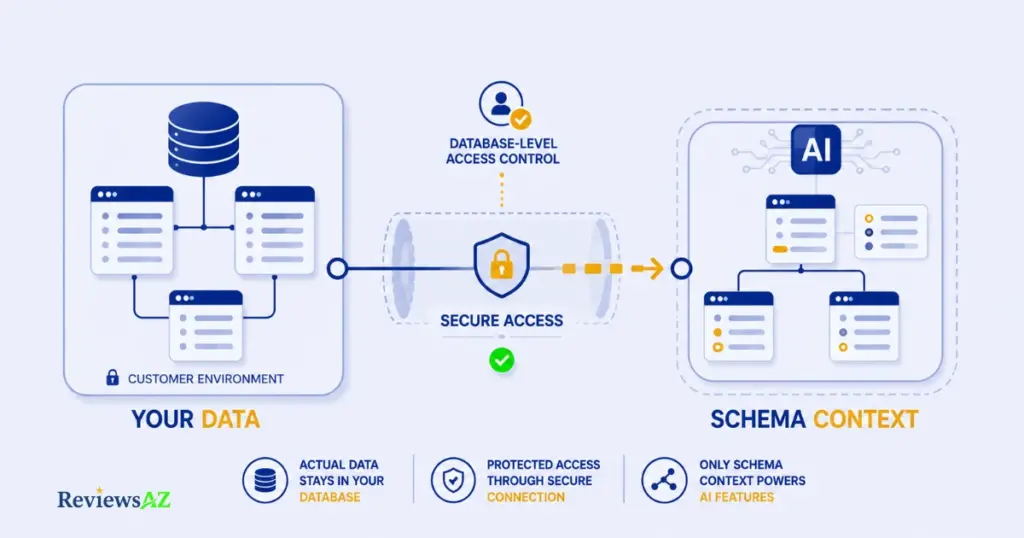
Access Controls and Database Permissions
Outerbase lists two-factor authentication, data breach checks against known password leaks, and custom access restricted at the database-roles-and-permissions level. In practical terms, access control isn’t limited to who can log into Outerbase. It extends down to what each user can actually touch inside a connected database, which matters most for teams with a mix of engineers and non-technical users on the same workspace.
Encryption and SSH Tunneling
Outerbase states that data is encrypted using AES and RSA encryption algorithms, and that SSH tunneling is available for connecting securely to a database wherever it’s hosted. SSH tunneling in particular matters for teams whose databases sit behind a private network rather than exposed directly to the internet: it’s the difference between opening a firewall hole and routing the connection securely.
SOC 2 Type 2 and HIPAA
Outerbase states it is SOC 2 Type 2 compliant and HIPAA compliant, and that it undergoes regular audits. These are meaningful compliance frameworks, particularly for teams in healthcare or regulated industries evaluating whether a third-party tool can touch sensitive data at all.
AI Privacy and Schema Storage
This is the detail most reviews skip entirely. Outerbase states that your actual data stays in your own database; Outerbase doesn’t store it. What Outerbase does store is an encrypted copy of your schema, specifically to make EZQL’s schema-awareness possible without needing live access to your raw records every time. Outerbase also states its AI models aren’t trained on customer data. That’s a meaningfully different privacy posture than a tool that pulls your full dataset into its own servers to power AI features.
What Outerbase Says vs. What We Could Verify
Everything above, the encryption algorithms, SOC 2 and HIPAA status, the schema-only storage model, private AI models not trained on user data, comes directly from Outerbase’s own security and pricing pages. We could confirm these claims are consistently published and haven’t been publicly disputed or contradicted elsewhere. What we could not do is independently verify the technical implementation behind any of them, or Outerbase’s compliance audits directly; that would require access we don’t have. Treat this section as an accurate summary of what Outerbase publicly commits to, not as a third-party security certification.
Who Is Outerbase Best For?
Feature lists treat every user the same. In practice, what makes Outerbase worth adopting depends entirely on which of these five profiles you fall into.
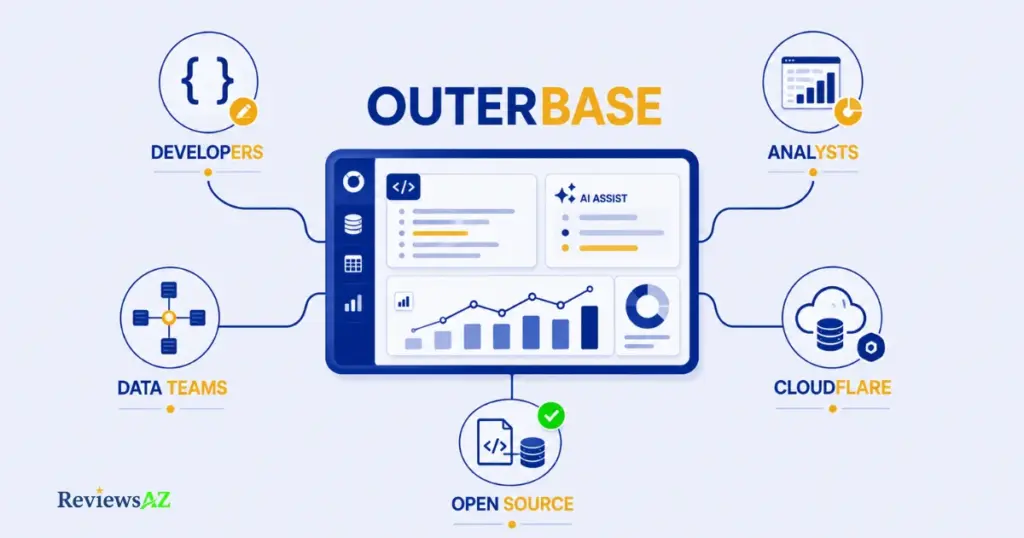
Developers
Developers get the most complete picture of Outerbase, since they can move fluidly between the AI-assisted editor and raw SQL whenever EZQL’s guesses aren’t quite right. The auto-fix and suggestion behavior in the query editor saves the specific kind of time developers lose to typos and syntax slips, not the time spent on actual query logic. One catch: developers who want full infrastructure control may find the hosted platform’s self-hosting restriction, Enterprise-only, more limiting than expected, pushing them toward Studio instead.
Data Analysts
Analysts benefit most from EZQL’s plain-language querying, since it removes SQL fluency as a bottleneck between having a question and getting an answer. Auto-generated charts, built directly from a conversation, turn a question like “what were our top products last quarter” into a visualization without a separate BI tool. Watch the query caps, though: the Free and Hobby tiers limit EZQL to 10 and 100 queries per month respectively, and an analyst running frequent ad-hoc questions could hit that faster than expected.
Data Teams
Whole teams get the most value from the Data Catalog’s shared business-term definitions and relational diagrams, which keep everyone, technical or not, working from the same understanding of what the data actually means. That shared context layer reduces the “what does this column actually track” conversations that eat into team velocity. It does scale with team size and Pro-tier access, though; smaller teams on Free or Hobby get a thinner version of this collaborative layer.
Open-Source and Self-Hosting Users
This group should be looking at Outerbase Studio specifically, not the hosted platform. The AGPL-3.0 license itself is the draw: full control, no subscription, no dependency on a company’s roadmap decisions. Before committing, though, self-hosters working outside the SQLite family should confirm Studio actually covers their database, since its AI layer and Data Catalog don’t exist there, and MySQL/Postgres support remains beta with limited features.
Teams Already Using Cloudflare
Teams building on Cloudflare Workers, D1, or Durable Objects sit in the strongest position of any group here, since Outerbase’s post-acquisition roadmap is explicitly moving capabilities like the table explorer and query editor into the Cloudflare dashboard itself. Less context-switching between Cloudflare’s dashboard and a separate Outerbase tab is the real payoff. Exactly how much of that integration has shipped versus is still in progress isn’t fully documented publicly, though, so it’s worth checking Cloudflare’s current D1 dashboard directly rather than assuming full integration today.
Who Should NOT Use Outerbase Right Now?
Every tool has a wrong-fit user, and being upfront about who that is matters more here than usual, precisely because the last year of change makes it easy to sign up without realizing what you’re actually opting into.
- Anyone who needs total product-path clarity before committing. If your team requires a vendor with a single, unambiguous roadmap and no “which version of this am I even using” questions, Outerbase’s current dual-track structure, hosted platform plus separately-maintained open-source Studio, asks for more homework than a more conventional SaaS competitor would.
- Teams that don’t want anything GitHub-adjacent in their workflow. Outerbase’s own navigation puts GitHub front and center, and getting the fullest picture of the product genuinely means checking a repository, not just a marketing page.
- Anyone specifically trying to avoid Cloudflare dependency. Given how much of Outerbase’s forward direction is tied to Cloudflare’s developer platform, teams with a strict multi-cloud or Cloudflare-avoidance policy should factor that into the decision now, not discover it later.
- Highly specialized use cases with a narrower, purpose-built alternative. If you need deep, dialect-specific SQL generation across a large number of databases rather than a broader database-and-dashboard workflow, a tool built specifically around that narrower job may serve you better.
None of this makes Outerbase a bad product. It makes it a product with a specific shape right now, and that shape doesn’t fit every team equally well.
Outerbase Alternatives
Outerbase isn’t the only AI-assisted database tool worth knowing about, and depending on what you actually need, one of these might fit better.
If deep, dialect-specific SQL generation across a wide range of databases matters more to you than a visual database GUI, read our AI2SQL Review. It goes further on complex query generation, though it doesn’t offer Outerbase’s spreadsheet-style data editing.
For teams who want AI SQL generation without any database-GUI layer at all, our SQLAI Review covers a more narrowly focused alternative.
If your priority is fast, natural-language querying over a full workspace, check our BlazeSQL Review.
For a side-by-side look at the wider category, see our Best AI SQL Tools guide.
Frequently Asked Questions
Is Outerbase still available in 2026?
Yes. The hosted platform at outerbase.com is active and accepting new signups, and Outerbase Studio remains available and open source on GitHub. What changed isn’t availability, it’s direction, following the April 2025 Cloudflare acquisition.
What happened to Outerbase?
Outerbase’s team joined Cloudflare in April 2025. The standalone hosted cloud product wound down on a set timeline, through October 15, 2025, while the technology and open-source Studio continued, with parts of the platform integrating into Cloudflare’s developer tools.
Is Outerbase owned by Cloudflare?
Yes. Cloudflare acquired Outerbase in April 2025, confirmed by both companies’ official announcements. Outerbase’s technology is being integrated into Cloudflare’s developer platform, including D1 and Durable Objects.
What is Outerbase Studio?
Outerbase Studio is a free, open-source, browser-based database GUI under an AGPL-3.0 license. It offers a query editor, data editor, schema editor, and connection manager, and can be self-hosted independently of Outerbase’s commercial platform.
Is Outerbase open source?
Partially. Outerbase Studio is fully open source and self-hostable for free. The main hosted platform, with its AI features and dashboards, is a commercial product; self-hosting that side is currently limited to Enterprise plans.
Does Outerbase have AI?
Yes, through EZQL, an AI assistant that reads your live schema to answer questions, generate and fix SQL queries, and create charts and dashboards. Trend analysis is listed as “coming soon” and isn’t live yet.
What databases does Outerbase support?
The hosted platform connects to PostgreSQL, MySQL, SQLite, MongoDB, ClickHouse, SQL Server, Snowflake, BigQuery, and Redshift. Outerbase Studio supports a narrower, SQLite-focused list, with MySQL and PostgreSQL still in beta there.
Final Verdict
Here’s what this Outerbase review keeps circling back to: the question was never really “is Outerbase good?” It’s “which Outerbase are you actually evaluating, and does that specific one still make sense in 2026?”
Today, Outerbase is two connected things wearing one name: an AI-powered hosted platform built around EZQL, Tables, Dashboards, and the Data Catalog, and Outerbase Studio, a genuinely open-source database GUI that answers to no subscription and no acquisition. Both are active. Neither replaced the other.
Developers, data teams, and analysts who want schema-aware AI without giving up raw SQL access get real, current value from the hosted platform. EZQL’s query generation and auto-charting aren’t marketing fluff, even with trend analysis still pending. Teams already building on Cloudflare D1 or Durable Objects are arguably the best-positioned group of all right now, given where the integration is heading. Anyone who wants a zero-cost, self-hosted database GUI with no vendor dependency should go straight to Studio, with the honest caveat that MySQL and Postgres support there is still beta, and public development activity has visibly slowed since the acquisition closed.
Skip it, at least for now, if you need one unambiguous SaaS product with a single roadmap and zero homework required to understand what you’re buying. That clarity isn’t what Outerbase currently offers.
Is Studio the more relevant path? For open-source-first developers and Cloudflare-native teams, increasingly yes. For anyone wanting the fuller AI feature set without managing infrastructure, the hosted platform is still where the real capability lives. Does the Cloudflare integration matter? It’s the single biggest factor in Outerbase’s trajectory going forward, not a footnote, and not a reason to write the product off, but the lens through which every other feature in this review should be read.
Start free with Outerbase → | Get Outerbase Studio on GitHub →