GitHub Copilot Review 2026: AI Credits, Security, and Whether It’s Worth It

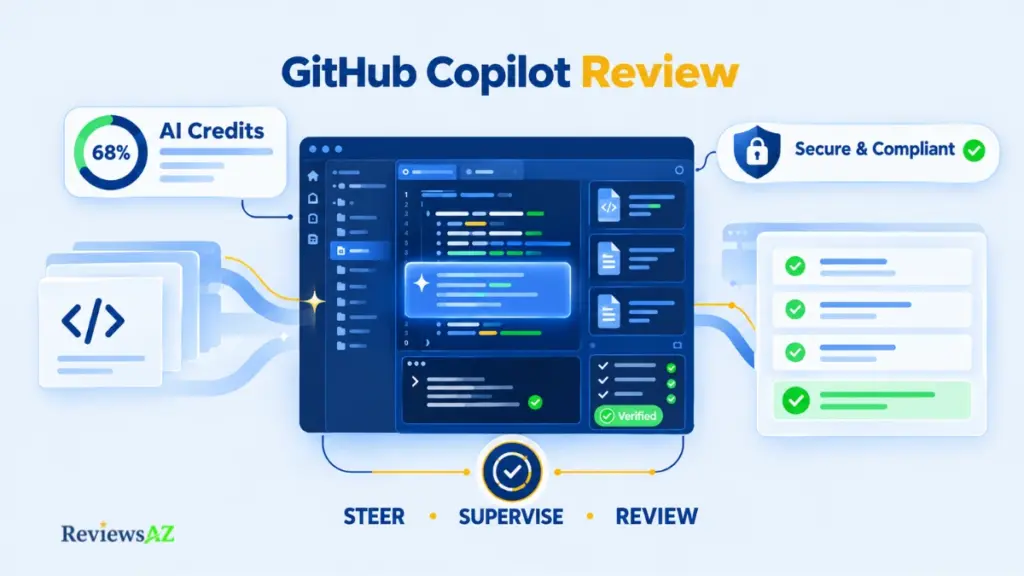
Ask five developers what GitHub Copilot actually does in 2026, and you’ll likely get five different answers, most of them outdated. This GitHub Copilot Review looks at a product that quietly stopped being an autocomplete tool. It now plans multi-step agent tasks, reviews pull requests, and bills a growing share of that work through a metered AI Credit system many subscribers have never really examined. For the broader landscape this sits inside, see our full AI Code Assistants overview.
Transparency & Verification Note: This review draws on current GitHub documentation and dated third-party evidence. It does not claim repeatable, first-hand product testing, and any product-level accuracy conclusion stays conditional unless independently testable evidence exists.
A $10 Pro seat and a $39 Pro+ seat can look nearly identical right up until chat, Agent Mode, and code review start drawing down credits at different rates. Two other changes complicate things further: GitHub revised how individual interaction data feeds model training in April 2026, and rebuilt Copilot Code Review in September 2026. A review written before either date is answering a question the product has already moved past.
The rest of this review moves through what Copilot covers today, code completion, Agent Mode, and the Code Review update, then into security, pricing, the Cursor comparison, and finally who should pay for it.
Quick Take: Is GitHub Copilot Worth It?
Best for: Developers and teams who want AI help without changing the editor and GitHub workflow they already use. Copilot is especially relevant when completion, agentic tasks, and code review all have a place in the same workflow.
Biggest strength: Copilot covers a wide range of development surfaces. Paid plans also include unlimited code completion and next edit suggestions, alongside Agent Mode and code review.
Biggest limitation: The monthly subscription does not tell the whole cost story. Chat, agents, code review, and CLI interactions use AI Credits, and the amount consumed varies with the model and the work being done.
Pricing, verified September, 2026:
- Free, $0
- Pro, $10/month, 1,500 credits
- Pro+, $39/month, 7,000 credits
- Max, $100/month, 20,000 credits
- Business, $19/user/month, 1,900 credits per user
- Enterprise, $39/user/month, 3,900 credits per user, on GitHub Enterprise Cloud
Key decision: The question is not just what Copilot costs per month. It is whether the convenience of staying in your existing editor and GitHub workflow is worth the credit limits and the verification time required for agent and review output.
What Is GitHub Copilot in 2026, and What Has Changed?
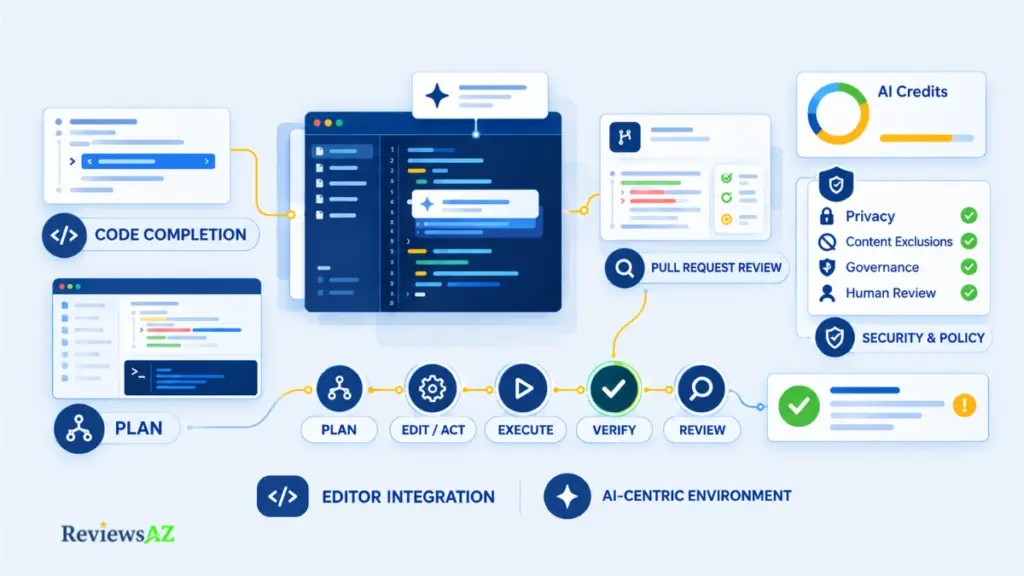
Copilot’s original definition, an AI autocomplete tool, stopped being accurate a while ago. The product now spans four distinct jobs: inline suggestions while you type, conversational help through chat, autonomous multi-step work through Agent Mode, and automated pull request review. Each job behaves differently, and each has a different relationship to cost.
Judging the whole product by how good its autocomplete feels misses most of what a paid plan actually buys, and misses most of what can go wrong.
Core Product Scope Across Editors, CLI, GitHub, and Code Review
Copilot is documented as supported across a range of editors: VS Code, Visual Studio, JetBrains IDEs, Xcode, and Eclipse, plus GitHub’s own CLI and the GitHub.com web interface. That breadth is the product’s central design choice: it’s built to sit inside whatever development environment you’re already using, rather than asking you to adopt a new one.
Feature parity across editors isn’t guaranteed. Something documented for VS Code doesn’t automatically ship the same way in every JetBrains IDE, so anyone comparing plans should check the current supported-environment matrix directly.
From Code Suggestions to Agents and Review Workflows
Completion and next edit suggestions are the low-friction, high-frequency layer: the thing most developers still picture when they hear “Copilot.” Chat, Agent Mode, the Copilot cloud agent, CLI interactions, and code review sit on a different layer, where the product does more autonomous or analytical work, and where AI Credits actually get consumed.
A Pro subscriber can use completion constantly without thinking about cost, then hit an unexpected credit crunch the first month they lean hard on Agent Mode. The pricing section further down breaks that mechanic apart.
What This Review Can and Cannot Verify
Some claims here rest on solid ground: GitHub’s own documentation on supported editors, plan structure, and Agent Mode behavior. That’s documented capability, not speculation. How well Copilot performs on a real, messy codebase (accuracy, hallucination rate, review quality) is a different question, and one this review didn’t test directly. Vendor statements and third-party accounts appear later, labeled by source rather than treated as equivalent to independent verification.
GitHub Copilot Code Completion: Daily Value Beyond Autocomplete
For many subscribers, this is the only part of Copilot they touch every day. Chat and agent runs happen when something specific comes up; inline completions and next edit suggestions happen constantly, in the background, while writing code the way you always have. Worth judging on its own terms, separately from the pricier, metered layer.
Inline Completions and Next Edit Suggestions
Copilot’s core completion behavior covers two related things: inline suggestions as you type, and next edit suggestions, which predict related changes elsewhere in the file once you’ve made an edit. Both are documented capabilities across the supported editor list, and neither depends on chat or Agent Mode. You can use Copilot exclusively for completion and never touch the metered layer at all.
Where Completion Adds the Most Daily Value
The value here is cumulative rather than dramatic. Boilerplate, repetitive patterns, test scaffolding, and predictable multi-line edits are where completion saves the most real time: work that’s correct often enough to be worth glancing at rather than typing by hand.
Novel logic is a different story. A function implementing unfamiliar business rules gets a suggestion too, but it deserves more scrutiny than a repeated pattern does. No controlled acceptance-rate test was run for this review, but the boundary is worth knowing before you lean on it.
What “Unlimited” Completion Does and Does Not Mean
Paid plans include unlimited code completion and next edit suggestions. Free tier access includes a monthly completion allowance rather than unlimited use. Confirm the current live limit before publication, since free-tier allowances can change more often than the paid-plan structure.
Unlimited completion doesn’t mean unlimited Copilot. It’s easy to see the word “unlimited” and assume the whole subscription works that way, but chat, agents, code review, and CLI interactions use a separate pool of AI Credits. That distinction becomes much more important once you start using Copilot beyond everyday code completion.
Verified: Paid plans include unlimited code completion and next edit suggestions, and these features do not consume AI Credits.
GitHub Copilot Agent Mode: Where Autonomous Coding Helps and Stops
What changes when Copilot stops returning one suggestion and starts choosing files, running commands, and iterating until a task looks done? That’s the real question behind Agent Mode.
Planning, File Selection, Edits, and Terminal Actions
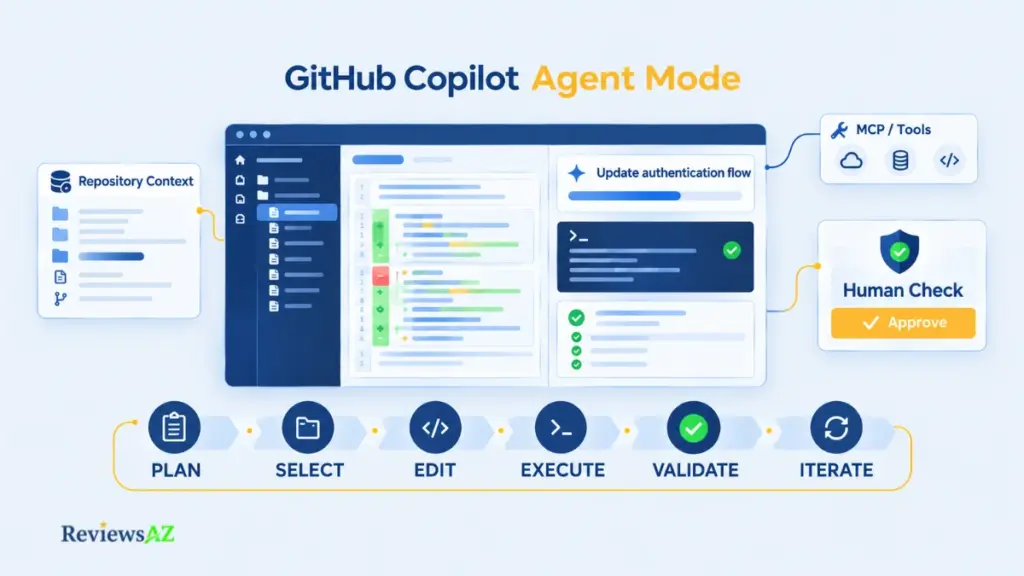
Agent Mode is documented as capable of planning a multi-step task, selecting relevant files across a repository, proposing edits across several of them at once, and running terminal commands as part of the process. Instead of a single inline suggestion, you get something closer to a junior engineer working through a ticket.
The risk profile shifts accordingly. Rejecting a completion suggestion costs nothing. Undoing an agent run that touched five files, installed a dependency, or edited a config is a different kind of cleanup.
Iteration, Validation, MCP, Skills, and Repository Context
Agent Mode doesn’t stop after one pass; it iterates, checking its own output, adjusting, and repeating steps as needed. It can also draw on repository context, custom instructions, and MCP-based tool connections to work with more awareness of your codebase and conventions than a stateless chat session has.
That’s genuinely useful on tasks with a clear success condition, like “make this test pass.” Tasks where success is a matter of judgment, like architecture decisions or security-sensitive logic, deserve more skepticism than “it ran without errors” can offer.
What the Microsoft .NET Runtime Case Study Shows and Does Not Prove
Microsoft’s own .NET team published a detailed account of running the Copilot coding agent against the dotnet/runtime repository over ten months, and the numbers are specific: 878 pull requests, 535 merged, a 67.9% success rate by the team’s own definition.
The more useful number is the trend, not the total. Success climbed from roughly 42% early on to around 71% later in the period, once the team wrote clearer setup instructions and gave the agent more repository context. That trajectory supports one narrower point: agentic coding performance depends heavily on task selection, repository context, and instructions, not a fixed capability score. One team, one codebase, one set of conventions; still a useful deployment record, not a transferable benchmark for a different repository.
Decision point: Terminal actions, dependency changes, database migrations, and large refactors are the kinds of tasks that deserve a human checkpoint before merging. That remains true even when the agent appears confident and reports that it has validated the result.
GitHub Copilot Code Review: What the 2026 Update Actually Changes
Code Review used to be a static feature you could describe once and leave alone. That stopped being true on September 18, 2026, when GitHub shipped an update changing how findings, progress, auto-resolution, and batch suggestions are presented and managed.
What Changed in the September 18, 2026 Review Update
The update reworked the review experience rather than the underlying detection. The main changes are:
- Review progress tracking. Reviewers can now follow the progress of a review more clearly as Copilot works through a pull request.
- Finding status and resolution. Findings can be automatically reclassified based on later commits, including labels such as Won’t Fix or Incorrect.
- Batch suggestions. Multiple suggestions can be applied together, with Copilot generating a relevant commit message for the combined changes.
Per GitHub’s changelog, the aim is to make the review flow feel more structured than a collection of disconnected comments. That matters most on larger pull requests, where grouping and tracking findings can reduce some of the manual triage before fixes are made.
Actionable Findings, Review Noise, and Effort Levels
Reviews also come in two effort levels. Lite gives fast, targeted feedback on common bugs and style issues; Balanced routes the pull request to a higher-reasoning model for deeper analysis of complex logic and security-sensitive code, at the cost of more AI Credits and GitHub Actions minutes. GitHub’s own documentation puts Lite reviews at roughly $0.05 to $1 in AI Credits and Balanced reviews at roughly $0.25 to $5, excluding Actions minutes, and states both as estimates rather than fixed prices.
Worth flagging for budget planning: GitHub is switching the default effort level from Lite to Balanced on September 28, 2026. A team that hasn’t set an explicit default will see its typical review cost rise on its own, with no change in workflow.
On quality, GitHub has reported that 71% of Copilot code reviews surface at least one actionable finding, averaging around 5.1 comments per review. Those are GitHub-reported figures, not independently verified benchmarks, and they say nothing about how many of those comments turn out to be worth acting on once a human reads them. A high actionable-finding rate is encouraging, but it isn’t the same claim as “the comments are usually right.”
Why Code Review Still Needs Human Judgment
An auto-resolved finding means the AI decided its own concern was addressed, not that a second, independent set of eyes confirmed the fix. A comment count, however low the noise, says nothing about the issues the tool didn’t flag at all. Don’t treat an AI review comment, an auto-resolved finding, or a high actionable-feedback percentage as a substitute for required human review, especially on anything touching security, auth, or data handling.
GitHub Copilot Accuracy & Performance: What the Evidence Can and Cannot Prove
Documented capability and task-level correctness are not the same claim. GitHub can document that Agent Mode plans multi-step changes. It can report that most code reviews surface an actionable finding. Neither fact proves the code Copilot writes for your specific codebase, in your specific language and framework, is correct.
What to Test on a Real Codebase
The useful way to evaluate Copilot is to put it through the kind of work that happens in a real codebase, not a handful of easy prompts designed to produce impressive demos. Different tasks expose different weaknesses, so the test needs to look at both the result itself and the amount of checking and correction it takes to get there.
- Start with several types of work. Test more than one coding scenario. A useful set includes writing a function from scratch, creating unit tests, fixing a known bug, refactoring multiple files, generating or rewriting SQL, and reviewing existing code. A tool can handle one of these tasks well and struggle with another, so a single example is not enough to judge the overall experience.
- Look past code that simply runs. A successful build does not automatically mean the result is correct. A function may compile while getting part of the business logic wrong. A refactor may pass the current tests but change behavior in an edge case. A SQL query may execute without an error and still return the wrong rows. The result has to be checked against what the task was actually meant to achieve.
- Use work that resembles everyday development. Real projects rarely come with perfectly written prompts and empty files. Good testing should involve existing code, project conventions, incomplete requirements, dependencies, and the small constraints that developers normally have to deal with. That gives a much more realistic picture than a polished demo built around a simple example.
- Count the time spent fixing the output. The first answer is only part of the story. What matters in practice is how much time remains after reading the generated code, correcting mistakes, running tests, and making sure the change fits the rest of the project. A result that is produced quickly is not much of a time-saver if it takes just as long to verify and repair.
- Keep the findings tied to actual evidence. No controlled test covering these categories was run for this review. The purpose of this framework is to show how Copilot should be evaluated on real development work, without turning a proposed testing method into an unverified claim about its actual performance.
How to Measure Correctness Without Inventing a Benchmark
For each task type, the things worth recording on your own codebase: did the code compile and pass tests, was it semantically correct rather than just syntactically valid, did it stay within scope, did it hallucinate an API that doesn’t exist, did it introduce an unsafe pattern, and how much reviewer time did it actually save once verification is included. That last point gets skipped constantly. A suggestion that saves two minutes of typing but costs five minutes of careful review isn’t obviously a net win.
What GitHub Reports, External Case Studies, and User Reports Can and Cannot Tell Us
GitHub’s own reported metrics, along with the .NET runtime case study, are real data points, but they’re publisher-reported and scoped to specific tasks and populations: evidence of what’s possible under documented conditions, not a transferable accuracy percentage. For a broader look at how agentic coding tools get evaluated across the category, see AI Coding Agents.
User reports add texture but carry their own limits: anecdotal, often undated, rarely controlled for task difficulty. A developer saying Copilot “gets SQL mostly right” is a signal worth weighing, not a number worth citing. Never write “our testing showed” without an actual documented test behind it.
GitHub Copilot Security: Enterprise Controls, Privacy, and IP Considerations
“Is Copilot secure?” isn’t really one question. Security for an individual developer pasting personal-project code and security for a team with proprietary, customer-facing code are different problems.
Individual Data Use and the April 2026 Training-Data Policy
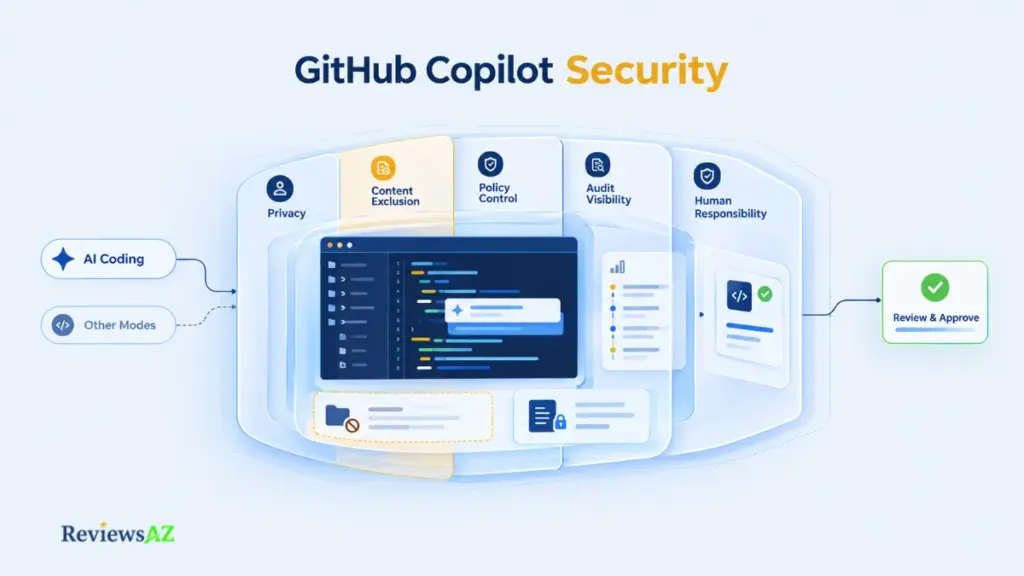
GitHub changed how individual interaction data feeds model training in April 2026. Business and Enterprise customer data isn’t affected. For Free, Pro, and Pro+ individual plans, interactions are used for training and product improvement unless the user opts out — worth checking directly rather than assuming it’s already off.
Content Exclusion, Policies, and Administrative Controls
Content exclusion lets organizations mark specific files or repositories as off-limits to Copilot, while policy management gives admins control over which capabilities users can access. The important detail is that this protection does not work the same way across every Copilot mode. Copilot CLI began supporting content exclusion for Business and Enterprise customers in September 2026, but Agent Mode in Copilot Chat within IDEs still does not support it, according to GitHub’s documentation.
Security warning: Content exclusion is not a blanket safeguard across Copilot. Teams using Agent Mode in Copilot Chat should check the current coverage of each mode they rely on rather than assume excluded files are protected everywhere.
Audit Visibility, IP Indemnification, Code Similarity, and Human Responsibility
Audit logs give administrators visibility into Copilot usage at the organizational level, useful for governance, but they don’t capture local client-side prompts: a partial picture, not a complete record. GitHub offers IP indemnification for generated code, with conditions attached rather than a blanket guarantee covering every line Copilot produces. Regardless of indemnification terms, GitHub’s documentation places responsibility for reviewing generated code, including checking resemblance to existing third-party code, on the developer using it, not on the tool.
Skip the vague “enterprise-grade security” language and name the specific plan-level control being referenced, or the claim isn’t useful to a reader trying to make a decision. For a deeper look at the SQL-specific exposure this creates, see AI-Generated SQL Risks and Limitations.
GitHub Copilot Pricing: How AI Credits Change the Cost Model
Plenty of buyers price Copilot off the subscription line and stop there. What you pay each month buys a seat and a credit allowance, and what you actually spend depends on how much of your usage falls into the metered categories versus the unmetered completion layer covered earlier.
Current Individual Plans: Base Credits, Flex Allotment, and Total Credits
As of September 2026, GitHub’s individual paid plans differ not just in monthly price, but also in how many AI Credits they include. The table below shows the current allowance for each plan, including the Base and Flex portions.
| Plan | Price | Total Monthly Credits | Base + Flex |
|---|---|---|---|
| Free | $0 | — | — |
| Pro | $10/mo | 1,500 | 1,000 Base + 500 Flex |
| Pro+ | $39/mo | 7,000 | 3,900 Base + 3,100 Flex |
| Max | $100/mo | 20,000 | 10,000 Base + 10,000 Flex |
One AI Credit equals $0.01. Unused included credits don’t roll over to the next month, and this Base/Flex split is subject to change, so check GitHub’s own Copilot plans and pricing page before budgeting against it. For how this stacks up against other AI coding tools.
Key Pricing Point: The monthly subscription is only part of the cost. Chat, Agent Mode, CLI use, and code review all use AI Credits, while paid code completion and next edit suggestions do not.
Business runs $19 per user per month with 1,900 credits per user; Enterprise runs $39 per user per month with 3,900 credits per user, on GitHub Enterprise Cloud. Both pool at the billing entity level rather than allocating strictly per person, so a heavy user on one team can draw more from the shared pool than a light user elsewhere. Paid usage beyond the included pool can be billed at $0.01 per credit when an org enables that setting. Enterprise’s $39/user figure is the plan price itself, not a base Copilot cost plus a separate $21 surcharge, a distinction some older pricing summaries get wrong.
What Uses Credits and What Does Not
Code completion and next edit suggestions don’t touch the credit pool on paid plans. Chat, Agent Mode, the Copilot cloud agent, CLI interactions, and code review do, at rates that vary by which model handles the request and how many tokens it processes.
| Usage Pattern | What It Looks Like | Credit Exposure |
|---|---|---|
| Completion-heavy | Mostly inline suggestions, occasional chat | Low — most work is unmetered |
| Chat/agent-heavy | Frequent Agent Mode runs, heavy chat use | High — can exhaust monthly credits quickly on Pro |
| Team-pooled | Mixed individual usage, shared org pool | Variable — heavy users offset by light users |
Code review is billed the same way, with the Lite/Balanced cost ranges covered in the Code Review section above; both vary further by PR size and repository context, so treat them as a planning signal, not a fixed number. Don’t reuse older premium-request tables from before the AI Credit system, and don’t assume a fixed number of agent sessions a plan “supports.”
GitHub Copilot vs Cursor: Existing Editor vs AI-Centered Editor
The biggest difference between these two tools isn’t which one writes better code in a head-to-head test. It’s where the AI sits in your development workflow.
- Copilot Across Existing Editors and GitHub. Copilot’s positioning is additive: it plugs into VS Code, Visual Studio, JetBrains IDEs, Xcode, Eclipse, and GitHub’s surfaces without asking you to change how you navigate a codebase day to day. There’s no migration cost. A team already standardized on VS Code doesn’t need a rollout plan; it’s an extension install away.
- Cursor as an AI-Centered Coding Environment. Cursor takes the opposite approach: documented as an editor built around AI from the ground up, with a codebase-aware agent workflow designed into the core experience rather than layered on afterward. Using it well generally means adopting Cursor as your primary editor. It’s a real commitment: new keybindings, a new extension ecosystem, and a learning curve Copilot’s approach avoids entirely.
- Which Workflow Difference Actually Matters? Neither model is objectively better; they solve different problems. Copilot fits developers who value editor continuity and already live inside GitHub-centered workflows. Cursor fits developers willing to trade that continuity for an environment built specifically around AI-assisted development. The honest framing is existing-editor stability versus AI-native design, not “which tool is smarter.” A full side-by-side breakdown lives in the dedicated Cursor vs GitHub Copilot comparison.
Integration, IDE Coverage, GitHub Workflow, and Practical Use Cases
Broad editor and GitHub coverage matters most in one situation: you already have a stable development environment, and want to add AI capability without rebuilding your workflow around a new tool.
Editor, GitHub, and CLI Coverage
Copilot’s documented reach spans the major IDEs, plus GitHub’s CLI and the GitHub.com interface, so AI assistance is available while reviewing pull requests, working through GitHub Actions context, or running commands from a terminal. That CLI coverage is easy to overlook but genuinely useful for developers who spend real time outside a graphical editor.
Repository Context, Custom Instructions, MCP, and Skills
Copilot can draw on repository context for suggestions that reflect your actual codebase, and custom instructions let you set standing preferences — coding style, framework conventions, things to avoid — that persist across sessions. MCP and skills extend that further, connecting Copilot to external tools and structured workflows. A thin setup produces thinner results; the tool rewards the context you give it.
SQL and Database Workflows: Assistance, Not a Database Tool
Copilot can help draft and rewrite SQL when you supply the relevant schema and context, the same way it helps with any other language. It isn’t documented as a native database tool: no built-in database connection or schema introspection lets it reach into your database on its own. AI Coding Assistant for SQL covers the specialized alternatives if that gap matters for your workflow, and readers focused purely on query performance may prefer How to Optimize SQL Queries Using AI directly. Data analysts leaning on Copilot mainly for exploratory queries rather than application code are a different audience again, and Best AI SQL Tools for Data Analysts is the more targeted comparison for that use case.
A syntactically valid SQL query isn’t evidence it’s semantically correct, safe from an authorization standpoint, or performant against real production data volume. Generated SQL deserves the same review discipline as generated application code, arguably more, given how easily a bad query causes real damage.
Pros, Cons, and the Constraints That Matter Most
A long feature list can make a review feel thorough while hiding the two or three constraints that actually decide whether Copilot fits your work.
Strengths Supported by the Evidence
| Strength | What It’s Based On |
|---|---|
| Unmetered completion and next edit suggestions | Documented capability, unlimited on paid plans |
| Broad editor and GitHub surface coverage | Documented supported-environment matrix |
| Agentic multi-step capability | Documented Agent Mode behavior; task-level success unverified |
| Structured, updated code review | September 2026 update; GitHub-reported actionable-finding rate |
| Documented governance controls for teams | Content exclusion, policy management, audit logs |
None of these is a claim about how well Copilot performs on your specific codebase.
Limitations That Can Change the Decision
The metered-usage model is the constraint most likely to surprise a new subscriber: a fixed-looking monthly price that produces a variable real cost once chat, agents, and code review start drawing credits. Content exclusion still doesn’t cover Agent Mode in Copilot Chat within IDEs, even after CLI support became generally available in September 2026. This review does not have an independent benchmark that supports a product-wide accuracy claim.
Some users report that automated review comments, while often useful, occasionally miss context a human reviewer would catch instantly. That’s user-reported experience, presented at that evidence level rather than inflated into a measured defect rate.
Constraints Worth Testing Before Adoption
Run a normal week or two on Pro, track how fast credits actually draw down under your real workflow, and see whether Agent Mode and code review earn the verification time they cost. For teams evaluating Business or Enterprise, confirm exactly which Copilot modes your content exclusion policy actually covers today, rather than assuming enterprise-tier language means every path is protected.
Who Should Use GitHub Copilot and Who Should Look Elsewhere?
Two developers can end up with completely different Copilot economics on the same plan. One mostly accepts inline suggestions and rarely touches chat; the other runs Agent Mode constantly and burns through a monthly credit allowance by the third week.
Strong Fit for Existing-Editor, GitHub-Centered Developers
Copilot fits best when the reader already works inside a supported editor and a GitHub-centered workflow, and wants AI help added rather than a new environment to learn. If most daily value comes from completion, with occasional chat or agent use, the unmetered layer covers most of the work and the metered layer stays a manageable extra.
Strong Fit for Teams That Need Governance Controls
For engineering teams, Business and Enterprise bring pooled credits, content exclusion, policy management, and audit logging that individual plans don’t offer. Teams needing to supervise agentic changes and AI-assisted review across a shared codebase, with real governance rather than informal trust, are the clearer fit for the paid organizational tiers.
Cases Where Another Workflow May Be More Suitable
A developer who wants AI built natively into the editor may prefer an AI-centered environment like Cursor instead. A team whose work is intensely agent-heavy might find the credit budget on lower individual tiers consumed faster than expected, making a higher tier worth comparing. A workflow that depends heavily on database-aware tooling rather than general coding assistance points toward a specialist option like the tools covered in Best AI DB Tools for Backend Devs instead of Copilot’s SQL-as-coding-assistance approach. None of this is a verdict on which tool is “better” overall.
Alternatives: Cursor, Claude Code, Codex, and Specialized AI Coding Tools
An alternative is only worth mentioning when it solves a constraint Copilot actually has, not because it’s another name in the AI coding space.
Cursor for an AI-Centered Editor Workflow
Cursor addresses the constraint covered earlier: it’s built as an AI-native editor rather than an AI layer added to an existing one. The clearer option for developers who want that native integration and are willing to trade editor continuity for it. Full comparison in the Cursor Review.
Claude Code for Terminal-First Agentic Work
Claude Code takes a different shape: a terminal-first agentic tool rather than an editor plugin or standalone IDE. For developers whose workflow already centers on the command line, that terminal-native approach can fit more naturally than an editor-based assistant. Details in the Claude Code Review.
Codex and Other Agentic Options
Codex represents another agentic approach, with its own documented workflow model and integration points. Rather than re-reviewing it here, the relevant question is the same one that applies to every alternative in this section: does it solve a specific mismatch (editor preference, terminal-first habits, agent architecture) that Copilot’s existing-editor model doesn’t address for your situation. The Codex Review covers that tool’s specifics directly. No comparative performance claim is made here; without current, comparable testing across all of them, a “which agent is better” verdict would be exactly the kind of unsupported claim this review has avoided elsewhere.
Is GitHub Copilot Worth It? A Decision Framework for 2026
After AI Credits, agent supervision, security controls, and verification burden are all accounted for, under what conditions does paying for Copilot actually make sense?
Worth It When the Workflow Fit Is High
Copilot earns its subscription when a developer already works inside a supported editor and a GitHub-centered workflow, values unlimited paid completion as a daily baseline, and can manage metered usage on top of that. The value compounds when a team also needs the governance layer (content exclusion, policy management, audit visibility) that Business and Enterprise add. Completion covers the bulk of daily work for free; the metered layer gets used deliberately rather than by accident.
Reconsider When Cost or Verification Burden Dominates
The calculation shifts in two situations. First, when agent and chat usage is heavy enough that a lower individual tier’s credit allowance gets consumed faster than expected, turning a predictable subscription into an unpredictable one. Second, when the codebase or task type demands more human verification than the time saved can justify: security-sensitive logic, complex migrations, work where an undetected error is expensive. Neither is a flaw specific to Copilot; they’re workflow mismatches, and exactly the situations where an AI-centered editor, a different agent architecture, or a specialist database tool becomes the more relevant comparison, as covered in Cursor vs Claude Code vs Codex vs GitHub Copilot.
Final Decision Checklist Before Paying
Before choosing a plan, take a moment to check how Copilot would actually fit into your day-to-day work:
- Check your AI Credit budget: Estimate how much of your work will involve chat, Agent Mode, Code Review, or other metered features, rather than relying on the monthly subscription price alone.
- Look at your daily completion needs: If most of your value comes from code completion and next edit suggestions, the unlimited paid allowance may cover a large part of your routine without using AI Credits.
- Be realistic about agent usage: Think about how often you expect to use Agent Mode and how large those tasks are. Frequent, multi-step agent work can consume credits much faster than a completion-heavy workflow.
- Consider the verification time: Ask how much time you will need to review agent-generated changes and Code Review findings on your own codebase. The time saved only matters if the verification effort remains reasonable.
- Check your security requirements: Make sure the plan, data-use settings, Content Exclusion coverage, and administrative controls match the type of code and repositories you work with.
- Decide whether the workflow itself fits: Copilot makes the most sense when you value staying in your existing editor and GitHub-centered workflow. If you would rather work in an AI-centered environment or rely on a different agent model, that is worth considering before you pay.
Related Posts:
Best AI Coding Assistants for Enterprise Teams
Open Source AI Coding Assistants
Best AI SQL Tools
Frequently Asked Questions About GitHub Copilot
The most important questions usually come after the main decision has been made. This GitHub Copilot Review covers the details that can still affect the choice, from current pricing and AI Credits to security, Code Review, and whether Copilot fits the way you actually work.
How much does GitHub Copilot cost in 2026?
Free is $0, Pro is $10/month, Pro+ is $39/month, and Max is $100/month for individuals; Business runs $19 per user per month and Enterprise $39 per user per month (verified 2026-09-22). Each paid plan also includes a monthly AI Credit allowance that determines how much metered usage — chat, agents, code review — you get before hitting a limit.
What are GitHub AI Credits, and what uses them?
AI Credits are the metering unit behind Copilot’s paid interactions, with 1 credit equal to $0.01. Chat, Agent Mode, the Copilot cloud agent, CLI interactions, and code review all consume credits at rates that vary by model and token volume, while individual paid plans split their total allowance into Base credits plus a Flex allotment.
Do GitHub Copilot code completions consume AI Credits?
No. Code completion and next edit suggestions are unlimited on paid plans and don’t draw from the AI Credit pool at all. That’s a common point of confusion for new subscribers when their credits deplete faster than expected from other features.
How does GitHub Copilot Agent Mode differ from standard code completion?
Standard completion returns one inline suggestion as you type. Agent Mode plans and executes multi-step tasks on its own, selecting files, proposing edits across several of them, running terminal commands, and iterating until the task looks complete. That autonomy also means agent runs consume AI Credits, unlike completion.
Is GitHub Copilot secure for proprietary code, and how is interaction data used for training?
Security depends heavily on plan type. Business and Enterprise customer data is unaffected by GitHub’s April 2026 training-data policy change; for Free, Pro, and Pro+ individual plans, interactions are used for training and product improvement unless the user opts out. Organizations also get content exclusion and policy controls, though content exclusion is only generally available for Copilot CLI as of September 2026 and still doesn’t cover Agent Mode in Copilot Chat within IDEs.
What changed in GitHub Copilot Code Review in September 2026, and can it replace human reviewers?
The September 18, 2026 update reworked how findings, progress, auto-resolution, and batch suggestions are presented, making large pull requests easier to triage. It doesn’t replace human reviewers: an auto-resolved finding reflects the AI’s own assessment, not independent confirmation, and GitHub’s own documentation places final review responsibility on the developer.
Is GitHub Copilot worth paying for in 2026, and when should I compare it with Cursor?
It’s worth it when you’re already working in a supported editor or GitHub-centered workflow, get consistent value from unlimited completion, and can manage metered usage and verification time for agent and review output. Compare it against Cursor specifically when you’d rather have AI built natively into the editor itself than layered onto one you already use.
For most developers, the GitHub Copilot Review question comes down to a fairly practical choice: stay with the tools and workflow you already know, or move to a different way of building with AI. Copilot can make a strong case when its completion, agent, review, and GitHub integration all fit naturally into that workflow. The decision becomes harder when AI Credit usage, security requirements, or the time needed to verify AI-generated work start to outweigh that convenience.