Best AI DB Tools for Backend Devs: Match the Tool to the Job

Most “best AI database tools” roundups are written for spreadsheet users clicking through a no-code builder, not for someone who already spends their day in psql and wants a straight answer. Best AI DB Tools for Backend Devs only become useful once the tool matches the job: the same label now covers several different workflows, and choosing the wrong kind can create more work than not using one at all.
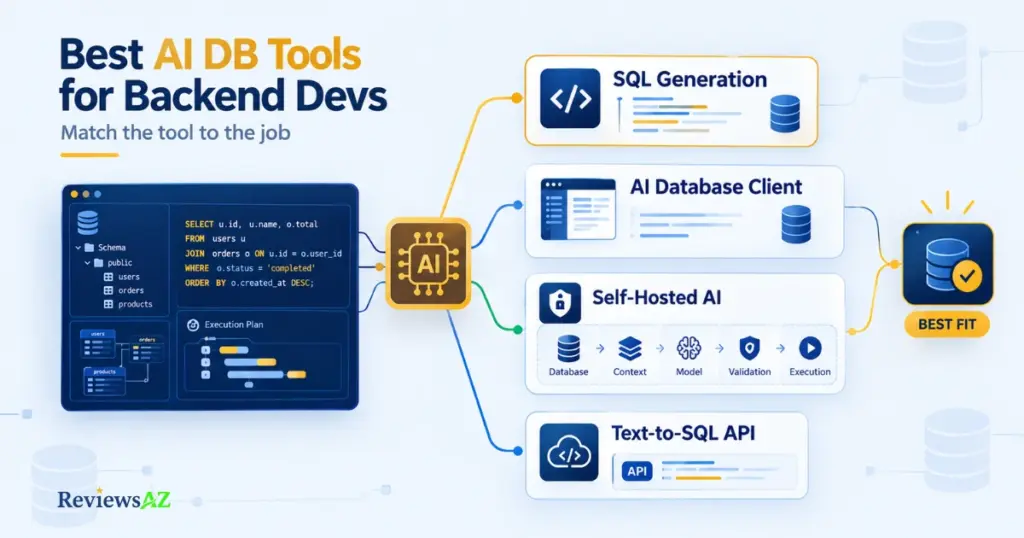
Backend developers usually reach for an AI DB tool for one of four reasons: to write or optimize queries faster, replace a daily GUI client such as pgAdmin or DBeaver, meet a self-hosting or compliance requirement, or put text-to-SQL inside their own application through an API. Those are different jobs. Treating them as one category is an easy way to spend time evaluating the wrong product.
This guide sorts best AI DB tools for backend devs by the task in front of you rather than by vendor. It also spells out the security trade-offs of putting an LLM anywhere near a real schema. If the mechanics of text-to-SQL are still unfamiliar, see What Is Text-to-SQL AI and How Does It Work? first. Otherwise, the table below gives you the shortlist by job, and the sections that follow explain what to verify.
How we evaluated these tools: This guide is a documentation-based comparison, not a hands-on benchmark. Capabilities, deployment options, and execution behavior described below were checked against each vendor’s current official documentation. Anything that couldn’t be confirmed that way is flagged as unverified rather than assumed.
Which AI DB Tool Fits Your Job
Every backend developer arrives at this guide with one of five jobs in mind: generating or optimizing queries, replacing a daily GUI client, meeting a self-hosting or privacy requirement, embedding text-to-SQL into a product, or getting help with a migration. Find yours below, and treat the tools next to it as a starting shortlist, not a final answer, since each one gets substantiated in the section that follows.
| Backend Job | Tool Category | Candidates to Verify | Why These Candidates | What to Verify |
|---|---|---|---|---|
| SQL generation / optimization | Database-aware assistant | DataGrip, DBeaver, DbGate | Feed live schema context into query drafting inside a client you already use | Context quality, provider, execution-plan validation |
| Replacing your daily GUI client | AI-aware database client | Chat2DB, Outerbase, Basedash, DbGate | Built AI-first around the querying/exploration workflow itself | Database support, permissions, AI provider options |
| Privacy / self-hosting requirement | Self-hosted / private AI workflow | WrenAI, Vanna AI | Open-source, deployable on your own infrastructure with configurable model backends | Data path, model location, telemetry |
| App-level Text-to-SQL | API / framework | Defog, Vanna AI, WrenAI | Expose a programmatic interface instead of a UI a human has to open | Schema context, authorization, validation, execution guardrails |
| Migration / schema assistance | Reviewable AI-assisted workflow | Tool-specific — see the Backend Use Cases section | Drafting speed, not autonomous approval, is the actual value here | DDL review, rollback, locking, environment |
How to read this: Each entry is a signpost, not a verdict. The claims behind it are substantiated in the section below it, where the relevant tool names are linked directly. Verify the specifics against each tool’s current documentation before shortlisting anything, this category shifts month to month.
AI SQL Query Generation & Optimization for Backend Developers
A common reason backend developers reach for an AI SQL tool is not to replace their client. It is to spend less time drafting, debugging, or explaining queries that are tedious rather than conceptually difficult. A five-table JOIN written under time pressure, or a report query that has suddenly slowed down, is the kind of friction a database-aware assistant can help with. More involved setups, such as self-hosting or API integration, usually come later.
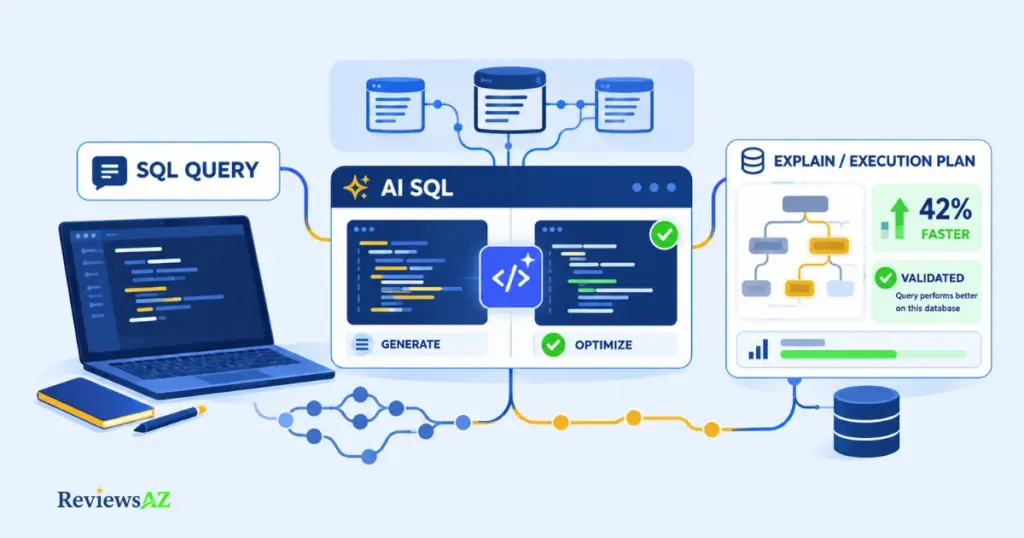
“AI-assisted SQL” covers at least two different capabilities, and they should not be judged by the same standard. One is generating a query from a natural-language description. The other is determining whether an existing query is well optimized. Query generation is mainly a drafting convenience. Optimization requires much more: the tool needs enough schema and database context to make useful suggestions, and those suggestions still have to be checked against the planner and the workload.
Generating queries from natural language against your real schema
Database-aware assistants built into clients such as DataGrip and DBeaver, or dedicated tools such as DbGate, can pass schema information (table names, columns, and sometimes foreign keys) to a model alongside your request and return a candidate SQL statement. The quality of that context matters. A tool that sees only table and column names has more relationships to infer; one that also has explicit keys and constraints can work from a clearer picture of how the schema is connected.
DataGrip and DBeaver aren’t interchangeable here, even though both feed schema context to a model. DataGrip’s AI Assistant is built around the JetBrains agent ecosystem: it can hand multi-step work to coding agents like Junie, connect external agents over ACP, expose the IDE itself as an MCP server, and run against cloud providers or a local model you configure. It’s the more natural fit when database work already lives inside a JetBrains-centered development workflow. DBeaver, by contrast, is the broader database client: it documents support for several AI providers (OpenAI, Azure OpenAI, Google Gemini, and Ollama for local models), shares only table and column metadata by default with an explicit consent prompt the first time you use it, and lets you set execution behavior per query type — SELECT statements run immediately by default, while modification and schema changes require a confirmation dialog unless you change that setting. DBeaver is the stronger fit when provider flexibility and configurable execution behavior matter more than IDE integration.
There is another option worth checking before adding a dedicated product: some database clients, including DataGrip, can expose the database through MCP (Model Context Protocol), so a coding agent you already use can call the database as a tool. If your team already works this way with Claude Code, Cursor, or a similar agent, first see how much of the database work that setup already covers.
Where AI optimization claims need a second look (EXPLAIN, indexes)
Optimization suggestions deserve a different level of scrutiny. An assistant may suggest an index, rewrite a subquery as a JOIN, or change the shape of a query. But “this should be faster” is still a hypothesis until you check it against your execution plan and representative workload.
Common mistake: treating “AI suggested a faster query” as the same thing as “the query is actually faster.” Check the plan first; when you need measured execution details, use
EXPLAIN ANALYZEunder an appropriate test or transaction setup against representative data, table sizes, and indexes.
An AI optimization suggestion is a starting point, not proof that the revised query is better. The useful question is whether the change survives validation against your database and workload. For the deeper workflows, see How to Optimize SQL Queries Using AI and How to Generate SQL Queries with AI. How to Chat with Your Database Using AI is a related use case, but it solves a different problem and may call for a different kind of tool.
AI-Powered Database Clients: pgAdmin and DBeaver Alternatives for Backend Developers
An AI-powered database client is still a database client, much like pgAdmin, DBeaver, or TablePlus, but with AI-assisted querying layered into the workflow. It may generate SQL, explain results, or answer questions about the schema in plain language. Chat2DB, Outerbase, Basedash, and DbGate all fit broadly into this space, although the balance between the database client and the AI layer varies from product to product.
What changes day-to-day versus a traditional SQL client
A few parts of the day-to-day workflow change in noticeable ways:
- Query authoring. Instead of writing a SELECT from scratch, you describe what you want and review the generated statement before running it.
- Result interpretation. Several of these clients can summarize a result set or explain an unfamiliar column in plain language, genuinely useful on someone else’s schema.
- Connection handling stays a client concern, but scope changes. You still connect with your own credentials, but the AI layer can also inspect metadata, receive selected database context, and, depending on the product and its settings, execute the SQL it generates directly.
Database administration is a separate question. Whether a client handles backups, user and role management, replication monitoring, or other pgAdmin-style tasks is a product-specific capability to verify. “AI-assisted querying” does not automatically mean “full database administration,” and treating the two as equivalent can lead to the wrong replacement decision.
What to check before switching your default client
Verify three things before making one of these your daily driver: which databases it officially supports (Postgres and MySQL coverage is common; other databases vary, and this is an Officially Supported claim per each vendor’s own documentation, re-checked at writing time); which AI provider it routes requests to, and whether that’s configurable or self-hostable; and what permission model applies when the AI layer executes a query on your behalf, as opposed to only drafting one for you to run.
Pricing for Chat2DB, Outerbase, Basedash, and DbGate is Could Not Be Verified here. Confirm it against each vendor’s live pricing page rather than a number that may already be stale.
Deployment control is a separate concern from having a nicer querying interface. That is where the next section picks up.
Self-Hosted AI SQL Tools: Privacy, Deployment, and Execution Control
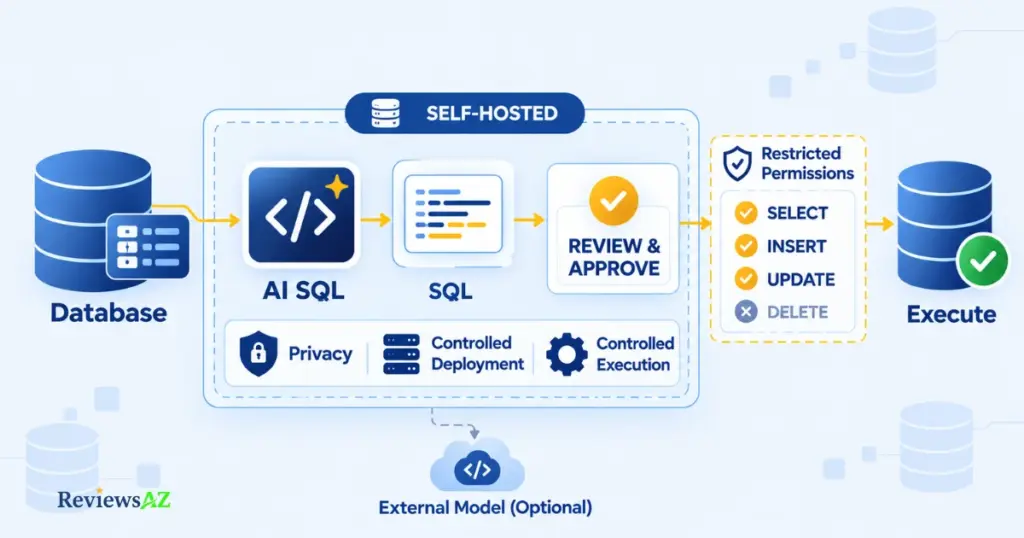
Self-hosting an AI SQL tool does not make it secure by itself. It can reduce reliance on third-party processing of database context, but whether the full data path stays local depends on how the model, embeddings, telemetry, logging, and other components are configured. The security questions do not disappear; they simply move into a deployment you control. For the broader risk model, see AI-Generated SQL Risks and Limitations.
Open-source AI database tools
Within the candidates covered here, WrenAI and Vanna AI are the main open-source, self-hostable options to evaluate for this job, but they serve different architectures. WrenAI has moved toward an open context layer for AI agents, with governed SQL and dashboards built around a semantic layer. That makes it more relevant when a team needs reusable database context that can support multiple agents or applications. Vanna takes a more assemble-it-yourself approach: an open-source Python framework that can be paired with your choice of LLM and vector store, with an agent-based API and user-aware permissions in its current architecture. In both cases, “open-source” describes the software and license, not every part of the deployed data path. A self-hosted setup may still call a hosted model provider unless a local model is configured, for example through Ollama. Check each component rather than assuming the whole stack is local.
What “self-hosted” does and doesn’t guarantee about security
Self-hosting can reduce third-party data exposure, but it does not address prompt injection on its own. Malicious or untrusted content—whether supplied by a user or pulled from data the system retrieves—can still influence model behavior. OWASP lists prompt injection as LLM01:2025 in its LLM Top 10. A fully local deployment does not remove that risk; the practical impact depends on what context the model can access and what actions the surrounding system allows it to take.
Human review and execution boundaries for AI-generated SQL
The more important control point is what the AI can do with the SQL it produces. A tool that drafts a query for review presents a different risk from one that can execute that query directly, especially against staging or production. Give it only the database permissions the workflow requires rather than reusing a broad account simply because it is convenient.
Text-to-SQL APIs & Framework Integration
Suppose your product needs to let users ask questions in plain English and have your application return an answer from its own database. That is different from a developer typing into a SQL client: your application is now generating and potentially executing SQL on the user’s behalf. At that point, an embeddable API or framework makes more sense than a GUI tool.
When you need an API/library instead of a GUI
The dividing line is who is making the request. If a human writes the question and reviews the SQL, a client-based workflow can be enough. If your application needs to generate SQL programmatically—inside an agent, a customer-facing feature, or an internal reporting endpoint—you are in API/framework territory. Defog AI covers Text-to-SQL API integration. Vanna AI and WrenAI are also relevant here, but for the programmatic side of their architectures rather than the standalone client workflow discussed above.
What to evaluate before embedding text-to-SQL in production
In this setting, raw generation quality is only part of the problem. Four things matter just as much:
- Schema context. How much of your schema the model actually sees, and whether that context stays current as your schema evolves, a Documented Capability question specific to each tool, not something to assume.
- Authorization. A natural-language request is not an authorization decision on its own. Your application, not the model, has to decide what data a given user is allowed to query and where the resulting SQL is permitted to run. This is one of the most common ways this integration goes wrong in production: the model doesn’t know what a given user is allowed to see, only your application does.
- Validation. Generated SQL still needs application-level validation and execution controls, not blind trust in the model’s output. Where user-controlled values are involved, use parameterized queries; for identifiers or the SQL structure itself, use explicit allowlists or other constrained validation, following the guidance in the OWASP SQL Injection Prevention Cheat Sheet. This is a distinct concern from the model-instruction risk covered above: unsafe generated SQL reaching execution, not unsafe input reaching the model.
Read-only by default, scoped credentials, and an explicit allowlist of what the generated query is permitted to touch round out the guardrails worth setting before this ships.
Backend Use Cases for AI SQL Tools
The categories above show up clearly in two recurring backend situations: changing a schema without creating production problems, and investigating a query that has suddenly become slow. Neither needs a new tool category. They are simply practical cases where the tools discussed earlier can help.
Automating database migrations & schema design
An AI assistant can save time on the drafting side of a migration: producing a first-pass migration file from a schema change, spotting inconsistencies with existing conventions, or drafting DDL for a new table with appropriate types and constraints. What it should not do is make the final call that the migration is safe to deploy.
Treat an AI-generated migration the way you would a draft from a junior teammate. Check the intended change, dependencies, locking or availability impact, and reversibility, then keep staging and production separate in the deployment workflow. The useful role for AI here is acceleration of the draft and review process—not autonomous approval of production DDL.
Ad hoc debugging and reporting queries under time pressure
A ticket lands: the orders endpoint got slow after last week’s migration. The useful workflow is narrow. The assistant drafts a query or possible index change; you compare it with the schema and the real execution plan; then a human decides whether anything should change in production. The value is the shorter path from question to a reviewable hypothesis, not blind execution.
The execution boundary matters even more here. Investigation workflows should default to read-only or tightly scoped credentials. If the AI proposes a change as part of the fix, that mutation should stay outside its default authority and be reviewed and executed deliberately by a human. Faster investigation is useful; broader permissions are not a fair trade for it.
Choosing the Best AI DB Tools for Backend Devs by Workflow
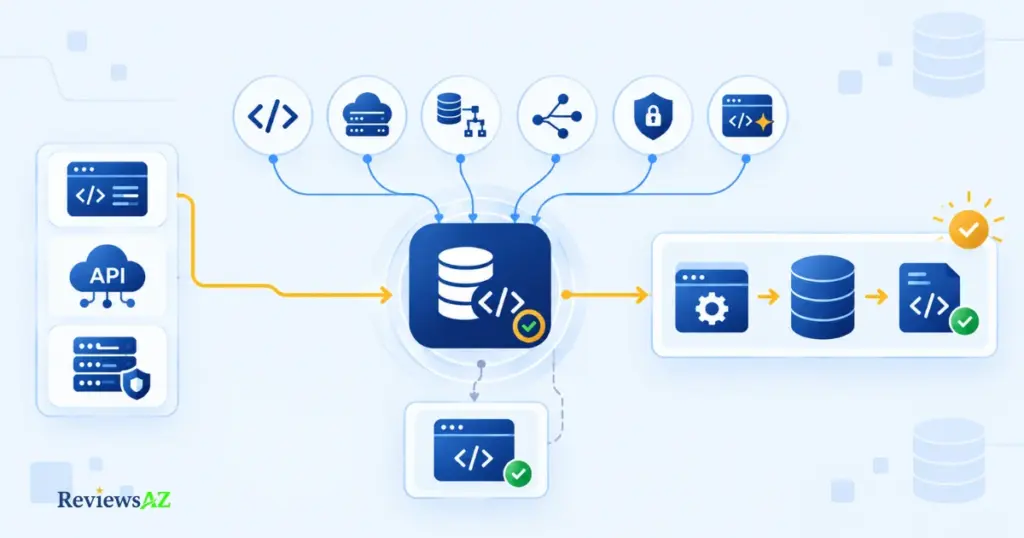
So which one belongs in your stack? For most backend teams, the answer comes down to the bottleneck you are trying to remove and what the tool can see, process, and execute. A longer feature list is not a useful selection rule by itself.
A quick decision path by job, not by vendor
A practical way to narrow the field is to work through these questions:
- Identify the actual database job: query generation, client replacement, self-hosting or compliance, or API embedding. Skipping this step is how feature lists end up driving a decision they were never designed to answer.
- Choose the deployment shape: a client-based tool if a human reviews the output, an API or framework if your application generates SQL programmatically, or a self-hosted path if data residency is a real requirement rather than a preference.
- Check schema and database compatibility against your actual stack: Postgres/MySQL support, and how much schema context the tool actually receives.
- Trace the data-flow boundary: which model or provider it uses, and whether the deployment is genuinely local or only partially so.
- Set execution permissions deliberately: read-only by default for investigation, explicit human review before anything mutates production.
- Verify current product facts: pricing, self-hosting availability, and supported databases change fast in this category. Confirm against the vendor’s live documentation before adopting anything, not against this article’s snapshot.
- Go deeper on your shortlist through the Best AI SQL Tools hub, which covers the full candidate set this article scoped down from.
When you don’t need a dedicated AI SQL tool at all
If your team is already using a general coding assistant (Copilot, Cursor, Claude Code) for application code, check what it already does with SQL before adding anything new. General assistants increasingly handle basic query generation reasonably well inside the IDE you’re already in. A dedicated AI SQL tool earns its place specifically for the jobs a general assistant doesn’t cover well: deep schema-aware context on a large production database, self-hosted deployment for compliance, or an embeddable API.
Key decision: the bigger adoption mistake is often not choosing the wrong product. It is adding another product that duplicates what your existing assistant already handles, without first checking what data it sees or what it can execute.
Frequently Asked Questions
Not every question about the best AI DB tools for backend devs fits neatly into a Use Case section. The seven below cover the edge cases and objections that come up right before adoption, the kind of thing you’d still want answered even after reading the guide above.
Is it safe to connect an AI tool directly to a production database?
Only with scoped permissions and human review in the loop. Self-hosting reduces third-party data exposure but doesn’t remove prompt injection risk, and generation isn’t the same as safe execution. Default to read-only or tightly scoped credentials for investigation work, and keep anything that mutates data behind explicit human approval, regardless of how the tool is deployed.
What is Text-to-SQL AI and how does it actually work?
It’s a model that translates a natural-language question into a SQL query, using your schema (tables, columns, sometimes relationships) as context. Quality depends heavily on how much schema context the tool actually receives; a model that only sees column names will guess at relationships a fuller schema would make explicit.
Can AI SQL tools be self-hosted for privacy or compliance?
Some can. WrenAI and Vanna AI are the most relevant open-source, self-hostable options for this audience, though they’re built differently: WrenAI as a shared context layer, Vanna as a framework you assemble yourself. “Open-source” describes the license, not automatically the deployment: verify that the embedding model, the LLM, and any telemetry are actually running locally, per tool, rather than assuming self-hosted means fully local by default.
What’s the difference between an AI database client and a Text-to-SQL API?
A client (like an AI-assisted Chat2DB or DbGate) is something a developer opens and reviews output from directly. A Text-to-SQL API or framework (like Defog, or the API angle of Vanna AI and WrenAI) is something your own application calls programmatically. The difference is whether a human or your product is the one making the request.
Can AI-generated SQL be trusted without reviewing the query logic and execution plan?
No. An AI suggesting a query, or claiming it’s optimized, is a starting point, not a verified result. Check the actual logic against your intent, and confirm any optimization claim against your database’s real execution plan rather than the model’s confidence.
Can AI safely automate database migrations and schema changes in production?
It can draft them, not approve them. Treat AI-generated migration files the way you’d treat one from a junior teammate: review intent, check dependencies and locking impact, confirm reversibility, and keep staging and production separate. Auto-approving AI-generated DDL in production is the highest-risk shortcut in this entire category.
Is a general AI coding assistant enough, or do I need a dedicated AI SQL tool?
Check what your existing assistant already covers, including whether your database client already exposes an MCP interface it can use, before adding a new tool. A dedicated AI SQL tool earns its place for jobs a general coding assistant typically doesn’t handle well: deep schema-aware context on a large production database, self-hosted deployment for compliance, or an embeddable Text-to-SQL API.
Related Posts:
Do You Still Need to Learn SQL in the Age of AI?
AI SQL Tools for Non-Technical Users
Best AI SQL Tools for Data Analysts
Final Decision: Match the Tool, Not the Hype
There is no single best AI DB tool for every backend developer. The useful choice is the one that fits the database job in front of you; the wrong fit can add more work than it removes.
- IDE-centered SQL workflow: start your shortlist with DataGrip if you’re already in a JetBrains IDE, or DBeaver if you want broader provider and execution-setting control.
- AI-first database client: evaluate Chat2DB and DbGate, and compare their current provider options and execution controls directly — they change often enough to be worth checking live rather than trusting a snapshot.
- Self-hosted or context-layer control: evaluate WrenAI if you need a shared context layer across multiple agents, or Vanna if you’d rather assemble the agent workflow yourself.
- Embedded Text-to-SQL: evaluate Defog, or the API surface of Vanna or WrenAI, depending on how much of the surrounding workflow you want to build yourself.
- Skip a dedicated tool: if a general coding assistant already in your stack, or a client already exposing your database as an MCP tool, already covers what you actually need.
Whichever path fits, keep the same discipline: choose the narrowest AI DB tool that solves the bottleneck, then verify what context it sees, where processing occurs, what it can execute, and where human review remains necessary. Those checks matter more than the length of the feature list when deciding whether the tool belongs in your stack.