AI Code Editors and IDEs: Complete Collection, Reviews & Guides

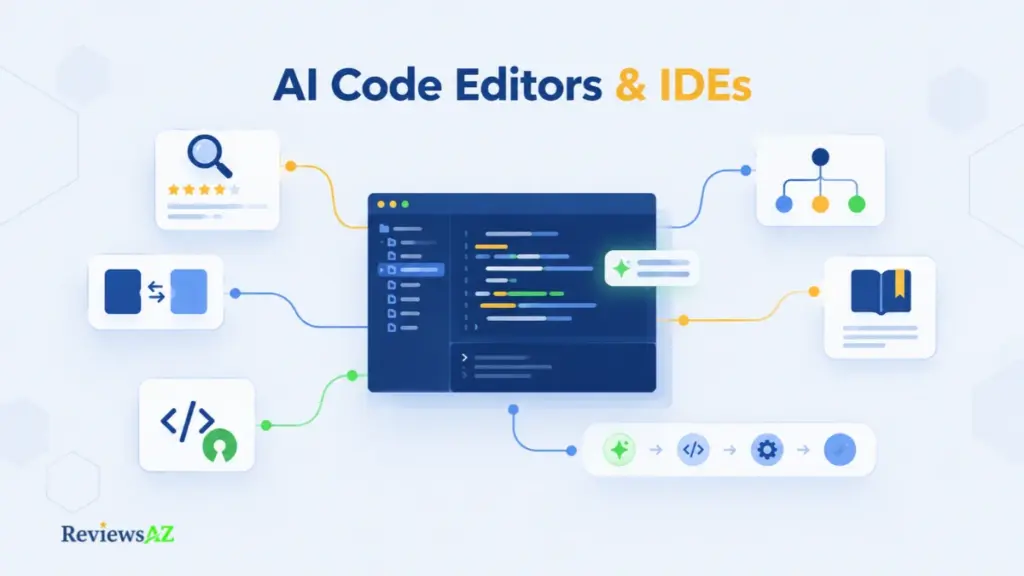
Pick up any AI code editor or IDE recommendation from last year and the odds are good it’s already out of date. AI code editors and IDEs change faster than the advice that’s supposed to guide them. Choosing an AI IDE or a code editor in 2026 isn’t a feature decision. It’s about knowing which type of product you’re looking at before you start comparing.
One tool replaces your editor entirely. Another plugs into it. A third works around the editor without ever living inside it. Three product types, same search results, three different questions being answered.
Twenty tabs open, three name changes to verify, and a pricing page that says one thing while the reviews say another. That’s not a reader problem. It’s just what the category looks like right now.
Below, the sections are grouped by the decision you’re actually trying to make: one tool, a head-to-head, a workflow like Python or web development, a free or open-source constraint, or a broader question about how AI-assisted coding fits into your day. The category definition sits in AI Code Editor if you want the full picture first. Otherwise, the paths below will get you where you’re going without forcing you through anything you didn’t ask for.
Choosing Between AI Code Editors, IDEs, and Coding Assistants
Switching to a new coding tool sounds straightforward until you consider how much of your daily setup depends on the editor you already use. Extensions, keyboard shortcuts, debugging tools, and project settings all become part of your routine. Replacing that environment is a bigger decision than adding an AI feature to it.
AI Code Editors and Development Environments
AI-first editors treat editing, project context, and AI assistance as one system. Kiro illustrates the pattern: its official IDE documentation covers codebase indexing, source control, extensions, and specification-driven planning inside the same workspace. What rarely makes the documentation is the migration itself. Extensions, configurations, and project structure are where switching costs actually show up, and those decisions happen before the first commit.
When an AI Coding Assistant May Be Enough
For developers whose current IDE isn’t in the way, an integrated assistant is the quieter move. JetBrains AI Assistant follows that path, folding chat, in-editor help, and agent features into IDEs people already open every day. Our AI Code Assistants pillar covers the category in depth, and the Cursor review shows what the AI-first editor route looks like by comparison.
A third category sits beside both: agents that take on multi-step tasks rather than just suggesting code. Some live inside an IDE, others run as separate tools, and the practical difference matters less than the workflow each one enables. AI Coding Agents covers that ground.
Before comparing tools: decide whether you need a new development environment, AI added to the one you already use, or an agent to handle specific tasks. That starting point will narrow your options more quickly than a long feature checklist.
AI Code Editors and IDEs Reviews
None of the entries below are ranked. Each description gives the general fit; the individual reviews carry the deeper work. Not every feature in every tool has been tested here, and these descriptions don’t pretend otherwise.
AI Development Environments
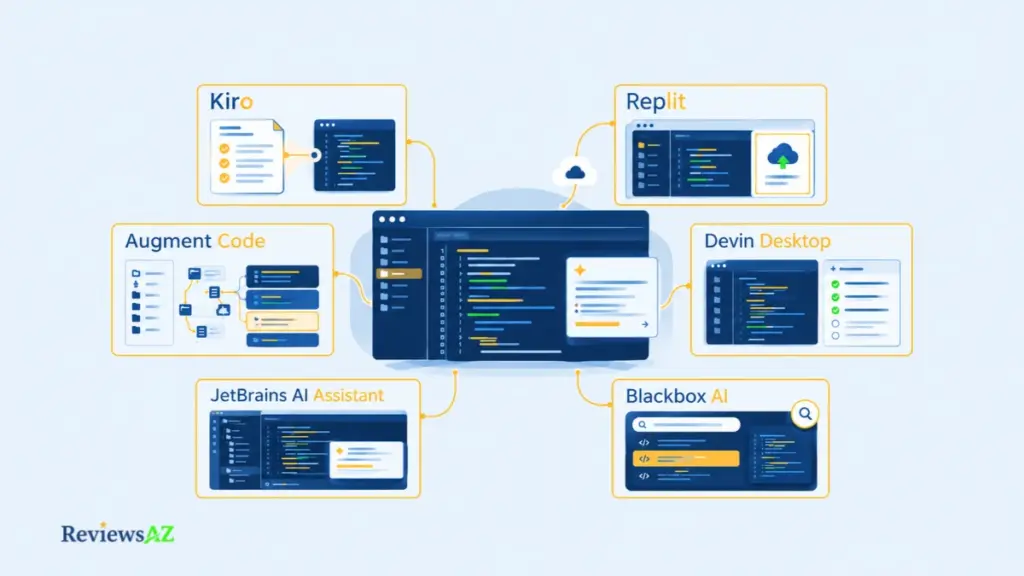
- Kiro: An AI development environment built around spec-driven work, using requirements and design documents to structure implementation. If you prefer an explicit plan before code changes begin, Kiro is designed around exactly that pattern.
- Replit: Brings coding, project tools, and deployment into a single browser tab. Learners, prototypers, and teams that value a shared cloud workspace get the most from it — though local-first developers should look closely at the trade-offs. Replit makes the cloud model easy to evaluate in practice.
- Devin Desktop: Builds on the IDE foundation previously associated with Windsurf, putting agent management closer to the center of the workflow. Its editor experience sits alongside local and cloud coding agents, and Devin Desktop covers how the shift from editor to agent-first shapes day-to-day work.
AI Tools Integrated into Existing Workflows
- Augment Code: Built for teams working across large, existing codebases rather than for developers ready to switch environments. When repository context matters more than interface, Augment Code is worth evaluating against your own codebase.
- JetBrains AI Assistant: Adds AI chat and in-editor assistance directly into the JetBrains environment. Developers already working in IntelliJ IDEA, PyCharm, or WebStorm have a shorter path to AI integration than swapping editors, and JetBrains AI Assistant documents which IDEs and versions it currently supports.
- Blackbox AI: Browser and editor integrations deliver coding assistance without asking for a full environment swap. Confirm the current product scope and available integrations before treating it as an editor replacement; Blackbox AI leans more toward assisted coding than a standalone IDE.
- Amazon Q Developer: AWS developer assistance reaches across IDE and other AWS workflows, but the IDE-plugin offering is winding down. New sign-ups stopped on May 15, 2026, and support for existing plugins runs through April 30, 2027. Teams still evaluating Amazon Q Developer should confirm the current path forward with AWS before committing.
- AskCodi: A coding-assistance option for developers who want AI support without committing to a full editor replacement. Current features, integrations, and plan limits matter more than the headline feature list, so AskCodi is worth checking against your own workflow requirements before treating it as a drop-in addition.
When the decision shifts from individual editors to team-wide rollout, Best AI Coding Assistants for Enterprise Teams covers what tends to matter at that scale. Once a short list is in place, comparing trade-offs directly is the next step.
AI Code Editors and IDEs: Tool Comparisons
Two products left on the shortlist, both plausible, and no clear way to break the tie. That’s the moment a direct comparison earns its keep. The three below settle three different questions, so the right one depends on what’s actually making the decision hard.
- Augment Code vs Kiro: Two approaches to AI-assisted development that don’t always point the same direction. One emphasizes context across existing codebases, the other organizes work around a spec-driven IDE workflow. The Augment Code vs Kiro comparison pays off if you’re stuck between extending your current setup and adopting a more structured environment.
- GitHub Copilot vs JetBrains AI Assistant: The decision usually comes down to which assistant fits the editor you already open every day. GitHub Copilot vs JetBrains AI Assistant settles the direct question; the reviews of GitHub Copilot and JetBrains AI Assistant go deeper on each side.
- Replit vs Blackbox AI: A cloud-based development environment on one side, a coding assistant with browser and editor integrations on the other. The Replit vs Blackbox AI comparison is most useful when the real question is whether you need somewhere to build and run an app, or AI help inside a workflow you already have.
Use the right resource at the right stage: curated lists help you discover options; direct comparisons help when you have already narrowed the field. Reading a comparison before you have a shortlist can add detail without making the decision easier.
Free and Open Source AI Code Editors
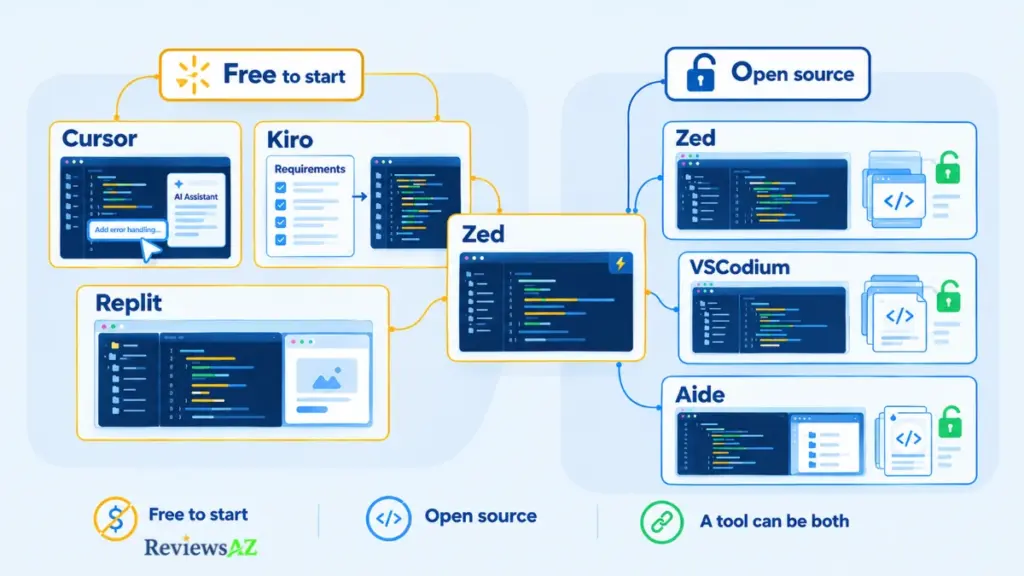
“Free” and “open source” get used interchangeably in AI editor discussions, and they shouldn’t be. Free means you don’t pay to start. Open source means you can read and modify the code. Neither guarantees unlimited AI usage, no operating cost, local execution, or a specific privacy arrangement, and plenty of tools fit one description without fitting the other.
Best Free AI Code Editors
Cost is usually where the search starts. Each option below has a free tier, and each tier is shaped differently: limited requests, credit allowances, or feature gates. Full breakdowns live in Best Free AI Code Editors.
- Cursor: The Hobby plan allows limited agent requests and chat usage, enough for smaller tasks. It’s not a substitute for heavy daily agent work, and the current quota is worth checking before planning around it.
- Kiro: A free tier with a monthly credit allowance and access to a subset of models, subject to rate limits. Testing spec-driven development on that allowance works. Sustained work hits the ceiling before long.
- Replit: The Starter plan gives limited free daily Agent credits and a basic path to building and publishing an app. Prototypes and experiments fit. Longer agent runs usually take you past the free allowance.
- Zed: Works as an editor without any AI subscription. AI features come through your own API keys or the paid plan. The editor is free. The AI is a separate decision.
Best Open Source AI Code Editors
Open-source editors answer a different question: what can you see and change about the code you run. These three take different paths. Two ship AI inside the editor itself. One provides an open foundation to extend. Detailed comparisons live in Best Open Source AI Code Editors.
- Zed: Source is published under GPL-3.0-or-later for the main editor and Apache 2.0 for some components. AI access is independent of the license, so hosted models still carry their own costs. Inspectable code and free AI usage are different questions here.
- VSCodium: Community-built, MIT-licensed binaries from VS Code’s open repository, with telemetry off by default. It’s not AI-native. AI arrives through extensions, and some extensions on Microsoft Marketplace won’t run there.
- Aide: An open-source, AI-native editor built on a VS Code foundation, with chat-assisted edits, inline editing, and completion. It sits closer to experimental than mainstream. Recent releases, open issues, and project activity deserve a look before it enters a critical workflow.
Open-source assistants are a related but separate category, covered in Open Source AI Coding Assistants. For any open-source project, check the license and the model provider’s data handling separately; source availability alone doesn’t prove that requests stay on your machine.
To understand what qualifies as open source, see the Open Source Initiative’s Open Source Definition, which outlines the licensing criteria software must meet to use that designation.
The key decision is whether you need a no-cost way to start, control over the software’s source code, or both. Once that is clear, it becomes easier to narrow the options without treating different pricing and licensing models as interchangeable.
AI Code Editors for Different Development Workflows
The same editor can feel excellent on one project and awkward on another. Feature lists don’t predict which. What decides it usually sits underneath the headline: how the tool handles project structure, whether it recognizes your framework, how naturally it debugs alongside you, and how much context you need it to grasp.
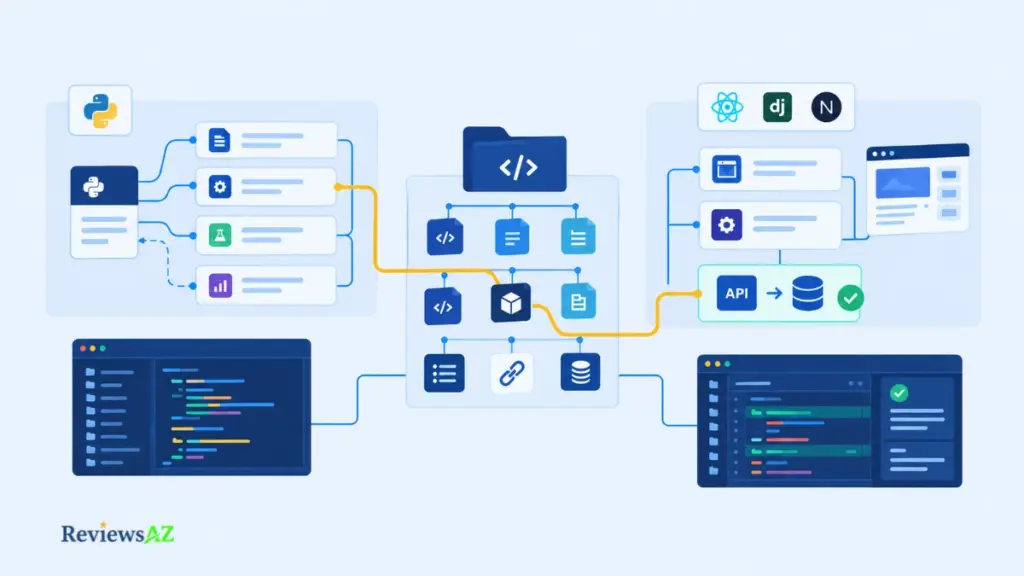
“Python support” and “web development support” are broad labels. A single script and a multi-service web application ask very different things from the same editor.
AI Code Editor for Python and Data Work
Python projects range from a one-off automation script to a multi-file application with tests, dependencies, and notebooks. What separates a useful editor from a frustrating one here rarely shows up in autocomplete speed: navigating unfamiliar code, explaining what a function does, and debugging across modules carry more weight in daily work. The full evaluation lives in AI code editor for Python, and Best AI SQL Tools for Data Analysts covers the query-heavy side when Python work drifts toward data analysis.
AI IDE for Web Development and Backend Work
Web projects expect the editor to track framework conventions, component boundaries, server-side logic, and the data layer underneath. The differences matter quickly: a React front-end, a Django back-end, and a Next.js full-stack app create three different editor requirements. AI IDE for web development covers the editor choice in depth, and Best AI DB Tools for Backend Devs picks up when database design enters the picture. Built-in SQL generation isn’t standard across AI editors, so confirm it against product documentation before assuming it exists.
A Positive Sign The Tool Fits Your Workflow: Try a task that reflects your actual workload, trace a Python dependency issue or update an API endpoint that affects several files. A good fit should follow the project structure, produce changes you can review confidently, and reduce the work needed to reach a reliable result.
AI-Assisted Coding Workflows and Guides
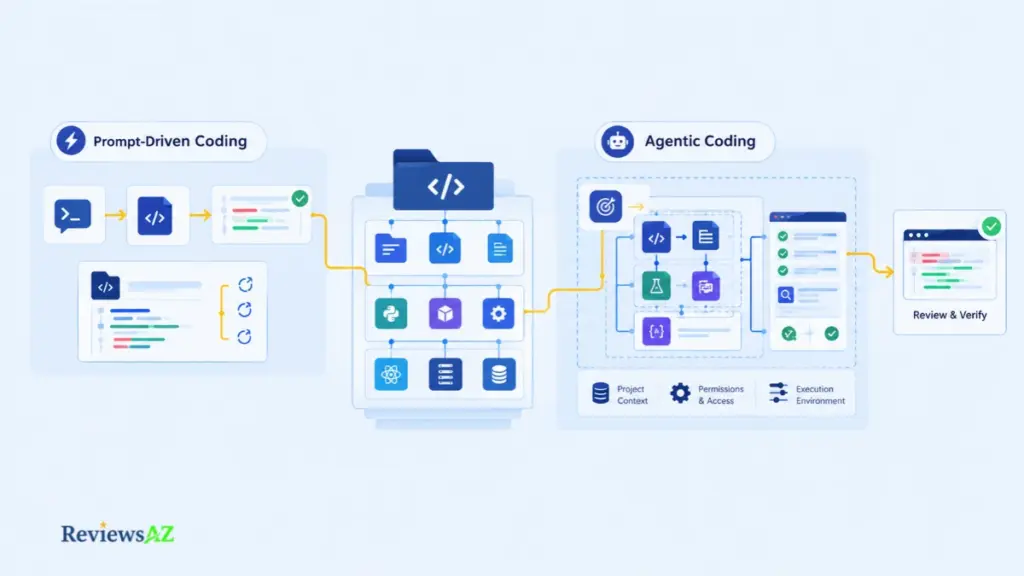
Ask two developers using the same AI editor why one ships faster than the other, and the answer rarely has anything to do with the tool. It usually comes down to workflow: whether AI drafts small suggestions, explains unfamiliar code, or runs a longer task while you review the diff. That distinction shapes how each tool gets used in practice.
- What Is Vibe Coding: Prompt-driven development has matured into a real working method, with strengths and predictable failure points. The part that matters most is where it starts producing code that looks right and behaves wrong. What Is Vibe Coding covers both sides: how the method is practiced, and where it stops working.
- AI Coding Agents: Multi-step tasks shift from suggestion to delegation. Some agents run inside an IDE, others as separate tools or cloud services. Where the agent executes and what it can touch matter more than the model behind it. AI Coding Agents expands on both, along with the guardrails that come with either setup.
The distinction matters when deciding how much control to hand over. A prompt-driven workflow may be enough for a small experiment, while changes across an established codebase call for clearer instructions, appropriate permissions, and a reliable way to review the result. Before adopting either approach, make sure you can understand and verify what the AI produces.
Related Posts:
Best AI SQL Tools
AI-Generated SQL Risks and Limitations
Do You Still Need to Learn SQL in the Age of AI
Frequently Asked Questions About AI Code Editors and IDEs
An editor can look like the right fit until you need to work without an internet connection, connect a different AI model, or find out what happens to your code after you cancel a subscription. These details can affect a real development workflow in ways that product descriptions rarely explain. The questions below complement the resource guides rather than repeating their recommendations. They address practical concerns that can remain even after you have chosen a shortlist of AI Code Editors and IDEs.
Can I use more than one AI code editor on the same project?
Yes. You can open the same project in different editors, but problems can arise when multiple AI tools modify the same files or apply conflicting changes. Keep your work under version control, avoid running competing agents on the same tasks at the same time, and review each set of changes before accepting it. A separate workspace is useful when you want to experiment without disrupting your main setup.
Can I use an AI code editor without an internet connection?
That depends on which parts of the editor you need. Editing local files may still work offline, but AI chat, cloud-hosted models, and some agent features usually require a connection. Tools that support local models can offer more offline functionality, although setup, updates, authentication, or synchronization may still depend on internet access. Test the features you rely on before planning to work offline.
How can I check whether an AI editor uses my code to train its models?
Start with the provider’s data-use policy and privacy terms, then check the settings for your account or organization. Pay attention to code retention, model training, and whether your choices apply to every feature you use. Free, individual, and enterprise plans may follow different rules. Turning off model training does not necessarily mean that all code or conversation data is immediately deleted.
Can AI code editors use custom models or API keys?
Some editors let you connect your own API key or select from supported model providers, while others limit you to their own services. The available options may differ between chat, code completion, and agent features. Using your own key can also mean paying the model provider separately. Check the supported models, billing arrangements, and key-management options before choosing an editor for this reason.
Do AI code editors work with Git, automated tests, and CI pipelines?
Many fit into established Git-based workflows, and some can run tests or interact with development tools directly. The details depend on the editor, its integrations, and your project configuration. AI-generated changes still need the same scrutiny as other code contributions: review the diff, run relevant tests, and let your normal CI checks finish before merging. Do not assume an agent has verified every change simply because it reports the task as complete.
Can AI-generated code be used in a commercial product?
Often, but the answer depends on the tool’s terms, the licenses of any included dependencies, your intended use, and the laws that apply. Review generated code rather than assuming it is automatically free of third-party rights or licensing concerns. For a commercial product, also consider your organization’s confidentiality and compliance requirements. Seek qualified legal advice when the consequences of getting it wrong are significant.
What happens to my files and workspace if I cancel an AI editor subscription?
Files stored in your own folders or repositories generally remain where you saved them. Cloud-hosted projects, AI features, usage allowances, synced settings, and workspace history may be handled differently after cancellation. Before ending a subscription, export any projects or history you need and read the provider’s retention policy. Also distinguish cancelling a paid plan from deleting your account, since the two actions may have different consequences.
Final Thoughts on AI Code Editors and IDEs
An impressive demo can make an AI coding tool look indispensable. Working with it day after day is a different test. The real question is what happens when it encounters the kind of code you actually maintain: an unfamiliar part of a project, an existing pattern it needs to follow, or a change that affects more than one file. The quality of the result matters, but so does the effort required to understand, correct, and maintain it.
That is why feature counts and speed alone rarely tell the whole story. A tool that generates code quickly but regularly misses the project’s conventions may create more work than it saves. Another, less ambitious tool may prove more useful because it fits naturally into your routine and produces changes you can confidently review.
The best choice is the one whose benefits hold up beyond the first impression. Consider the learning curve, the work you would trust it to handle, and the compromises you would have to accept to keep using it. Product capabilities, plans, and availability can change, but the underlying decision remains practical: does this tool help you produce better work without adding more friction than it removes?