AI Coding Agents (2026 Category Hub): Architectural Differences, Top Tools, and Selection Guide

The transition from passive code completion to active agentic execution represents the defining structural shift in modern software engineering. Where traditional AI coding assistants sat passively inside the IDE waiting for user keystrokes to predict the next token, AI coding agents actively read context across large repositories, formulate execution plans, invoke workspace tools, execute terminal commands, evaluate program output, and continuously iterate until a specified task is completed.
This Hub page establishes an architectural taxonomy for evaluating AI coding agents, breaks down their core form factors, details market-leading tools across CLI, IDE, and cloud execution environments, and provides engineering teams with an objective framework for tool selection.
Quick Summary & Decision Framework
Selecting the optimal AI coding agent depends on your primary execution interface, team workflow, and governance requirements:
- Best IDE-Native Integration: Cursor (Agent Mode) or Windsurf (Cascade / Devin Desktop) — Ideal for developers seeking seamless multi-file workspace edits inside an AI-native code editor.
- Best Terminal & CLI Agent: Claude Code or Aider — Ideal for power users, Git-first workflows, shell-based automation, and complex cross-repository refactoring.
- Best Open-Source & Custom Control: Cline or Continue.dev — Ideal for teams requiring explicit API key control (BYOK), local model hosting, or custom model orchestration.
- Best Fully Autonomous Cloud Agent: Devin — Ideal for asynchronous delegation of end-to-end background issues, isolated bug fixes, and continuous integration workflows.
- Core Operational Risk: Non-deterministic tool execution, elevated token consumption during agentic loops, and potential context degradation in ultra-large monorepos.
1. Defining AI Coding Agents: The Paradigm Shift from Assistants to Agents
The fundamental difference between an AI code assistant and an AI coding agent lies in the control loop.
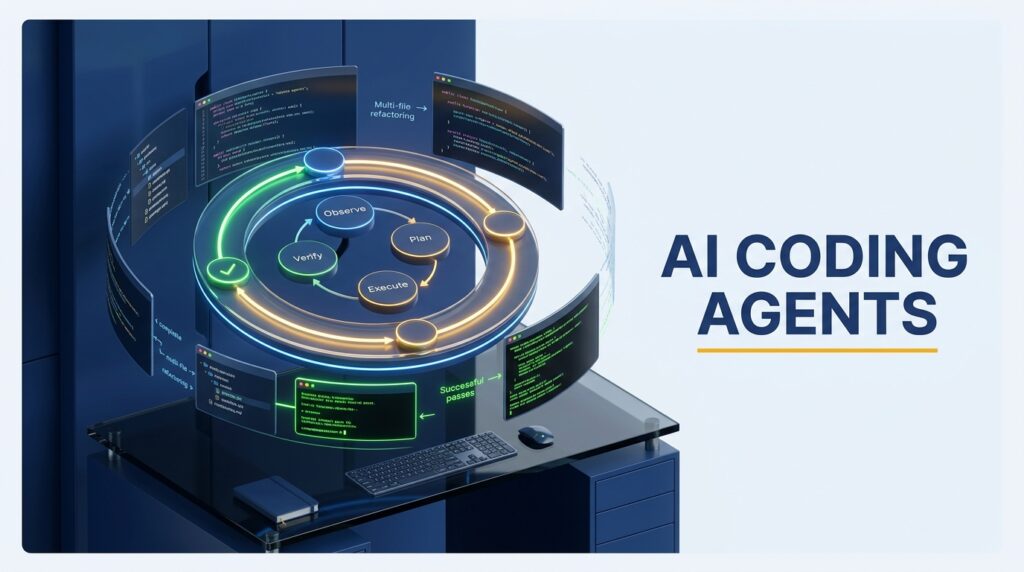
A standard assistant operates within a short context window using single-turn generation. In contrast, an AI coding agent uses a continuous decision loop to manipulate its environment via tool calling (e.g., Language Server Protocol (LSP) indexing, file system I/O, terminal execution, and Git controls).
   +--------------------------------------------------------+
   |                  Agent Execution Loop                   |
   |                                                        |
   |   [1. Observe]   ---> Read Codebase / Terminal Output  |
   |        |                                               |
   |        v                                               |
   |   [2. Plan]      ---> Formulate Multi-Step Strategy    |
   |        |                                               |
   |        v                                               |
   |   [3. Execute]   ---> Call Tools (File Edits, Terminal)  |
   |        |                                               |
   |        v                                               |
   |   [4. Verify]    ---> Run Tests / Inspect Diffs        |
   |        |                                               |
   |        +--- (Loop until task completed or gated) ------+
   +--------------------------------------------------------+
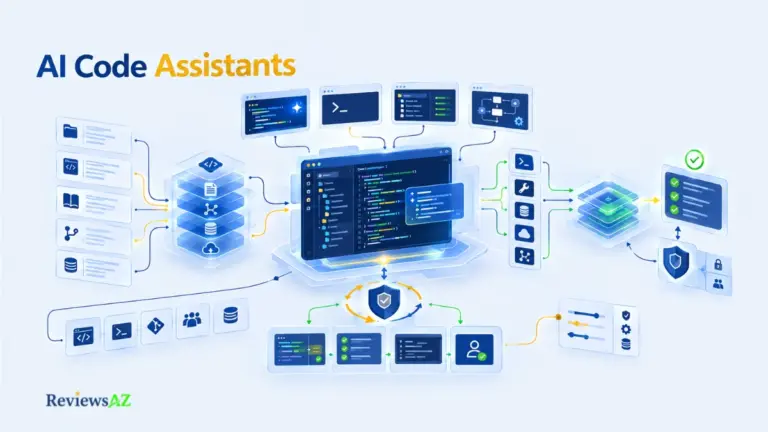
To understand how this differs from traditional inline tools, explore the fundamental differences between passive AI code assistants and active agents within our broader overview of the AI code completion category.
The 4-Stage Agent Execution Loop
- Observe: The agent parses the problem prompt, inspects workspace ASTs (Abstract Syntax Trees), searches repository symbols, and inspects context via local file indexing or external documentation.
- Plan: The model generates a sequence of actions, breaking complex requirements down into modular tasks (e.g., modifying database schemas, updating API endpoints, and refactoring dependent unit tests).
- Execute: Using structured tool-calling capabilities, the agent modifies files, generates new components, or runs terminal shell commands.
- Verify: The agent inspects build outputs, executes test suites, reads stack traces, and self-corrects if errors occur during execution.
Passive Autocomplete vs. Active Agentic Execution
| Dimension | Passive AI Code Assistants | Active AI Coding Agents |
| Trigger Mechanism | Keystroke events / Inline prompts | High-level natural language prompt / CI Issue |
| Scope of Work | Single line or single block completion | Multi-file refactoring, workspace restructuring |
| Environment Interaction | Read-only workspace context | Active file I/O, terminal execution, Git management |
| Verification Method | Manual human code review | Automated test execution, error log parsing, self-healing |
| Execution Horizon | Synchronous (< 2 seconds) | Asynchronous or synchronous multi-step loops |
⚠️ Architectural Warning: The Autonomous Hallucination Loop
Without strict verification gates (such as automated linting, test suites, or human permission prompts), an AI agent can enter a recursive fix loop. If a tool execution yields an error, the agent may attempt a series of incorrect patches, consuming substantial API token budgets and dirtying Git working directories. Always enforce terminal permission boundaries and atomic Git commits.
2. Form Factors & Taxonomy: How AI Coding Agents Are Structured
AI coding agents are deployed across three primary operational interfaces, each presenting distinct trade-offs in velocity, control, and execution safety.
                  +-----------------------------------+
                  |  AI Coding Agent Form Factors     |
                  +-----------------------------------+
                                    |
     +------------------------------+------------------------------+
     |                              |                              |
     v                              v                              v
+------------------+       +------------------+       +------------------+
| Terminal / CLI   |       | IDE-Integrated   |       | Cloud Autonomous |
| Native Agents    |       | Agentic Modes    |       | Background       |
| (Claude Code,    |       | (Cursor Agent,   |       | Agents           |
|  Aider)          |       |  Windsurf, Cline)|       | (Devin Desktop)  |
+------------------+       +------------------+       +------------------+
CLI & Terminal-Native Agents (Command-Line Autonomy)
Terminal-native agents operate directly within the developer’s shell environment. They interface with local shell commands, git trees, and file tools.
- Strengths: High execution speed, deep integration with shell scripts and unix tooling, low interface overhead, ideal for power users.
- Weaknesses: Requires text-based diff inspection; lacks rich visual IDE side-by-side gutter comparison unless paired with an editor workspace.
IDE-Integrated Agentic Workflows
IDE agents are embedded directly within the editor workspace (either via custom forks like Cursor or extensions like Cline and Windsurf/Devin Desktop).
- Strengths: Direct UI representation of diffs, visual file selection, real-time syntax error highlighting, inline acceptance/rejection controls.
- Weaknesses: Tied to editor lifecycle, potential resource bloat within the IDE process.
Fully Autonomous Cloud & Background Agents
Cloud agents operate asynchronously inside isolated virtual machines or containerized sandboxes hosted in the cloud.
- Strengths: Unblocks local developer hardware; can process multiple issues or PRs in parallel; isolated from local working environments.
- Weaknesses: Higher infrastructure costs, delayed feedback loop compared to local interactive agents, requires secure repository syncing.
For an in-depth review of fully autonomous cloud-based coding agents like Devin, or to evaluate terminal-first agent capabilities in Claude Code, explore their dedicated analysis pages.
3. Leading AI Coding Agents & Ecosystem Landscape
The market in 2026 features a diverse ecosystem of specialized tools designed for varying developer workflows.
+-----------------------------------------------------------------------+
|                    AI Coding Agent Tool Matrix                        |
+-----------------------+-----------------------+-----------------------+
| Tool                  | Form Factor           | Key Architectural Focus|
+-----------------------+-----------------------+-----------------------+
| Cursor (Agent Mode)   | IDE / Editor Fork     | Multi-file indexing,  |
|                       |                       | visual diff control   |
| Windsurf (Cascade)    | IDE / Editor Fork     | Deep flow context,    |
|                       |                       | enterprise governance |
| Claude Code           | CLI / Shell Native    | Fast reasoning, repo  |
|                       |                       | architecture tasks    |
| Aider                 | CLI / Terminal Native | Git-centric commits,  |
|                       |                       | multi-model BYOK      |
| Cline                 | IDE Extension         | Open-source agent,    |
|                       | (VS Code)             | full tool permissioning|
| GitHub Copilot Agent  | IDE Extension         | Ecosystem integration,|
|                       |                       | GitHub issue links    |
| Devin                 | Cloud Sandbox / App   | Autonomous background |
|                       |                       | task execution        |
+-----------------------+-----------------------+-----------------------+
IDE Agents: Cursor (Agent Mode) vs. Windsurf (Cascade)
- Cursor: Remains a market leader in AI-native IDEs. Its Agent Mode allows developers to issue workspace-wide commands, allowing the tool to parse file indexes, execute terminal checks, and draft multi-file modifications in parallel. For details, read our deep dive into Cursor’s native agent capabilities or consult the detailed comparison of Cursor vs Windsurf.
- Windsurf (Cascade): Focuses heavily on codebase context tracking through its Cascade engine, offering deep enterprise governance features, audit logs, and granular policy controls.
Terminal Powerhouses: Claude Code & Aider
- Claude Code: Anthropic’s CLI-native agent, designed for deep reasoning, structural codebase refactoring, and terminal automation. Learn more in our terminal-first vs IDE-first paradigm guide in Claude Code vs Cursor.
- Aider: An open-source, terminal-native pair programmer that excels at Git-centric workflows. It automatically creates well-structured git commits for every successful editing iteration. See our Aider Git-centric terminal workflow review.
IDE Extensions: Cline & GitHub Copilot Agent Mode
- Cline: An open-source VS Code extension that gives developers step-by-step control over tool executions, file edits, and shell access. Read the full Cline open-source extension review.
- GitHub Copilot Agent Mode: GitHub’s evolution from inline autocomplete into agentic workflows, linking pull requests, repository issues, and workspace edits within Visual Studio and VS Code. Check out our analysis on GitHub Copilot’s evolution toward agentic modes, or see how it stacks up when comparing Cursor’s Agent Mode against GitHub Copilot.
Historical Evolution & Comprehensive Comparisons
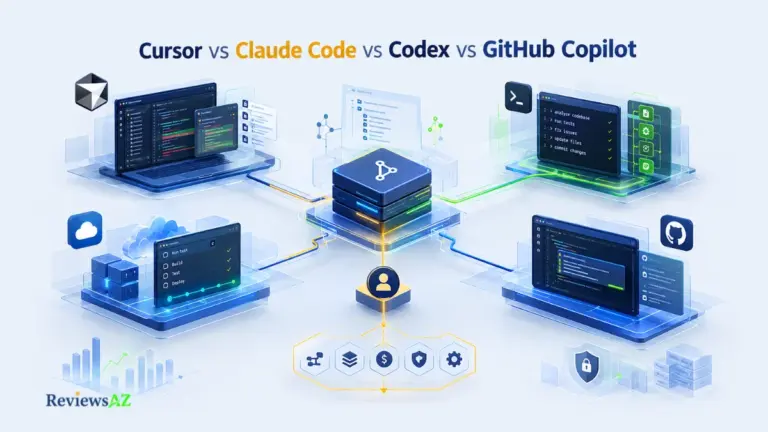
Understanding today’s landscape requires examining foundational breakthroughs, including a retrospective analysis of OpenAI Codex. For a complete side-by-side evaluation across models, interfaces, and costs, review our 4-way comparison of leading coding agents and assistants.
4. Open-Source, Local, and Privacy-First Coding Agents
For enterprise environments with strict code privacy mandates, IP constraints, or air-gapped networks, open-source and locally executable coding agents provide a viable alternative to cloud-dependent solutions.
+-------------------------------------------------------------------+
|               Local & Open-Source Agent Pipeline                  |
|                                                                   |
| +------------------+   +-------------------+   +----------------+ |
| | Local IDE / CLI  |-->| Agent Framework   |-->| Local LLM      | |
| | (VS Code / Shell)|   | (Cline / Continue)|   | (Ollama / vLLM)| |
| +------------------+   +-------------------+   +----------------+ |
|                                                        |          |
|                                                        v          |
|                        +--------------------------------+         |
|                        | Local Workspace File System &  |         |
|                        | Sandboxed Terminal Execution   |         |
|                        +--------------------------------+         |
+-------------------------------------------------------------------+
Open-Source Agent Frameworks & Extensions
Frameworks like Cline and Continue.dev decouple the agent execution logic from the underlying model provider. Developers can configure their own custom endpoints, switching between public API models and self-hosted instances via Bring-Your-Own-Key (BYOK) architectures.
- Review our comprehensive list of open-source AI coding tools.
- Read about customizable IDE integration via Continue.dev.
Running Coding Agents Locally with Local LLMs
Deploying agents locally using inference engines like Ollama, vLLM, or LM Studio ensures zero external data egress.
- Hardware Requirements: Running multi-file reasoning models locally requires hardware with sufficient VRAM (e.g., Apple Silicon M-series Max/Ultra chips or dedicated NVIDIA RTX 4090/A100/H100 GPUs).
- Context Window Considerations: Local agents require large context windows and strong tool-calling fine-tuning to effectively process repo-wide LSP maps without losing context.
- Explore our detailed guide to running local AI coding models.
5. Benchmarks, Performance Evaluation, and Cost Realities
Evaluating AI coding agents requires moving past synthetic single-function benchmarks toward evaluations based on real-world engineering repositories.
+-----------------------------------------------------------------------+
|                    Key AI Coding Agent Benchmarks                     |
+-----------------------+-----------------------------------------------+
| Benchmark             | What It Measures                              |
+-----------------------+-----------------------------------------------+
| SWE-bench Verified    | 500 human-validated real GitHub issues solved  |
|                       | via working patch generation.             |
| SWE-bench Pro         | Harder, contamination-resistant tasks across  |
|                       | private/professional codebases.             |
| Terminal-Bench        | Autonomous command-line execution and shell   |
|                       | tool handling in sandboxed environments.    |
| Aider Polyglot        | Multi-language edit-format compliance and     |
|                       | refactoring accuracy across languages.       |
+-----------------------+-----------------------------------------------+
Decoding SWE-bench & Real-World Repository Resolution
- SWE-bench Verified: Evaluates an agent’s ability to ingest a GitHub issue, locate the relevant code within a codebase, edit multiple files, and pass pre-existing integration test suites.
- SWE-bench Pro: Tests agents on unseen, private repositories to prevent dataset contamination and evaluate true generalizability.
For further evaluation metrics, read our guide on rigorous AI coding benchmarks and evaluation standards.
Token Economics & Cost Management in Agentic Loops
Unlike single-prompt generation, an agentic loop can make 10 to 50 sequential API calls to solve a single issue.
  Single Completion: Prompt (1k tokens) ---> Output (200 tokens) = $0.003
  Agent Execution:   Prompt + Tool Loop (500k cumulative tokens) = $1.50 - $5.00+
When evaluating total cost of ownership, engineering leadership must factor in both fixed per-seat subscription fees and variable model token consumption. Dive into our detailed pricing and token cost breakdown.
6. Enterprise Adoption, Security Guardrails, and Use Cases
Integrating AI coding agents into enterprise software environments introduces distinct security, compliance, and architectural considerations.
Sandboxing, Terminal Permissions, and IP Protection
- Sandboxing: Agents executing shell commands should run inside containerized micro-VMs or restricted Docker environments to prevent unintended system file modifications.
- Granular Permission Scopes: Enterprise platforms must enforce read, write, and execute permissions. For instance, allowing an agent to modify
/srcfiles while prompting for human approval before executing network calls or database migrations. - Data Privacy & Compliance: Organizations requiring SOC2, HIPAA, or ISO compliance must verify that agent telemetry and prompt payloads are not retained for model training.
For complete deployment guidelines, read our guide on enterprise security and deployment considerations.
Specialized Domain Use Cases: Backend & Database Engineering
Agents excel when applied to structured, domain-specific tasks that involve multi-step validation:
+-------------------------------------------------------------------+
|               Database Migration & Query Agent Loop               |
|                                                                   |
|  [1. Inspect Schema]  --> Read ORM models & DB migrations          |
|  [2. Draft Query]     --> Generate optimized SQL / Indexing       |
|  [3. Run Sandbox EXPLAIN] --> Verify Query Execution Plan          |
|  [4. Apply Patch]     --> Update ORM Repositories & Tests        |
+-------------------------------------------------------------------+
To explore specialized database workflows, review these dedicated resources:
- Specialized database and SQL coding workflows via our AI Coding Assistant for SQL guide.
- Selecting backend and database management tools with our guide to the Best AI DB Tools for Backend Devs.
- Understanding safety boundaries in AI-Generated SQL Risks and Limitations.
- Applying step-by-step query optimization via How to Optimize SQL Queries Using AI.
- Implementing conversational database access through How to Chat with Your Database Using AI.
Frequently Asked Questions
1. What is the primary difference between an AI code assistant and an AI coding agent?
An AI code assistant provides passive, inline autocompletion or single-turn chat responses. An AI coding agent operates autonomously in a multi-step loop: it reads workspace context, formulates a plan, executes multi-file edits, runs terminal commands, inspects test outputs, and iterates until the objective is resolved.
2. Can AI coding agents run code and fix bugs automatically?
Yes. Agents equipped with terminal execution tools can run unit tests, read stack traces, locate the root cause across multiple files, apply code fixes, and re-run tests to confirm the bug is resolved before presenting the diff to the developer.
3. Which AI coding agent is best for privacy-conscious or enterprise environments?
Open-source extensions like Cline or Continue.dev paired with self-hosted local models (via Ollama or vLLM) ensure zero code egress. For enterprise teams requiring managed SaaS solutions, platforms like Windsurf provide enterprise governance, SSO, and administrative policy controls.
4. How do AI coding agents impact API token costs compared to regular autocomplete?
Because agents execute continuous reasoning loops that resend workspace context and tool outputs across multiple turns, token consumption is significantly higher. A single multi-file agent task can consume hundreds of thousands of context tokens, compared to a few hundred tokens for standard inline completion.
5. What is SWE-bench, and why does it matter for evaluating coding agents?
SWE-bench is an evaluation benchmark that tests AI agents on real-world GitHub issues selected from popular software repositories. It measures an agent’s true software engineering capabilities—including codebase navigation, multi-file editing, and passing unit tests—rather than simple snippet syntax generation.
6. Can AI coding agents replace software engineers?
No. Current agents serve as force multipliers that handle routine boilerplate, multi-file refactoring, and initial bug-fixing loops. System architecture, high-level business logic, security validation, and final pull request reviews still require human engineering oversight.
7. Which form factor should I choose: CLI agent, IDE extension, or Cloud agent?
Choose a CLI agent (e.g., Claude Code, Aider) if you prefer shell speed, terminal automation, and Git-first control. Choose an IDE agent (e.g., Cursor, Windsurf, Cline) if you want side-by-side visual diff inspections and rich workspace integration. Choose a Cloud agent (e.g., Devin) if you want to delegate asynchronous background tasks without blocking your local machine.
Final Decision & Architectural Guidance
When selecting an AI coding agent strategy, structure your decision around execution boundaries and developer workflows:
- For High-Velocity Local Workspaces: Deploy an IDE-native agent like Cursor or Windsurf to maintain visual control over multi-file workspace diffs.
- For Terminal Power Users & Scripting: Adopt Claude Code or Aider to run fast, shell-native refactoring directly inside your Git repositories.
- For Strict IP & Local LLM Environments: Implement Cline or Continue.dev connected to local model infrastructure.
- For Heavy Asynchronous Delegation: Integrate cloud agents like Devin to handle background backlog issues with strict sandboxing and human review gates.
For broader database and backend AI implementations, explore our parent hub on the specialized AI database tools category.