Cursor vs Claude Code vs Codex vs GitHub Copilot: 2026 Comparison

Software engineering is undergoing a fundamental transition from passive, line-by-line auto-completion to active, autonomous agentic workflows. Engineering teams face choice paralysis due to fundamental architectural differences between AI coding tools, leading to wasted tool budgets, context degradation, and workflow friction. This guide provides an independent, technical comparison across core architecture, codebase indexing, benchmark performance, token cost models, and enterprise security, mapping the comprehensive landscape of modern [AI Code Assistants].
| Best For | Biggest Strengths | Biggest Limitations |
| Cursor | Developers wanting an AI-first IDE with seamless multi-file editing and local codebase indexing. | Forked VS Code architecture creates extension update lag and workspace lock-in. |
| Claude Code | Senior engineers seeking an autonomous terminal agent to handle complex multi-file CLI tasks. | High API token consumption during recursive agent loops; requires explicit trust in CLI. |
| OpenAI Codex | Platform teams building custom automated workflows via sandboxed API execution engines. | Lacks a native turnkey IDE frontend out of the box; requires custom integration. |
| GitHub Copilot | Enterprise teams requiring strict administrative controls, native GitHub ecosystem integration, and predictable per-seat pricing. | Weaker autonomous multi-file refactoring compared to dedicated agentic architectures. |
Architectural Paradigm & Integration Workflows
The transition toward autonomous [AI Coding Agents] marks a clear shift from passive text generation to active file manipulation. GitHub Copilot relies on legacy next-token prediction operating within active file buffers, requiring manual intervention to weave logic across a codebase. In contrast, Claude Code and Cursor utilize an autonomous agentic loop. When given an objective, they independently invoke tools, read multiple files, execute terminal commands, and modify code.
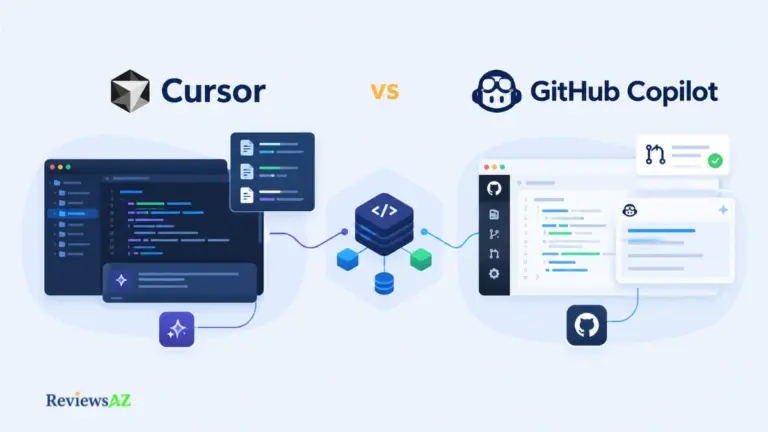
Developer friction is dictated by interface boundaries. For a detailed head-to-head comparison between [Cursor and GitHub Copilot], Cursor’s native UI control as a custom VS Code fork gives it a distinct advantage in visual multi-file editing, detailed further in our [Cursor Review]. GitHub Copilot remains the frictionless universal plugin across existing IDEs, as explored in our [GitHub Copilot Review]. Meanwhile, Claude Code operates as a terminal-native autonomous agent inside bash/zsh to execute git commands and fix failing tests (see our [Claude Code Review]), and OpenAI Codex serves as a headless execution engine for custom script integrations (see our [Codex Review]).
Context Retention & Codebase Indexing
Whole-repository context is the ultimate benchmark for AI code accuracy. Cursor utilizes fast local vector indexing to parse repositories, while Copilot relies on broader repository graphs. Claude Code dynamically scans files directly through terminal read permissions. With effective token windows exceeding 200k tokens in 2026 models, managing context rot is critical. If context degrades during heavy refactoring, tools hallucinate dependencies—a phenomenon thoroughly tracked in our standardized [AI Coding Assistant Benchmark] guide.
Benchmark Performance & Cost Economics
Synthetic code completion benchmarks fail to reflect real software engineering challenges. On SWE-bench Verified evaluations, autonomous agentic tools lead performance in resolving real-world GitHub issues because they actively iterate through file trees and self-correct errors until the build passes.
Financial models vary drastically. For a comprehensive breakdown of [AI coding assistant pricing], note the divide between flat rates and variable usage. GitHub Copilot ($19-$39/user/month) and Cursor Pro ($20/month) offer predictable fixed costs. Conversely, Claude Code and OpenAI Codex burn API tokens per action; complex recursive debugging can incur substantial, unpredictable monthly costs for heavy workloads.
Enterprise Security & Specialized Workflows
Strict compliance barriers govern enterprise AI adoption. Neither GitHub Copilot Enterprise nor Cursor Pro train foundational models on private repository code by default, offering SOC2 compliance, audit logs, and SSO integration. For stateful database operations requiring high precision, applying [best practices for generating SQL queries with AI] via specialized tools with schema parsing ensures safe execution, crucial for teams utilizing dedicated [AI database tools for backend developers].
Modern engineering teams increasingly pair Cursor for daily visual feature development with Claude Code for complex, autonomous terminal refactoring, while managing corporate governance through GitHub Copilot Enterprise.
What specific codebase size and primary language stack are you currently optimizing for?
Frequently Asked Questions
What is the fundamental difference between Claude Code and Cursor? Cursor is a custom IDE (forked from VS Code) designed for visual multi-file editing with AI, while Claude Code is an autonomous CLI agent that operates directly inside your terminal to execute commands, run tests, and perform git operations.
Is Claude Code more expensive to use than GitHub Copilot? Yes, for heavy development workflows. GitHub Copilot costs a predictable $10-$19/month, whereas Claude Code consumes API tokens per action. Complex recursive debugging across large codebases in Claude Code can incur substantial API costs per developer monthly.
Can Cursor and GitHub Copilot be used together? Yes. You can install the GitHub Copilot extension inside the Cursor IDE, though most developers prefer using Cursor’s native AI features (Cursor Tab and Composer) to avoid overlapping UI suggestions.
Does GitHub Copilot or Cursor train on my private code? Neither GitHub Copilot Business/Enterprise nor Cursor Pro/Enterprise train foundational models on your private code by default. Individual free tiers may include data collection unless explicitly opted out in privacy settings.
How does Claude Code interact with my local filesystem and terminal? Claude Code runs as a CLI tool locally. It reads files, writes edits, executes terminal commands (like npm test or git status), and parses build errors autonomously, requesting explicit user permission before executing potentially destructive commands.
Which tool performs best on complex multi-file bug fixing? Autonomous agentic tools like Claude Code and Cursor lead performance in multi-file bug resolution (as measured on SWE-bench) because they actively iterate through file trees, execute tests, and self-correct errors until build passing is achieved.
Do I need a custom API key to run OpenAI Codex? Yes. OpenAI Codex capabilities are accessed via API endpoints or integrated platform tools requiring an active OpenAI developer account and API key billed on token consumption.
Best Use Cases for Each Tool: Strategic Selection Matrix
- When to Choose Cursor (Best Overall AI IDE): Ideal for full-stack engineers, startups, and developers wanting a polished, AI-first visual IDE. It delivers unmatched visual multi-file editing, intuitive UI diffs, fast codebase indexing, and flexible model selection within a familiar VS Code interface.
- When to Choose Claude Code (Best for Autonomous CLI Engineering): The optimal choice for senior backend engineers, DevOps specialists, and CLI power users handling complex multi-file refactoring, automated test execution, and git workflow automation directly in bash.
- When to Choose OpenAI Codex (Best for Headless Custom Automation): Built for custom platform engineers and automation teams constructing programmatic, API-driven code execution pipelines in isolated cloud sandboxes.
- When to Choose GitHub Copilot (Best for Enterprise & Predictable Budgeting): The standard choice for enterprise development organizations needing turn-key compliance, multi-IDE flexibility, robust administrative controls, and fixed monthly per-seat costs.
Tool selection is not mutually exclusive. Modern engineering teams increasingly pair Cursor for daily visual feature development with Claude Code for complex, autonomous terminal refactoring, while managing corporate governance and seat licensing through GitHub Copilot Enterprise.
Are you evaluating these tools for an individual workflow, or are you planning a deployment across an entire engineering team?