Claude Code vs Cursor: Terminal vs IDE Is No Longer the Whole Story (2026)

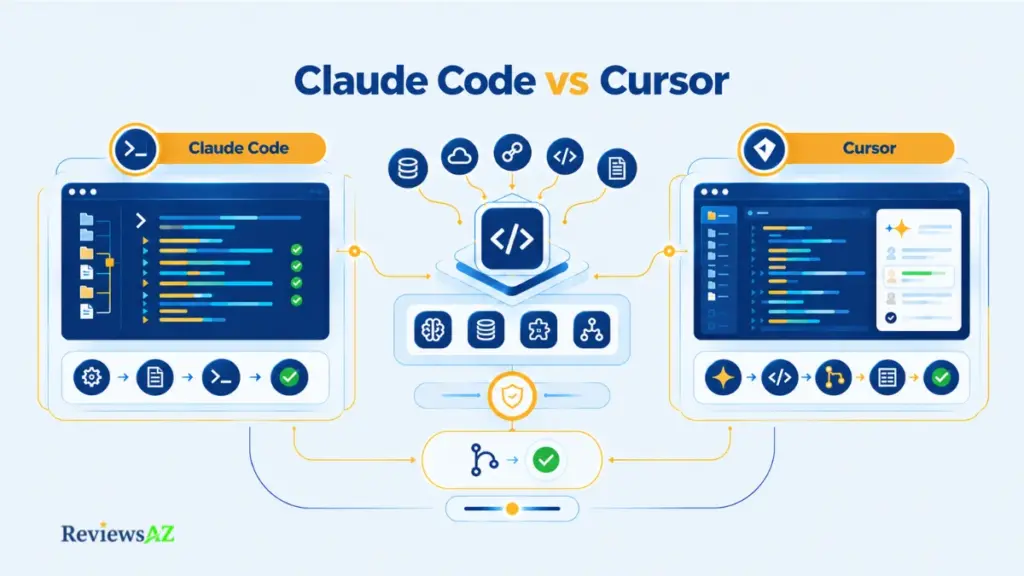
Most Claude Code vs Cursor write-ups open with the same shorthand: one’s a terminal tool, the other’s an editor. That framing made sense a year ago. It doesn’t hold up well now. You can run Claude Code from inside Cursor’s own terminal, and Cursor ships a CLI of its own.
Once the surfaces overlap like that, the old binary stops doing much work. The real differences sit somewhere else: how much a tool is willing to take off your hands, where it expects you to step back in and check that work, and how your usage actually gets billed once you’re past the free tier.
Those three questions matter more right now than at almost any earlier point for either product. Pricing on both sides now depends on usage mechanics, not just a subscription number. Context handling has quietly become a bigger differentiator than any feature list suggests. And the security picture shifts depending on how much autonomy you hand an agent.
What follows works through Claude Code and Cursor using that lens, then moves into pricing, context, MCP, security, and the increasingly common question of running both together. You’ll come away with a dated pricing snapshot, a few stale claims flagged, an honest read on hybrid setups, and a three-question rule you can test against your own last ten coding tasks.
Best for Claude Code: workflows built around delegated, agent-first tasks and terminal or script-oriented execution.
Best for Cursor: workflows built around editor-first supervision, visible changes, and in-editor model control.
Best for a hybrid setup: workflows where delegated and hands-on tasks are genuinely distinct and frequent enough to justify two usage systems.
Biggest strength: Claude Code’s agent-centric execution runs across both terminal and editor surfaces. Cursor combines editor-native interaction with Agent mode, a CLI, MCP, and broad model choice.
Biggest limitation: Claude Code tends toward agent-led delegation, which won’t suit every developer without checking plan and permission behavior first. Cursor’s usage economics get harder to predict once model choice enters the picture.
Key decision: how much you want to delegate, where you want to review changes, and how you prefer to pay for usage, tested against your own last ten tasks.
Pricing snapshot (2026-09-20): Claude Pro $20/month, Max from $100/month. Cursor Pro $20/month, Pro+ $60/month, Ultra $200/month. Both plans carry usage constraints beyond the headline price, though the two meter that usage differently. Re-verify before publishing.
One caveat: no hands-on benchmark was performed for this comparison. Community reports are dated and sometimes contradictory. Treat any single anecdote or token-cost figure as one data point, not a product-wide performance claim.
Agent-First vs Editor-First: What Are You Really Comparing?
“Terminal tool vs IDE” was a fair description of these two products when they first launched. It isn’t anymore. Claude Code now runs from inside a code editor’s integrated terminal, ships an official VS Code extension, and works inside JetBrains IDEs. Cursor, built as an editor first, now has its own command-line interface for headless and scripted work. The surfaces overlap enough that “where does it run” no longer tells you much on its own.
What separates them is how much work each tool is designed to take off your hands, and at what point it expects you back in the loop. That holds up regardless of which surface either product adds next.
The sections below keep coming back to the same handful of questions:
- How much work gets delegated before a human checks in
- Where changes get reviewed: inline diff, terminal output, or editor view
- Which surfaces each tool actually runs on today
- How much choice you get over the underlying model
- How each tool decides what part of your codebase is relevant
- What external tools or systems the agent can reach
- How easy it is to reverse a change you didn’t want
Claude Code Today — Agent-First Across Multiple Development Surfaces
Claude Code started as a terminal-native AI coding agent. You describe a task, it plans a sequence of steps, then executes commands, edits files, and runs tests largely on its own. That agent-first posture hasn’t changed. What’s changed is where you can reach it.
Anthropic’s documentation now lists a VS Code extension and JetBrains support alongside the CLI, so Claude Code can sit inside an editor window rather than a bare terminal. The execution model underneath stays the same: it carries a task from instruction to completion, then presents the result for review, rather than proposing edits one line at a time.
That’s a separate question from a full feature walkthrough. For pricing tiers, model access, and day-to-day usage patterns, see our standalone Claude Code review.
Cursor Today — Editor-First with CLI and Agent Workflows
Cursor’s foundation starts from the opposite direction. It’s a fork of VS Code, so the editor is the primary surface, and everything else, chat, inline edits, Agent mode, is layered into that familiar window. This is closer to what’s usually meant by an AI code assistant: something that helps you write and edit code, rather than something built to run the task unsupervised.
Cursor’s Agent mode narrows that gap considerably. According to Cursor’s documentation, Agent mode can plan and execute multi-file changes, run terminal commands, and check its own work against a defined task. That looks a lot like Claude Code’s agent loop, just launched from an editor instead of a shell. Cursor’s CLI extends the same capability to terminal and remote sessions, and its model picker lets you route a task to Claude, GPT, or Gemini models depending on what the work calls for.
Our full Cursor review covers plan tiers, model access, and editor-specific features in more depth.
The Steering-Wheel Test — Delegation, Supervision, and Control
Here’s a simpler way to frame the decision than “which tool is more powerful”: how much do you want to hand over before you look at it again?
A developer who’d rather describe a task once and review a finished diff later fits closer to Claude Code’s style of working. A developer who wants to watch each change land, accept or reject it line by line, and switch models mid-task fits closer to how Cursor is typically used day to day. Neither preference is more advanced than the other. They’re different points on the same spectrum, and both tools can be pushed toward the opposite end depending on configuration.
Common mistake: treating “agentic” as a synonym for “hands-off.” Both Claude Code and Cursor’s Agent mode still rely on approval settings, checkpoints, and review steps to decide when a human needs to step back in. Greater autonomy changes where review happens in the workflow. It doesn’t remove the need for it.
Claude Code vs Cursor: Comparison at a Glance
| Criterion | Claude Code | Cursor |
|---|---|---|
| Workflow posture | Agent-first: describe a task, review the completed result | Editor-first by default, with Agent mode for multi-step delegation |
| Primary surfaces | CLI, VS Code extension, JetBrains plugin | Native editor (VS Code fork), plus its own CLI |
| Model choice | Claude models, centered on Anthropic’s own lineup | Multiple model providers, selectable per task |
| Context acquisition | Project files, CLAUDE.md instructions, agentic file search | Codebase indexing, semantic search, .cursor/rules files |
| MCP / integrations | Documented MCP support for external tools and data sources | Documented MCP support, plus its own extension ecosystem |
| Pricing mechanics | Subscription plus session/weekly usage limits | Subscription plus usage pools; consumption varies by model chosen |
| Permissions / approval | Configurable permission and approval settings for agent actions | Editor-level review plus Agent-mode approval controls |
| Hybrid compatibility | Can run from Cursor’s integrated terminal | Can host Claude models or the Claude Code CLI directly |
Neither column comes out uniformly ahead. Claude Code’s strength in one row, agent-first execution, is the same trait behind its limitation in another: less inline visual review by default. Cursor’s editor-native strength brings its own trade-off in usage predictability once model choice enters the picture. This pattern shows up again in several sections below.
A table like this is good for orientation, but it can’t tell you which tool completes a task more accurately, faster, or with fewer errors. We could not identify a controlled, independently verified head-to-head benchmark for the current versions of either product. Community claims about speed or accuracy are typically based on individual tasks and individual repositories, not a repeatable test, worth keeping in mind as you read on.
Agentic Coding: How Claude Code and Cursor Handle Autonomous Work
How much of a coding task do you actually want to hand off before checking back in? That matters more than “which tool is more agentic,” because both can plan, execute, and verify multi-step work on their own. The difference is in how that loop is structured and where it pauses for you.
Claude Code’s Agentic Loop — Planning, Execution, and Verification
Claude Code’s documented workflow follows a plan-execute-verify pattern. Given a task, it breaks the work into steps, runs commands to carry them out, and checks its own output: running tests, inspecting file changes, or re-reading affected code, before reporting back.
Anthropic’s documentation also describes subagents: separate agent instances that can be delegated a narrower piece of a larger task, letting more of a project move in parallel rather than sequentially. That’s genuinely useful for large refactors or multi-part features. It also means more of the codebase changes before you see any of it.
Claude Code’s Plan Mode sits in front of this loop as an optional checkpoint. The agent proposes an approach before touching any files, giving you a review point earlier than waiting for a finished diff.
Cursor Agent Mode — Multi-File Editing, Commands, and Checkpoints
Cursor’s Agent mode runs a comparable loop from inside the editor. It can edit multiple files, execute terminal commands, and work through a task across several steps, per Cursor’s own documentation. The practical difference is where you sit while it happens. Changes surface as diffs inside the editor as they occur, rather than as a single completed result you open afterward.
Cursor’s checkpoint system lets you step back to an earlier state in the agent’s run if a later change wasn’t what you wanted, without discarding the whole session. It works as a different kind of safety net, built for correcting course mid-task rather than accepting or rejecting a finished output.
Why this matters: a task that completed without errors isn’t the same as a task that completed correctly. Both tools can run tests and report success, but a passing check confirms the code executed. It doesn’t confirm the change matches what you actually intended. Review the diff, not just the exit status.
Steering vs Supervising — Where the Human Stays in the Loop
Both products give you control over how much autonomy an agent gets, but the controls sit in different places. Claude Code’s permission settings govern what commands and file operations the agent can run without asking first. Cursor’s Agent-mode settings cover similar ground from inside the editor, alongside its checkpoint and diff-review system.
A terminal-based approval prompt and an inline diff review are both legitimate checkpoints. Whichever harness you’re more comfortable reading closely is likely the one where you actually catch mistakes.
What none of this settles is which agent completes a given task more accurately or in fewer attempts. We found no controlled, repeatable test supporting a claim like that for either product, so treat any specific accuracy or speed comparison as unverified rather than documented fact.
Claude Code CLI / Terminal Workflow vs Cursor’s Development Workflow
Picture three situations. You’re SSH’d into a remote server with no GUI. You’re scripting a repetitive task that should run unattended. You’re sitting in an editor wanting to see exactly which lines changed before accepting them. Claude Code and Cursor handle all three, and which one fits which situation more naturally is the actual question worth asking.
Terminal, Remote, and Scripted Workflows
Claude Code’s terminal-first design makes SSH sessions, scripting, and headless workflows a natural fit rather than a workaround. A typical invocation looks something like pointing it at a failing test from the command line and asking it to fix it, then letting it plan and execute from there. Exact flags and command syntax change between releases, so confirm those against current documentation before publishing any specific example.
Cursor’s CLI extends similar terminal and scripting capability to a product that started as an editor. According to Cursor’s documentation, its CLI can run agent sessions from a shell or automate tasks in CI-style contexts, useful for anyone who wants Cursor’s Agent behavior without opening a GUI window at all.
Visual Review, Diffs, Checkpoints, and Rollback
This is where Cursor’s editor-native design shows up most clearly. Changes from Agent mode appear as inline diffs you can accept, reject, or partially apply, file by file, as the agent works, not just as a summary once everything is done.
Claude Code’s review pattern looks different by default. Since much of its work happens through the terminal or a completed task report, the more common approach is reviewing a finished diff or pull request after the agent has run its steps, rather than watching changes land line by line. Running Claude Code through its VS Code or JetBrains extension narrows this gap, since the same diff-review experience becomes available there too. Its desktop and IDE integrations now include diff review, checkpoints, and permission modes of their own, so “review after” is a lean, not a hard rule.
Worth clarifying: a terminal-based workflow doesn’t rule out visual review, and an editor-based agent isn’t limited to GUI-only use. The review experience now depends on which surface you choose to run the tool from, not which tool you chose.
Where the CLI and Editor Surfaces Now Converge
The practical overlap is bigger than either product’s marketing suggests. Claude Code runs inside editors now. Cursor runs from a terminal now. What still separates them is which one was designed around that surface as the default, and which added it as a secondary path.
Any claim about one CLI being meaningfully faster, more reliable, or more feature-complete than the other needs checking against current documentation on the day of publication. CLI capabilities are among the fastest-changing parts of both products.
Context Window and Large Codebase Handling: What Actually Matters?
Two developers can point Claude Code or Cursor at the same large repository and walk away with opposite opinions of how well it handled the codebase. Both can be telling the truth. Context capacity and context retrieval aren’t the same thing, and most comparisons blur them into one number.
How Claude Code Gathers and Manages Context
Claude Code’s documented approach relies on agentic file search. Rather than loading an entire repository upfront, the agent reads files, greps for relevant code, and follows references as a task requires them, building up context incrementally. Project-level instructions placed in a CLAUDE.md file give it standing information about conventions, architecture, or constraints without repeating them in every prompt.
For long-running sessions, Anthropic’s documentation describes context compaction: summarizing earlier parts of a conversation so a long task doesn’t exceed the model’s working limit. Subagents also carry their own separate context windows. This helps isolate unrelated work, but it means a subagent won’t automatically know everything the main session has already discovered.
How Cursor Indexes and Retrieves Code
Cursor takes a more upfront approach. It indexes the codebase and uses semantic search to surface relevant files and functions when you ask a question or assign a task, according to Cursor’s documentation. Project-specific behavior is set through .cursor/rules files, serving a similar purpose to CLAUDE.md: persistent instructions the model consults without re-explaining them each time.
This indexing step is why Cursor often feels more “aware” of a codebase from the first message in a session, while Claude Code’s incremental search style may take a step or two to arrive at the same relevant files. The gap is about retrieval strategy, not final accuracy.
Large Repositories and Monorepos — What the Evidence Supports
Dated community reports from developers working in large monorepos point in different directions. Some describe Claude Code losing track of cross-file dependencies on very large projects. Others describe Cursor’s indexing missing recently changed files until a re-index completes. Both are user-reported experiences tied to specific repository structures and specific points in time, not a documented, repeatable finding about either product’s ceiling on large codebases.
We could not find an independently verified, controlled benchmark comparing the two on monorepo handling specifically. Any claim that one “handles large codebases better” than the other should be read as a reported impression, not an established fact.
Why More Context Does Not Automatically Mean Better Results
A larger context window is a ceiling, not a guarantee. What determines whether a tool understands your codebase is retrieval quality: whether it finds the three files that matter instead of forty that don’t, combined with how well your project instructions (CLAUDE.md or .cursor/rules) narrow that search. A tool with a smaller window and sharp retrieval can outperform one with a larger window and noisy retrieval on the exact same task.
That matters more than either product’s headline context-size number. It’s also worth remembering once MCP enters the picture: reaching outside the codebase entirely changes what “relevant context” even means.
MCP Support and Integrations: Databases, Trackers, and Internal Tools
An agent that can only see your open files is limited. An agent that can also query a staging database, pull a ticket’s full description from your issue tracker, or check a design doc before writing code is a different kind of tool entirely. MCP exists to make that possible.
MCP Support in Claude Code and Cursor
MCP, or Model Context Protocol, is a standard way for an AI coding agent to connect to external tools and data sources, databases, issue trackers, documentation systems, through a defined server rather than a one-off integration. Both Claude Code and Cursor document support for it, meaning either tool can be extended to reach systems well outside your local codebase.
In practice, this looks like connecting an MCP server for your issue tracker so an agent can read a ticket’s full context before starting work, or connecting a database server so it can inspect a schema before writing a query. How well a specific MCP server performs depends on that server’s own implementation, not on Claude Code or Cursor directly.
Database and Schema Access Through MCP
Neither product advertises native, built-in database querying as a core feature. What you’re actually using is MCP, or another tool-calling mechanism, connecting to a database server, with the agent working from whatever that server exposes. “Database access” here means a tool-calling capability layered on top of the coding agent. It isn’t a dedicated database feature built into Claude Code or Cursor themselves.
Once that connection exists, the workflow tends to look similar regardless of which coding tool initiated it: the agent inspects a schema, drafts a query, and either runs it or hands it back for review. If SQL generation itself is what you’re evaluating rather than the agent framing around it, our guide on how to generate SQL queries with AI covers that specifically, and chatting with your database using AI looks at the broader pattern this MCP setup enables.
Least-Privilege Access — Start Read-Only
A sensible starting point for any database connected through MCP is read-only, ideally against a non-production copy rather than your live schema. Let the agent inspect structure and draft queries first. Add write access only once you’ve seen how it behaves with read-only permissions on real questions.
Before you connect anything: don’t wire an agent directly into a production database “just to test it out.” Review any generated SQL before execution, and treat write access as something you grant deliberately after read-only use has proven reliable, not as a default starting point. AI-generated queries can be syntactically correct and still wrong for your data, which our piece on AI-generated SQL risks and limitations covers in more depth.
Permissions, Privacy, and Data-Handling Checks
Beyond the database use case, both Claude Code and Cursor document permission systems governing what an MCP-connected tool can do without additional approval, and both publish privacy and data-handling policies worth checking directly rather than assuming. Vendor-stated privacy claims belong to the vendor. Treat them as officially stated information rather than independently confirmed fact unless a separate, non-commercial source verifies them.
Whatever MCP servers you connect, database, issue tracker, or otherwise, the same principle carries forward: start with the narrowest access that lets the agent do useful work, and widen it only once you’ve seen how it behaves.
Claude Code vs Cursor Pricing: Plans, Usage Limits, and Effective Cost
Two products can charge the same $20 a month and hand you very different amounts of usable work. That’s the situation between Claude Code and Cursor once you look past the sticker price.
Pricing snapshot last verified: 2026-09-20. Confirm current figures on Anthropic’s and Cursor’s official pricing pages before publishing, since both plans and usage mechanics change frequently.
How Claude Code and Cursor Meter Usage
| Plan | Claude Code | Cursor |
|---|---|---|
| Entry tier | Pro — $20/month ($200 billed annually) | Hobby — Free |
| Mid tier | Max — from $100/month | Pro — $20/month |
| Higher tier | — | Pro+ — $60/month; Ultra — $200/month |
| Team pricing | Team Standard — $25/user/month ($20 annual) | Teams Standard — $40/user/month |
| Team premium | Team Premium — $125/user/month ($100 annual) | Teams Premium — $120/user/month |
| Usage mechanic | Session (roughly five-hour windows) and weekly usage limits tied to plan tier, per Anthropic’s documentation, with optional pay-as-you-go usage once limits are reached | Included usage pool; consumption rate depends on which model is selected per task |
Both companies meter usage rather than offering flat unlimited access at any paid tier, but the mechanics differ in shape, not just in name. Claude’s limits are structured around session windows and a weekly cap, with extra usage available separately once you hit them. Cursor’s usage pool is consumed at different rates depending on which underlying model handles a given request. A heavier model draws down the pool faster than a lighter one for the same task.
Why Sticker Price Is Not Effective Cost
Effective cost is what a plan actually buys you in a normal week of work, not what it costs to subscribe. As a hypothetical: a $20/month plan that covers your typical daily usage comfortably is cheaper in practice than a $20/month plan that runs out by Wednesday and pushes you into extra charges. The point isn’t the specific numbers, it’s that two identical price tags can hide very different amounts of runway.
Because Cursor’s consumption depends on model choice, the same subscription can stretch much further for someone who defaults to a lighter model than for someone who routes every task to the most capable one available. Claude’s session-and-weekly structure is more clearly defined, but clearly defined isn’t the same as sufficient for every workload. Max exists specifically because Pro’s ceiling doesn’t fit everyone.
Occasional, Daily, Heavy, and Team Usage Scenarios
- Occasional use (a few tasks a week): Cursor’s free Hobby tier or either product’s entry paid plan likely covers this comfortably.
- Daily individual use: Claude Pro or Cursor Pro are natural starting points, but daily heavy-model use on Cursor can approach the usage pool’s ceiling faster than the same frequency on a lighter model.
- Heavy individual use (large tasks, long agent sessions, frequent large-model calls): this is where Claude Max or Cursor’s Pro+/Ultra tiers become relevant, since entry-tier usage isn’t built for this volume.
- Team use: both vendors price per seat, and both now expose some form of usage visibility to admins. The practical difference tends to come down to how each team actually uses that visibility, not the headline per-seat number alone.
What to Re-Verify Before Paying
Older comparisons frequently cite request-count limits, a fixed number of messages per period, that both vendors have since replaced with usage-pool or token-based mechanics. If a source describes Claude Code or Cursor pricing in terms of a specific message count, treat that as likely outdated and confirm against current documentation.
Worth checking before you commit: current usage-pool size or limit structure, which models count toward heavier consumption, whether the number you’re comparing is a monthly rate or a discounted annual-equivalent, and any additional-usage charges once included usage runs out. Mixing monthly and annual figures is one of the easiest ways to make a pricing comparison meaningless.
For pricing context beyond just these two products, our AI coding assistant pricing comparison covers a wider set of tools.
Using Claude Code Inside Cursor: Hybrid Workflows Explained
“Can I use Claude Code inside Cursor?” sounds like a yes-or-no question. It isn’t quite, because “Claude Code in Cursor” can describe two genuinely different setups, and mixing them up leads to confusion about what you’re actually paying for.
Claude Code Extension/CLI vs Claude Models in Cursor
Yes, you can run Claude Code inside Cursor. That’s different, though, from simply selecting a Claude model within Cursor’s own model picker. One setup runs Claude Code itself, with its own agent behavior, from inside Cursor’s window. The other uses Cursor’s native Agent mode, powered by a Claude model, billed entirely through Cursor’s usage pool.
Selecting “Claude” in Cursor’s model dropdown means Cursor’s own harness, its context retrieval, its checkpoint system, its approval flow, is doing the orchestration, with a Claude model generating the responses. That’s Cursor using a Claude model, not Claude Code running inside Cursor. It’s a meaningfully different setup, with a single usage system rather than two.
Running Claude Code from Cursor’s Integrated Terminal
The setup that qualifies as “Claude Code inside Cursor” works because Cursor is built on VS Code’s foundation, and VS Code’s integrated terminal is just a terminal. Anthropic’s documentation describes installing Claude Code for use inside editors including Cursor, so you can open Cursor’s terminal panel and run Claude Code exactly as you would in a standalone terminal window: its own CLI, its own agent loop, its own permission settings. Claude Pro and Max subscribers can use Claude Code this way under the same subscription that covers Claude itself.
In this configuration, you’re genuinely running two separate tools side by side. Cursor handles your editor and model picker for hands-on work; Claude Code is a distinct agent you invoke from the terminal panel for delegated tasks. Two tools, two usage systems, one window.
When the Hybrid Workflow Adds Real Value
This setup earns its complexity when your task mix genuinely splits into two different kinds of work. Picture a backend engineer using Cursor’s inline editing and model choice for the hands-on parts of a feature: adjusting logic, reading through unfamiliar code, quick fixes. Then, for a task well-defined enough to delegate entirely, say a scripted migration or a repetitive refactor across many files, they reach for Claude Code from that same terminal panel instead.
Used this way, the two tools aren’t competing for the same job. They’re covering different points on the delegation spectrum inside a single editor window.
When Using Both Simply Duplicates Capability and Cost
Decision point: running both tools isn’t automatically better than choosing one. If most of your work is genuinely one style, consistently hands-on, or consistently delegated, paying for two separate usage systems to cover the same kind of task adds cost and workflow ambiguity without a matching benefit.
The honest signal that a hybrid setup isn’t paying off: you consistently default to one tool and rarely reach for the other, or you find yourself picking a tool based on which one has usage remaining rather than which fits the task. Either pattern suggests one subscription would serve you as well as two.
Security, Permissions, and Privacy: Where the Trade-Offs Appear
Whether an agent can act on your codebase isn’t really in question here. Both Claude Code and Cursor’s Agent mode obviously can. What matters more is what each one is allowed to touch, and when it’s allowed to act without asking first.
Permission and Approval Models
Claude Code’s documentation describes a permission system governing which commands, file operations, and tool calls the agent can run automatically versus which require explicit approval, configurable per project or per session. Plan Mode functions as an additional layer in front of that, proposing an approach before any file is touched at all.
Cursor’s Agent mode carries its own approval settings alongside its checkpoint system. You can configure how much a session does before requiring confirmation, and roll back to an earlier state if something went further than intended. Both systems solve the same underlying problem from different starting points. Claude Code leans on explicit command-level permissions; Cursor leans on inline review combined with reversible checkpoints.
A developer who reads terminal output carefully will catch problems in Claude Code’s flow. A developer who reviews diffs carefully will catch them in Cursor’s. The risk in both cases comes from skipping the review step each system is built around, not from a flaw in either design.
Code, Context, and Data-Handling Considerations
Once MCP or similar tool-calling is involved, the permissions question extends beyond your codebase to whatever external systems are connected. The least-privilege approach recommended earlier for database access applies here just as directly: an agent’s access to any external tool should start narrow and widen deliberately, not by default.
On data handling more broadly, both Anthropic and Cursor publish their own privacy and data-usage documentation covering what happens to code and prompts processed through their products. Those policies should be read directly rather than summarized secondhand here. They’re exactly the kind of detail that changes with plan tier and business agreement, and the vendor’s own current policy page is the only reliable source of record for it.
Team and Enterprise Controls to Verify
For teams standardizing on either tool, a few things are worth confirming directly against current documentation: whether SSO and centralized user management are available at your plan tier, whether admins can see or govern individual usage consumption, whether audit logging exists for agent actions, and whether any compliance certification the vendor advertises actually applies to your specific plan and region.
None of this should be treated as settled by a general product description. Enterprise features and compliance scope need a same-day check against the vendor’s current documentation, not a comparison article written months earlier. For teams weighing this alongside broader tool options, our best AI coding assistants for enterprise teams guide covers governance considerations beyond just these two products.
Key Differences and Trade-Offs: What Changes the Decision?
The most confidently repeated verdicts in Claude Code vs Cursor discussions tend to be the hardest ones to actually verify. “Claude Code is more accurate,” “Cursor handles large codebases better,” these show up constantly, almost always resting on one person’s experience with one repository at one point in time.
Delegation vs Inline Supervision
Claude Code’s default posture favors describing a task and reviewing a finished result. Cursor’s Agent mode favors watching changes land as inline diffs, step by step. A finished-diff review and a line-by-line review are both legitimate ways to catch a mistake. Which one works for you depends on whether you’d rather read a summary or watch the process unfold.
Automation Depth vs Touchpoint Frequency
Subagents and Plan Mode push Claude Code toward handling more of a task independently, with checkpoints you can configure but don’t have to lean on constantly. Cursor’s checkpoint-and-rollback system assumes more frequent touchpoints by design. More automation reduces how often you intervene, but it also means more happens before you get the chance to.
Model Choice vs Workflow Consistency
Cursor’s model picker means you can route a task to whichever model fits it best, but that flexibility comes with an uneven usage cost, as the pricing section covered, and a workflow that behaves slightly differently depending on which model is currently selected. Claude Code is centered on Claude models, with some enterprise routing options through platforms like Bedrock or Vertex. Cursor offers a broader model-selection layer by comparison. Which approach suits you better comes down to whether you value that flexibility or would rather not think about it task to task.
Cost Predictability vs Usage Flexibility
Claude’s session-and-weekly limits are relatively simple to reason about once you understand the structure. Cursor’s usage-pool model is more flexible but harder to predict, since consumption depends on model choice as much as task volume. Neither structure is objectively cheaper. One trades flexibility for predictability, the other trades predictability for flexibility, and which trade-off costs you more depends on how consistently you use each tool.
Why Accuracy Cannot Be Ranked Honestly From This Evidence
Every source available for this comparison, official documentation, community threads, forum debates, describes what each tool is built to do. None of it amounts to a controlled, repeatable test of which tool completes comparable tasks more accurately or in fewer attempts. Community verdicts on this point are real experiences, but they’re also inconsistent with each other, which itself suggests the answer depends heavily on the specific task and repository rather than one tool being categorically better.
What the evidence can’t tell us: which tool is faster, more accurate, or more reliable in general. What it can tell us: how each tool is structured to handle delegation, review, context, and cost. That’s the actual basis for the decision ahead.
Best Fit by Developer Workflow: Claude Code, Cursor, or Both?
Before reading further, try this: pull up your last ten coding tasks. Not a hypothetical workflow, the actual ten things you did this week or last. That list is more useful for this decision than any table above it.
Terminal-First, Remote, and Scripted Workflows
If most of those ten tasks involve SSH sessions, scripted automation, or work you’d rather describe once and check on later, Claude Code’s terminal-native, agent-first design fits that pattern directly. Its plan-execute-verify loop and subagent support are built around exactly this kind of delegated, headless work.
Editor-First Development and Continuous Visual Review
If your ten tasks are mostly hands-on, reading unfamiliar code, making judgment calls line by line, wanting to see every change before it lands, Cursor’s inline diff review and checkpoint system match that working style more naturally than reviewing a finished result after the fact.
Backend, Database, and Large-Repository Work
For backend and data-heavy work, the deciding factor is usually less about the tool and more about MCP setup. Whichever product you choose, least-privilege access to any connected database matters more than which agent is doing the querying. Our best AI database tools for backend developers guide covers this decision in more depth if database work is a large share of your list.
Team and Budget-Constrained Workflows
For teams standardizing on one tool, the pricing section’s predictability trade-off matters more than it does for an individual. Claude’s session-and-weekly structure gives a clearer usage rhythm to plan around; Cursor’s model-dependent usage pool needs more active monitoring, though its usage analytics and spend controls have improved on that front. Budget-constrained individuals should note that Cursor’s free Hobby tier has no direct equivalent on Claude Code’s side, which matters if the goal is testing an agentic workflow before paying for one.
When a Hybrid Setup Makes Sense
If your ten tasks split cleanly, some clearly delegated, some clearly hands-on, running Claude Code from Cursor’s own terminal is worth the two usage systems. If your ten tasks look similar to each other, one tool is almost certainly enough.
The Three-Question Decision Rule
- How much do you want to delegate? Mostly hand off and review later → Claude Code. Mostly stay hands-on → Cursor.
- Where do you want to review or control changes? A finished diff or PR → Claude Code’s default flow. Inline, as it happens → Cursor.
- How do you prefer to pay for usage? A defined session/weekly structure → Claude Code. Flexible but model-dependent → Cursor.
Run your own ten tasks through these three questions. If the answers point the same direction consistently, that’s your primary tool. If they split evenly, that’s a real signal to consider the hybrid setup rather than defaulting to one.
Decision shortcut: mostly delegated tasks with terminal or remote work → Claude Code. Mostly hands-on editing with visual review → Cursor. A genuine mix of both, often enough to justify two usage systems → hybrid. Neither pattern, or price is the only factor → reconsider before committing to either paid tier.
Frequently Asked Questions About Claude Code vs Cursor
Pricing, Cost, and Usage Questions
Is Claude Code cheaper than Cursor?
Not automatically, even though both start at $20/month. Claude’s Pro plan uses session and weekly usage limits, while Cursor’s Pro plan draws from a usage pool that depletes faster with heavier models. Which one ends up cheaper for you depends on your usage pattern, not the sticker price. Check the pricing section above for the full breakdown, and re-verify current figures before deciding.
Do you need both Claude Code and Cursor?
Only if your work genuinely splits between delegated, terminal-style tasks and hands-on, editor-based tasks often enough to justify two separate usage systems. If most of your work leans one way consistently, one tool is likely sufficient. See the three-question decision rule above.
Hybrid, MCP, and Integration Questions
Can you use Claude Code inside Cursor?
Yes. Claude Code can be installed and run from Cursor’s integrated terminal, since Cursor is built on VS Code’s foundation. This differs from simply selecting a Claude model in Cursor’s own model picker, which runs on Cursor’s harness rather than Claude Code itself.
Does Cursor support MCP?
Yes, Cursor documents support for MCP, allowing it to connect to external tools such as databases and issue trackers through defined servers. Claude Code documents the same capability. How well any specific integration performs depends on that MCP server’s own implementation.
Context, Accuracy, and Permission Questions
Which is better for large codebases?
We could not identify a controlled, independently verified benchmark that supports a general answer either way. Claude Code uses incremental agentic file search with CLAUDE.md instructions; Cursor uses upfront codebase indexing with .cursor/rules. Dated community reports on large monorepos point in different directions and are tied to specific repository structures, not a settled finding.
What is the main difference between Claude Code and Cursor’s agent workflows?
Claude Code tends toward agent-led task delegation: describe a task, review a finished result. Cursor’s editor experience makes continuous visual supervision especially prominent, surfacing changes as inline diffs with a checkpoint system for rolling back mid-session. Both can be pushed toward the other style depending on configuration.
How do Claude Code and Cursor handle permissions and agent autonomy?
Claude Code uses configurable command- and file-level permissions plus an optional Plan Mode checkpoint before changes are made. Cursor uses Agent-mode approval settings combined with inline review and rollback checkpoints. Neither model is inherently safer. Both depend on the reviewer actually using the checkpoint provided.
Final Decision: Claude Code, Cursor, or Both?
Strip away the feature lists and the pricing tables, and this comes down to three things: how much you want to delegate, where you want to review the result, and how you’d rather pay for the privilege.
- Claude Code fits best when most of your work is delegated, terminal-driven, or scripted. Describe the task, let the agent plan and execute across multiple steps, review a finished diff or pull request afterward. It suits developers who trust a plan-execute-verify loop more than a line-by-line watch, and its session-and-weekly usage structure gives you a clearly defined shape to budget around.
- Cursor fits best when you want to stay closer to the code as it changes: inline diffs, checkpoint rollbacks, and a model picker that lets you match the tool to the task. It suits developers who’d rather supervise continuously than review a summary, and teams that value model flexibility over a single predictable usage ceiling.
- A hybrid setup is worth it when your task mix genuinely splits between the two: hands-on editing in Cursor, delegated agent work through Claude Code running from Cursor’s own terminal. Two usage systems only pay for themselves when both kinds of work show up often enough to justify them.
- Avoid choosing on price alone. A matching $20/month subscription can represent very different amounts of usable work once session limits and model-dependent usage pools enter the picture. And don’t assume a larger context window guarantees a better understanding of your repository. Retrieval quality and project instructions matter more than raw capacity, as the context section covered.
Run the three-question rule against your own last ten tasks one more time: how much would you have delegated, where would you have wanted to review it, and which billing model would have cost you less for that specific mix of work? Whichever tool aligns more consistently with your actual work is the right starting point, not the tool with the louder community consensus.
Pricing, usage mechanics, and agent behavior on both products shift often. Treat the numbers above as current only as of September 2026.