Cursor vs GitHub Copilot: A 2026 Comparison of Code Completion, Agents, Pricing, and More

In the 2026 developer tooling landscape, the central question for engineering teams is no longer “Which AI tool writes code faster?” It has evolved into a strategic operational choice: Which operating model and workflow architecture do you want your AI assistant to be embedded in?
When evaluating Cursor vs GitHub Copilot, both products appear to overlap heavily on surface-level feature checklists. Both offer inline code completion, conversational chat, autonomous coding agents, multi-model selection, and repository awareness. However, fundamental architectural trade-offs separate them: Are you looking for a dedicated, AI-native editor (a custom VS Code fork) designed around autonomous agentic execution, or do you prefer an extensible assistant integrated natively into your existing IDE and GitHub development pipeline?
This comparison provides an independent, evidence-aware analysis of the architectural trade-offs, agentic workflows, codebase context indexing, pricing economics, and enterprise governance controls behind both tools—helping you select the right fit for your workflow without relying on marketing declarations.
Contents hide⚡ Quick Decision Box
- Best for Cursor: Developers and engineering teams seeking an AI-native workspace optimized for autonomous multi-file refactoring, deep codebase context retrieval, and flexible, per-task LLM switching.
- Best for GitHub Copilot: Developers and enterprises committed to staying within their existing IDEs (VS Code, JetBrains, Visual Studio, Neovim) who prioritize native integration with GitHub repository governance, issues, and PR workflows.
- Core Architectural Difference: Cursor is an AI-first IDE (forked from VS Code) that treats the editor UI, terminal, and filesystem as an integrated AI workspace. GitHub Copilot is a multi-editor extension ecosystem deeply tied to the broader GitHub developer platform.
- Pricing & Verification (Verified September 22, 2026):
- Cursor Individual Plans: Pro ($20/mo), Pro+ ($60/mo), and Ultra ($200/mo).
- GitHub Copilot Individual Plans: Pro ($10/mo), Pro+ ($39/mo), and Max ($100/mo). (Note: Actual economics depend on usage credits and agentic request volumes).
- Methodological Caveat: No original hands-on benchmark was performed for this comparison. Head-to-head speed and accuracy metrics remain Could Not Be Verified due to variance across underlying models, task complexity, and project setups.
1. What Are Cursor and GitHub Copilot Actually Optimized For?
Before comparing specific features, it is critical to understand the foundational architecture and product positioning behind each tool.
+-----------------------------------------------------------------------+
|                       ARCHITECTURE SPLIT (2026)                       |
+-----------------------------------------------------------------------+
|  CURSOR (AI-Native Forked IDE)                                        |
|  [ Custom VS Code Fork ] <---> [ Deep Semantic Index ] <---> [Agent]  |
|  * Treats the entire repository & UI as an integrated LLM canvas.     |
+-----------------------------------------------------------------------+
|  GITHUB COPILOT (Multi-Editor Extension System)                       |
|  [ VS Code / JetBrains / VS ] <---> [ Copilot Plugin ] <---> [GitHub] |
|  * Brings AI completions & chat natively into your existing editor.   |
+-----------------------------------------------------------------------+
Cursor as an AI-Native Coding Environment
Cursor is an AI-native Integrated Development Environment (IDE) built by Anysphere as a modified fork of Visual Studio Code. Rather than layering AI capabilities on top of a traditional editor interface, Cursor re-engineered the underlying UI, terminal, file tree, and diff views to communicate directly with language models. This structural integration enables features like multi-file inline edits (Composer), terminal execution, and automatic lint-error correction directly within the editing loop.
To explore Cursor’s standalone capabilities and feature set in depth, refer to our comprehensive Cursor Review.
GitHub Copilot as an Integrated Assistant Across Supported Environments
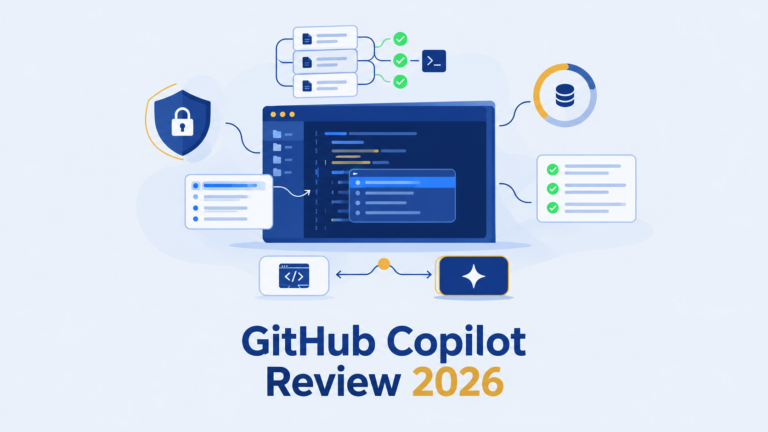
Developed by GitHub (Microsoft), GitHub Copilot operates as a lightweight, multi-editor extension that runs inside established environments including VS Code, JetBrains IDEs, Visual Studio, and Neovim. Copilot’s core strategy brings AI inline completions, chat, and agentic capabilities into the developer’s existing workspace, while leveraging deep integration with GitHub’s enterprise ecosystem (Pull Requests, Issues, GitHub Actions, and Security Scanning).
For a detailed analysis of Copilot’s standalone capabilities across different environments, read our GitHub Copilot Review.
Comparison Criteria Framework
To evaluate both tools objectively, this comparison uses eight standardized criteria:
- Editor architecture and migration friction.
- Autocomplete responsiveness and next-edit predictions.
- Agentic delegation, terminal execution, and multi-file refactoring.
- Codebase context indexing and semantic retrieval.
- Supported AI models and LLM switching flexibility.
- Pricing models, usage mechanics, and AI credit economics.
- Enterprise governance, security, and data privacy.
- Practical workflow fit across developer roles.
This evaluation places both products within the broader category of AI Code Assistants, focusing on real-world utility over feature lists.
2. Autocomplete Quality & Speed: Where Each Tool Fits
Inline code completion remains the most frequently used AI capability in daily development, operating continuously in the background as developers type.
Inline Completion and Next-Edit Workflows
- Cursor (Cursor Tab): Cursor goes beyond standard line completion by predicting your next edit location. As you modify code, Cursor Tab anticipates where you are likely to make the next change—even if it is several lines away or in an adjacent file—allowing you to accept multi-location edits using single
Tabkeystrokes. - GitHub Copilot (Copilot Completion): Copilot focuses on fast, low-latency inline code suggestions, comment-to-code generation, and multi-line function completions. It provides alternative suggestions through a side-panel view, emphasizing predictable, high-speed typing assistance.
Suggestion Relevance, Acceptance Friction, and Latency
Both tools deliver sub-second latency for routine completions, backed by optimized prediction models hosted on specialized inference infrastructure. Cursor Tab excels at repetitive refactoring patterns across related functions, while GitHub Copilot provides high stability and predictable syntax completion across a broad range of programming languages (Python, TypeScript, C#, Java, Go, and Rust).
What Can and Cannot Be Concluded Without a Controlled Benchmark
Claims asserting that one tool is universally “faster” or “more accurate” than the other Could Not Be Verified. Completion latency and acceptance rates vary depending on network conditions, project size, local caching, and chosen underlying models. For an objective explanation of how completion speed and quality are evaluated scientifically, see our AI Coding Assistant Benchmark guide.
3. Agentic Coding & Multi-File Editing: How Much Work Can They Delegate?
AI tools have expanded from single-line auto-completion to autonomous “agentic” workflows capable of planning tasks, inspecting repositories, writing code across multiple files, and running terminal commands.
+--------------------------------------------------------------------+
|                   AGENTIC CODING LOOP (2026)                       |
+--------------------------------------------------------------------+
|  [User Prompt]                                                     |
|        |                                                           |
|        v                                                           |
|  [ 1. Planning ] -------> Analyze Requirements & Target Files     |
|        |                                                           |
|        v                                                           |
|  [ 2. Multi-File Edit ] -> Modify Code across Repository           |
|        |                                                           |
|        v                                                           |
|  [ 3. Execution ] ------> Run Terminal / Linter / Tests            |
|        |                                                           |
|        v                                                           |
|  [ 4. Review Checkpoint ] -> Human Developer Approves or Rejects   |
+--------------------------------------------------------------------+
Planning and Task Delegation
- Cursor (Composer / Agent Mode): Cursor’s agentic mode allows developers to delegate complex tasks using natural language. The agent formulates a step-by-step execution plan, searches the codebase for relevant files, creates new modules, and executes multi-file modifications in a unified interface.
- GitHub Copilot (Copilot Workspace & Coding Agent): Copilot integrates agentic capabilities both within the editor and directly on GitHub.com. Through Copilot Workspace and its terminal/editor agents, developers can assign GitHub Issues to Copilot, which then generates a plan, proposes code edits, runs tests, and opens a Pull Request for human review.
Multi-File Edits and Refactoring Scope
Cursor’s custom editor architecture allows it to present multi-file diffs simultaneously within the workspace UI, enabling developers to review, accept, or reject individual changes across multiple files in real time. Copilot continues to expand multi-file editing capabilities across supported IDEs, with the most seamless multi-file experience currently available inside VS Code.
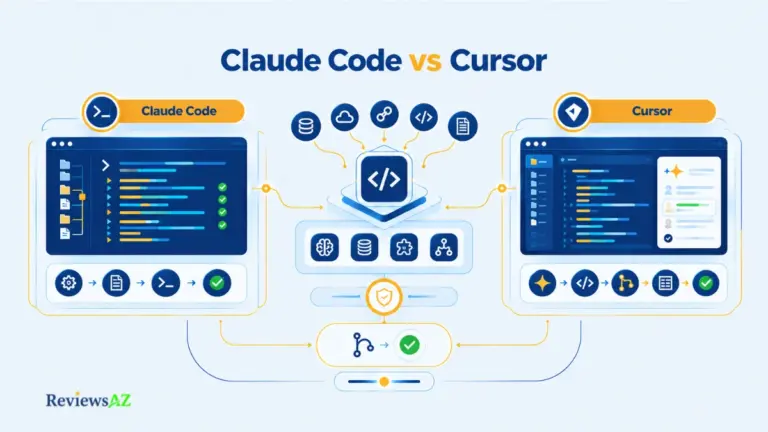
To understand how dedicated coding agents function across different interfaces, explore our dedicated AI Coding Agents hub, or compare Cursor’s agentic editor with terminal-based agents in Claude Code vs Cursor.
Terminal Execution and Verification
Cursor includes documented capability to execute shell commands within the integrated terminal (e.g., running build scripts, linters, or test suites). If a test fails, the agent reads the terminal output log and attempts to self-correct the code automatically. GitHub Copilot similarly offers terminal command assistance and automated validation, maintaining strict confirmation prompts before running terminal scripts.
Human Review Checkpoints
As agent autonomy increases, human review becomes critical. Both platforms enforce review checkpoints where developers must manually approve or revert code diffs, ensuring that AI-generated code meets organizational quality standards before merge.
4. Codebase Context & Indexing: Which Workflow Handles the Project Better?
The relevance of AI-generated code depends heavily on how effectively an assistant retrieves context from your entire repository.
Indexing and Semantic Retrieval
- Cursor Indexing: Cursor generates local and cloud-based semantic vector embeddings and code-graph indexes of your repository. This enables semantic search, allowing the tool to locate relevant modules even when queries do not use exact function or variable names.
- GitHub Copilot Indexing: Copilot utilizes repository-level indexing and GitHub’s code graph analysis. In enterprise environments, it leverages remote repository indexes to retrieve context across interconnected repos without requiring every file to be open locally.
+-------------------------------------------------------------------------+
|                  CODEBASE CONTEXT & INDEXING MECHANICS                  |
+-------------------------------------------------------------------------+
| Feature / Dimension       | Cursor                | GitHub Copilot      |
+---------------------------+-----------------------+---------------------+
| Local/Remote Indexing     | Vector & Graph Embed  | Repo-level Graph    |
| File Reference Symbols    | `@file`, `@folder`    | `#file`, `#codebase`|
| Workspace Search Context  | Automatic Semantic    | Indexed Search      |
| Custom Docs Support       | `@docs` integration   | Custom Instructions |
+---------------------------+-----------------------+---------------------+
Workspace/File References and Active Context
Both platforms allow developers to explicitly target context during chat or agent interactions:
- In Cursor: Developers use
@file,@folder,@code, or@docssymbols to force the model to pull context from specific files, folders, or external documentation URLs. - In GitHub Copilot: Developers use
#file,#codebase, or custom prompt instructions to scope context parameters for specific queries.
Large-Codebase Failure Modes and Human Verification
In massive monorepos, both tools can suffer from retrieval gaps or context truncation if queries are too broad. Context retrieval algorithms may miss distant dependencies or hallucinate API signatures. Developers must manually verify that imported interfaces align with current project definitions.
5. IDE Integration: Forked IDE vs Extension Model
The choice between a custom editor fork and a universal editor extension defines the installation and operational experience.
| Feature / Dimension | Cursor | GitHub Copilot |
|---|---|---|
| Architecture Type | Custom VS Code Fork | Universal IDE Extension |
| Supported Editors | Cursor Desktop (JetBrains via ACP) | VS Code, JetBrains, Visual Studio, Neovim |
| Migration Friction | Moderate to High (Requires switching primary editor) | Zero (Runs inside existing editor setup) |
| UI Integration Depth | Deep (Re-engineered diffs, terminal, and sidebars) | Native Extension Panels and Floating Modals |
Cursor’s AI-First Foundation and JetBrains ACP Surface
Cursor’s core strength lies in its tailored VS Code fork. However, based on updated 2026 documentation, Cursor has extended its agentic model to JetBrains IDEs using the Agent Communication Protocol (ACP). While ACP allows JetBrains users to access Cursor’s agent logic, the full visual multi-file editing experience remains optimized for the Cursor desktop editor.
Copilot Across Supported Editors and GitHub Platform
GitHub Copilot excels in environment breadth. Engineering teams working across diverse stacks (e.g., C# in Visual Studio, Java in IntelliJ, and TypeScript in VS Code) can deploy Copilot across all environments without forcing developers to abandon their preferred keybindings, plugins, or configurations.
6. Supported AI Models & LLM Switching
Model flexibility allows developers to select the optimal language model for specific coding tasks.
+-------------------------------------------------------------------------+
|                        LLM FLEXIBILITY COMPARISON                       |
+-------------------------------------------------------------------------+
| Supported Model Category  | Cursor                | GitHub Copilot      |
+---------------------------+-----------------------+---------------------+
| Anthropic Models          | Claude 3.5 Sonnet /   | Claude 3.5 Sonnet   |
|                           | Claude 3.7 Sonnet     | (via Chat Settings) |
| OpenAI Models             | GPT-4o / o1 / o3-mini | GPT-4o / o1 / o3    |
| Google Models             | Gemini 1.5/2.0 Flash/Pro| Gemini 1.5 Pro    |
| Custom / Local Models     | Auto / Custom API Keys| Managed Enterprise  |
+---------------------------+-----------------------+---------------------+
Model Availability and Selection
- Cursor: Provides seamless model switching directly within the chat and agent interfaces. Developers can toggle between frontier models like
Claude 3.5 Sonnet,GPT-4o,o3-mini, andGemini 1.5 Pro, or enter custom API keys to route requests directly. - GitHub Copilot: Allows developers to select between models from OpenAI, Anthropic, and Google within Copilot Chat settings, subject to organizational policies set by enterprise administrators.
Separating Model Performance from Product Performance
When evaluating output quality, developers should distinguish between model capabilities (e.g., Claude 3.5 Sonnet’s reasoning) and product capabilities (e.g., Cursor’s UI diffs or Copilot’s PR integration). If both tools route a task to the same underlying model, performance variations stem from context retrieval and prompt orchestration rather than the raw model itself.
For multi-tool comparisons involving underlying LLMs, see our detailed guide: Cursor vs Claude Code vs Codex vs GitHub Copilot.
7. Pricing, AI Credits & Usage Limits
SaaS pricing for AI coding tools reflects usage-based economics driven by model inference costs.
+-----------------------------------------------------------------------+
|                    PRICING & AI CREDITS (2026)                        |
+-----------------------------------------------------------------------+
| Cursor Individual Tiers:                                              |
|   - Pro Tier:     $20 / month (Included Usage & Standard Credits)     |
|   - Pro+ Tier:    $60 / month (Expanded Fast Requests & Agent Quota)   |
|   - Ultra Tier:   $200 / month (High-volume Usage & Priority Models)   |
+-----------------------------------------------------------------------+
| GitHub Copilot Individual Tiers:                                      |
|   - Pro Tier:     $10 / month (Unlimited Completions + Standard Chat) |
|   - Pro+ Tier:    $39 / month (Expanded Agent Workspaces & Models)    |
|   - Max Tier:     $100 / month (Heavy Agentic Allocations & Priority)  |
+-----------------------------------------------------------------------+
Individual Pricing and Included Usage (Verified September 22, 2026)
- Cursor Plans:
- Pro ($20/month): Includes standard usage limits, fast requests for premium models, and agent access.
- Pro+ ($60/month): Expands fast request allocations and agent credit capacity for power users.
- Ultra ($200/month): Designed for high-volume developer usage and priority access to resource-intensive models.
- GitHub Copilot Plans:
- Pro ($10/month): Offers unlimited inline code completion and standard chat.
- Pro+ ($39/month): Adds expanded access to advanced models and agentic workspaces.
- Max ($100/month): Provides maximum usage allocations for heavy enterprise/agentic workflows.
To review pricing across the entire market, read our standalone AI Coding Assistant Pricing Comparison. Official vendor pricing can be verified directly at Cursor Pricing and GitHub Copilot Plans.
8. Security, Privacy & Enterprise Controls
For software organizations, data security, code privacy, and compliance take precedence over raw developer speed.
+-------------------------------------------------------------------------+
|                     ENTERPRISE GOVERNANCE FEATURES                      |
+-------------------------------------------------------------------------+
| Feature / Governance Control | Cursor Enterprise   | GitHub Copilot Ent |
+------------------------------+---------------------+--------------------+
| Zero Data Retention Option   | Yes (Privacy Mode)  | Yes (Policy Gate)  |
| Code Snippet Match Filtering | Yes                 | Yes (Public Match) |
| IP Indemnification Protection| Enterprise Plan     | Included (Ent)     |
| Centralized Admin & SAML SSO | Yes                 | Yes (GitHub Org)   |
+------------------------------+---------------------+--------------------+
Data Handling and Privacy Modes
Both vendors offer strict privacy controls for commercial accounts:
- Cursor Privacy Mode: Documented capability ensuring that developer code snippets are never stored on external servers or used to train public models.
- GitHub Copilot Enterprise Privacy: Enforces zero data retention policies for code snippets, backed by SOC 2 Type II, ISO 27001, and GDPR compliance frameworks.
IP Indemnification and Governance
Both Cursor Enterprise and GitHub Copilot Enterprise include intellectual property (IP) indemnification clauses to protect business customers against copyright claims resulting from AI-generated code matches.
9. SQL, Backend, and Data Workflows
While designed as general-purpose coding assistants, both Cursor and GitHub Copilot are frequently used by backend engineers and data professionals to generate, refactor, and optimize database queries.
+-----------------------------------------------------------------------+
|                    SQL & BACKEND WORKFLOW SCENARIO                    |
+-----------------------------------------------------------------------+
|  [ Database Schema / ORM Models ]                                     |
|           |                                                           |
|           v                                                           |
|  [ Cursor / Copilot Context ] -> Index Tables, Indexes & Relations    |
|           |                                                           |
|           v                                                           |
|  [ AI SQL Generation / Refactoring ] -> Generate Optimized Queries     |
|           |                                                           |
|           v                                                           |
|  [ Validation Checkpoint ] -> EXPLAIN ANALYZE & Human Optimization    |
+-----------------------------------------------------------------------+
Writing and Refactoring SQL with a General Coding Assistant
Both tools can parse ORM models (e.g., Prisma, SQLAlchemy, Entity Framework) or raw .sql migration files in your project to suggest context-aware database queries. Cursor’s @ symbol allows developers to attach schema files directly to a prompt, while Copilot uses active file context to complete complex JOIN and aggregation queries.
To learn how to streamline database queries effectively, read our guide on How to Optimize SQL Queries Using AI.
AI-Generated SQL Risks and Validation
AI-generated SQL carries operational risks, including unindexed full-table scans, inefficient subqueries, and potential SQL injection vulnerabilities if inputs are poorly sanitized. Backend developers must validate generated queries using EXPLAIN ANALYZE before deploying to production. Review our analysis on AI-Generated SQL Risks and Limitations for safety protocols.
When a Specialized AI Database Tool Is More Appropriate
General coding assistants excel at inline query generation within application code. However, if your daily work involves direct database administration, live data exploration, or text-to-SQL generation over massive enterprise warehouses, dedicated database AI tools may be more effective. Explore our curated list of the Best AI DB Tools for Backend Devs for specialized options.
10. Which One Fits Your Development Workflow?
Choosing between Cursor and GitHub Copilot depends on your team’s existing infrastructure, primary task types, and editor preferences.
+-----------------------------------------------------------------------+
|                     WORKFLOW FIT DECISION MATRIX                      |
+-----------------------------------------------------------------------+
| IF YOUR PRIMARY WORKFLOW IS:              | RECOMMENDED CHOICE:       |
+-------------------------------------------+---------------------------+
| Multi-file refactoring, autonomous agent  | Cursor                    |
| delegation, flexible LLM switching        |                           |
+-------------------------------------------+---------------------------+
| Multi-editor environment (JetBrains/VS),  | GitHub Copilot            |
| deep GitHub PR/Issue pipeline integration |                           |
+-------------------------------------------+---------------------------+
| Metered power-usage with custom API keys  | Cursor                    |
+-------------------------------------------+---------------------------+
| Strict enterprise policy linked to GitHub | GitHub Copilot            |
+-------------------------------------------+---------------------------+
Better Fit for AI-Native, Multi-File, Agent-Heavy Work
Cursor is the stronger choice for developers who want an AI-first workspace where agents handle multi-file edits, terminal execution, and complex refactoring tasks directly inside a tailored IDE.
If you are exploring similar tools, check out our list of Cursor Alternatives.
Better Fit for Existing-IDE and GitHub-Centric Workflows
GitHub Copilot is the ideal choice for engineering organizations that rely on diverse editor setups (JetBrains, Visual Studio, VS Code), value centralized GitHub platform governance, and prefer minimal environment migration friction.
To see comparable multi-editor solutions, browse our list of GitHub Copilot Alternatives.
11. Common Comparison Mistakes: What Feature Checklists Miss
When evaluating AI coding tools, teams frequently make four common comparison errors:
- Conflating Model Quality with Tool Quality: Evaluating an assistant solely on code generation accuracy without accounting for the underlying model selected (e.g., comparing GPT-4o in one tool against Claude 3.5 Sonnet in another).
- Ignoring Human Review Burden: Assuming higher agent autonomy automatically translates to time savings, while ignoring the extra cognitive effort required to review, test, and debug multi-file diffs.
- Overlooking Migration and Retraining Costs: Factoring in subscription costs while ignoring the friction of transitioning an entire developer organization to a new editor environment.
- Relying on Outdated Product Assumptions: Basing decisions on older 2024 feature snapshots. Both products updated significantly in 2026, introducing advanced agent modes, ACP protocol support, and usage credit tiers.
Refer to our AI Coding Assistant Benchmark to learn how to design balanced, objective evaluation frameworks for your engineering team.
12. FAQ and Final Decision Layer
Frequently Asked Questions
1. Which tool is better for developers who want to stay in their existing IDE: Cursor or GitHub Copilot?
GitHub Copilot is better suited for developers who prefer staying in their existing IDE. Copilot supports VS Code, JetBrains IDEs, Visual Studio, and Neovim natively, requiring zero migration. Cursor is a custom VS Code fork, meaning full access to its feature set requires switching primary editor applications.
2. Does Cursor provide deeper codebase context and multi-file editing than GitHub Copilot?
Cursor provides an AI-native UI designed specifically around multi-file diffs (Composer) and explicit @ context indexing. While GitHub Copilot offers repository indexing and multi-file editing via Copilot Workspace and Chat, Cursor’s custom IDE architecture delivers a more tightly integrated multi-file editing workflow.
3. How do Cursor and GitHub Copilot compare on AI credits, pricing, and usage limits?
Copilot offers an entry Pro plan at $10/month for standard usage, scaling to Pro+ ($39) and Max ($100) for heavy agentic workloads. Cursor starts at $20/month for Pro, scaling to Pro+ ($60) and Ultra ($200) for higher fast-request allocations and agent credit capacity. Both tools meter heavy agent usage through usage credits.
4. Can you switch AI models in Cursor and GitHub Copilot, and why does that matter?
Yes, both tools support model switching between frontier LLMs, including Claude 3.5 Sonnet, GPT-4o, and Gemini models. Model switching matters because different models excel at different tasks—such as logical reasoning, syntax generation, or multi-language refactoring.
5. Are Cursor and GitHub Copilot suitable for enterprise code and privacy-sensitive projects?
Yes. Both vendors offer enterprise plans with strict Zero Data Retention (ZDR) options, ensuring customer code is never used to train public models. Both provide administrative SSO controls, audit logs, and intellectual property (IP) indemnification.
6. Can Cursor or GitHub Copilot help with SQL and backend development?
Yes. Both tools can parse backend ORM schemas and SQL files to auto-complete database queries, generate migrations, and rewrite sluggish joins. However, developers must validate generated queries using EXPLAIN execution plans to prevent database performance bottlenecks.
7. Is it reasonable to use Cursor and GitHub Copilot together in the same engineering team?
Yes. Many organizations adopt a hybrid strategy: deploying Cursor for senior developers and refactoring leads working on complex multi-file tasks, while standardizing on GitHub Copilot across broader teams using JetBrains or Visual Studio environments.
Final Decision Gates
To finalize your decision, evaluate your team against these three decision gates:
- Environment Gate: Do your developers rely heavily on JetBrains IDEs, Visual Studio, or Neovim? If yes, GitHub Copilot provides the lowest friction. If your team already uses VS Code and is open to a dedicated AI-first editor, Cursor is a strong candidate.
- Workflow Gate: Is your daily work dominated by autonomous multi-file refactoring and task delegation to agents? If yes, Cursor offers an interface built explicitly for agentic editing. If your work revolves around PR reviews, issue management, and standard inline completion, GitHub Copilot aligns naturally with your pipeline.
- Foundational Skills Reminder: Regardless of which tool you adopt, automated coding assistants do not replace software engineering fundamentals. As AI tools lower the barrier to generating code, foundational database and architectural skills remain indispensable. For further reading on skill evolution, see Do You Still Need to Learn SQL in the Age of AI?.