GitHub Copilot Review 2026: AI Credits, Security, and Whether It’s Worth It

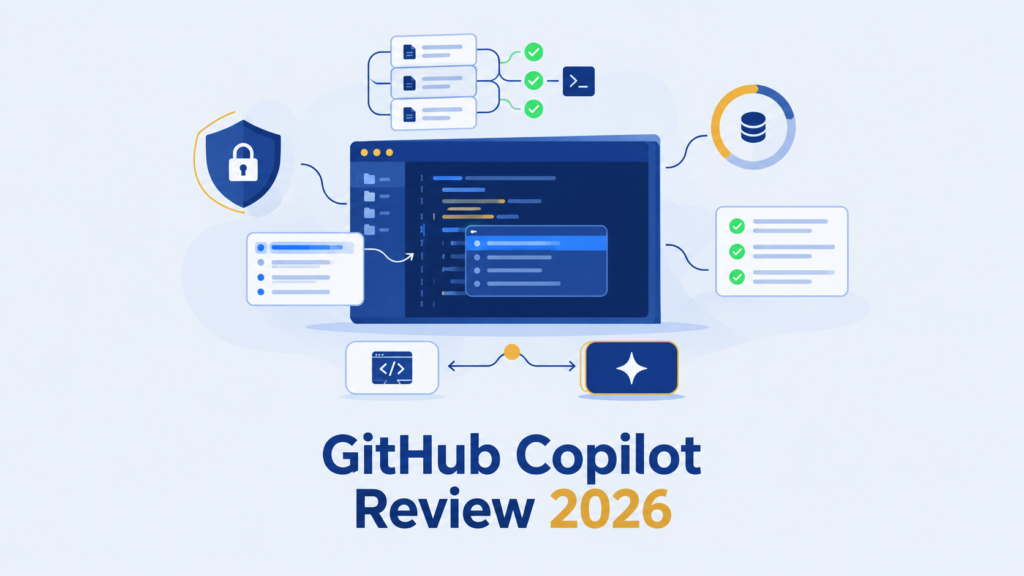
This GitHub Copilot review starts with an uncomfortable admission: the subscription price on the plans page doesn’t describe what you’ll actually pay for AI help. Copilot now spans inline completion, an Agent Mode that edits files and runs terminal commands, a code review layer that comments on pull requests, and several supported editors, all metered through an AI Credit system most reviews skip entirely.
That gap matters because your real cost depends on how you use Copilot, not only which tier you choose. Someone who mostly accepts inline suggestions pays a flat, predictable fee. Someone who leans on chat, agents, and automated code review can burn through credits far faster. Knowing which one you are changes the entire decision.
This review works from current GitHub documentation, close reading of the existing search results, and a scenario-based look at real AI Credit pricing. It separates official claims, user reports, and what still can’t be verified without a controlled test.
Transparency note: this is an evidence-based review, not a hands-on test. Conclusions rely on current GitHub documentation and clearly labeled user reports rather than a repeatable first-hand benchmark. That distinction gets flagged again wherever it changes the weight of a claim.
From here, the review moves through what Copilot covers today, daily completion value, Agent Mode’s real limits, what the evidence can prove about accuracy, security by plan, real AI Credit costs, a workflow comparison with Cursor, and whether any of it is worth paying for. Readers comparing the wider category first may want to start with AI Code Assistants before narrowing in on Copilot specifically.
Quick Summary: Is GitHub Copilot Worth It?
- Best For: Developers and teams who want AI assistance inside their existing supported editors and GitHub-centered workflow, especially when code completion, agents, and code review all matter.
- Biggest Strength: Broad workflow coverage, including unlimited paid code completion and next edit suggestions, plus agentic and review capabilities across supported surfaces.
- Biggest Limitation: The monthly subscription price does not describe your total AI usage cost. Chat, agents, code review, CLI, and other metered interactions consume AI Credits based on model and token use.
- Key Decision: Weigh existing-editor continuity and GitHub workflow integration against the metered-usage budget and verification burden your actual workflow demands.
- Pricing (verified 2026-09-21): Free $0; Pro $10/month (1,500 AI Credits); Pro+ $39/month (7,000 AI Credits); Max $100/month (20,000 AI Credits); Business $19/user/month (1,900 AI Credits/user); Enterprise $39/user/month (3,900 AI Credits/user), available on GitHub Enterprise Cloud.
- One Important Caveat: Product-wide accuracy and performance are not independently verified in this review, since no hands-on test was performed. Any performance-related conclusion later in this article remains conditional rather than confirmed.
This summary is a decision aid, not a substitute for the full analysis below.
What Is GitHub Copilot in 2026, and What Has Changed?
Copilot today covers more of the development workflow than the inline suggestions most developers remember from a few years back. That expansion is the reason this review treats completion, agents, and code review as separate questions rather than one blanket verdict.
Core Product Scope Across Editors, CLI, GitHub, and Code Review
GitHub Copilot is now a workflow layer spanning inline code completion, an autonomous Agent Mode, automated pull request review, GitHub.com features, and a command-line interface. It is documented to work across supported editors including VS Code, Visual Studio, JetBrains IDEs, Xcode, and Eclipse, alongside GitHub Actions integrations and GitHub CLI access.
That breadth suits a developer already anchored in a GitHub-centered workflow. It also means the pricing and risk profile shift depending on which part of Copilot gets used, a distinction the rest of this review treats as central rather than incidental.
From Code Suggestions to Agents and Review Workflows
The original pitch for Copilot was simple. Type a comment or a function signature, get a plausible completion. That model still exists, but it’s one layer among several now.
Agent Mode can plan multi-step changes, select files, run terminal commands, and iterate on its own output. That’s a fundamentally different capability than suggesting the next line of code. Code review, meanwhile, can read a pull request and leave comments the way a human reviewer might, using custom instructions and repository context to shape its judgment.
Not every Copilot feature is “free” in the same sense once a seat is paid for. Some capabilities are unmetered, others draw from a shared AI Credit balance, and assuming otherwise is the single most common source of unexpected Copilot bills. It’s worth confirming which category a given feature falls into before relying on it heavily, a point this review returns to directly in the pricing section.
What This Review Can and Cannot Verify
Everything above counts as Officially Supported and Documented Capability, confirmed in GitHub’s current plans matrix, Agent Mode documentation, and code-review documentation. That’s a meaningfully different claim from saying every feature performs reliably on every codebase.
No hands-on test was performed for this review. Direct product-level accuracy and performance, task by task, remain Could Not Be Verified here, a boundary repeated wherever a claim depends on it rather than quietly assumed away.
GitHub Copilot Code Completion: Daily Value Beyond Autocomplete
Completion is the feature almost everyone has already tried, which makes it easy to underrate. It’s also the lowest-friction part of the product, unmetered on every paid plan, so its value deserves a separate verdict from the riskier, metered features covered later.
Inline Completions and Next Edit Suggestions
Inline completions suggest code as you type. Next edit suggestions go a step further, predicting related changes elsewhere in the file once you’ve made an initial edit. The second capability is the more interesting one: instead of only reacting to cursor position, it anticipates the ripple effects of a change already in motion.
Renaming a variable used in several places. Adjusting a pattern that repeats across a function. These are the moments where next edit suggestions actually save time, even though the suggestion still needs a human eye before it ships.
Where Completion Adds the Most Daily Value
Boilerplate code, repetitive test scaffolding, and predictable syntax are where completion earns its keep. Anyone writing similar functions, similar API calls, or similar configuration blocks across a project feels the time saved almost immediately.
Genuinely novel logic is a different story. There isn’t an obvious pattern for the model to extend, and that’s not a flaw specific to Copilot. It’s a structural limit of pattern-based completion generally, worth remembering before crediting completion with more than it actually does.
What “Unlimited” Completion Does and Does Not Mean
Paid Copilot plans document unlimited code completion and next edit suggestions. Neither draws from the AI Credit balance, no matter how often they get used. The Free tier works differently: a monthly completion allowance rather than unlimited access, worth checking on GitHub’s current plans page before assuming Free covers heavy daily use.
Unlimited completion is not the same thing as unlimited Copilot. Chat, Agent Mode, code review, and CLI interactions are metered separately through AI Credits, a distinction covered in full in the pricing section, but one to flag here before it causes a billing surprise. Nor does “unlimited” say anything about quality: acceptance rates reported by vendors describe how often a suggestion gets accepted, not whether it was correct. That distinction matters more once Agent Mode enters the picture, where the stakes of an unreviewed suggestion rise considerably.
GitHub Copilot Agent Mode: Where Autonomous Coding Helps and Stops
What changes once Copilot stops suggesting one line and starts choosing files, proposing edits across a project, running terminal commands, and iterating on its own output? That shift, from suggestion to action, is the real story of Agent Mode, and it’s also where this review’s evidence boundary matters most.
Planning, File Selection, Edits, and Terminal Actions
Agent Mode can plan a multi-step task, select relevant files across a repository, propose and apply edits, and execute terminal commands as part of completing that task. Rather than returning a single snippet for a human to place manually, it works through a sequence: understand the request, gather context, make changes, check the result.
This is documented capability, not marketing language. GitHub’s Agent Mode documentation describes exactly this kind of multi-step, tool-using behavior. What it does not document is a guarantee that every task completes correctly on the first attempt, or that terminal actions are always safe to run unsupervised.
Iteration, Validation, MCP, Skills, and Repository Context
Agent Mode doesn’t stop after one pass. It can iterate: running a test, reading the failure, adjusting the code, trying again, all within the same task. Model Context Protocol (MCP) servers and agent skills extend what the agent can reach, connecting it to external tools, specialized workflows, or repository-specific conventions defined through custom instructions.
A well-configured repository, with clear custom instructions, tends to produce more relevant agent behavior than a bare one. More relevant is still not the same claim as correct, and that gap sits at the center of the next point. Readers weighing Agent Mode against other autonomous coding tools may find useful context in AI Coding Agents.
Why Human Review Still Matters
The ability to act independently is not evidence of acting correctly. Stated plainly, that sounds obvious. It’s also the exact gap that causes trouble when agentic tools get treated as a substitute for review rather than a draft that still needs one.
Where the risk actually sits: terminal commands, dependency updates, database migrations, and large multi-file refactors are not self-verifying just because they ran without an error. A clean execution log says nothing about whether the change was the right one, which is exactly why these categories deserve a deliberate review checkpoint rather than automatic trust.
Task-level success rates for Agent Mode, how often it completes a given type of task correctly without rework, are Could Not Be Verified in this review. No controlled test was run, and no vendor-reported productivity metric substitutes for that kind of evidence on a specific codebase.
GitHub Copilot Accuracy & Performance: What the Evidence Can and Cannot Prove
“Is Copilot secure?” gets asked more often than the more useful question sitting right next to it: does it produce correct code, and how would anyone actually know? Documented capability, model availability, and vendor-reported productivity numbers are not the same thing as proof of correctness on a real codebase.
Task-Level Evaluation Matrix for Functions, Bug Fixes, Refactoring, and SQL
No single accuracy percentage applies across function generation, bug fixing, multi-file refactoring, and SQL work. Each task type carries a different correctness risk. Function generation is relatively low-risk when scope is narrow and test coverage exists. Bug fixing raises the stakes, because an incorrect fix can look plausible while masking the real cause.
Multi-file refactoring compounds the risk further: an edit that looks correct in isolation can break a contract somewhere else in the codebase. SQL generation adds its own failure mode. A query can run without error and still be semantically wrong, unsafe, or slow at production scale.
| Task Type | Primary Risk | What “Correct” Requires |
|---|---|---|
| Function generation | Scope drift, edge-case gaps | Passing tests, matching intended behavior |
| Bug fixing | Plausible but wrong root cause | Reproducing and resolving the actual defect |
| Multi-file refactoring | Broken contracts elsewhere in the codebase | Full test suite pass, no behavior change |
| SQL generation/rewrite | Semantic errors, unsafe access, slow execution | Correct results, safe permissions, acceptable performance |
How to Measure Correctness Without Inventing a Benchmark
Without a controlled, repeatable test, the honest move isn’t publishing a number. It’s describing a method a reader could run themselves. Correctness should be judged separately from validation success (does it compile and pass tests) and from perceived usefulness (did it save time), because those three things frequently diverge.
A practical check: does the suggested code compile or run, does it pass existing or new tests, does it match the actual requirement rather than a plausible-looking approximation, and does it introduce anything, an unsafe API call, a hallucinated method, that wouldn’t survive a real code review?
A number without a method isn’t evidence. Reading “our testing showed” or a specific accuracy percentage in a review means little unless the reviewer discloses the exact tasks, sample size, and methodology behind it. Otherwise, that number describes a narrow condition, not your codebase.
What External Research Can and Cannot Tell Us
Academic and security research on AI code generation exists, but it typically evaluates a specific model version, a specific benchmark dataset, and a specific task type. Those conditions rarely match a live production codebase running the latest Copilot models. A study showing strong results on a benchmark says something about that benchmark. It doesn’t transfer cleanly into a universal accuracy claim.
Absent a direct test, Copilot’s task-level accuracy on real-world work is Could Not Be Verified in this review. That’s not a criticism of the product. It’s a limit of what a documentation-based review can responsibly claim.
GitHub Copilot Security: Enterprise Controls, Privacy, and IP Considerations
“Is Copilot secure?” is the wrong-sized question on its own. The real question is which plan, which data-use policy, which content-control mechanism, and which governance rules apply to a specific workflow, because those answers differ sharply between an individual account and a Business or Enterprise deployment.
Individual Data Use, Business/Enterprise Protections, and Training Controls
Under GitHub’s documented policy, Business and Enterprise customer code and prompts are not used to train Copilot’s underlying AI models. Individual-plan data settings work differently and are configurable by the user, a distinction worth understanding before assuming Copilot means one uniform privacy posture across every plan.
For a solo developer working on personal or open-source projects, this may matter less. Anyone handling proprietary or client code on an individual plan should check the current data-use settings directly rather than assume enterprise-level protection applies by default.
Content Exclusion, Policies, and Administrative Controls
Organizations can configure content exclusion to prevent Copilot from accessing specified files or repositories, alongside broader policy management controls governing which features, models, and capabilities are available to organization members. These are real, documented administrative levers, not vague “enterprise-grade security” language.
One exception worth flagging directly: content exclusion has documented scope limitations, and it doesn’t function as a universal guarantee that excluded code can never influence a suggestion under any circumstance. Reading exactly what the control covers, and what it doesn’t, matters more than assuming blanket protection for anything marked excluded.
Audit logging and administrative visibility give security teams a way to monitor usage patterns across an organization, which matters more as agentic features expand what Copilot can do inside a codebase without direct line-by-line human authorship.
IP Indemnification, Code Similarity, and Human Responsibility
GitHub documents IP indemnification protections for certain paid plans. That shouldn’t be read as a blanket guarantee covering every line of generated code under every circumstance; indemnification terms carry specific conditions best reviewed in GitHub’s current Terms of Service rather than assumed wholesale.
Code similarity to existing public code remains a possibility with any AI code generation tool. Responsibility for reviewing, testing, and validating AI-suggested code before it ships sits with the human developer and organization, not with the tool. That’s not unique to Copilot. It’s a structural reality of AI-assisted development generally, and it carries the human-review theme from the Agent Mode section through here too.
GitHub Copilot Pricing: How AI Credits Change the Cost Model
The meaningful pricing change in Copilot isn’t the subscription fee. It’s the shift to metered AI usage, where the model chosen and the tokens consumed determine what chat, agents, code review, and CLI interactions actually cost.
Current Individual Plans: Base Credits, Flex Allotment, and Total Credits
As of 2026-09-21, individual plans run Free ($0), Pro ($10/month, 1,500 total AI Credits), Pro+ ($39/month, 7,000 total AI Credits), and Max ($100/month, 20,000 total AI Credits). One AI Credit equals $0.01. Each paid plan currently splits its total allowance into a base credit component and a Flex allotment, a structure worth understanding before assuming the headline credit number tells the whole story.
| Plan | Monthly Price | Total AI Credits |
|---|---|---|
| Free | $0 | Limited allowance (verify current figure) |
| Pro | $10 | 1,500 |
| Pro+ | $39 | 7,000 |
| Max | $100 | 20,000 |
Flex values are documented as subject to change. Treat the base-versus-Flex split as a current snapshot, not a permanent structural fact. Re-checking this figure before purchase takes five minutes and can prevent a budgeting surprise later. For a broader sense of how this stacks up against other AI development tools, AI Coding Assistant Pricing Comparison puts Copilot’s model alongside the wider market.
Business costs $19 per user per month with 1,900 AI Credits per user. Enterprise costs $39 per user per month with 3,900 AI Credits per user, available within the GitHub Enterprise Cloud context rather than as a flat universal add-on.
Describing Enterprise pricing as a fixed “$21 extra” on top of the Business seat misrepresents the structure. It isn’t a surcharge sitting on top of another plan; it’s a separate tier with its own price and credit allowance.
Organization and enterprise credits pool at the billing-entity level rather than staying siloed per user, which changes team-level budgeting math considerably. A heavy individual user can draw from the shared pool, and additional usage beyond the pool is billed at $0.01 per credit when enabled.
What Uses Credits and What Does Not
Code completion and next edit suggestions don’t consume AI Credits on paid plans, carrying the earlier completion discussion directly into the budgeting conversation here. Chat, Agent Mode, Copilot’s cloud agent, CLI interactions, and code review all draw from the metered credit pool, with cost scaling by model choice and token volume.
| Usage Scenario | Primary Credit Draw | Budget Implication |
|---|---|---|
| Completion-heavy (mostly inline suggestions) | Minimal to none | Predictable, close to flat subscription cost |
| Chat/agent-heavy (frequent Agent Mode, chat) | High, model-dependent | Can consume allowance well before month-end |
| Team-pooled (shared organizational credits) | Variable per user, pooled total | Requires monitoring at the org level, not per seat |
GitHub also publishes official estimate ranges for code review credit usage, which vary by review effort setting, pull request size, and repository context, and which exclude GitHub Actions minutes. Treat these as directional estimates, not a fixed per-review cost.
Before committing to a plan: pull up the current billing page and check today’s Flex values and credit allowances. Nothing here replaces that five-minute check, since both figures are explicitly subject to change.
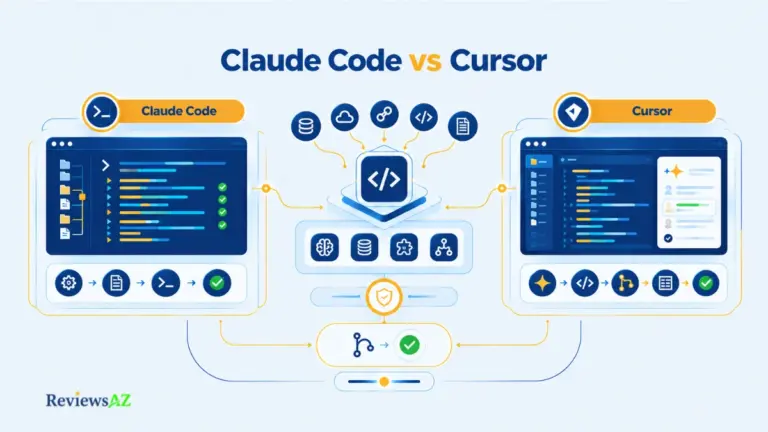
GitHub Copilot vs Cursor: Existing Editor vs AI-Centered Editor
The biggest choice between Copilot and Cursor often isn’t which model produces the better answer. It’s where the AI sits in the development workflow: bolted onto the editor already in use, or built as the editor itself.
Copilot Across Existing Editors and GitHub
GitHub Copilot works as an extension across existing editors, VS Code, Visual Studio, JetBrains IDEs, Xcode, and Eclipse, alongside GitHub.com features, GitHub Actions, and a command-line interface. Nothing about an existing editor setup has to change to adopt it.
For a developer with years of muscle memory in a specific IDE, plugins, keybindings, and configuration, that continuity carries real value. Adoption friction stays low because Copilot layers onto a workflow rather than replacing it.
Cursor as an AI-Centered Editor Environment
Cursor starts from a different point entirely: an editor built around AI from the ground up, with codebase-aware agent workflows as a core feature rather than an add-on. The interface, keybindings, and interaction model are shaped specifically around AI-assisted development.
That design can offer a more integrated agent experience, for developers willing to adopt a new editor. It also means migrating existing configuration, extensions, and habits accumulated over years in a different tool.
Which Workflow Difference Actually Matters?
These are architectural facts, not a performance verdict. Copilot preserves an existing editor and GitHub-centered workflow. Cursor asks for adoption of its environment in exchange for AI-native design. Neither claim says which one writes better code, a question that depends on the accuracy evidence discussed earlier and remains unverified through direct testing for either tool here.
An AI-centered editor isn’t automatically more capable simply because AI sits deeper in its design. Depth of integration is a workflow characteristic, not proof of superior output quality, and that distinction deserves its own verification rather than an assumption based on architecture alone.
The practical question worth asking before switching: does the current editor investment, plugin ecosystem, and GitHub-centered process outweigh the potential benefit of an AI-native environment?
Integration, IDE Coverage, GitHub Workflow, and Practical Use Cases
Broad editor and GitHub coverage matters most in one specific scenario: a stable development environment already exists, and the goal is adding AI capability without rebuilding the workflow around a new tool.
Editor, GitHub, and CLI Coverage
GitHub Copilot’s documented supported-environment matrix includes VS Code, Visual Studio, JetBrains IDEs, Xcode, and Eclipse, alongside GitHub.com features, GitHub Actions, and GitHub CLI access. That range covers most mainstream development setups without requiring a switch away from an established editor.
The CLI layer is easy to overlook but worth a specific mention. It extends Copilot’s assistance into terminal-based workflows, command suggestions and explanations, for developers who spend meaningful time outside a graphical editor entirely.
Repository Context, Custom Instructions, MCP, and Skills
Custom instructions let a team encode repository-specific conventions, naming patterns, architectural preferences, testing requirements, so Copilot’s suggestions and agent behavior align more closely with how the codebase actually works rather than generic defaults.
MCP servers and agent skills extend this further, connecting Copilot’s agent capabilities to external tools or specialized internal workflows. A well-configured repository with clear custom instructions tends to produce more contextually appropriate suggestions than a bare, unconfigured one, though configuration quality is a factor a reader controls, not a guarantee the product provides automatically.
SQL and Database Workflows: Assistance, Not a Database Tool
Copilot can draft and rewrite SQL as a coding-assistance task when the relevant schema and context are supplied in the prompt or surrounding files. That’s meaningfully different from a native database tool that connects to, introspects, or understands an actual database structure automatically.
Syntax valid isn’t the same as correct. A query that runs without error can still return the wrong rows, expose data it shouldn’t, or perform poorly against a large table, none of which a passing syntax check reveals.
Native database connection or introspection as a built-in Copilot capability is Could Not Be Verified in this review. Treat SQL help here as schema-aware coding assistance, not database-aware tooling. Teams whose SQL work goes deeper than occasional query drafting will find that boundary addressed in more depth in AI Coding Assistant for SQL and How to Optimize SQL Queries Using AI.
Pros, Cons, and the Constraints That Matter Most
Long feature lists have a way of hiding the two or three constraints that actually change a purchase decision. This section skips the feature recap and goes straight to what genuinely shifts the calculation.
Strengths Supported by the Evidence
Copilot’s clearest documented strengths are workflow breadth, unmetered code completion on paid plans, and coverage across mainstream editors and GitHub surfaces without requiring a new environment. For a developer already anchored in a GitHub-centered process, that continuity removes a real adoption barrier other tools don’t address as directly.
Agent Mode and code review add genuine capability beyond suggestion-only tools. Organizational controls, content exclusion, policy management, audit logging, give security-conscious teams documented levers rather than vague assurances.
| Strength | Constraint That Limits It |
|---|---|
| Unlimited paid code completion | Doesn’t extend to chat, agents, or code review |
| Broad editor and GitHub coverage | Depth of agent integration may lag AI-centered editors |
| Business/Enterprise data-use protections | Individual-plan settings differ and require configuration |
| Agentic multi-step task handling | Task-level correctness remains unverified without direct testing |
Limitations That Can Change the Decision
The most consequential limitation isn’t a missing feature. It’s cost predictability. A subscription price describes access, not usage, and chat-heavy or agent-heavy workflows can draw down an AI Credit allowance well before the billing cycle ends.
Verification burden is the second real limitation. Agent Mode and automated code review both require deliberate human review checkpoints, particularly for terminal actions, dependency changes, and large refactors, a cost in reviewer time that doesn’t show up on the pricing page at all.
Comparing Copilot’s flat subscription price directly against a competitor’s flat price, without accounting for how metered usage changes the real monthly cost, is a common way this comparison goes wrong. Two developers on the same plan can end up with very different effective costs depending on how much of their work touches chat, agents, and code review. The full architectural comparison lives in Cursor vs GitHub Copilot, for anyone weighing that trade-off directly against an AI-centered editor.
Constraints Worth Testing Before Adoption
Before committing budget, a few things deserve confirmation: current AI Credit consumption for a typical chat and agent usage pattern, whether content exclusion actually covers the repositories that matter most, and whether an existing-editor workflow genuinely fits better than an AI-centered alternative.
For teams whose primary concern is AI-generated SQL specifically, the constraints around semantic correctness and safety are significant enough to warrant a closer look at AI-Generated SQL Risks and Limitations before relying on Copilot for production database work.
Who Should Use GitHub Copilot and Who Should Look Elsewhere?
Picture two developers on the same Pro plan. One mostly accepts inline suggestions and rarely opens chat. The other runs Agent Mode daily, triggers automated code review on every pull request, and leans on chat for architecture questions. Their Copilot economics, and their actual fit for the product, look nothing alike, even on paper.
Strong Fit for Existing-Editor, GitHub-Centered Developers
Copilot fits best for developers who want to keep their current editor, extensions, and GitHub-centered process while adding AI assistance rather than adopting a new environment. If most of the daily value comes from inline completion and next edit suggestions, the unmetered nature of that feature makes the cost genuinely predictable.
This profile also suits developers whose workflow already runs through GitHub Actions, pull requests, and GitHub CLI. The product’s surfaces line up naturally with work already happening there.
Strong Fit for Teams That Need Governance Controls
Teams that need documented content exclusion, policy management, and audit logging, without building custom tooling to get there, get real value from Business or Enterprise tiers. The data-use protections at that level address a concern that individual-plan users have to manage themselves.
| Profile | Fit | Why |
|---|---|---|
| Solo dev, completion-heavy, existing IDE | Strong | Unmetered completion, no workflow disruption |
| Team needing governance/audit controls | Strong | Business/Enterprise data-use and policy controls |
| Heavy agent/chat user on tight budget | Weak | Metered usage can exceed allowance quickly |
| Wants AI-native editor experience | Weak | Copilot layers onto existing editors, doesn’t replace them |
Plan choice should follow usage intensity rather than headcount. A five-person team of heavy agent users can burn through a pooled credit allowance faster than a twenty-person team that mostly uses completion.
Cases Where Another Workflow May Be More Suitable
Another workflow may fit better when agent intensity is high and budget predictability matters more than existing-editor continuity, when a team specifically wants an AI-centered editor experience, or when database work goes beyond schema-aware SQL drafting into genuine database-aware tooling, a gap covered directly in Best AI DB Tools for Backend Devs.
Readers who recognize their workflow in that second group aren’t wrong to look elsewhere. That’s exactly the fit question this review is built to help answer.
Alternatives: Cursor, Claude Code, Codex, and Specialized AI Coding Tools
An alternative earns a place here for one reason: it solves a specific Copilot constraint or offers a materially different workflow, not because it’s simply another name in the AI coding space.
Cursor for an AI-Centered Editor Workflow
Cursor is built around codebase-aware agent workflows from the ground up, making it the natural alternative for developers who want AI woven into the editing environment itself rather than layered onto an existing one. The trade-off, covered earlier in this review, is migrating away from an established editor setup. The dedicated Cursor Review covers how the two products actually differ in daily use.
Claude Code for Terminal-First Agentic Work
Claude Code represents a different design choice again: a terminal-first agentic workflow rather than an editor-embedded one. That model suits developers who already spend significant time in the command line and want agentic capability to meet them there instead of inside a GUI editor.
Teams evaluating this path against Copilot’s Agent Mode are really comparing two philosophies of where agentic work should live, not simply two competing feature sets. The Claude Code Review covers this workflow in full.
Codex and Other Agentic Options
Codex and similar agentic tools round out the landscape for developers whose primary constraint isn’t editor preference but a specific agent behavior, model choice, or integration Copilot doesn’t currently address. Each documents its own capability boundaries, and none should be assumed superior to Copilot without the same evidence caution applied throughout this review.
Switching tools on the strength of a single impressive demo or anecdote, rather than a genuine mismatch between workflow and Copilot’s design, is a common way this decision goes wrong. Novelty isn’t the same as fit. The Codex Review covers that tool’s specifics directly, and readers whose core need is analytical SQL work rather than general-purpose coding will find Best AI SQL Tools for Data Analysts more precise than any general coding assistant.
Is GitHub Copilot Worth It? A Decision Framework for 2026
After accounting for AI Credits, agent supervision, security controls, an existing editor, and the verification burden all of this creates, under what conditions does Copilot actually make practical sense?
Worth It When the Workflow Fit Is High
Copilot is worth paying for when an existing editor and GitHub-centered workflow already fit the work at hand, when most daily value comes from unmetered code completion, and when a team can manage or budget for metered chat, agent, and code-review usage. That combination keeps cost predictable and adoption friction close to zero.
It’s also worth it for teams that specifically need the documented governance controls, content exclusion, policy management, audit logging, available on Business and Enterprise tiers, where the data-use protections address a real organizational requirement rather than a nice-to-have.
Reconsider When Cost or Verification Burden Dominates
The calculation shifts when agent and chat usage is heavy enough that AI Credits become a real budget line rather than an afterthought, or when the verification overhead, reviewing agent-driven terminal actions, multi-file refactors, or automated review comments, starts consuming more reviewer time than the assistance saves.
It’s also worth reconsidering when an AI-centered editor or a terminal-first agent workflow genuinely matches how a team already works better than an existing-editor extension does. That’s a workflow mismatch, not a quality judgment against Copilot.
Final Decision Checklist Before Paying
- Have current AI Credit allowances and Flex values been checked directly on GitHub’s plans page, rather than relying on older figures?
- Does typical work lean completion-heavy (predictable cost) or agent/chat-heavy (variable cost)?
- Which data-use and content-exclusion protections actually apply to the plan tier in question?
- Does the team have a review checkpoint for agent-driven terminal actions, migrations, and large refactors?
- Would switching editors for an AI-centered environment cost more in migration friction than it would save in agent integration depth?
The single most common source of Copilot cost surprise, across the sources reviewed for this article, is deciding to adopt or renew based on the subscription price alone, without projecting actual AI Credit consumption against real chat and agent usage. A five-minute usage estimate before renewal avoids most of it.
This review cannot assign Copilot a universal score or declare it the best overall AI coding assistant. That would overstate what documentation-based analysis can responsibly claim. What it can say: Copilot rewards developers and teams whose workflow, budget discipline, and verification habits already align with how the product is actually priced and built. Readers still weighing Copilot against a wider set of agentic tools will find that decision extended across the full landscape in Cursor vs Claude Code vs Codex vs GitHub Copilot.
Frequently Asked Questions About GitHub Copilot
Pricing and AI Credits
How much does GitHub Copilot cost in 2026?
As of 2026-09-21, GitHub Copilot’s individual plans are Free ($0), Pro ($10/month), Pro+ ($39/month), and Max ($100/month), while Business costs $19 per user per month and Enterprise costs $39 per user per month. Each paid plan includes a specific total AI Credit allowance, so the subscription price alone doesn’t fully describe your usage cost. Check GitHub’s current plans page before purchasing.
What are GitHub AI Credits, and what uses them?
AI Credits are GitHub’s metering unit for AI usage, priced at $0.01 per credit. Chat, Agent Mode, Copilot’s cloud agent, CLI interactions, and code review all consume credits based on the model and token volume used. Paid-plan code completion and next edit suggestions do not draw from this pool.
Do GitHub Copilot code completions consume AI Credits?
No. On paid plans, code completion and next edit suggestions are documented as unlimited and do not consume AI Credits. The Free plan includes a separate monthly completion allowance instead of unlimited access, worth confirming directly before relying on it for heavy daily use.
Code Completion and Agent Mode
How does GitHub Copilot Agent Mode differ from standard code completion?
Standard completion suggests code as you type, one line or edit at a time. Agent Mode can plan multi-step tasks, select files across a repository, apply edits, run terminal commands, and iterate on its own output. That added autonomy also means Agent Mode usage is metered through AI Credits, unlike unmetered completion.
Security, Privacy, and Value
Is GitHub Copilot secure for proprietary code?
Security depends heavily on plan tier. GitHub documents that Business and Enterprise customer data is not used to train Copilot’s AI models, while individual-plan data settings work differently and require user configuration. Content exclusion and policy management add further controls, though content exclusion has documented scope limitations worth reviewing directly.
Can Copilot Code Review replace human reviewers?
Not reliably, based on current evidence. Copilot’s code review can flag issues and leave comments using repository context and custom instructions, but task-level accuracy across real-world pull requests was not independently tested in this review. Treat it as an additional reviewing layer, not a replacement for human judgment on consequential changes.
Is GitHub Copilot worth paying for in 2026?
It’s worth it when your existing editor and GitHub-centered workflow already fit your work, your usage leans completion-heavy, and your team can budget for metered chat, agent, and code-review usage. It’s worth reconsidering when agent/chat usage is heavy relative to your plan’s credit allowance, or when an AI-centered editor better matches how your team already works.
Final Verdict: GitHub Copilot in 2026
Every piece of this review, capability, accuracy limits, security controls, and AI Credit economics, points to the same conclusion: Copilot is a conditional fit, not a universal default.
- Best for: developers and teams who want AI assistance layered onto an existing editor and GitHub-centered workflow.
- Better for completion-heavy users: unmetered code completion makes the cost predictable regardless of plan tier.
- Better for governance-focused teams: Business and Enterprise tiers offer documented data-use and policy controls individual plans lack.
- Avoid if: your work is agent/chat-heavy and budget predictability matters more than editor continuity.
- Not ideal if: you want an AI-native editor experience or database-aware tooling beyond schema-aware SQL assistance.
The one habit worth building regardless of your decision: check your actual AI Credit consumption against your plan’s allowance monthly, not annually. Usage patterns shift as agentic features get adopted more heavily, and a plan that fit in January can feel tight by summer.
If existing-editor continuity and GitHub integration matter more to you than AI-native design, Copilot remains a defensible choice, provided the metered side of the bill gets watched as closely as the code it helps you write.