Devin Desktop Review: Is Cognition AI’s Autonomous Engineer Worth It?

Evaluating Cognition AI’s latest release in this Devin Desktop Review requires shifting your mindset from conventional autocomplete plugins to fully autonomous software engineering agents. For years, developers have relied on AI code assistants to speed up inline syntax generation, draft boilerplates, and answer chat-based architecture questions. However, as codebases grow in complexity, the primary bottleneck in modern software engineering is rarely the speed of typing code—it is the operational burden of setting up environments, navigating multi-file dependencies, running terminal commands, analyzing build logs, and executing end-to-end debugging loops.
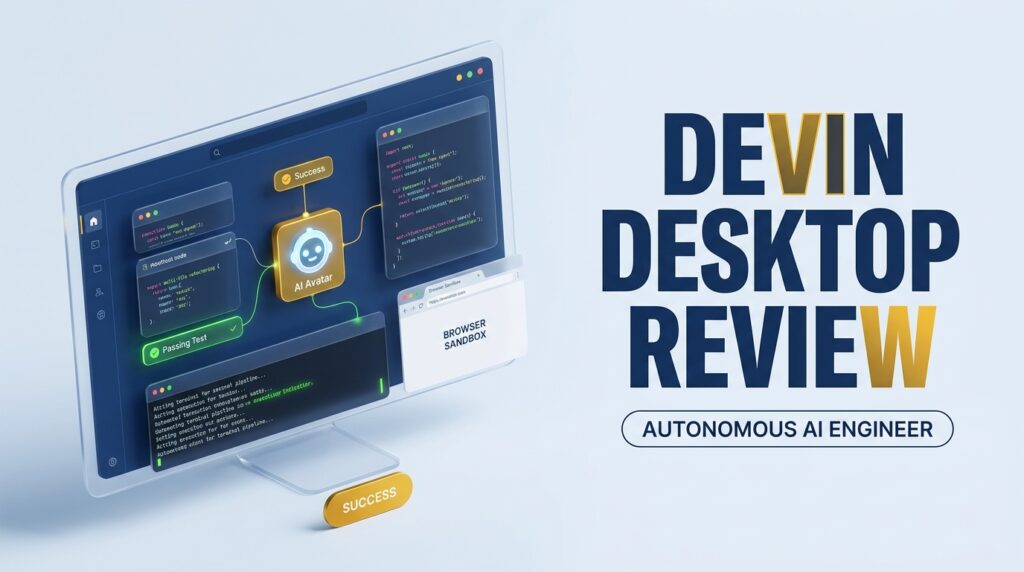
Traditional IDE copilots assist you while you sit directly in the driver’s seat. In contrast, Devin Desktop is designed to take high-level instructions, step into the workspace, and work asynchronously on your behalf. Built by Cognition AI, Devin Desktop transitions the platform from a cloud-hosted web interface into a dedicated desktop environment with direct terminal execution, local worktree sync, and integrated browser controls.
While the promise of an autonomous “synthetic software engineer” is compelling, adopting Devin Desktop introduces new trade-offs that engineering leads and developers must carefully evaluate. High consumption-based pricing via Agent Compute Units (ACUs), potential credit depletion during infinite debugging loops, and security considerations around agentic terminal access mean that Devin Desktop is not a simple plug-and-play upgrade for every team.
This review provides a technical, evidence-based assessment of Devin Desktop’s architecture, practical capabilities, pricing model, security boundary controls, and competitive standing against tools like Cursor, Claude Code, and Aider.
⚡ Quick Verdict & Decision Matrix
| Evaluation Dimension | Summary Details |
|---|---|
| Best For | Enterprise engineering teams, CTOs, and technical leads seeking to delegate asynchronous background tasks (e.g., routine bug fixes, dependency upgrades, unit test coverage, database migrations). |
| Key Strengths | True autonomous execution; native desktop integration with sandboxed shell access, multi-file refactoring, and embedded browser testing. |
| Primary Drawback | Consumption-based ACU pricing can scale unpredictably during complex, non-deterministic agent loops. |
| Security & Privacy | Requires strict sandboxing policies, environment permission boundaries, and audit logging for enterprise deployment. |
| Current Pricing Model | Metered Agent Compute Units (ACUs) paired with enterprise platform tiers. |
| Core Recommendation | Adopt Devin Desktop if your workflow benefits from async, hands-off task execution and your organization has budget for metered compute. Opt for Cursor or Claude Code if you prefer tight developer-in-the-loop control and fixed-rate pricing. |
What Is Devin Desktop? (Architecture & Agentic Paradigm)
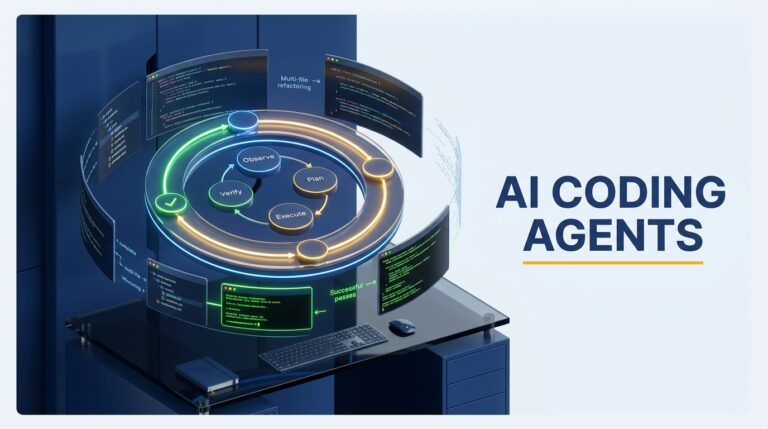
Understanding Devin Desktop requires defining its place within the broader evolution of the AI coding agents ecosystem. While traditional software development tools rely on developer-driven inputs, Devin Desktop operates as an autonomous agent capable of reasoning through software development tasks with minimal human intervention. Developed by Cognition AI, Devin Desktop transitions the underlying Devin architecture from a purely web-hosted cloud sandboxed environment into a dedicated desktop application engineered for enterprise developer workflows.
Instead of acting solely as an interactive pair-programmer, Devin Desktop functions as a synthetic software engineer. It is capable of receiving a high-level task specification—such as a Jira ticket, a GitHub issue, or a natural language feature request—and independently decomposing that task into executable sub-goals, modifying files across codebases, executing terminal commands, evaluating code output, and iterating until the goal is achieved.
From IDE Copilots to Autonomous Desktop Agents
The developer tooling landscape has historically been dominated by traditional AI code assistants designed around real-time code completion and in-editor chat interfaces. Tools operating within this paradigm act as passive assistants: they suggest line completions, auto-fill boilerplate code, or answer localized code queries while the developer manages context, controls execution, and drives the software development lifecycle (SDLC).
+-----------------------------------------------------------------------------------+
|                            IDE Copilot Paradigm                                   |
| Developer ---> Prompt/Code ---> IDE Assistant ---> Inline Suggestion ---> Accept  |
+-----------------------------------------------------------------------------------+
                                          VS
+-----------------------------------------------------------------------------------+
|                        Autonomous Desktop Agent Paradigm                          |
| Developer ---> Task/Goal ---> Devin Desktop ---> [Plan -> Execute -> Test -> Fix] |
|                                                                    |              |
|                                                                    v              |
|                                                             Pull Request          |
+-----------------------------------------------------------------------------------+
Devin Desktop breaks away from this inline interactive loop. By moving into the autonomous agent framework, it assumes primary control over the task lifecycle:
- Goal Decomposition: Breaks complex requirements into structured, sequential execution steps.
- Stateful Execution: Maintains long-horizon memory and internal context across multi-step technical workflows.
- Self-Correction Loops: Detects compiler errors, runtime exceptions, or failing unit tests, continuously refining code until requirements are met.
Native OS, Terminal, and Browser Integration
To perform end-to-end software engineering tasks without constant developer intervention, Devin Desktop integrates directly with OS-level primitives. Unlike web-only interfaces that operate in isolated cloud virtual machines with restricted connectivity, Devin Desktop bridges cloud compute power with local worktree visibility and environment interaction.
Key architectural pillars of the Devin Desktop environment include:
- Sandboxed Shell Access: Devin Desktop executes shell commands within controlled terminal instances. It can trigger build scripts, install dependencies, run database migrations, and inspect runtime process logs autonomously.
- Integrated Browser Automation: The agent includes built-in browser automation tools to load local application builds, interact with web-based UIs, inspect DOM elements, verify frontend changes, and reference online documentation.
- Local Worktree Synchronization: Devin Desktop syncs with local repositories and git configurations, allowing it to modify codebases, create feature branches, run test suites against local configurations, and submit pull requests directly to repository hosts.
Core Capabilities: How Devin Desktop Handles End-to-End Tasks
Evaluating Devin Desktop in practice requires looking beyond broad agentic claims and examining how it processes multi-step software tasks. Unlike autocomplete utilities that generate snippets in real time, Devin Desktop operates asynchronously over extended time horizons. When assigned a task, the agent constructs an internal execution plan, executes actions through system interfaces, evaluates system output, and adjusts its approach based on runtime feedback.
Measuring these capabilities against industry standard AI coding assistant benchmarks—such as SWE-bench—highlights the distinct architectural differences between interactive assistants and autonomous agents. Devin Desktop excels in scenarios where a task spans multiple files, requires shell command execution, or involves debugging through trial and error.
Autonomous Shell Execution and Worktree Control
The cornerstone of Devin Desktop’s autonomy is its ability to interact directly with command-line environments. Rather than asking developers to copy and paste terminal scripts, the agent autonomously invokes shell commands inside its designated workspace.
Key terminal and worktree execution patterns include:
- Environment Setup & Dependency Management: Automatically detecting project build systems (
npm,pip,cargo,gradle), installing missing dependencies, and resolving version conflicts without manual intervention. - Git Workflow Execution: Managing localized git worktrees, creating feature branches, staging individual file diffs, writing detailed commit messages, and pushing upstream pull requests.
- Automated Test Suite Execution: Running unit and integration tests, capturing failure stack traces, and parsing terminal outputs to isolate failing lines of code across complex codebases.
Embedded Browser Debugging and Visual Verification
A major differentiator of Devin Desktop is its native browser automation engine. Many frontend and full-stack software bugs cannot be resolved through code analysis alone; they require visual inspection and client-side testing.
+-----------------------------------------------------------------------------------+
|                        Devin Desktop Browser Feedback Loop                        |
|                                                                                   |
|  [Code Fix Applied] ---> [Trigger Local Dev Server] ---> [Launch Embedded Browser] |
|                                                                    |              |
|                                                                    v              |
|  [PR Submission] <--- [Passes UI Assertion] <--- [Inspect DOM / Console Logs]    |
+-----------------------------------------------------------------------------------+
Devin Desktop launches and controls an embedded headless/headed browser instance to interact with applications just as a human developer would. The agent can:
- Navigate to local localhost ports or staging deployment URLs.
- Interact with UI elements by clicking buttons, filling out forms, and executing user flows.
- Inspect client-side browser console logs, network payloads, and DOM trees to diagnose frontend regressions.
- Capture visual screenshots to confirm layout rendering before finalizing a task.
Multi-File Refactoring and Dependency Management
Modern codebases rarely allow isolated file edits. A simple API endpoint modification often requires updating database schemas, adjusting service layers, modifying type definitions, and updating unit tests across dozens of files.
Devin Desktop handles codebase navigation by indexing repository structures and utilizing semantic search to map out dependency graphs. During large-scale refactoring tasks, the agent tracks cross-file references, applies structural edits across dependent modules, and runs local linter rules to maintain code formatting standards. If a refactoring edit breaks downstream components, Devin Desktop’s self-correction loop catches the compiler error, reverts unviable edits, and iterates until the entire workspace compiles cleanly.
Pricing Structure & ACU Economics: Understanding the Cost
Evaluating Devin Desktop requires a clear understanding of its cost structure compared to standard developer tooling. While traditional IDE assistants rely on fixed, flat-rate monthly subscriptions, Cognition AI utilizes a consumption-based pricing model built around Agent Compute Units (ACUs).
To make an informed purchasing decision, engineering leads and CTOs must evaluate how ACU consumption scales across task types, evaluate budget risks against broader AI coding assistant pricing models, and assess team seat procurement for enterprise AI coding solutions.
What Are ACUs and How Are They Consumed?
An Agent Compute Unit (ACU) is Cognition AI's unit of measure for quantifying the compute resources Devin consumes while executing tasks. Unlike static API token billing, ACU consumption factors in total agent uptime, model inference processing, terminal execution cycles, background web browsing, and environment container virtualization.
- Simple Tasks (Quick Edits & Single-File Fixes): Tasks that resolve rapidly with minimal terminal interaction consume fewer ACUs per execution.
- Complex Tasks (Multi-File Refactoring & Full Builds): Tasks requiring extensive codebase indexing, multiple test suite executions, or embedded browser debugging burn ACUs at an accelerated rate.
- Idle vs. Active Time: ACU billing measures active agent reasoning and tool usage, making efficient task framing essential for controlling expenditure.
The Financial Risk of Infinite Debugging Loops
The primary financial challenge of adopting an autonomous agent like Devin Desktop is managing budget volatility caused by autonomous failure loops. When a developer assigns a complex or ambiguous bug to Devin, the agent enters an iterative loop: edit code, run build script, read error stack trace, attempt new fix.
+-----------------------------------------------------------------------------------+
|                        The ACU Debt Loop Vulnerability                            |
|                                                                                   |
|  [Task Assigned] ---> [Apply Code Fix] ---> [Run Build/Test Suite]               |
|                                                      |                            |
|                                                      v                            |
|  [ACU Burn Accumulation] <--- [Error Persists] <--- [Test Fails / Stack Trace]   |
|            |                                                                      |
|            v                                                                      |
|  [Autonomous Loop Continues Without Human Intervention]                          |
+-----------------------------------------------------------------------------------+
If the agent gets stuck in a non-deterministic loop—attempting incompatible fixes or struggling with bad local environment dependencies—it continues to burn ACUs until it reaches a user-configured spending cap or human intervention occurs. Setting strict budget limits per task and defining early timeout rules are critical practices for maintaining predictable expenditures.
ROI Analysis: Solo Developers vs. Enterprise Teams
The financial ROI of Devin Desktop differs significantly depending on organizational scale:
- Solo Developers & Freelancers: For individual developers operating on tight margins, consumption-based ACU pricing often poses a higher financial risk compared to flat-rate alternatives. A few stuck debugging loops can quickly exceed the monthly cost of traditional copilot subscriptions.
- Enterprise Engineering Teams: For enterprise teams, the financial calculus shifts. If Devin Desktop successfully resolves routine maintenance, upgrades legacy dependencies, or triages Jira backlog tickets asynchronously, the ACU cost is easily offset by freeing senior developers to focus on higher-value core architecture.
Security, Privacy, and Local Sandboxing
Granting an autonomous software agent local terminal access and worktree permissions introduces direct security and privacy considerations. Unlike interactive code assistants that only suggest text inside an editor, Devin Desktop actively reads local environments, runs system processes, and manages git branches.
Evaluating Devin Desktop for enterprise development requires analyzing its sandboxing capabilities, environment permission controls, data privacy models, and prompt injection vulnerabilities. Organizations considering strict offline protection or air-gapped environments often compare these controls against dedicated local AI coding assistants or open-source AI coding alternatives.
Environment Sandboxing and Permission Controls
Devin Desktop operates with elevated environment privileges to run terminal scripts, install packages, and trigger local build processes. To minimize system disruption, Cognition AI implements sandboxing layers designed to isolate agent actions from the host OS.
+-----------------------------------------------------------------------------------+
|                        Devin Desktop Security Boundaries                          |
|                                                                                   |
|  [Devin Agent Core] ---> [Permission Guardrails] ---> [Sandboxed Terminal / OS]  |
|                                                               |                   |
|                                                               v                   |
|  [Audit Logging / Telemetry] <--- [Action Approvals] <--- [Local Worktree Scope]  |
+-----------------------------------------------------------------------------------+
Key sandbox and boundary mechanisms include:
- Terminal Permission Scoping: Configurable shell access rules that require human confirmation for destructive system commands (e.g.,
rm -rf, modifying root system directories, or pushing directly to main git branches). - Virtual Container Isolation: Desktop virtual machine environments isolate agent dependencies, preventing background script conflicts from corrupting local system paths.
- Indirect Prompt Injection Defenses: Safeguards designed to detect untrusted code comments, compromised dependencies, or malicious web scripts that attempt to hijack agent reasoning during autonomous debugging.
Proprietary Code Privacy and Cloud Telemetry
For enterprise security teams, code privacy and data handling models are critical evaluation criteria. Because Devin Desktop relies on cloud-hosted inference models to process reasoning loops, code snippets, context windows, and execution traces communicate with external endpoints.
Key privacy and compliance considerations include:
- Code Retention Policies: Enterprise tiers provide strict zero-data-retention (ZDR) guarantees, ensuring proprietary code and prompts are not used to train base AI models. Individual tiers may retain telemetry for quality assurance, making commercial addendums necessary for sensitive repositories.
- Credential Management & Secret Leakage: Autonomous agents often parse
.envfiles and build variables. Security best practices dictate scoping credentials to short-lived, read-only staging tokens rather than exposing production environment secrets. - Comprehensive Audit Logging: Enterprise deployment provides centralized dashboard logging, allowing security engineers to review session histories, executed terminal commands, file diffs, and network egress calls.
Real-World Use Cases & Backend Integration
While benchmarking synthetic capabilities provides a baseline, evaluating Devin Desktop’s true business value requires testing it against real-world engineering workflows. Autonomous AI agents deliver the highest return on investment when deployed for time-consuming, deterministic maintenance tasks or complex backend refactoring that can run asynchronously.
By connecting Devin Desktop to specialized tools—such as an AI Coding Assistant for SQL—engineering teams can offload complex data management tasks without taking senior developers away from primary product roadmaps.
Async Bug Fixing and Regression Testing
One of the most practical applications for Devin Desktop is handling background maintenance and resolving non-critical bug reports. Rather than context-switching a developer to investigate an incoming issue, the workflow can be fully automated:
- Ticket Ingestion: A developer assigns a Jira ticket or GitHub issue directly to Devin Desktop.
- Reproduction: Devin Desktop reads the issue description, sets up a local feature branch, and triggers reproduction scripts to confirm the bug in a sandboxed environment.
- Resolution & Verification: The agent locates the failing code path, applies the necessary fix, and executes local regression test suites to ensure no downstream breaking changes were introduced.
- Pull Request Submission: Once all tests pass, Devin Desktop commits the changes and opens a detailed pull request for human review.
+-----------------------------------------------------------------------------------+
|                        Async Issue Resolution Pipeline                            |
|                                                                                   |
|  [Jira/GitHub Ticket] ---> [Devin Ingestion] ---> [Replicate Bug in Sandbox]     |
|                                                                  |                |
|                                                                  v                |
|  [Submit PR for Review] <--- [Pass Test Suite] <--- [Apply Code Fix & Refactor]   |
+-----------------------------------------------------------------------------------+
Database Schema Migrations and SQL Optimization
Backend development frequently involves updating database access layers, modifying relational schemas, and tuning query execution performance. When performing backend refactoring, developers can leverage proven strategies for optimizing SQL queries with AI to ensure generated queries remain performant at scale.
Devin Desktop assists backend engineering workflows through:
- Schema Migration Execution: Writing structural SQL migration files, modifying ORM model interfaces, and testing migration rollbacks against local test database containers.
- Query Refactoring: Scanning legacy database access code, identifying N+1 query patterns or unindexed lookups, and updating queries to improve execution efficiency.
- Database Risk Management: While Devin Desktop automates schema adjustments, engineering leads must evaluate the risks of AI-generated backend code to prevent unvetted data migrations from causing schema locks or query degradation in production environments.
Devin Desktop vs. The Market: How It Compares
To evaluate Devin Desktop accurately, engineering teams must view it within the broader landscape of modern AI development tools. The AI-assisted coding market has split into distinct execution paradigms: autonomous background agents, interactive agentic IDEs, and inline autocomplete copilots.
Choosing the right platform depends on your team's preference for direct developer control versus autonomous delegation, as well as cost structure and environment management.
+-----------------------------------------------------------------------------------+
|                        AI Coding Tools Paradigm Spectrum                          |
|                                                                                   |
|  [Autocomplete Copilots]  --->  [Interactive AI IDEs]  --->  [Autonomous Agents]  |
|  (GitHub Copilot)               (Cursor)                     (Devin Desktop /     |
|                                                               Claude Code)        |
|  * Inline suggestions           * Developer in loop          * Async execution    |
|  * Low latency                  * File-level context         * Full shell access  |
+-----------------------------------------------------------------------------------+
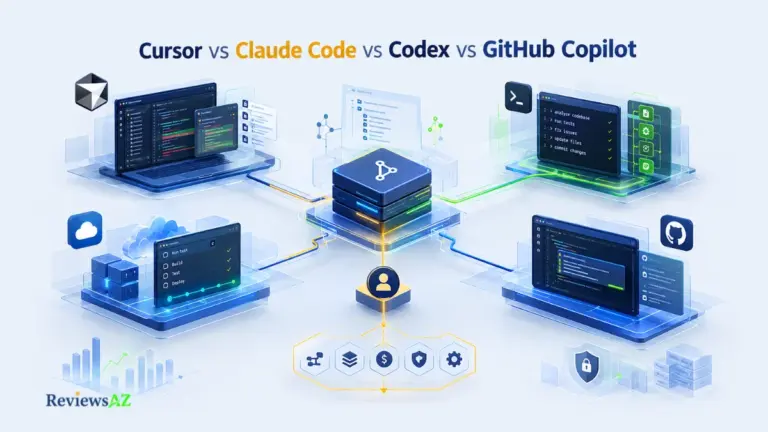
Devin Desktop vs. Claude Code (CLI Agent Paradigm)
Claude Code—Anthropic’s terminal-native coding agent—and Devin Desktop both operate within the autonomous agent category, but they serve different operational preferences.
- Interface & Environment: Claude Code operates directly inside the developer's existing terminal shell, prioritizing lightweight, command-line speed. Devin Desktop provides a full graphical workspace with dedicated browser windows, file tree visualizations, and visual debugging suite integrations.
- Execution Scope: While Claude Code detailed review excels at terminal-driven tasks and rapid multi-file terminal refactoring, Devin Desktop offers broader OS-level automation, including embedded browser interactions and visual UI state verification.
- Cost & Usage Model: Claude Code uses direct token-based API billing, whereas Devin Desktop uses Agent Compute Unit (ACU) metered plans combined with daily/weekly session allocations.
Devin Desktop vs. Cursor & Windsurf (IDE Extension Paradigm)
Tools like Cursor AI review represent the interactive, human-in-the-loop paradigm. Built as custom VS Code forks, these IDEs embed agentic capabilities directly into the editor interface.
| Feature / Dimension | Devin Desktop | Cursor |
|---|---|---|
| Primary Workflow | Asynchronous delegation (assign task, review PR) | Synchronous pair-programming (edit, inspect, accept) |
| User Control | Agent plans and executes steps independently | Developer inspects and approves changes step-by-step |
| System Access | Full sandboxed shell and browser environment | Editor-bound terminal invocation and file context |
| Pricing Predictability | Variable consumption-based ACUs & quotas | Tiered seat pricing with predictable model allowances |
Developers seeking a broader ecosystem analysis can review our comprehensive AI coding comparison.
Devin Desktop vs. GitHub Copilot (Autocomplete Paradigm)
Comparing Devin Desktop to GitHub Copilot evaluation highlights the baseline difference between an autonomous agent and an inline syntax completion tool.
GitHub Copilot acts as an inline assistant, suggesting individual lines or code blocks in response to developer typing patterns. It does not run terminal commands, execute unit tests, or manage multi-step debugging workflows independently. Devin Desktop is designed for task delegation rather than line-by-line code completion.
Top Alternatives to Devin Desktop
While Devin Desktop offers a dedicated desktop environment for autonomous AI software engineering, alternative options exist across open-source communities and specialized developer tools. Teams evaluating Devin Desktop often weigh its managed infrastructure against open-source CLI frameworks, editor extensions, and cost-effective alternatives.
Depending on whether your team prioritizes open-source transparency, fixed-rate monthly plans, or complete local privacy, exploring the broader landscape of top Cursor alternatives or free AI coding tools can help identify the best fit for your stack.
+-----------------------------------------------------------------------------------+
|                        Devin Desktop Alternatives Map                             |
|                                                                                   |
|  [Open-Source & CLI Control]        [Budget & Fixed-Rate]        [Privacy & Local]    |
|  * Aider (Terminal CLI)             * Cursor ($20/mo)            * Ollama + Local LLM |
|  * Cline (VS Code Agent)            * GitHub Copilot ($10/mo)    * Private Sandboxes  |
+-----------------------------------------------------------------------------------+
Best for Open-Source & CLI Control: Aider & Cline
For developers seeking transparent, model-agnostic tooling without vendor lock-in, open-source agents provide strong alternatives to proprietary desktop platforms:
- Aider (CLI-Native Agent): Aider is a command-line AI pair programmer that integrates directly with Git repositories. It automatically commits code changes with clear commit messages and executes terminal commands inside your workspace. Developers interested in terminal-driven workflows can read our Aider CLI agent review to evaluate its Git-native architecture.
- Cline (VS Code Agentic Extension): Cline converts Visual Studio Code into an autonomous coding environment. It reads files, executes shell commands, inspects browser consoles, and manages multi-file edits with human-in-the-loop approval prompts. Check out our Cline autonomous extension review for a deep dive into its Model Context Protocol (MCP) and multi-model flexibility.
Best for Budget-Conscious Teams: Free & Fixed-Rate Alternatives
When metered Agent Compute Unit (ACU) billing introduces cost predictability risks, fixed-rate monthly subscriptions offer a controlled financial framework:
- Flat-Rate IDE Assistants: Tools like Cursor and Windsurf provide agentic editing, file context indexing, and terminal execution for a flat $20/month subscription, avoiding consumption-based cost spikes.
- Bring-Your-Own-Key (BYOK) Models: Using open-source extensions like Cline or Aider with direct model API keys allows teams to pay raw provider rates (e.g., Anthropic or OpenAI API pricing) without markup.
- Local & Self-Hosted Stack: Teams working under strict compliance or offline constraints can pair local open-source models (via Ollama or vLLM) with Aider or Cline for fully air-gapped, zero-cost execution.
Who Should (and Should Not) Use Devin Desktop?
Selecting the right development tool requires evaluating team size, engineering maturity, workflow priorities, and compute budget. Because Devin Desktop operates on an autonomous model rather than an interactive autocomplete model, its value depends on how well an organization can delegate and sandbox asynchronous background tasks.
+-----------------------------------------------------------------------------------+
|                        Devin Desktop Decision Framework                           |
|                                                                                   |
|  [Enterprise Teams & Technical Leads]  <--->  [Solo Developers & Low Budgets]     |
|  * Asynchronous backlog execution             * High financial risk from loops    |
|  * Dedicated ACU compute budget               * Prefer interactive control        |
|  * Clear test suites & specs                  * Flat-rate models offer better ROI |
+-----------------------------------------------------------------------------------+
Ideal Profiles: Who Thrives with Devin Desktop
Devin Desktop delivers its highest return on investment for organizations that have structured workflows and dedicated compute allocations:
- Enterprise Engineering Teams & CTOs: Organizations with large Jira backlogs, well-documented codebases, and comprehensive integration test suites. Devin Desktop acts as a synthetic team member, handling routine maintenance, dependency updates, and unit test expansion asynchronously.
- DevOps & Infrastructure Engineers: Teams managing multi-step environment setups, container build configurations, and cross-repository migrations. Devin's ability to execute shell scripts and verify environment builds independently saves technical leads hours of manual execution time.
- Asynchronous Engineering Workflows: Teams that prefer assigning ticket specifications for background execution while senior engineers focus on primary architectural features.
Poor Fit: Who Should Avoid Devin Desktop
Conversely, Devin Desktop is often poorly suited for teams requiring strict budget predictability or real-time interactive pair programming:
- Solo Developers & Bootstrapped Startups: Individual developers working with limited capital face financial risks from metered Agent Compute Unit (ACU) billing models. A single non-deterministic debugging loop can consume budget without delivering a complete fix.
- Developers Seeking Low-Latency Autocomplete: Engineers who prefer real-time syntax suggestions inside their editor should opt for interactive tools like Cursor or GitHub Copilot rather than an asynchronous agent framework.
- Strictly Offline or Air-Gapped Workspaces: Because Devin Desktop relies on cloud-hosted inference pipelines, organizations requiring 100% offline local model execution should evaluate dedicated local AI coding assistants instead.
- Repositories Lacking Test Suites or Specs: Autonomous agents rely on existing tests and clear criteria to verify their work. In ambiguous environments without unit tests, Devin Desktop can make incorrect assumptions or generate unvetted code changes.
Before delegating backend schema modifications or query refactoring, engineering leads should review the risks of AI-generated backend code to establish proper review guardrails.
Frequently Asked Questions (FAQ)
What is Devin Desktop?
Devin Desktop is a dedicated application developed by Cognition AI that serves as an autonomous AI software engineer. Unlike traditional IDE autocomplete plugins, Devin Desktop operates with full environment context, capable of executing terminal commands, navigating complex multi-file codebases, using embedded browser testing, and fixing bugs independently.
How does Devin Desktop differ from Cursor and GitHub Copilot?
GitHub Copilot and Cursor are interactive assistants designed to work with a developer in real time via autocomplete, inline edits, and chat inside an editor. Devin Desktop is an autonomous agent designed to work for a developer, taking high-level prompt specifications or Jira tickets and executing multi-file tasks asynchronously in the background.
What are Agent Compute Units (ACUs) in Devin AI?
Agent Compute Units (ACUs) are Cognition AI’s metered billing metric used to quantify the computational resources Devin consumes while executing tasks. Roughly equivalent to 15 minutes of autonomous engineering work, ACUs burn continuously as Devin runs terminal commands, analyzes repository dependencies, executes test suites, or attempts self-debugging loops.
Is Devin Desktop safe to use on proprietary enterprise codebases?
Devin Desktop employs sandboxed execution environments and configurable permission boundaries for shell and filesystem access. However, enterprise teams must implement strict environment guardrails, zero-data-retention (ZDR) privacy agreements, and credential scoping to prevent unvetted system changes, secret exposure, or runaway terminal commands.
Can Devin Desktop run terminal commands locally?
Yes, Devin Desktop integrates directly with your system shell and local worktree. This enables the agent to run local build scripts, execute unit/integration test suites, manage git branches, inspect runtime process logs, and apply local file edits within controlled boundaries.
How does Devin Desktop compare to Claude Code?
Both Devin Desktop and Claude Code operate as autonomous agents capable of terminal execution. However, Claude Code is a lightweight, CLI-native tool optimized for fast, command-line-driven developer iteration, whereas Devin Desktop provides a full graphical workspace equipped with interactive browser automation, visual inspection tools, and multi-agent task execution.
Is Devin Desktop worth the price for individual developers?
For solo developers or freelancers, Devin Desktop’s metered ACU pricing model introduces financial volatility compared to $20/month flat-rate tools like Cursor or GitHub Copilot. It delivers the highest return on investment for enterprise engineering teams and technical leads needing to delegate routine maintenance and asynchronous issue triage.
Final Verdict: Is Devin Desktop Worth It?
Devin Desktop by Cognition AI marks a clear shift from inline IDE copilots to fully autonomous, OS-level AI software engineers. By providing a dedicated workspace complete with local worktree synchronization, sandboxed terminal access, and embedded browser automation, it successfully executes asynchronous, multi-file engineering tasks that go beyond simple code autocompletion.
+-----------------------------------------------------------------------------------+
|                           Final Adoption Scorecard                                |
|                                                                                   |
|  Criteria                       Rating            Verdict                         |
|  -------------------------------------------------------------------------------  |
|  Autonomous Execution           ★★★★★ (5/5)       Best-in-class OS automation    |
|  Developer Worktree Control     ★★★★☆ (4/5)       Strong local branch & shell     |
|  Cost Predictability            ★★☆☆☆ (2/5)       Metered usage risk / ACUs       |
|  Enterprise Security            ★★★☆☆ (3/5)       Requires active guardrails      |
|  Overall Value (Enterprise)     ★★★★☆ (4/5)       High ROI for async backlogs     |
|  Overall Value (Solo Devs)      ★★☆☆☆ (2/5)       Expensive compared to IDEs     |
+-----------------------------------------------------------------------------------+
The Strategic Recommendation
- For Enterprise Teams & Engineering Leads: Yes, Devin Desktop is worth adopting. If your engineering organization has structured ticket backlogs, comprehensive unit test suites, and dedicated compute budgets, Devin Desktop functions as a productive synthetic junior developer. It generates strong ROI when delegated routine maintenance, dependency updates, regression test expansion, and isolated bug fixes.
- For Individual Developers & Freelancers: No, stick with flat-rate or CLI tools for now. The metered Agent Compute Unit (ACU) cost model can lead to unpredictable monthly bills if the agent gets caught in debugging loops. Tools like Cursor, Claude Code, Aider, or Cline deliver higher value, tight human-in-the-loop control, and predictable subscription costs.
Devin Desktop delivers on the promise of autonomous execution. However, harnessing its potential requires clear task scoping, aggressive budget caps, and thorough pull-request reviews to ensure high code quality across your repositories.