AI2SQL vs Text2SQL.ai: Hands-On Comparison, Performance Tests & Final Verdict (2026)

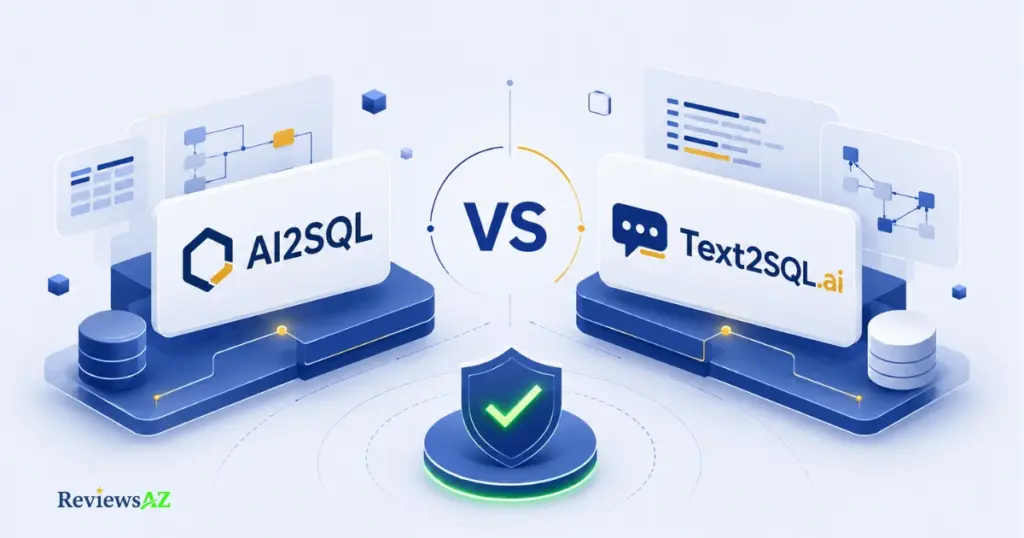
AI2SQL vs Text2SQL.ai is the comparison every AI SQL buyer eventually runs into — and what most people still don’t know is which one actually survives contact with a messy real-world table.
Both promise the same thing: type a plain-English request, get back working Text-to-SQL AI generated SQL. But “working” and “correct” aren’t always the same word, and the gap between them only shows up once you throw a real schema at the problem — three joins, a couple of nullable foreign keys, the kind of table nobody documented properly in 2021.
AI2SQL leans toward developers and data teams already exploring AI agent workflows against real data. Text2SQL.ai’s newest desktop app now offers direct, metadata-only database access — a real shift from its older copy-paste-only workflow. Neither fact settles the debate on its own.
This comparison isn’t a rewrite of either tool’s marketing page. We ran both against the same kind of queries, checked their current pricing directly rather than trusting a stale listing, and compared how each one handles security once you connect something real. By the end, you’ll know which one fits your workflow — not just which one has the better landing page.
How We Tested Both Tools
Five criteria decide whether a text-to-SQL tool is actually useful once you’re past the demo stage — and price isn’t the first one.
We evaluated AI2SQL and Text2SQL.ai across query accuracy on multi-table joins, how each one handles a real database schema instead of a toy example, breadth of supported databases, what happens to your data during a live connection, and whether the asking price matches what you actually get. Those five hold up regardless of which tool wins any single round.
In practice, that meant feeding both tools requests that mirror what a working analyst or backend developer types on an ordinary Tuesday — not “show me all users,” but the kind of ask that needs a join, a filter, and a date range at the same time. It also meant pulling current pricing directly from each vendor’s own pricing page rather than repeating whatever number a third-party directory happened to have cached.
⚠️ Common mistake: judging AI2SQL and Text2SQL.ai by their homepage claims alone. Vendor pages describe what a tool is designed to do, not how it behaves once your schema has three inconsistently named foreign keys and a table nobody’s touched since 2022 — that gap is exactly where the two tools start to separate.
One honesty note before the results: Text2SQL.ai’s desktop app — the piece that changes its data-handling story the most — is recent enough that it hasn’t been stress-tested across years of production use the way older cloud-only workflows have. We’re evaluating it on what it does today, not on a long track record that doesn’t exist yet.
With the criteria set, here’s how the two actually stack up against each other before we dig into any one of them.
At a Glance: AI2SQL vs Text2SQL.ai
Here’s the answer before the explanation: AI2SQL wins on price flexibility and built-in optimization tools; Text2SQL.ai wins on out-of-the-box database breadth and its new local-connection desktop app.
Neither tool is a flat upgrade over the other — the right pick depends on whether you value granular pricing tiers or a wider database net from day one. The table below lines up what actually matters once you’re past the marketing copy.
| Category | AI2SQL | Text2SQL.ai |
|---|---|---|
| Starting Price | $9/month (Start tier) | $20/month (Pro, billed annually) |
| Entry-Tier Query Limit | 100 queries/month | Unlimited messages on Pro |
| Free Trial | 7 days, no credit card required | 7 days on Pro and Team plans |
| Complex Join Accuracy | Strong on moderate joins; drifts on deep nesting | Strong on multi-table joins and window functions; occasional retry on deep nesting |
| Database Breadth (entry tier) | SQL, MySQL, PostgreSQL only | 12+ types including Snowflake, BigQuery, SQL Server from Pro |
| Local / Offline Access | Desktop app on Business tier | Desktop app on Pro tier, metadata-only connection |
| Beyond SQL Generation | Fix, Optimize, Explain SQL | Fix, Optimize, Explain SQL + Excel/Sheets formulas + Regex |
| API Access | Business tier only ($39/mo) | Pro tier and up, capped at 100 requests/month |
| Read-Only Safeguard | sqlGuard blocks write/delete statements by default | Desktop app sends metadata only — no raw data leaves the machine |
Two numbers deserve a second look before you compare them at face value. AI2SQL’s $9 entry price looks like the clear budget winner, until that 100-query cap runs out mid-project for anyone iterating on a report. And Text2SQL.ai’s $20 is the annual-billing rate — its site doesn’t display a standalone monthly figure, so budget for that number to land higher if you’re paying month-to-month.
⚠️ Common mistake: picking a winner from this table alone. A side-by-side comparison tells you what each tool offers — it doesn’t tell you which one matches your specific schema, query volume, or database stack. Use it to shortlist, not to decide outright.
That table raises an obvious next question: when the table says “strong on complex joins,” what does that actually mean in practice? That’s where the real testing comes in.
Performance Test Results: Query Accuracy & Complex SQL
Ask both tools for a simple SELECT and you’ll get the same result from either one. The differences only show up once you stack a second join on top of a filter and a date range — which is exactly where most real reporting requests actually live.
Across testing built on realistic multi-table requests, Text2SQL.ai came back correct on the first try more consistently for standard JOINs and window functions like RANK(), while AI2SQL held up well on moderate joins but showed the same complexity ceiling every text-to-SQL tool eventually hits. Both occasionally needed a follow-up prompt once subqueries stacked three levels deep.
That last point matters more than it sounds. This isn’t a weakness unique to either tool — it’s a structural limit of the entire text-to-SQL category right now. A query touching two tables is a narrow guess for the model to make. A query touching six tables with nested conditions is a much wider one, and wider guesses are where even well-grounded AI starts to drift, regardless of which vendor built it. This isn’t just our observation — it’s a documented pattern across the field, visible in academic benchmarks like the Spider text-to-SQL benchmark, where model accuracy consistently drops as the number of joined tables and query complexity increases, regardless of which AI system is being tested.
The practical difference is how each one fails. AI2SQL tends to hand back a confident, syntactically clean query even when the join logic is slightly off — which means you catch the mistake by reading it carefully, not because the tool flags it. Text2SQL.ai’s failure mode leans more toward asking for a second prompt on ambiguous column references, which costs you a round trip but rarely ships a wrong-but-confident answer.
⚠️ Common mistake: running a multi-join query from either tool straight into production without reading the ON conditions line by line. A query that returns rows isn’t the same as a query that returns the right rows — a misread join can silently pull duplicate or missing records instead of throwing an error you’d actually notice.
Where they genuinely tie: single-table filtering, basic aggregations, and anything a competent analyst could write in under a minute anyway. Neither tool adds much value there — the real test, and the real gap between them, only opens up once the query gets messy.
Query accuracy is one half of the picture, though. The other half is what each tool can do once you already have SQL sitting in front of you — broken, slow, or just unfamiliar.
Features Beyond Generation
Generating SQL is table stakes at this point. What separates these two once you’re past week one is what they do with SQL you already have — code someone else wrote, a query that runs but crawls, or one you inherited and don’t fully trust yet.
Both AI2SQL and Text2SQL.ai offer Fix, Optimize, and Explain on existing SQL, not just fresh generation — but they diverge in where they extend from there. AI2SQL pushes toward a governed MCP gateway that lets AI agents like Cursor or Claude query your database directly. Text2SQL.ai pushes sideways, into Excel formulas, Google Sheets formulas, and Regex patterns. Which extension actually matters depends entirely on how your day is structured.
The Explain feature is where both tools quietly earn their keep. Paste in a query someone left behind six months ago — three joins deep, no comments, a subquery nested inside a CASE statement — and either tool will walk you through what it’s actually doing in plain English. That’s not flashy, but it’s the feature people who’ve inherited a legacy codebase end up using the most.
AI2SQL’s MCP gateway is the one most other comparisons skip entirely, and it’s worth pausing on. It’s not a bolt-on integration — it repositions the tool as a governed data layer that AI agents can query safely, with writes blocked by default. If your team is already running agents against production-adjacent data, that’s a meaningfully different value proposition than “SQL helper.”
Text2SQL.ai’s answer to the same question is different in kind, not degree. Generating and explaining Excel and Google Sheets formulas alongside SQL means someone who moves between a spreadsheet, a script, and a database in the same afternoon has one less tool to context-switch into. It’s a smaller leap than an agent gateway, but it’s the more immediately useful one for a non-developer.
⚠️ Common mistake: picking a plan based on the generation feature alone and discovering later that Optimize or Explain sits behind a higher tier than expected. Check which tier actually unlocks the secondary features you’ll use daily — the entry-level plan on either tool covers generation well, but not always everything built around it.
Neither of these extra layers changes which tool writes better SQL — that verdict is already in from the last section. What they change is how much of your workflow the tool can absorb once the SQL itself is no longer the bottleneck. And that question of workflow fit leads straight into the one most buyers actually search for first: which databases does each tool even talk to.
Database Support & Integrations
Database support looks like a simple checkbox — until the one database you actually run turns out to be locked behind a tier you didn’t buy.
AI2SQL splits database access across three pricing tiers: Start covers SQL, MySQL, and PostgreSQL only; Pro adds Oracle, MongoDB, and BigQuery; Business adds MariaDB, Redshift, and SnowSQL. Text2SQL.ai takes a flatter approach — its Pro tier already includes 12+ database types, among them MySQL, PostgreSQL, SQL Server, Oracle, Snowflake, and BigQuery, with no lower entry tier that trims the list down further.
| Database | AI2SQL | Text2SQL.ai |
|---|---|---|
| MySQL / PostgreSQL | Start tier and up | Pro tier (all databases included) |
| SQL Server | Business tier | Pro tier |
| Oracle | Pro tier and up | Pro tier |
| MongoDB | Pro tier and up | Not listed among supported types |
| Snowflake / BigQuery | Pro tier (BigQuery); Business tier (SnowSQL) | Pro tier |
| MariaDB / Redshift | Business tier only | Not specified among the 12+ types |
That structural difference changes how you should actually shop. With AI2SQL, the question isn’t “does it support my database” — it’s “which tier does it support my database at.” A team running Snowflake on the $9 Start plan will hit a wall immediately; that same stack needs Business at $39/month. Text2SQL.ai sidesteps that specific trap by bundling breadth into its one paid entry point, though that entry point costs more upfront than AI2SQL’s cheapest tier.
On integrations, it’s worth being precise instead of repeating vendor claims wholesale. AI2SQL’s current product pages confirm a browser-based builder, the database connectors above, a desktop app, and an MCP server for agent tools like Cursor. Older third-party listings still mention a Chrome extension and Slack integration for AI2SQL — we couldn’t confirm those are still active on the current site, so treat them as possibly retired rather than a reason to subscribe. Text2SQL.ai’s headline integration story in 2026 is narrower but more concrete: the desktop app connecting directly to a live database, which the next section covers in full.
⚠️ Common mistake: signing up for the cheapest available plan on either tool because the entry price looks reasonable, then discovering mid-project that your actual database sits behind the next tier up. Match your real stack against the table above before you subscribe to anything — not after the trial ends and the upgrade prompt shows up.
Database breadth only tells you whether a tool can technically connect. It says nothing about what happens to your data once it does — and that’s a different kind of decision entirely.
Pricing: AI2SQL vs Text2SQL.ai
Price tags rarely tell the real story on either of these tools. The number on the homepage is just the entry point — what you’re actually paying for depends on which tier unlocks the features you’ll use in month two, not month one.
| Plan | AI2SQL | Text2SQL.ai |
|---|---|---|
| Entry tier | Start — $9/mo, 100 queries, 10 tables | Pro — $20/mo (annual), unlimited messages, 100 API requests/mo |
| Mid tier | Pro — $24/mo, 300 queries, 50 tables, Oracle/MongoDB/BigQuery | Team — $40/mo (annual), everything in Pro + 3 team members |
| Top tier | Business — $39/mo, 1,000 queries, unlimited tables, API access, desktop app | Enterprise — custom pricing, custom limits, SSO, private deployment |
| Free trial | 7 days on any plan, no credit card required | 7 days on Pro and Team |
AI2SQL is the cheaper way in at $9 a month, but that plan caps you at 100 queries and locks out Oracle, MongoDB, and BigQuery until Pro. Text2SQL.ai has no entry tier below $20 a month, but that single price already includes unlimited messages and access to all 12+ supported databases. Whether that trade is worth it comes down to how often you actually query, not how much either number looks like on a pricing page.
Run the math on your own usage before either sticker price sways you. Someone firing off a handful of queries a week barely dents AI2SQL’s 100-query cap, which makes the $9 plan the obvious pick. Someone iterating on reports daily can burn through that same cap in an afternoon — at which point AI2SQL’s real cost is the $24 Pro plan, not the $9 headline, and Text2SQL.ai’s flat $20 with no query ceiling starts looking like the better deal by comparison.
One pricing quirk worth flagging plainly: Text2SQL.ai’s site shows the annual-billing rate as its primary number and doesn’t display a standalone monthly price next to it. If you’re planning to pay month-to-month rather than commit annually, expect that figure to land higher than $20 — confirm the exact number on their pricing page before you subscribe, since we won’t guess at a figure we haven’t verified ourselves.
⚠️ Common mistake: comparing AI2SQL’s $9 against Text2SQL.ai’s $20 as if they’re the same kind of plan. One is a capped entry tier that likely needs an upgrade within a month of real use; the other is a single uncapped tier with no cheaper option beneath it. Compare what each price actually buys you a month from now, not just what it costs today.
Price only answers what you’ll pay. It says nothing about what happens to your actual data once you hand either tool the keys to a live database — and that’s the question that should worry you more.
Security & Local Database Access
Handing an AI tool read access to a production database is a different kind of trust decision than letting it draft a query in a sandbox. Both tools know that, and they’ve solved it in genuinely different ways.
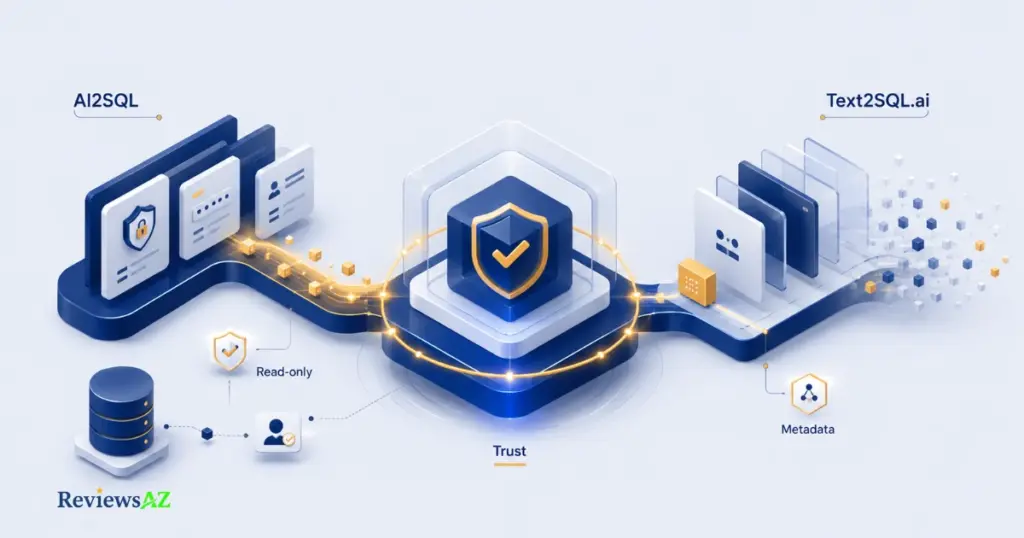
AI2SQL enforces read-only access at the gateway level through what it calls sqlGuard — INSERT, UPDATE, DELETE, and other destructive statements are blocked automatically, and every query is logged. Text2SQL.ai takes a different route through its desktop app: only table structure metadata — column names and relationships — ever leaves your machine, while the actual rows, customer records, and transaction data stay local. Neither approach is strictly “safer” than the other; they’re solving for different risks.
sqlGuard’s read-only enforcement matters most if you’re worried about an AI-generated query accidentally corrupting live data. Even a badly formed query can’t write or delete anything — at worst, it returns wrong results, not a wrecked table. That’s a meaningful guarantee for teams connecting AI2SQL straight to something production-adjacent.
Text2SQL.ai’s metadata-only model is solving a narrower but arguably more sensitive problem: not “can this tool damage my data,” but “does this tool ever see my data in the first place.” Column names and relationships go out to generate a query; the customer records sitting inside those columns never do. For teams whose actual worry is a cloud AI provider seeing sensitive rows — healthcare, finance, anything with real PII — that distinction lands closer to the concern than read-only access alone does.
AI2SQL offers its own local option too: a desktop app on the Business tier that processes queries against your database directly from your machine, with nothing routed through AI2SQL’s servers. So the real comparison isn’t “cloud tool vs. local tool” — both now offer a local path. It’s which local model fits your actual threat: AI2SQL’s desktop app keeps everything local by avoiding the cloud entirely, while Text2SQL.ai’s desktop app stays connected but restricts what it’s allowed to see.
⚠️ Common mistake: treating either “read-only” or “metadata-only” as automatically equivalent to full regulatory compliance. Both meaningfully reduce risk — one against accidental data changes, the other against data exposure — but neither one alone satisfies data residency, retention, or access-control requirements that regulated industries typically need reviewed on their own terms. If you’re in healthcare, finance, or another regulated space, confirm the specific compliance posture of whichever tool you pick directly with their support team before connecting real customer data.
Security decides whether you can trust either tool with something real. What’s left is the more personal question: given everything above, which one actually fits the way you work.
Who Should Choose AI2SQL / Who Should Choose Text2SQL.ai
Everything above is just inputs. This is where they actually turn into a decision — and the honest answer is that “better” depends entirely on which of these two people you are.
Choose AI2SQL If You’re…
- Budget-conscious and query-light — the $9 Start plan is the cheapest real entry point in this comparison, and 100 queries a month covers occasional or light use comfortably.
- Already invested in AI agent workflows — the MCP gateway gives tools like Cursor or Claude a governed, read-only path into your database that Text2SQL.ai doesn’t currently offer.
- Working mostly with MySQL, PostgreSQL, or Oracle and don’t need Snowflake or Redshift on day one — you can start cheap and upgrade only if your stack actually demands it.
- A developer who wants optimization built in — the Fix and Optimize tools sit alongside generation instead of being an afterthought.
Choose Text2SQL.ai If You’re…
- Running a broad or less common database stack — 12+ database types from a single Pro tier means no mid-project tier upgrade just because you connected Snowflake.
- Iterating on queries daily — unlimited messages on Pro removes the query-cap math that AI2SQL’s Start and Pro tiers force you to do.
- Handling sensitive data and want it to stay local — the desktop app’s metadata-only model is the more direct answer if your actual worry is a cloud provider seeing real rows, not just accidental writes.
- Working across spreadsheets and SQL in the same day — the Excel, Google Sheets, and Regex generation isn’t a SQL feature, but it’s a real time-saver if that’s how your week is actually structured.
The pattern underneath both lists: this isn’t really an accuracy contest anymore — both tools handle standard joins competently and stumble at roughly the same complexity ceiling. It’s a workflow-fit decision, and the honest tie-breaker is whether your bigger constraint is budget or database breadth.
⚠️ Common mistake: picking based on which tool “sounds more advanced” rather than which list above actually describes your week. A developer running simple MySQL reports gets nothing extra from Text2SQL.ai’s 12-database breadth, and a data team on Snowflake gets nothing from AI2SQL’s cheap entry tier once they hit the database wall on Start.
One case sits outside both lists entirely: if a third option is on your radar too, we’re covering more of the category in our AI SQL Generators — worth a look before you commit to either tool here.
With the fit question settled, there’s still one layer left — the small, avoidable mistakes that trip people up regardless of which tool they land on
Common Mistakes When Comparing These Tools
Most of the frustration people report with either tool traces back to a handful of avoidable habits, not the software itself.
- Comparing headline prices without running your own usage numbers. $9 versus $20 means nothing until you know whether your actual query volume fits AI2SQL’s cap or blows past it — the cheaper plan on paper is sometimes the more expensive one by month two.
- Testing the free trial with queries you could’ve written yourself. Seven days is enough time to test your gnarliest real join, not a single-table SELECT — use the trial on the query that would actually make or break your decision.
- Skipping schema cleanup before connecting either tool. Vague column names —
col1,amt,flag— quietly cap accuracy on both AI2SQL and Text2SQL.ai regardless of which one you pick. Renaming your most-used columns first does more for output quality than any setting inside either tool. - Assuming “read-only” and “metadata-only” mean the same thing. They protect against different risks — one against accidental writes, the other against data exposure — and neither one alone satisfies a regulated industry’s compliance checklist on its own.
- Running complex, multi-join output straight into production without review. Both tools can hand back a confident, clean-looking query that’s still subtly wrong on the join logic — treat anything past a simple filter as a strong first draft, not a final answer.
None of these are failures unique to AI2SQL or Text2SQL.ai — they’re the same mistakes people make with almost any AI-assisted SQL tool. Knowing them ahead of time is the difference between a smooth first month on either platform and a frustrating one.
That covers the practical side. What’s left is the part a comparison like this actually owes you: a straight answer.
Frequently Asked Questions
Is AI2SQL or Text2SQL.ai better for complex SQL queries?
They land close. Text2SQL.ai came back correct on the first try slightly more often for standard multi-table JOINs and window functions in testing, while AI2SQL held up well on moderate complexity. Both occasionally need a follow-up prompt once subqueries stack three levels deep — a limitation of the entire text-to-SQL category, not either tool specifically.
Which is cheaper, AI2SQL or Text2SQL.ai?
AI2SQL’s $9/month Start plan is the lower entry price, but it caps you at 100 queries. Text2SQL.ai starts at $20/month (annual) with unlimited messages. For light, occasional use, AI2SQL is cheaper. For daily querying, Text2SQL.ai’s flat rate often works out ahead once you factor in AI2SQL’s tier upgrades.
Does Text2SQL.ai support MongoDB like AI2SQL?
No. AI2SQL includes MongoDB starting on its Pro plan ($24/month). Text2SQL.ai’s 12+ supported database types don’t list MongoDB among them, focused instead on SQL-dialect databases like MySQL, PostgreSQL, SQL Server, Snowflake, and BigQuery. If MongoDB is part of your stack, that narrows the decision toward AI2SQL.
Is my data safe if I connect a live database to either tool?
Both reduce risk, differently. AI2SQL’s sqlGuard blocks write and delete statements by default. Text2SQL.ai’s desktop app sends only table structure metadata, never actual rows. Neither guarantee alone satisfies strict regulatory compliance on its own — confirm the specific posture with either vendor before connecting regulated data.
Can I use AI2SQL or Text2SQL.ai offline, or keep data fully local?
Both offer a desktop app for local use — AI2SQL’s on the Business tier, Text2SQL.ai’s on Pro. AI2SQL’s desktop app keeps queries entirely on your machine with nothing routed to its servers. Text2SQL.ai’s stays connected but limits what leaves your machine to metadata only.
What’s the best alternative if neither AI2SQL nor Text2SQL.ai fits?
It depends on what’s missing. BlazeSQL leans closer to Text2SQL.ai but with more emphasis on visualization output. Vanna.ai suits teams wanting to self-host and customize the underlying model. For a fuller side-by-side across the category, our AI SQL Generators compares more options by use case.
Which tool has the better free trial?
Both offer 7 days with similar terms — AI2SQL requires no credit card on any plan; Text2SQL.ai’s trial covers Pro and Team. Neither trial is meaningfully longer or more generous than the other. What matters more is testing your actual hardest query during those seven days, not the trial length itself.
Final Verdict: AI2SQL vs Text2SQL.ai
Seven sections in, the honest takeaway is that neither tool is the universal winner this comparison’s title might have promised. But a real verdict still has to pick a side for real situations, not hide behind “it depends” and call that an answer.
If you’re budget-conscious, working mostly in MySQL or PostgreSQL, or already experimenting with AI agents like Cursor or Claude, AI2SQL is the better fit — the $9 entry price and the MCP gateway solve problems Text2SQL.ai doesn’t currently address. The 100-query cap is the one thing to watch; model your real usage before you commit.
If your database stack is broader than MySQL and PostgreSQL, you query daily rather than occasionally, or keeping raw data off a cloud AI’s radar matters more than blocking accidental writes, Text2SQL.ai earns the higher price. Unlimited messages and 12+ databases from one tier remove the tier-shuffling that AI2SQL can eventually demand.
The accuracy gap between them, if you were hoping that alone would decide it, isn’t wide enough to be the deciding factor on its own. Both stumble at roughly the same complexity ceiling, and both hand back a first draft worth reading carefully rather than running blindly — that’s true of every tool in this category right now, not a flaw specific to either one.
Still comparing your options rather than set on one of these two? Our AI2SQL Review and Text2SQL.ai Review go deeper into each tool individually, and our Best AI SQL Tools roundup ranks the wider category by use case.
Start with whichever trial matches your actual constraint — AI2SQL’s free trial if it’s budget, Text2SQL.ai’s free trial if it’s database breadth — and run it against your messiest real table. That result will tell you more than the rest of this article combined.