Replit vs Blackbox AI: Which Tool Fits Your Coding Workflow?

An AI coding tool can look like the right fit right up until you pay for it and realize it was built for a different job. Replit vs Blackbox AI is a good example, because the two names sit side by side in search results while working in very different places.
Replit is a browser workspace where its Agent builds an app, runs it, and publishes it. Blackbox AI is not one workspace but several separate products: a Chrome extension for code chat, GitHub context, and image-to-text, a terminal coding agent called Blackbox CLI, an Agent API, and enterprise inference. Each has its own setup and its own access terms.
That last part is less clear than it sounds. Blackbox’s pricing page lists the Agent API under Enterprise, while its API documentation says a Pro subscription is required.
Everything here comes from published product pages and documentation, not hands-on testing. The right pick depends less on which tool is stronger than on which job you need done.
The Core Difference
- Replit: One browser workspace where an AI Agent builds, runs, and publishes your app.
- Blackbox AI: Separate products for browser help, terminal coding, and API or enterprise use, each working in a different place.
- The question to answer first: Do you need an environment that hosts your app, or AI help inside a browser, terminal, or project you already control?
- Still to settle: what each one costs once credits and tokens come into it, and how each handles your code.
Replit vs Blackbox AI at a Glance: What Are You Comparing?
Replit is somewhere you go to work. Most of Blackbox AI goes to where you already work. Replit gives you one browser workspace where its Agent builds an app and Replit Deployments publishes it. Blackbox AI is a family of products for the browser, the terminal, and your own software, each with its own setup and access terms.
Both fall under the wider AI code editor category, which is why they keep landing on the same comparison lists. The Blackbox side is where the detail piles up:
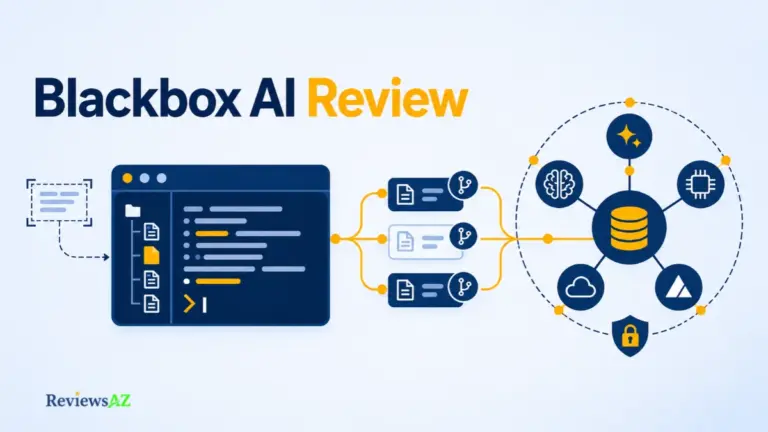
- Chrome extension: the everyday browser helper. It offers Code Chat, can use the current page or GitHub code as context, and turns an image of code into editable text with OCR.
- Blackbox CLI: a coding agent in your terminal. You can approve or rewrite its plan, review diffs before changes land, and run several agents side by side on separate copies of your repository. A headless mode lets it work inside scripts and CI/CD pipelines.
- Agent API: cloud coding agents that you start with an API request, so they can run from inside your own software or automation. Blackbox’s own pages disagree on which plan includes access, and that conflict is still open.
- Enterprise inference: model access under a custom annual commitment, billed per token. Blackbox’s pricing page says the same balance also covers its CLI and Agents API, so this is a billing and access layer rather than another place to write code.
So the fair match-up is Replit against one Blackbox surface at a time. The closest pairing is Replit Agent and Blackbox CLI, because both are agents that take on a whole task instead of finishing a single line of code. Set the extension or the enterprise offer next to Replit and you are no longer asking which tool is better, only which kind of tool you need.
Comparison Criteria: What Matters to Your Coding Workflow
Can an AI coding agent write code that works and still be the wrong choice for you? Easily. It might live in a workspace you do not want, ask for access you are not ready to give, or bill in a way you cannot predict. Every option in this comparison gets the same seven questions.
- Working environment: A managed cloud workspace, or help inside the browser, terminal, and tools you already use.
- Control over changes: Whether you can read the plan, review the diff, approve edits, and roll back a bad change.
- Project context: How much of your project the tool can take into account, including instructions you write for it.
- Running and publishing: Whether you can run, preview, and publish from the same place, or need a separate host.
- Integrations: The source control, databases, and services it connects to, and what needs extra setup.
- Cost mechanics: Subscription, credits, tokens, or contract, and what happens when the allowance runs out.
- Data and permissions: Where your code goes, who may receive it, and what the agent may read, change, or run.
Claims in this comparison are tagged by where they come from: Officially Supported for vendor pages and listings, Documented Capability for technical documentation, User-Reported for reviews, Independently Verified for neutral reporting, and Could Not Be Verified where no reliable source turned up. It is all desk research with no hands-on testing, so a feature on a vendor page tells you what is promised, not how well it works on your code. These checks also do not weigh the same for everyone. The same facts can point to different tools for a first-time app builder and for a developer with a mature repository.
Replit: AI Agent, Browser Workspace, and App Deployment
The Agent that writes your app is also the one that checks it. According to Replit, its Agent builds the app, tests it, and fixes what it finds. It is the most attractive claim on the page, and the one to read most carefully.
Around that Agent sits a browser workspace that also runs and publishes what gets built. For a deeper look at the product on its own, there is a detailed Replit AI review of its Agent and workspace.
Replit Agent and natural-language app building
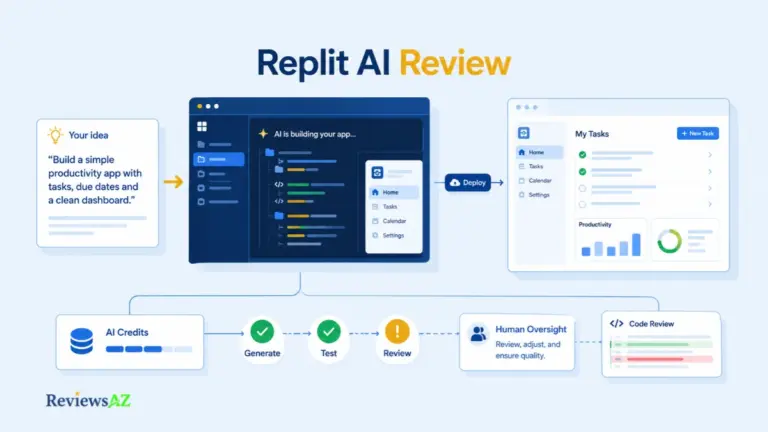
You describe the app in plain language and the Agent builds it. Replit’s product pages say it can connect a database and user sign-in, and that it tests and fixes its own work. These are vendor statements. No independent source reviewed here measures how well that self-testing performs, so read it as a promise, not a result.
A preview that runs is a starting point. A screen that renders says little about how inputs are validated, what happens when something fails, or who can reach the data behind it. The code still needs a proper review before real users or real data get near it.
Workspace, built-in services, integrations, and deployment
The runtime, the built-in database and auth services, and the route to publish through Replit Deployments all sit in the same workspace, per Replit’s product pages. For someone starting a new app, that means less time stitching tools together and a shorter path from an idea to something you can share.
That convenience has a flip side. With hosting, database, and Agent under one vendor, the usage limits, the bill, and the Agent’s permissions are all decided in one place too, and you inherit those decisions along with the tools.
Blackbox AI: Chrome Extension, CLI, and Agent API
Each piece of Blackbox AI asks for something different before it does anything for you. The extension lives in the browser, Blackbox CLI needs an account and a model provider, and the cloud agents sit behind access terms that Blackbox’s own pages describe two different ways. For the single-product view, see a detailed Blackbox AI review of its current product surfaces.
The Chrome extension and code context
Blackbox’s Chrome Web Store listing documents Code Chat, current-page context, GitHub code context, and image-to-text OCR. It describes features rather than setup, so check what sign-in it asks for at install. The listing does not describe autocomplete as you type, and video extraction and a global repository-search engine are not documented there, which leaves them Could Not Be Verified. Code pulled out of an image deserves a careful read before it goes into a project, because indentation can change the meaning of Python code.
The old VS Code extension is a separate product and not a current option. Blackbox’s Terms of Service, updated 9 November 2024, define it as discontinued, so a guide built around it describes something Blackbox no longer offers.
Blackbox CLI and terminal workflows
Blackbox CLI is a coding agent that runs in your terminal. Its page describes plan mode, parallel agents on separate Git worktrees (their own working copies of the repository, so changes do not collide), and MCP, an open standard for connecting agents to outside tools. A headless mode runs inside scripts and CI/CD pipelines with no interactive session. These are documented capabilities, not proof of how well they work on your code.
Setup needs a Blackbox account, provider configuration, and an API key, according to the CLI documentation. Installing the tool locally is not the same as running a model locally: the provider you configure decides where your code is processed.
The CLI page also calls the project open source and links the code on GitHub, but it does not name the license. If you plan to reuse or redistribute anything, read the license file in the repository first.
Agent API and enterprise inference
Beyond the terminal, the pricing page lists an Agents API (cloud coding agents) and a Remote Agent (cloud sandboxes) under Enterprise. The create-task documentation says a Pro subscription is required for the Agent API. The two pages disagree, so neither reading is safe to assume, and access stays marked Could Not Be Verified.
Enterprise inference is the commercial layer. It is billed per token under a custom annual commitment, and the pricing page says one balance covers the API, the CLI, and the Agents API.
A review that says Blackbox “works” or “costs” something is incomplete until it names the surface. The extension, the CLI, and the cloud agents each ask for different things up front, and cloud agent access is the one question Blackbox’s own pages leave open. A team planning to rely on it will save time by confirming the plan with Blackbox before building around it. The CLI is the surface that goes head to head with Replit Agent, so that is where the comparison continues.
Key Differences: Replit Agent vs Blackbox CLI Workflows
Say you need a login page added to an app that already exists. Replit Agent would take that request inside a browser workspace. Blackbox CLI would take it in your terminal, pointed at a repository you choose. The request is the same, but who approves what, and where the finished work goes next, are different.
Planning, approval, and reviewing changes
Both tools put a plan ahead of the code. Replit’s documentation describes a Plan mode in which the Agent waits for your approval before changing files. Replit also offers checkpoints, which are a separate feature: they let you roll back to an earlier state, but they are not a step where you approve each edit.
Blackbox’s CLI page describes plan mode as well. You can approve a plan, comment on it, or rewrite it, then review diffs before changes land, with optional approval file by file. Replit’s side rests on its documentation (Documented Capability) and Blackbox’s on its product page (Officially Supported). Neither tells you how well the approval flow works on a real project.
On paper, the approval controls look closer than the products do. What really differs is where you use them: in a browser tab next to a running app, or in a terminal next to your own files.
Replit’s prompt-led loop, describe the outcome and then review what appears, is close to what vibe coding means in practice.
Repositories, parallel agents, and deployment
- Where the code lives: Replit Agent works on projects inside Replit’s workspace. Blackbox CLI works in a project directory on your own machine, through a model provider you configure.
- Parallel work: Blackbox CLI can run several agents at once, each in its own Git worktree, so their changes stay apart. Replit’s pricing page lists parallel-agent features on Pro, and this comparison goes no further than that listing.
- Shipping the result: Replit publishes through Replit Deployments. The Blackbox pages reviewed list no managed app hosting. They describe a headless mode for scripts and CI/CD pipelines, plus Docker, AWS, and GCP integrations, so an app built with the CLI ships through whatever hosting and release process you already use.
How much autonomy to hand an agent, and how much review to keep, is the larger question behind a guide to AI coding agents. This section stays with the CLI because access to the Agents API and Remote Agent is still disputed between Blackbox’s own pages.
An approval screen only helps if someone reads it, and it sets no limits of its own. A prompt telling an agent to leave production alone is an instruction, not a permission boundary. The limits come from what the agent can reach: credentials, writable environments, and deploy rights. The next section looks at what happens after the code is written, when an app needs a runtime, services, and a place to publish.
AI IDE for Web Development and Python: Runtime, Integrations, and Existing Projects
A generated script is not much use if you still have to find somewhere to run it. A web app may need more: a database, user authentication, and hosting. For Replit and Blackbox CLI, the practical question is how much of that setup you already have.
Web apps: runtime, database, and deployment
Replit’s product pages describe database and authentication integrations alongside a workspace for running apps and publishing through Replit Deployments. That makes it a better fit when you want those pieces together rather than connecting separate services yourself.
Blackbox CLI documents deployment automation and integrations with Docker, AWS, and GCP. Those capabilities help with a release workflow; they do not establish that the CLI includes a managed database or app hosting comparable to Replit’s. Your project still needs those services, whether you already use them or arrange them separately.
When comparing AI IDEs designed for web development, check which services come with the workspace and which remain yours to configure.
Python scripts and existing projects
Python alone does not favor either tool. Replit provides a cloud workspace for development, while Blackbox lists Python among the languages its CLI supports. Language support, however, does not guarantee that a project’s dependencies and runtime requirements are ready to use.
If your scripts, dependencies, and tests already run in an environment you maintain, Blackbox CLI may fit without moving that workflow into a browser workspace. Replit remains an option when you want a cloud environment instead. An existing codebase does not automatically make the CLI the better choice.
For AI code editors for Python development, check the required Python version, packages, and test commands before judging the fit.
Environment setup also has a cost that subscription prices do not capture. Count the time needed to configure services and keep them working, as well as any separate hosting bills. A lower tool price may leave more work on your side.
Replit vs Blackbox AI Pricing: Credits, Tokens, and Plan Access
A $20 plan and an annual token commitment are not two prices for the same thing. Replit sells subscriptions that include credits, while Blackbox describes a contracted balance that shrinks with every token a model reads and writes. The Replit figures below come from Replit’s pricing page.
| Plan | Price and billing |
|---|---|
| Replit Core | $20 monthly, or $18 a month billed annually. Credits included; use past the allowance can cost extra. |
| Replit Pro | $100 monthly, or $90 a month billed annually. Tiered credits, with team and parallel-agent features listed. |
| Blackbox Enterprise | Custom annual commitment, billed per model token. No platform fee, markup, or seat charge stated. |
| Blackbox CLI and Agents API | No separate individual price shown. Covered by the Enterprise balance, and the required plan Could Not Be Verified. |
Replit subscription credits and overages
Credits cover paid services such as Agent usage, publishing, and database storage, and usage beyond the allowance can add charges, so the monthly price is where the bill starts. Starter has limited daily Agent credits and monthly cloud credits, so it is not unlimited free development. For a genuinely free start, free AI code editors cover a wider field than either tool here.
Blackbox annual commitment and per-token billing
Blackbox bills per token at model-specific rates under a custom annual commitment, and one balance covers the API, the CLI, and the Agents API. The commitment amount is not published, so the page cannot tell a team what it would pay. The structure is laid out on Blackbox’s pricing page. If another site lists a $9.99 or $19.99 Blackbox plan, treat it as unverified, since the current page shows no individual price. No free Blackbox plan was verified either.
Agents API access: confirm before you buy
The create-task documentation says the Agents API needs a Pro subscription, while the pricing page lists it and Remote Agent under Enterprise. Nothing reviewed reconciles the two, so ask Blackbox which plan unlocks cloud agents before paying for either.
On this evidence, neither product is cheaper overall. The line neither page can print is your own review time, and it grows with how much the agent was allowed to touch. A cheap run that needs three rewrites was never cheap.
Trade-offs: Security, Privacy, and AI Agent Risks
Letting an AI agent edit your code is one decision. Letting it near your API keys or a live database is another, and that second one carries the real consequences. A vendor’s security page can describe its own safeguards, but it cannot know what you will hand the agent. So this section keeps what each vendor says apart from what has actually been reported.
Replit: what the page says and what was reported
Replit’s security page states that development and production databases are separated, and it describes how secrets are handled and scanned. That is a vendor statement, not an audit. In July 2025, The Register and Fortune reported that a Replit Agent deleted a customer’s production database during a code-freeze test. Replit acknowledged the failure and announced safeguards to separate development and production databases.
That reporting is what earns this item the Independently Verified label. Everything else in this section is a vendor statement. It also describes a past failure, not how Replit behaves today, since the safeguards came afterward. What it shows is how little a freeze instruction is worth when the agent can still reach production data.
Blackbox: routing, retention, and enterprise scope
Blackbox’s pricing page says it suppresses retention and training on routed traffic wherever the provider’s API supports it. That condition carries most of the weight. Where a provider’s API does not support it, the claim does not apply, so it describes an intention that depends on each provider, not a blanket guarantee.
For the CLI, Blackbox says code context goes to its cloud with end-to-end encryption and AES-256 at rest. Encryption describes how data is protected in transit and in storage. The statement says nothing about how long a model provider keeps a request, so the two claims answer different questions. Single-tenant deployment, data residency, and contractual zero data retention are listed for Enterprise, which means they belong to teams with a contract, not to every user.
The same questions, side by side
- Where your code goes: Replit works in its own cloud workspace. Blackbox CLI sends code context to Blackbox’s cloud, and routed requests continue to model providers.
- Secrets: Replit describes secret handling and scanning. Blackbox CLI setup needs your own API key, so keeping that key safe is on you.
- Approving changes: Blackbox CLI offers plan review and per-file approval (Officially Supported). That decides which edits land, not what the agent can reach in your environment. Replit’s Plan mode waits for approval before it changes files (Documented Capability).
- Rolling back: Replit documents checkpoints for returning to an earlier state. The Blackbox pages reviewed describe no comparable feature, so Git history and your own backups are the safety net.
- Contract controls: Both sell enterprise-level controls. Replit lists Enterprise model controls (Documented Capability), and Blackbox lists single-tenant deployment, residency, and zero data retention for Enterprise.
A minimum-safety checklist for either tool
- Run the agent against test data first, never production.
- Give it the least privilege the task needs.
- Confirm a working backup before any run that can write.
- Keep production credentials and live databases outside broad agent permissions, whatever a vendor advertises as a secure default.
- If your team needs SSO, SCIM, or role-based controls, get them confirmed in writing.
The same facts weigh differently depending on what is at stake. A solo prototype on test data can live with gaps that a team holding customer records cannot, which is why the next section sorts these tools by workflow.
Best Fit by Developer Workflow: Who Should Choose Which?
Picture two developers. One has an idea and no setup yet, and wants something running by Friday. The other has a repository, a terminal already open on it, and a release process that works. Both want AI help with code, and each would be poorly served by the other’s tool.
The profiles below start from your situation and name the catch to check, so every match comes with its limits.
- You are starting from an idea and want it running in one place. Replit fits, because its Agent builds the app and Replit Deployments publishes it from the same workspace. The catch is that credits are spent on Agent work as well as on publishing and storage, so see how a realistic task uses them before you commit to a plan.
- You mostly need quick help while reading code in the browser. The Blackbox Chrome extension offers Code Chat, current-page and GitHub context, and image-to-text for code in screenshots. It is not a project environment, and video extraction is not documented, so it will not carry a whole build.
- You have a repository and prefer to work in the terminal. Blackbox CLI works there, with plan review, diffs before changes land, and parallel agents on separate worktrees. It needs a Blackbox account, a configured provider, and an API key, and the pages reviewed list no managed hosting, so the app still needs somewhere to run.
- You are buying for a team, with a contract and a security review ahead. Blackbox Enterprise is the route to look at. It is billed per token under a custom annual commitment, with single-tenant deployment, data residency, and contractual zero data retention listed. It is sales-led, shows no individual price, and the Agents API access question is still open, so get the required plan confirmed in writing.
- You have different jobs for different tools. Running Replit for new apps and the extension or CLI for everyday work is reasonable when each product covers something the other does not. Two tools doing the same job only double the setup and the bill.
- You cannot yet keep production credentials and live data out of an agent’s reach. Sort that out before choosing either tool. A separate development environment, test data, and narrow permissions come first, and the agent comes second.
One factor rarely appears on a feature list: how hard it is to leave. The more a tool hosts, the more of your project lives on its terms. Replit keeps the runtime, the database, and the deployment together, so changing course later may mean moving all three. A tool that edits files in a repository you control leaves most of the project where it already was. Neither approach is wrong, but it is worth deciding in advance how much of the project you are comfortable keeping in someone else’s workspace.
How to Evaluate Replit and Blackbox Before You Commit
Every demo runs on a task picked because the tool handles it well. Your repository has its own conventions, a test that fails now and then, and a folder nobody should touch. Run a small benchmark on your own code; the steps are yours to follow, and this article reports no hands-on testing.
- Pick two or three tasks you know. A bug with an existing test, a small feature, an edit to older code. One task can favor either tool by accident.
- Define “done” before either tool starts: the tests that must pass and the files that stay untouched. A diff you would merge beats an agent’s success message.
- Start each tool from a clean copy of the repository, with the same instructions and no production credentials, and record the setup each one needs.
- Run each task once per tool, logging credits or tokens as you go, along with how much guidance you had to give.
- Review the diff, not the summary. Run the acceptance tests and note the defects they missed, plus the time your corrections took.
- Price the usage, then compare cost per accepted task. Credits and tokens are different units, so convert each to money first, and repeat on the other tasks before trusting the result.
A record of where each agent needed you becomes a set of working rules: what can pass after a glance at the diff, what needs approval at every step, and what stays out of reach. Those rules outlast the tool you pick.
Frequently Asked Questions
The questions that decide a purchase are often the small ones left over after a long comparison. After a Replit vs Blackbox AI comparison, those tend to be which tool is easier to start with, whether Blackbox can ship a full app, whether its CLI is really open source, what each costs, and whether either is safe near company code. The answers below take them one at a time and say plainly where the published sources run out.
Is Replit easier for beginners than Blackbox AI?
It can be, for one reason: Replit keeps the editor, runtime, and publishing in a single browser workspace, so there is less to set up. Blackbox CLI asks for comfort with a terminal, a provider, and an API key. An easier start does not mean better learning or better apps, though, and Replit users still need to watch credit use and review what the Agent changes.
Can Blackbox build and deploy a full app?
Partly. Blackbox can help build one, but deployment is mostly up to you. Blackbox CLI works in your terminal on project files, and its page lists a headless mode for CI/CD plus Docker, AWS, and GCP integrations. The pages reviewed describe no built-in database or managed hosting like Replit’s, so the runtime, data, and hosting come from services you arrange. Agent API access is a separate, unresolved question.
Is Blackbox CLI open source?
Blackbox’s CLI page calls the project open source and links its code on GitHub. It does not name a license, so read the license file in the repository before using it at work. Open source also says nothing about where the model runs: setup still needs a Blackbox account, provider configuration, and an API key, and the provider you configure decides where your code is processed.
Is Blackbox cheaper than Replit?
The public pricing does not settle it. Replit Core is $20 a month ($18 billed annually) and Pro is $100 ($90 annually), both with credits. Blackbox’s pricing page describes a custom annual commitment billed per token, covering the CLI and Agents API too, with no individual price shown. Credits and tokens do not convert directly, so compare what one accepted task costs on each.
Is Replit or Blackbox safe for proprietary code?
Neither vendor’s page proves it. Replit says its development and production databases are separate, yet The Register and Fortune reported a July 2025 case where a Replit Agent deleted a customer’s production database, which Replit acknowledged. Blackbox says it suppresses retention and training on routed traffic where a provider’s API supports it, and lists single-tenant deployment under Enterprise. Start with test data, least privilege, and written contract terms.
Final Verdict: Choose by Workflow, Not Feature Count
Replit vs Blackbox AI ends less with a winner than with a question: where should the finished project live? Replit is better for building a new app in one managed browser workspace, from first prompt to publishing. Blackbox CLI is better for putting an agent on a repository and terminal you already control. The Chrome extension suits quick help with code in the browser, and enterprise inference is a separate purchase for teams.
Before buying into Blackbox’s CLI or cloud agents, get two answers in writing: which plan unlocks the Agent API, since its pricing page and API documentation describe it differently, and what an individual CLI user would pay, since no separate price is published. Also remember that CI/CD deployment automation is not managed app hosting, so a project that needs hosting included should be checked against that gap first.
If neither tool fits, the wider range of AI code editors and IDEs is the next place to look. Whichever one you choose, you inherit the code the agent writes. Before accepting a change, ask whether you could explain it to a teammate and fix it later without the agent.