GitHub Copilot vs JetBrains AI Assistant: Which AI Coding Tool Wins in 2026?

The modern developer workspace rarely revolves around a single editor or a monolithic toolchain. Instead, engineering teams constantly balance two competing philosophies when selecting artificial intelligence assistance: universal portability across multiple code editors versus deep, native immersion inside a specialized integrated development environment (IDE).
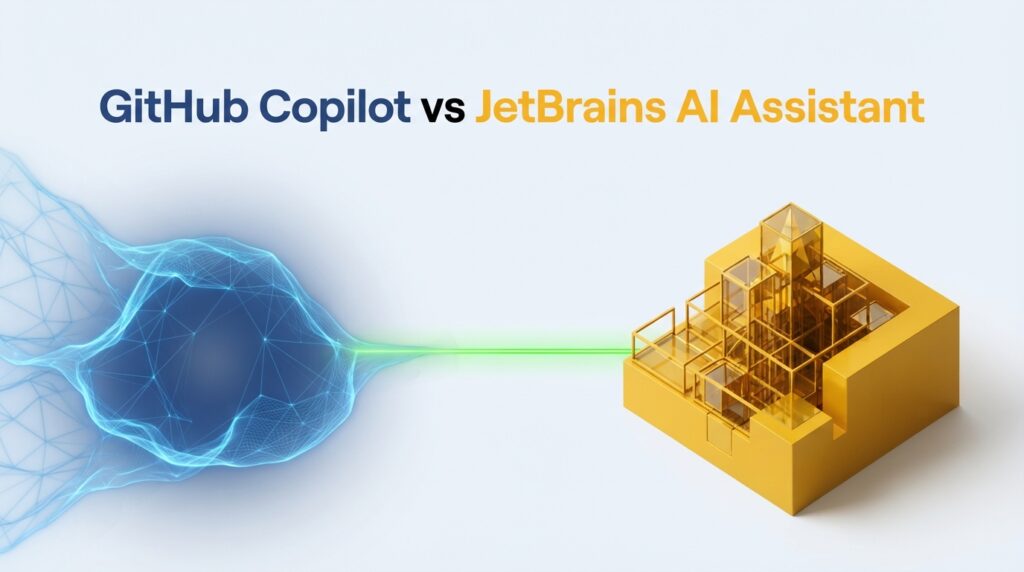
Choosing between GitHub Copilot vs JetBrains AI Assistant defines how a developer interacts with code context, manages subscription billing, and handles enterprise security compliance. While GitHub Copilot established itself as the ubiquitous multi-editor companion across VS Code, Neovim, Xcode, and JetBrains IDEs, JetBrains AI Assistant offers a first-party, compiler-aware architectural experience designed exclusively for the IntelliJ platform (IntelliJ IDEA, PyCharm, WebStorm, and DataGrip).
For a broader conceptual look at how modern developer tools fit into the ecosystem, see our hub on [AI Code Editors & IDEs] or review the foundational principles of an [AI Code Editor].
Quick Decision Framework
| Feature / Criteria | GitHub Copilot | JetBrains AI Assistant |
| Primary Design Focus | Universal multi-editor portability | Deep native IntelliJ platform immersion |
| Supported Editors | VS Code, Visual Studio, Xcode, Neovim, JetBrains | JetBrains IDEs only (IntelliJ, PyCharm, WebStorm, DataGrip) |
| Pricing Model | Flat-rate subscription tiers for individuals/enterprises | Tiered AI Credit quotas (Free, Pro, Ultimate) |
| Agentic Capabilities | Integrated Copilot Chat and PR code reviews | Junie autonomous coding agent for multi-file tasks |
| Best Suited For | Developers switching across mixed IDE environments | Power users living entirely inside the JetBrains ecosystem |
Architectural Philosophies: Multi-Editor Portability vs. Native IDE Immersion
The fundamental divergence between GitHub Copilot and JetBrains AI Assistant lies in their underlying architecture. Understanding how each tool integrates into developer workflows requires examining how code context is captured, transmitted, and processed.
GitHub Copilot’s Universal Ecosystem Approach
GitHub Copilot operates primarily as an external plugin architecture. By decoupling the intelligence layer from the local text editor, Copilot provides consistent autocomplete and chat interactions across a massive matrix of environments, including Visual Studio Code, Neovim, Xcode, and JetBrains IDEs.
This universal design ensures that developers maintain identical muscle memory and keyboard shortcuts regardless of whether they are writing TypeScript in VS Code, editing a Swift file in Xcode, or managing infrastructure code in Neovim. However, because it functions as an external extension wrapping around disparate editors, its deep static analysis is constrained by what each individual editor exposes through its standard APIs.
JetBrains AI Assistant’s Deep IntelliJ Platform Integration
In contrast, JetBrains AI Assistant is built directly into the core architecture of the IntelliJ platform. Rather than serving as an isolated wrapper, the assistant hooks straight into JetBrains’ proprietary symbol resolution engines, type inference systems, and compiler-level inspections.
This native integration allows the assistant to understand project dependencies, framework configurations, and class hierarchies with high precision. When executing complex tasks, the tool does not just look at adjacent lines of text; it evaluates the entire project graph compiled by the IDE.
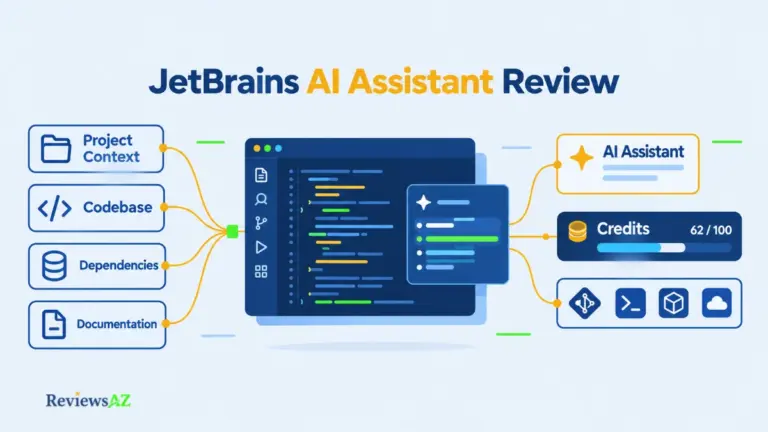
For readers interested in a granular breakdown of the native tool’s standalone performance, explore our dedicated [JetBrains AI Assistant Review].
Core Feature Comparison: Completion, Chat, and Refactoring
When deployed in daily production environments, feature execution speed, context handling, and task-specific utility dictate developer satisfaction.
Inline Completion Speed and Multi-Line Accuracy
Both tools excel at low-latency inline code generation, yet their operational behaviors differ. Copilot’s inline completion engine delivers rapid single- and multi-line suggestions across a broad spectrum of languages, heavily optimized for speed across lightweight editors like VS Code.
JetBrains AI Assistant matches this speed inside IntelliJ-based environments while leveraging project metadata to tailor completions more accurately to custom classes, local package imports, and framework-specific idioms (such as Spring Boot or Ktor conventions).
Context Handling and Workspace Comprehension
Context window management determines whether an AI assistant produces accurate logic or hallucinated code fragments. GitHub Copilot relies on active file buffers, open tabs, and repository-wide indexing (particularly on enterprise tiers) to assemble prompt context.
JetBrains AI Assistant approaches context through explicit scoping mechanisms, allowing developers to attach specific files (@File), folders, symbols (@Symbol), or active compilation errors (@Problems) to chat prompts. This precise control reduces token waste and improves response relevance on large enterprise codebases.
Specialized Workflows (Database Tools & Refactoring)
Specialized workloads often reveal the clearest performance splits between the two assistants:
- Database Workflows: For backend engineers using DataGrip, JetBrains AI Assistant provides schema-aware Text-to-SQL generation and visual query plan explanations that integrate seamlessly with database introspection tools. Copilot can generate SQL in chat, but it lacks native deep integration with database management UI panels.
- Refactoring Engine: JetBrains leverages its industry-leading refactoring infrastructure to execute structural code changes safely, whereas Copilot relies more heavily on conversational code rewrites.
For teams focusing heavily on specific tech stacks, these strengths translate directly to targeted use cases, such as optimizing an [AI code editor for Python] or scaling an [AI IDE for web development].
Pricing Structures and Licensing Models: Flat-Rate vs. Metered AI Credits
Subscription costs and billing mechanics represent one of the most critical operational differences for engineering managers budgeting developer tooling.
GitHub Copilot’s Flat-Rate Subscription
GitHub Copilot utilizes a straightforward flat-rate subscription model. Individuals pay a fixed monthly or annual fee for unmetered code completions and standard chat interactions. Enterprise tiers bundle broader administrative controls, organization-wide policies, and codebase indexing under fixed per-seat pricing. This predictability makes financial forecasting simple for finance departments.
JetBrains AI Assistant’s Tiered AI Credit Quotas
JetBrains AI Assistant employs a hybrid freemium and usage-metered credit architecture:
- AI Free ($0): Provides unlimited code completion and a minimal baseline of 3 AI Credits per 30 days for testing chat and agents.
- AI Pro ($10/month individual / $20/month organization): Delivers 10 to 20 monthly AI Credits, multi-model selection, and access to advanced agents like Junie.
- AI Ultimate ($30/month individual / $60/month organization): Scales allowances to 35–70 monthly credits with priority model access.
Crucially, 1 AI Credit roughly equates to $1 USD of underlying cloud model processing. Routine inline completions are unmetered, but heavy LLM chat sessions, code explanations, and autonomous agent tasks (such as running Junie loops) consume monthly credits dynamically. Teams purchase shared credit pools at API prices rather than paying per seat for unused licenses.
Data Privacy, Security, and Code Handling
Intellectual property protection and data governance are paramount when integrating AI into proprietary codebases.
Training Policies, Telemetry, and Cloud Proxy Routing
Both platforms route cloud-powered requests through secure proxy architectures to authorized Large Language Model providers (such as OpenAI, Anthropic, and Google). However, policy frameworks differ:
- GitHub Copilot Training Policies: Individual subscription tiers (Free, Pro, Pro+) default to automatic opt-in for model training on user interaction data (prompts, code snippets, and suggestions), requiring users to manually disable data sharing in their GitHub account settings. Business and Enterprise tiers exclude customer code from training by contract.
- JetBrains Data Handling: JetBrains enforces strict privacy controls where prompt data and transferred snippets are processed ephemerally for inference purposes only and are explicitly excluded from third-party model training sets.
Enterprise Governance and Local Model Flexibility
For organizations with stringent air-gapped compliance requirements, JetBrains supports local LLM connections via Ollama, LM Studio, or OpenAI-compatible endpoints, allowing chat interactions to run locally without consuming monthly AI Credits (though advanced cloud agents like Junie still require cloud models). Meanwhile, GitHub Copilot Enterprise offers robust single sign-on (SSO), IP indemnification, and centralized audit logging for enterprise customers.
Language and Framework Performance
The effectiveness of an AI coding assistant often correlates directly with the maturity of its support for specific programming languages and runtimes.
Performance in Python, Web, and General Stack Development
Both tools perform admirably across general-purpose web development stacks. Copilot provides seamless assistance across JavaScript, TypeScript, React, and Python files in VS Code and other editors. PyCharm users leveraging JetBrains AI Assistant benefit from deep type introspection, automated docstring generation, and smooth integration with virtual environments (venv, conda) and web frameworks like Django and FastAPI.
JVM and Enterprise Language Strength
When stepping into enterprise backend engineering—specifically Java, Kotlin, Scala, and Groovy—JetBrains AI Assistant holds an unmatched competitive advantage. Because the underlying IDE understands the JVM runtime, bytecode structures, and complex enterprise frameworks (such as Spring Boot) at a compiler level, the assistant generates code with fewer structural errors and context mismatches than multi-editor alternatives.
Market Alternatives to Consider
While GitHub Copilot and JetBrains AI Assistant dominate mainstream discussions, the AI developer tool market includes specialized alternatives worth evaluating based on specific engineering requirements.
Cursor and AI-First Code Editors
For developers willing to step outside standard IDE boundaries, Cursor (built as a dedicated fork of VS Code) offers advanced repository-wide indexing, multi-file “Composer” edits, and flexible model routing. It represents an ideal choice for teams prioritizing AI-native editing workflows over traditional IDE ecosystems.
Emerging Alternatives (Augment Code & Kiro IDE)
Engineering teams seeking specialized context handling or advanced repository understanding can explore emerging solutions. For deeper insights into these options, review our dedicated reviews on [Augment Code Review] and [Kiro IDE Review]. Furthermore, developers looking for budget-friendly or community-driven tools can explore selections in our curated list of [Best Open Source AI Code Editors] or [Best Free AI Code Editors].
Frequently Asked Questions (FAQ)
Can I use GitHub Copilot inside JetBrains IDEs? (And how does it compare to the native assistant?)
Yes, GitHub Copilot is available as an extension inside JetBrains IDEs. While it provides familiar inline completion and chat features, it operates as an external plugin rather than utilizing native compiler context, making it distinct from the deeply integrated JetBrains AI Assistant.
Which tool consumes fewer resources on my machine?
GitHub Copilot tends to be slightly lighter on local system resources because its heavy lifting occurs via external editor extensions. JetBrains AI Assistant runs inside JetBrains IDEs, which are robust, resource-intensive Java-based environments; however, the AI features themselves rely primarily on cloud-based API processing rather than local hardware compute.
Is JetBrains AI Assistant included in the All Products Pack?
Yes, active subscribers of the JetBrains All Products Pack receive bundled AI credits each month (10 credits a month for individuals, 20 credits for organizations), reducing the need to purchase a separate standalone AI subscription.
How do data privacy standards compare between Microsoft/GitHub and JetBrains?
Both vendors offer enterprise-grade data protection agreements that prohibit training models on customer code for business tiers. However, individual GitHub Copilot plans default to data collection for model training unless manually opted out, whereas JetBrains maintains strict ephemeral processing standards across commercial tiers and supports local model routing options.
Final Verdict: Which One Should You Choose?
Summary Recommendation for Individuals
If your daily workflow spans multiple editors (such as jumping between VS Code, Xcode, and JetBrains IDEs) and you prefer a predictable, unmetered flat-rate billing model, GitHub Copilot is the pragmatic choice. However, if you live entirely inside IntelliJ IDEA, PyCharm, or WebStorm and want deep compiler-aware assistance at a competitive price point, JetBrains AI Assistant Pro ($10/month) delivers superior native value.
Summary Recommendation for Engineering Teams
For large organizations already standardized on GitHub Enterprise with strict multi-editor developer fleets, Copilot Enterprise provides unified governance and IP protection. For backend-heavy engineering shops rooted in the JVM or Python ecosystems, deploying JetBrains AI Assistant organization-grade shared credit pools offers unmatched contextual precision, efficient license allocation, and robust data privacy compliance.
To explore broader trends in modern software engineering, you may also want to read our introductory guide on [What Is Vibe Coding].