AI2SQL Review (2026): Features, Pricing, Performance, and Honest Limitations

You know exactly what you want from your database. The problem is translating that into a JOIN clause without breaking three other reports.
That gap between “I need last quarter’s churn by region” and a working SQL query is exactly what AI2SQL was built to close. It turns a plain-English request into a working query, then lets you fix, optimize, and explain SQL you didn’t write yourself.
This AI2SQL review looks past the marketing page. We cover what the tool actually does across MySQL, PostgreSQL, MongoDB, and Oracle, what each pricing tier really includes, and where it starts to struggle — because every tool has a ceiling, and pretending otherwise doesn’t help you decide.
By the end, you’ll know whether AI2SQL fits your workflow, or whether you’re better off with one of its alternatives.
What Is AI2SQL?
AI2SQL is a text-to-SQL tool that converts plain English into working SQL queries for databases like MySQL, PostgreSQL, MongoDB, and Oracle. Beyond generating queries, it fixes syntax errors, optimizes existing SQL, and explains what a query actually does — through a browser app, a desktop app, or an MCP endpoint built for AI agents.
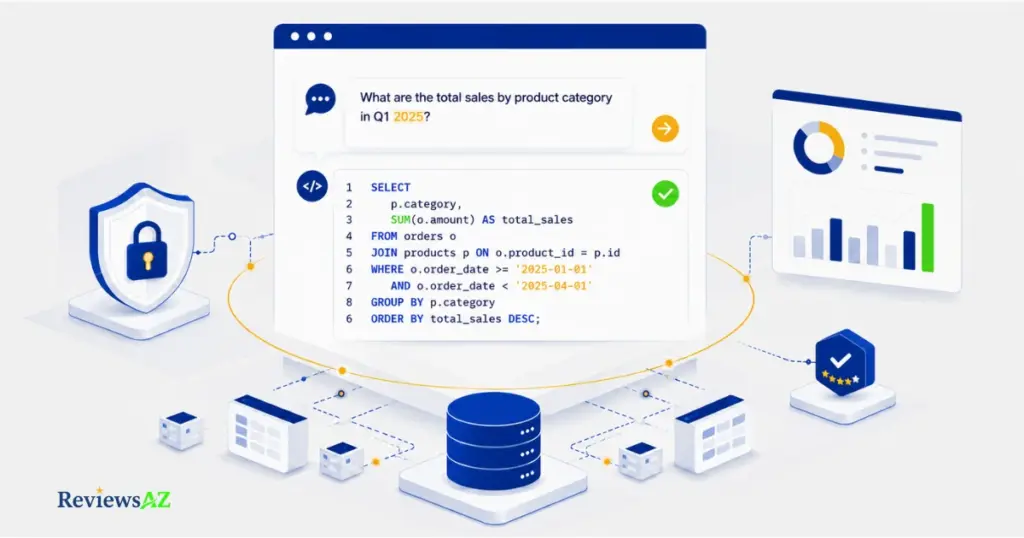
In practice, you type something like “show me the top 10 customers by revenue this quarter,” and AI2SQL returns a query written for your specific schema, not a generic textbook example.
That schema-awareness is the detail most people miss. It’s easy to assume a tool like this is just ChatGPT with a friendlier interface. It isn’t, at least not entirely. AI2SQL builds a semantic layer from your actual tables, columns, and business terms before it writes anything, which is why the SQL it returns tends to run correctly against your real database instead of just looking plausible.
That distinction matters more than it sounds. A generic language model guessing at your schema can produce SQL that’s syntactically perfect and functionally wrong — pulling from a column that doesn’t exist, or joining tables that were never meant to connect.
Whether that schema-grounding holds up under messier, real-world databases is a separate question — one we’ll get into once we cover what’s actually included at each pricing tier.
Key Features
Most reviews list AI2SQL’s features as a flat menu. In practice, they split into two groups: things that write SQL for you, and things that check SQL you already have.
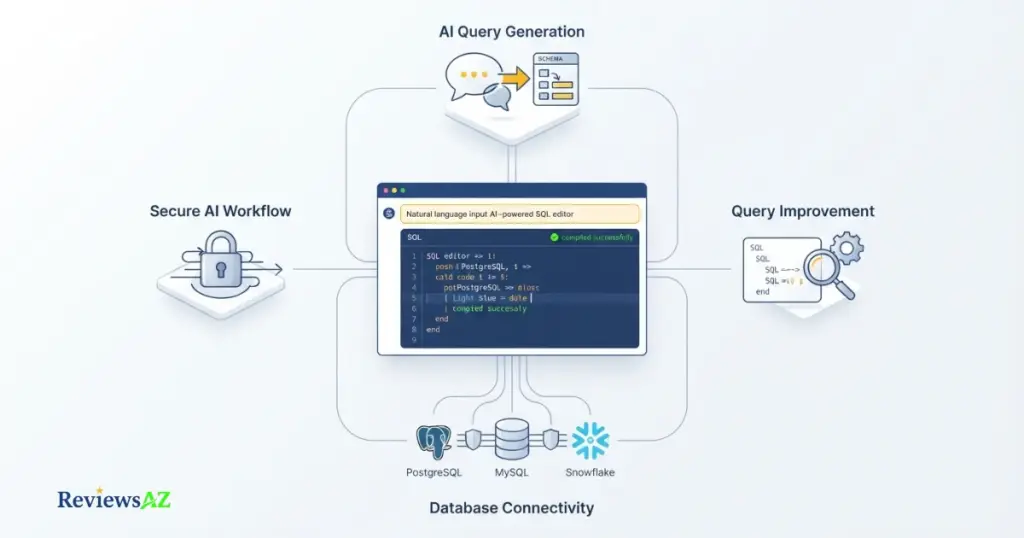
- Text-to-SQL Generation — the core feature. Describe what you need in plain English and AI2SQL returns a query matched to your connected schema, not a generic template.
- Fix SQL Errors — paste a broken query and it identifies the syntax issue and returns a corrected version, useful when you’re debugging someone else’s inherited SQL.
- Optimize SQL — reviews an existing query for performance issues, such as missing indexes or inefficient joins, and suggests a faster alternative.
- Explain SQL — the reverse direction: paste a query and get a plain-English breakdown of what it actually does, which is genuinely useful for onboarding or auditing legacy code.
- SQL File Import — upload a CSV or existing SQL file so AI2SQL can work from your real structure instead of a manually typed schema.
- Database Connectors — live, read-only connections to MySQL, PostgreSQL, SQL Server, Snowflake, BigQuery, MongoDB, and Oracle, gated by tier.
- MCP Server / AI Agent Gateway — a newer addition that lets agents like Cursor or Claude query your database directly through a governed, read-only endpoint, with writes blocked by default.
- Desktop App — a local version for Windows and Mac where credentials and query execution never leave your machine, aimed at security-conscious teams.
Common mistake: uploading a file or connecting a database with vague column names — “col1,” “amt,” “flag” — and expecting sharp results. AI2SQL’s accuracy depends heavily on how well your schema describes itself. Renaming a handful of key columns before you start often does more for query accuracy than any setting inside the tool.
The MCP gateway is worth pausing on, since almost none of the other reviews on the first page mention it. It’s not a gimmick — it’s AI2SQL repositioning itself from “SQL helper” to a governed data layer that AI agents can query safely, which matters if your team is already using tools like Cursor or Claude Code against production data.
Supported Databases & Integrations
Database support on AI2SQL isn’t a flat list — it’s split across pricing tiers, and mixing that up is one of the most common reasons buyers pick the wrong plan.
| Tier | Databases Included |
|---|---|
| Start | SQL, MySQL, PostgreSQL |
| Pro | Everything in Start, plus Oracle, MongoDB, BigQuery |
| Business | Everything in Pro, plus MariaDB, Redshift, SnowSQL |
If your stack runs on Snowflake or Redshift specifically, the entry-level Start plan won’t cover you — that’s a Business-tier requirement, not an add-on.
Common mistake: signing up for the cheapest plan because “MySQL and PostgreSQL” sounds like enough, then discovering mid-project that your analytics warehouse runs on BigQuery or Snowflake and needs a tier upgrade. Check your actual stack against the table above before you subscribe, not after.
On integrations, it’s worth being precise rather than repeating what other review sites list. AI2SQL’s current product pages confirm a browser-based query builder, connectors to the databases above, a desktop app for Windows and Mac, and an MCP server that plugs into agent tools like Cursor and ChatGPT’s developer mode. Some older third-party listings still mention a Chrome extension, a Slack integration, and VS Code support — we couldn’t confirm those on AI2SQL’s current site, so treat them as possibly retired rather than assuming they’re active before subscribing on that basis.
That MCP layer is really the more relevant integration story in 2026. It’s less about bolting AI2SQL onto your existing tools and more about letting the AI agents your team already runs — Cursor, Claude, custom agents — query your database safely through one governed endpoint.
AI2SQL Pricing
AI2SQL has three paid plans on its official pricing page: Start at $9/month, Pro at $24/month, and Business at $39/month, all billed monthly with no long-term contract. There’s no free-forever tier, but every plan includes a 7-day free trial with no credit card required.
| Plan | Price | Query Limit | Table Limit | Key Additions |
|---|---|---|---|---|
| Start | $9/mo | 100 SQL queries/mo | 10 tables | SQL File Upload, SQL Tools, ER Diagrams, Chat Support |
| Pro | $24/mo | 300 SQL queries/mo | 50 tables | Database Connectors, Oracle/MongoDB/BigQuery access |
| Business | $39/mo | 1,000 SQL queries/mo | Unlimited | API Integration, Desktop App, MariaDB/Redshift/SnowSQL |
| Enterprise | Custom | Custom | Custom | Fine-tuning, custom model training, on-premise deployment |
Two things stand out once you actually compare tiers instead of just their price tags. First, the query cap matters more than the sticker price for most buyers — 100 queries a month sounds like plenty until you’re iterating on a report and burn through a third of it in one afternoon. Second, the jump from Start to Pro isn’t really about volume; it’s about which databases you can even connect to. Oracle, MongoDB, and BigQuery only unlock at Pro.
Common mistake: choosing a plan based on price alone and only checking the query limit and database list afterward. If your team runs more than a handful of ad-hoc queries a day, the Start plan’s 100/month cap gets tight fast — model your expected monthly query volume before you commit, not after your trial ends.
One thing worth flagging honestly: pricing pages for tools like this change often, and AI2SQL’s own homepage has, at times, displayed different numbers than its dedicated pricing page. We’ve used the figures from AI2SQL’s official pricing page as the source of record here, but given how frequently SaaS pricing shifts, it’s worth confirming the current numbers directly on their site before subscribing.
AI2SQL Free Trial: How It Works
AI2SQL offers a 7-day free trial on every paid plan, with no credit card required to start. That removes the usual friction of typing in payment details just to see if a tool fits your workflow.
Getting into the trial is simple:
- Sign up on AI2SQL’s site with just an email address.
- Pick the plan you want to trial — the trial applies to whichever tier you select, not a separate stripped-down version.
- Connect a database or upload a schema, and start generating queries immediately.
Because the trial runs against your chosen plan rather than a generic demo account, it’s the fastest way to answer the one question a pricing table can’t: does AI2SQL actually understand your specific schema, or does it stumble on the messy, inconsistently named tables every real database eventually accumulates?
Common mistake: spending the trial testing simple, single-table queries you could’ve written yourself in thirty seconds. Use the seven days on your gnarliest real query — the one with three joins and a subquery — since that’s the one that will actually tell you whether to pay.
One caveat worth stating plainly: we haven’t independently confirmed whether trial usage carries the same query caps as the paid tier itself, so budget your test queries a little conservatively just in case.
AI2SQL Review: Key Pros and Cons
No tool is a universal fit, and a review that only lists positives isn’t actually helping you decide. Here’s where AI2SQL earns its subscription — and where it doesn’t.
Pros
- Genuinely lowers the SQL barrier — non-technical team members can pull real data without waiting on a developer.
- Schema-aware generation — queries are grounded in your actual tables and columns, not generic textbook SQL.
- Useful beyond generation — the Fix, Optimize, and Explain tools work on SQL you already have, not just new queries.
- Read-only by default — sqlGuard blocks destructive statements automatically, which matters if you’re connecting a live production database.
- Forward-looking architecture — the MCP gateway means it’s built for how teams are starting to use AI agents against real data, not stuck in a 2023-era chatbot model.
Cons
- Query caps bite fast on Start — 100 queries a month is thin for anything beyond light, occasional use.
- Struggles scale with complexity — deeply nested queries and unusual join logic are where accuracy tends to slip, based on patterns reported across multiple independent reviews.
- Database access is tier-gated — Oracle, MongoDB, and BigQuery require at least the Pro plan.
- No integrated SQL IDE — no syntax highlighting or source control the way a dedicated development environment offers.
- Output quality depends on your schema — poorly named tables and columns will noticeably lower accuracy.
Common mistake: judging a tool like this purely on a clean demo query and assuming that accuracy holds at every complexity level. Test it against a query you’d actually consider hard before deciding the cons don’t apply to you.
Who It’s For (and Who Should Look Elsewhere)
The pros and cons above only mean something once you map them against your own situation. Here’s the honest breakdown.
AI2SQL Is a Strong Fit If You’re…
- A data analyst or BI professional who wants to skip the boilerplate of routine queries and spend that time on interpretation instead.
- A non-technical user — a marketer, product manager, or founder — who needs specific numbers out of a database without learning SQL first.
- A developer who wants a faster first draft of a query, or a quick explanation of SQL someone else wrote six months ago.
- A team already experimenting with AI agents and wants a governed, read-only way to let those agents touch real data.
Look Elsewhere If You’re…
- Running consistently complex queries — deep nested subqueries, unusual multi-table join logic — where a dedicated database engineer’s judgment still outperforms AI generation.
- Working in a full SQL IDE workflow already, and need syntax highlighting, source control, or version history baked into the same tool.
- Bound by strict compliance requirements that rule out routing query generation through a third-party AI service, even a read-only one.
- Working with a poorly documented, inconsistently named legacy database — AI2SQL’s accuracy leans hard on schema clarity, and no AI tool fully compensates for years of “temp_table_v3_final.”
If you fall cleanly into the first list, the free trial is worth the seven days. If you’re squarely in the second, it’s worth reading our alternatives comparisons before you subscribe to anything.
Limitations
We touched on some of these already, but they deserve a closer look, because understanding why AI2SQL struggles in these cases tells you more than just knowing that it does.
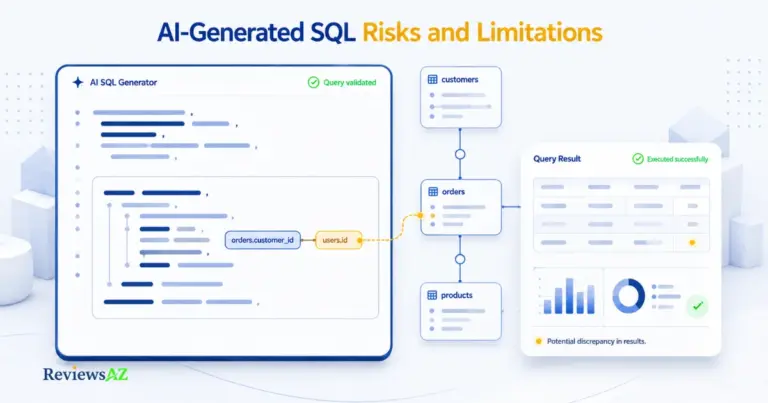
Complex joins and nested subqueries are where accuracy drops. Any text-to-SQL tool works by mapping your natural-language intent onto the semantic layer it built from your schema. That mapping gets exponentially harder with every additional join, every nested subquery, every conditional aggregation stacked on top of another. A query touching two tables is a narrow guess. A query touching six tables with three levels of nesting is a much wider one — and wider guesses are where even well-grounded AI models start to drift.
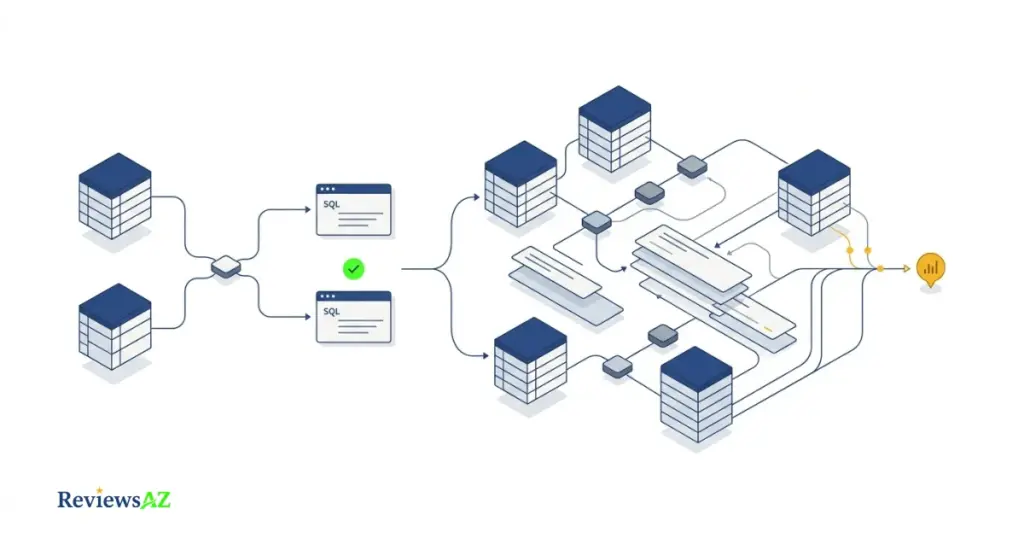
This isn’t unique to AI2SQL. It’s a structural limitation of the entire Text-to-SQL AI category right now. The difference between tools is how gracefully they fail — whether they hand you a wrong-but-confident query, or flag the ambiguity for you to resolve.
Common mistake: trusting a complex, multi-join query from any AI SQL tool without reading it line by line before running it against production data. Treat AI2SQL’s output on complex queries as a strong first draft, not a final answer — verify the join logic yourself, especially the ON conditions, before it touches anything that matters.
Customization is intentionally shallow. AI2SQL isn’t built to be a configurable SQL development environment — there’s no plugin system, no custom linting rules, no way to teach it your team’s specific naming conventions beyond what it infers from your schema itself.
No integrated development environment. If your workflow depends on syntax highlighting, inline debugging, version control, or a full IDE experience, AI2SQL was never meant to replace that. It’s a generation and correction layer that sits alongside your existing tools, not a replacement for them.
Schema dependency runs both ways. A clean, well-labeled schema is what makes AI2SQL’s accuracy genuinely strong. A messy one exposes its limits fast — and that dependency is worth internalizing before you blame the tool for a bad result that started with an undocumented table.
Security & Data Handling
AI2SQL connects to databases as read-only by default, blocking INSERT, UPDATE, DELETE, and other write or destructive statements at the gateway level. Credentials are encrypted, and every query is logged and auditable.
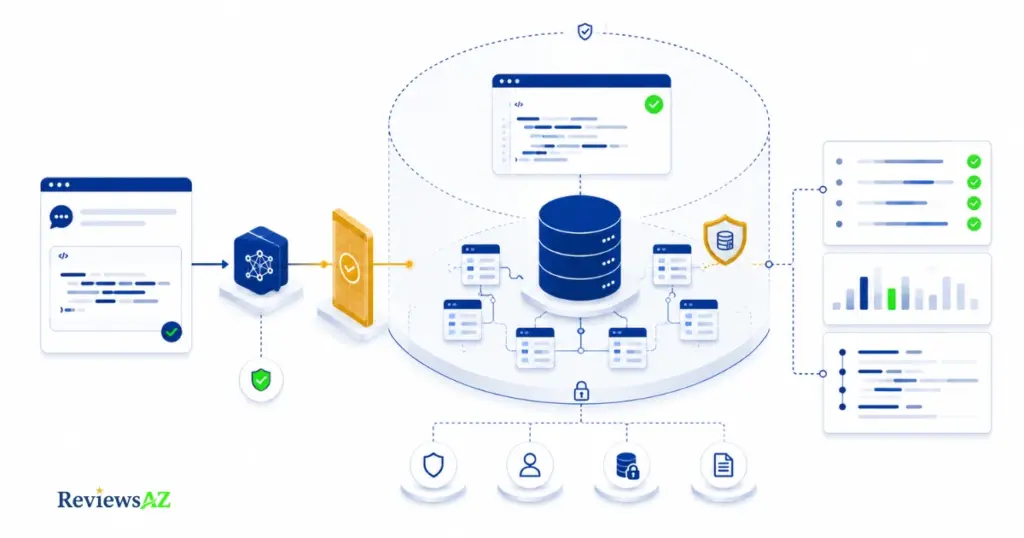
That read-only enforcement — the vendor calls it sqlGuard — is the detail that matters most if you’re weighing whether to connect a live production database at all. It means even a badly-formed AI-generated query can’t accidentally alter or delete real data; at worst, it returns wrong results, not a corrupted table.
For teams that prefer not to send credentials to a cloud service at all, the desktop app processes everything locally — queries run against your database directly from your machine, with nothing routed through AI2SQL’s servers.
Common mistake: treating “read-only” as equivalent to “fully compliant” for regulated data. Read-only access reduces one category of risk — accidental data modification — but doesn’t by itself satisfy data residency, retention, or access-control requirements that regulated industries typically need reviewed separately. If you’re in healthcare, finance, or another regulated space, confirm AI2SQL’s specific compliance posture directly with them before connecting real customer data. For a general primer on the broader risks AI-generated SQL can introduce, the OWASP SQL Injection Prevention Cheat Sheet is a solid, vendor-neutral reference.
The company itself is based in the United States (Florida), which is worth noting for teams with data residency requirements — we didn’t find published details on additional regional data centers, so if that matters for your compliance needs, it’s a direct question to ask their support team rather than something we can confirm from public information.
AI2SQL Alternatives
If you landed in the “look elsewhere” group above, AI2SQL isn’t the only text-to-SQL tool worth considering — and it isn’t necessarily the right one for every stack or budget.
AI2SQL vs Text2SQL.ai is the closest head-to-head comparison, since both target the same non-technical-to-technical gap; the real differences show up in pricing structure and database breadth rather than the core concept.
AI2SQL vs BlazeSQL is worth a look if desktop-first, offline-capable workflows matter more to you than the AI agent gateway angle AI2SQL leans into.
For a wider view beyond just these two, our rounds up the category, and our ranks the top picks by use case if you’re still comparing options rather than set on AI2SQL specifically.
Common Mistakes When Using AI2SQL
Most of the frustration people report with AI2SQL traces back to a handful of avoidable habits, not the tool itself.
- Skipping schema cleanup first. Feeding AI2SQL a database full of vague column names —
col1,amt,flag— and expecting sharp results. Spend twenty minutes renaming your most-used columns before you start; the accuracy improvement is noticeable. - Choosing a plan by price instead of query volume and database needs. Covered earlier, but it’s the single most common regret we found across user feedback — realizing mid-month that the Start plan’s 100-query cap doesn’t fit real usage.
- Running complex, multi-join output straight into production without review. Treating AI-generated SQL as final rather than a strong first draft is where the real risk lives, especially once joins and subqueries stack up.
- Testing the free trial with only simple queries. Using the seven-day window on queries you could’ve written yourself in seconds, instead of the genuinely hard one that would actually reveal whether the tool fits your workflow.
- Assuming “read-only” means “fully compliant.” Connecting real customer data under a regulated framework without separately confirming AI2SQL’s compliance posture for your specific industry.
None of these are AI2SQL-specific failures — they’re the same mistakes people make with almost any AI-assisted database tool. Knowing them ahead of time is the difference between a smooth first month and a frustrating one.
Frequently Asked Questions
Is AI2SQL free?
No, AI2SQL doesn’t have a permanent free tier. Every plan starts at $9/month for the Start tier. What it does offer is a 7-day free trial with no credit card required, which is enough time to test it against your actual schema before paying anything.
Is AI2SQL accurate for complex queries?
It handles single-table and moderately joined queries well, but accuracy declines as joins and nesting stack up, which is common across text-to-SQL tools generally. Treat complex AI2SQL output as a strong first draft, and review the join logic yourself before running it against production data.
Does AI2SQL support MongoDB?
Yes, MongoDB support is included starting on the Pro plan ($24/month), alongside Oracle and BigQuery. The entry-level Start plan only covers SQL, MySQL, and PostgreSQL, so confirm your database is included in the tier you’re choosing before subscribing.
Is my data safe if I connect a live database to AI2SQL?
Connections are read-only by default, with write and delete statements blocked at the gateway and every query logged. That significantly reduces the risk of accidental data changes, though read-only access alone doesn’t automatically satisfy stricter compliance requirements in regulated industries.
Does AI2SQL offer an API?
Yes, API access is included starting on the Business plan ($39/month), alongside desktop app access. Lower tiers are limited to the browser-based query builder, so teams planning to integrate AI2SQL programmatically need at least the Business tier.
Can I use AI2SQL offline?
Partially. The desktop app for Windows and Mac processes queries locally against your database, so credentials and execution stay on your machine rather than routing through AI2SQL’s servers — useful for security-conscious teams, though the app still needs an active subscription.
What are the best AI2SQL alternatives?
Text2SQL.ai and BlazeSQL are the two most commonly compared alternatives, differing mainly in pricing structure and offline capability. If you’re still comparing the category broadly rather than set on AI2SQL, our full alternatives roundup covers more options by use case.
Verdict: Is AI2SQL Worth It?
For a data analyst, marketer, or founder who needs real numbers out of a database without becoming a SQL expert first, AI2SQL earns its subscription. The Start plan is cheap enough to justify on its own, and the free trial removes any risk in finding out.
For a data engineer running consistently complex, multi-join production queries, it’s a useful assistant, not a replacement for expertise — treat its output on hard queries as a first draft, not a final answer.
If you’re still weighing this against Text2SQL.ai or BlazeSQL, that comparison is worth reading before you commit to either.
Start with the 7-day free trial, connect your messiest real table, and let that — not this review — make the final call.