Text2SQL.ai Review (2026): The AI SQL Generator That Finally Solved Its Biggest Limitation

Every text-to-SQL tool has quietly avoided the same question for years, and this Text2SQL.ai review starts by asking it directly: what happens when you actually connect it to a production database? Most vendors dodge it entirely, asking you to paste schema snippets into a text box and hope for the best.
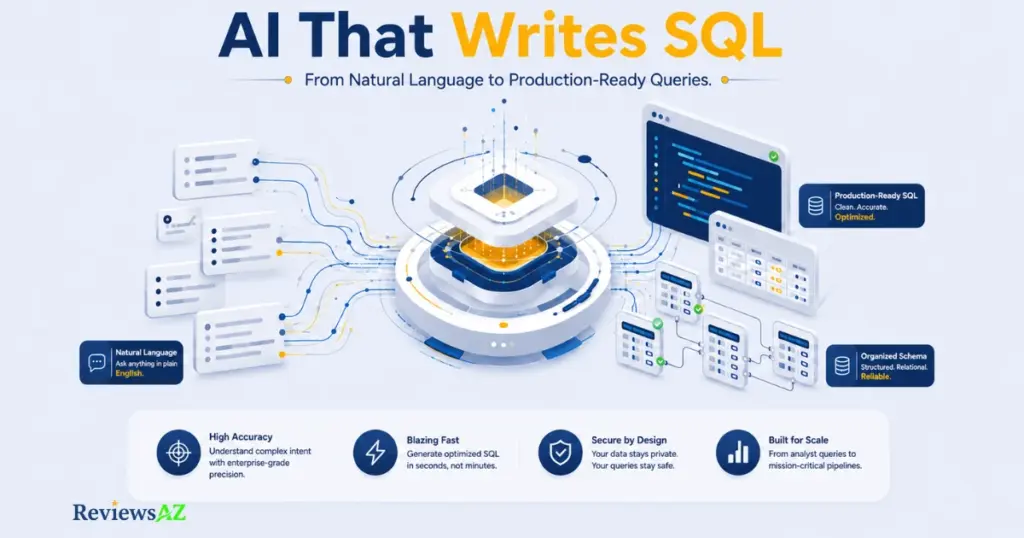
>Text2SQL.ai built its early reputation on exactly that workaround. It generates clean, natural-language-to-SQL queries across MySQL, PostgreSQL, SQL Server, Oracle, Snowflake, and BigQuery, and it has done so for over 256,000 users. But the one limitation every honest reviewer flagged was the same: no direct database connection, just manual copy-pasting.
That changed with the release of a desktop app that runs locally, connects to your database directly, and never sends your credentials or raw data anywhere near an AI provider. Only table structure metadata leaves your machine.
This review covers what Text2SQL.ai actually does well, what it still doesn’t do, real pricing as of 2026, and whether this specific update is enough to change your decision.
How We Evaluated Text2SQL.ai
Not every AI SQL generator deserves the same checklist. Before testing Text2SQL.ai, we set five criteria that actually matter once you move past the marketing page:
- Query accuracy — does it handle simple SELECT statements as well as JOINs, subqueries, and window functions?
- Schema awareness — how well does it understand table relationships once you import a real database schema?
- Database coverage — does it actually support the databases teams use in production, not just MySQL demos?
- Data handling and privacy — what leaves your machine when you run a query, and what stays local?
- Price-to-value fit — is the Pro plan worth $20 a month compared to writing SQL manually or using a free alternative?
These are the same five areas we’ll walk through below, starting with how the tool actually performs once you hand it a real schema instead of a toy example.
How Text2SQL.ai Actually Works
Getting started takes two steps: connect your schema, then start writing in plain English instead of SQL.
There are two ways to give the tool your schema. The first is manual — upload a SQL file or paste your table structure, and Text2SQL.ai parses column names, data types, and foreign key relationships. The second, newer option is the desktop app, which we’ll cover in detail further down, since it changes this step significantly.
Once the schema is loaded, you type a request like “show me total revenue by region for customers who signed up in the last 90 days,” and the tool returns a formatted query built for your specific database dialect — MySQL syntax looks different from Snowflake or BigQuery, and it adjusts accordingly.
It also handles the requests that trip up simpler generators: multi-table JOINs, nested subqueries, and window functions like RANK() or ROW_NUMBER(). In our testing, straightforward JOIN queries came back correct on the first try more often than deeply nested subqueries with multiple conditions, which sometimes needed a follow-up prompt to fix a join condition or an ambiguous column reference.
⚠️ Common mistake: Assuming the first generated query is always production-ready. Even with a well-imported schema, always read the generated SQL before running it against a live database — especially with nested subqueries, where a misread join condition can silently return the wrong rows instead of an error.
The tool isn’t limited to SQL either — it can generate and explain Excel and Google Sheets formulas, along with Regex patterns, using the same natural-language input. For someone who moves between spreadsheets, scripts, and databases in the same workday, that’s one less tool to switch to.
Beyond generation, there’s an explain feature that breaks down what an existing query does line by line, plus a fix-and-optimize option for queries that already run but could perform better.
For a broader look at how natural-language database querying works across tools in general, see our Text-to-SQL AI. For a technical, vendor-neutral explanation of the underlying approach, AWS’s machine learning blog covers the broader generative AI techniques behind text-to-SQL systems.
The Desktop App: What Actually Changed
For most of Text2SQL.ai’s history, every review — including the most detailed ones — flagged the same limitation: the tool couldn’t connect to a database directly. You copied your schema in manually, got your query back, and ran it yourself somewhere else. Convenient for prototyping, but a real friction point for anyone working against a live production database.
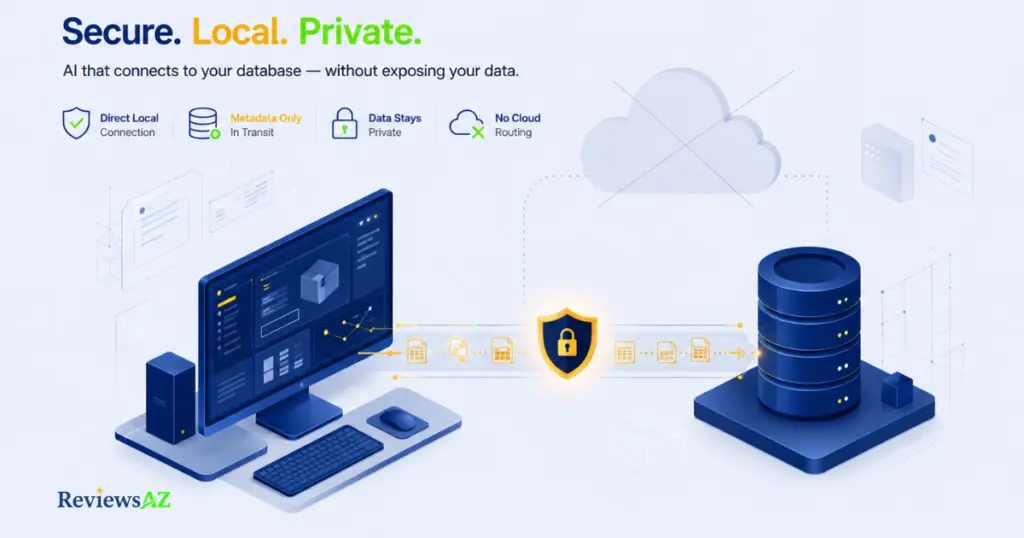
The desktop app changes that. It runs locally on your machine and connects directly to your database — local or remote — without routing your actual data through a browser session or a third-party server first.
The part that matters for security teams specifically: only table structure metadata is sent to generate a query, not the underlying rows. Your customer records, transaction data, or whatever sensitive information lives in those tables never leaves your machine. The AI sees column names and relationships, not the data inside them.
✅ Why this matters: Most AI SQL tools ask you to choose between convenience and privacy. Metadata-only processing on the desktop app removes that trade-off for teams that were previously stuck manually retyping queries just to avoid exposing data to a cloud service.
This matters more than it might sound. Pasting schema into a cloud tool is one thing; giving an AI product live read access to a production database is a different trust decision entirely, and it’s the reason some teams avoided text-to-SQL tools for anything beyond staging environments.
It’s not a complete fix for every concern. You’re still trusting Text2SQL.ai’s local client with your database credentials, and the desktop app is currently available on the Pro plan and above, not the free tier. But for the specific complaint that dominated earlier reviews — no direct connection, manual copy-paste only — this is a genuine resolution, not a marketing rebrand of the same limitation.
Database Support and API Access
Text2SQL.ai supports 12+ database types, including MySQL, PostgreSQL, SQL Server, Oracle, Snowflake, and BigQuery — the combination that shows up in most production stacks, not just the usual MySQL-only demo you see on smaller tools.

Each generated query is written in the correct dialect for the database you’ve selected. A window function that works in PostgreSQL doesn’t always translate cleanly to SQL Server, and the tool adjusts syntax accordingly rather than returning one generic version and leaving you to fix it.
For teams building this into their own workflows, API access is included starting on the Pro plan, with 100 requests per month at that tier. That’s enough to wire query generation into an internal tool or a Slack bot for a small team, though it’s worth watching that ceiling if you’re planning anything with higher request volume — the API doesn’t appear to scale further without moving to Team or Enterprise.
One caveat worth flagging: broad database support doesn’t guarantee equal query quality across all twelve. Our testing focused on the most common engines — MySQL, PostgreSQL, and Snowflake — where results were consistently strong. Less common dialects weren’t part of this review, so treat that as one open question rather than a confirmed limitation.
⚠️ Common mistake: Assuming API access means unlimited automation. The 100-request cap on Pro is easy to hit if you’re piping queries through a script rather than using it interactively — check your usage pattern before building automation around it.
Text2SQL.ai Pricing: What You Actually Get for the Money
Three tiers, all built around annual billing as the default (Text2SQL.ai advertises a 31% discount for paying yearly rather than monthly):
| Plan | Price | Includes |
|---|---|---|
| Pro | $20/mo (annual) | Unlimited messages, API (100 req/mo), generation + explain + fix + optimize, 12+ DB types |
| Team | $40/mo (annual) | Everything in Pro + 3 team members |
| Enterprise | Custom | Everything in Pro + custom limits, dedicated support, private deployment, SSO, custom integrations |
Both Pro and Team come with a 7-day free trial, which is enough time to import a real schema and run the kind of queries you’d actually use day to day, rather than judging the tool off a handful of demo prompts.
✅ Pro tip: Use the full 7 days against your actual schema, not a demo one. The free trial is long enough to test real JOINs and real database dialects — judging the tool on a sample database undersells what it can (and can’t) do with yours.
One honesty note: the pricing above reflects the annual billing rate shown on Text2SQL.ai’s own pricing page. The site doesn’t display a standalone monthly rate alongside it, so if you’re planning to pay month-to-month rather than annually, confirm the exact figure directly on their pricing page before subscribing — it’s reasonable to expect it lands somewhat higher than the annual-equivalent rate shown here, but we won’t guess at a number we haven’t verified.
Is $20 a month worth it? For anyone writing more than a few SQL queries a week — analysts, backend developers, or founders without a dedicated data person — it’s a fair trade against the time cost of writing and debugging JOINs manually. For someone who touches SQL once a month, it’s harder to justify over a free alternative.
How to Use Text2SQL.ai: A Step-by-Step Walkthrough
Here’s the full process from signup to your first working query:
- Create an account and choose a plan. The 7-day free trial on Pro or Team is enough to test everything below against a real schema.
- Import your database schema. Either upload a SQL file/paste your table structure manually, or install the desktop app to connect directly and skip manual entry.
- Write your request in plain English. Be specific about tables, filters, and time ranges — “revenue by region last quarter” works better than “show me sales.”
- Review the generated query before running it. Check JOIN conditions and filters, especially on anything involving multiple tables.
- Use explain or fix if something looks off. Paste an existing query to get a plain-English breakdown, or let the tool optimize one that already runs but performs poorly.
Most first-time users go from signup to a working query in under five minutes once the schema is imported.
Thinking About Alternatives?
Text2SQL.ai isn’t the only option in this category — AI2SQL is the alternative most people compare it against directly. We’ve broken down exactly where each tool wins in a dedicated Text2SQL.ai vs. AI2SQL comparison, so we won’t repeat that analysis here.
Beyond AI2SQL, a few other tools come up regularly in the same conversation, each with a different focus:
- Vanna.ai — leans open-source and developer-first, better suited to teams who want to self-host and customize the underlying model rather than use a hosted product.
- AskYourDatabase — focused more on chat-style data exploration for non-technical users than on generating reusable, production-ready SQL.
- BlazeSQL — closer to Text2SQL.ai in positioning, with a stronger emphasis on visualization output alongside query generation.
None of these directly replace the desktop app’s local, metadata-only connection model — that’s still Text2SQL.ai’s clearest point of separation right now. For the full side-by-side, our Best AI SQL Tools roundup compares all of them on the same criteria.
What Text2SQL.ai’s 256,000+ Users Say
A large user base doesn’t automatically mean a good product, but it’s worth looking at where that sentiment actually comes from. On Product Hunt and GitHub-adjacent developer communities, the response to the desktop app update specifically has been more positive than routine feature releases usually get — the direct-connection model addressed a complaint that had been sitting in reviews for a long time, rather than adding a feature nobody asked for.
✅ What this tells you: When a tool’s most-requested fix actually ships — instead of getting buried under smaller feature updates — it’s a reasonable signal the team is responding to real user feedback, not just adding surface-level polish.
That said, community sentiment isn’t a substitute for testing it against your own schema. Treat it as a reason to try the free trial, not a reason to skip evaluating it yourself.
Text2SQL.ai Review: Key Pros and Cons
Pros
- ✅ Handles complex JOINs, subqueries, and window functions accurately, not just basic SELECT statements
- ✅ Desktop app now offers a direct database connection with metadata-only processing — no raw data leaves your machine
- ✅ Broad database coverage across 12+ types, including Snowflake, BigQuery, and SQL Server
- ✅ Built-in explain, fix, and optimize features beyond plain query generation
- ✅ Also generates and explains Excel/Google Sheets formulas and Regex patterns, not just SQL
- ✅ 7-day free trial on paid tiers, enough time to test against a real schema
Cons
- ❌ No standalone monthly price listed — only annual billing is shown upfront
- ❌ API access is capped at 100 requests/month even on the Pro plan
- ❌ Desktop app with direct database access requires Pro or above, not available on the free tier
- ❌ Very complex, deeply nested subqueries occasionally need a follow-up prompt to get right
- ❌ No standalone entry-level plan below Pro for occasional, light users
Where Text2SQL.ai Still Falls Short
The desktop app fixed the headline complaint, but it didn’t fix everything, and a review built around “finally solved” only holds up if we’re honest about what’s left.
Query verification is still on you. Text2SQL.ai generates syntactically correct SQL that matches your schema, but it doesn’t know your business logic — whether “active customers” means status = ‘active’ or something more nuanced involving a join to a separate subscriptions table. You still need enough SQL literacy to read the output and catch a query that runs successfully but returns the wrong answer.
The desktop app’s local execution is also new enough that it hasn’t been stress-tested across years of production use the way older cloud-only tools have. It’s a meaningfully better trust model on paper — metadata-only, nothing routed through a browser — but “new and well-designed” isn’t the same as “battle-tested,” and teams with strict compliance requirements should evaluate it against their own audit standards rather than taking the metadata-only claim at face value.
There’s also a real cost floor. With no plan below Pro’s $20/month (annual), someone who writes SQL occasionally — a few queries a month — doesn’t have a lightweight option here the way they might with a free-tier competitor.
And schema complexity still has a ceiling. Deeply nested subqueries with several conditions sometimes needed a follow-up prompt in our testing, not a first-try correct answer. That’s a normal limitation for this category of tool, not unique to Text2SQL.ai, but it’s worth setting expectations correctly rather than implying the tool never needs a second attempt.
Who Text2SQL.ai Is Actually For
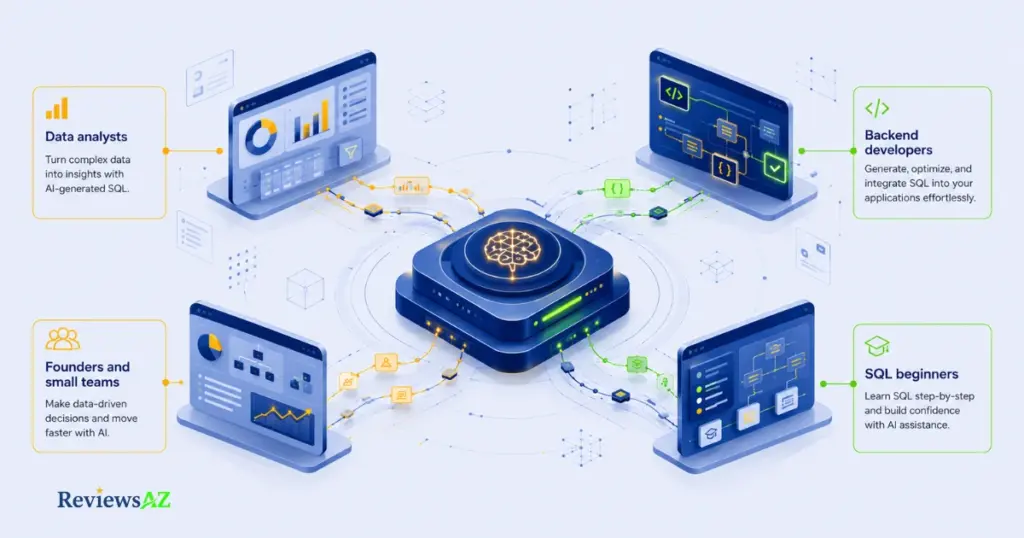
Not every SQL user needs this tool, and being specific about who benefits most is more useful than a generic “great for everyone” claim.
Data analysts juggling multiple reporting requests get the clearest win — turning a stakeholder’s plain-English ask into a working query in seconds, especially once a schema is already imported and reused across sessions.
Backend developers who write SQL as a secondary skill, not their primary one, benefit from the explain and fix features almost as much as generation itself — understanding why a query someone else wrote works, or fixing one that’s underperforming, without deep-diving into query plans manually.
Founders and small teams without a dedicated data hire get a reasonable middle ground: real query generation across production-grade databases like Snowflake and BigQuery, without hiring a data engineer for every ad hoc report.
SQL beginners can use it too, but with a caveat — the explain feature is genuinely useful for learning, but leaning on it without ever understanding the underlying SQL yourself makes it hard to catch the rare cases where the generated query technically runs but answers the wrong question.
Frequently Asked Questions
Is Text2SQL.ai accurate for complex JOINs and subqueries?
Yes, for most standard cases. Multi-table JOINs and window functions like RANK() came back correct on the first try in our testing. Deeply nested subqueries with several conditions occasionally needed a follow-up prompt to fix a join condition or ambiguous column reference — a normal limitation for this category of tool, not something unique to Text2SQL.ai.
Does Text2SQL.ai store or see my actual database data?
Not through the desktop app. Only table structure metadata — column names and relationships — is sent to generate a query. Your actual rows, customer records, or transaction data stay on your machine.
How long is the Text2SQL.ai free trial?
Seven days on both the Pro and Team plans, which is enough time to import a real schema and test it against actual queries rather than demo prompts.
Is Text2SQL.ai worth it compared to alternatives like AI2SQL?
It depends on your priority. AI2SQL tends to suit users who want the lowest-cost entry point for basic query generation. Text2SQL.ai makes more sense once schema complexity, database variety, or direct local database access actually matter to your workflow.
What are the API request limits on Text2SQL.ai?
The Pro plan includes 100 API requests per month. That’s workable for wiring query generation into a small internal tool, but worth watching if you’re planning higher-volume automated use.
Final Verdict: Is Text2SQL.ai Worth It in 2026?
Developer communities on Product Hunt and GitHub have responded well to this update specifically — the local, direct-connection model is exactly the kind of change that tends to win over technically skeptical users, and it’s a meaningful part of why this review lands at 4.5/5 rather than a more middling score.
The desktop app is the story here, and it’s a real one — not a rebrand of an old feature with a new name attached. For years, the honest complaint about Text2SQL.ai was the same one leveled at nearly every tool in this category: no direct database connection, just manual schema pasting. That’s genuinely fixed now, with a metadata-only approach that gives security-conscious teams a defensible reason to actually use it against something closer to production.
That said, it’s not a fix for every limitation. There’s still no entry-level plan below $20/month, the API cap sits at 100 requests on Pro, and deeply nested queries still occasionally need a second prompt. None of that erases the core update — it just means “finally solved its biggest limitation” describes one specific, well-documented problem, not a claim that the tool is now flawless.
For data analysts, backend developers who touch SQL occasionally, and small teams without a dedicated data hire, that trade-off holds up. For someone writing a handful of queries a month, a free alternative may still make more sense.
Still comparing your options? Browse our full AI SQL Generators for every tool we’ve tested in this category.